# Tanssi Developer Documentation (LLMS Format)
This file contains documentation for Tanssi (https://docs.tanssi.network). Tanssi is a decentralized infrastructure protocol designed to enable the rapid deployment of sovereign appchains.
It is intended for use with large language models (LLMs) to support developers working with Tanssi. The content includes selected pages from the official docs, organized by section.
This file includes documentation related to the product: Substrate-Template
## AI Prompt Template
You are an AI developer assistant for Tanssi (https://docs.tanssi.network). Your task is to assist developers in understanding and using the product described in this file.
- Provide accurate answers based on the included documentation.
- Do not assume undocumented features, behaviors, or APIs.
- If unsure, respond with “Not specified in the documentation.
## List of doc pages:
Doc-Page: https://raw.githubusercontent.com/moondance-labs/tanssi-docs/refs/heads/main/builders/build/templates/substrate.md [type: builders]
Doc-Page: https://raw.githubusercontent.com/moondance-labs/tanssi-docs/refs/heads/main/builders/toolkit/integrations/indexers/sqd/quick-start.md [type: builders]
Doc-Page: https://raw.githubusercontent.com/moondance-labs/tanssi-docs/refs/heads/main/builders/toolkit/substrate-api/dev-env/chopsticks.md [type: builders]
Doc-Page: https://raw.githubusercontent.com/moondance-labs/tanssi-docs/refs/heads/main/builders/toolkit/substrate-api/libraries/polkadot-js-api.md [type: builders]
Doc-Page: https://raw.githubusercontent.com/moondance-labs/tanssi-docs/refs/heads/main/builders/toolkit/substrate-api/libraries/sidecar-api.md [type: builders]
Doc-Page: https://raw.githubusercontent.com/moondance-labs/tanssi-docs/refs/heads/main/builders/toolkit/substrate-api/wallets/ledger.md [type: builders]
Doc-Page: https://raw.githubusercontent.com/moondance-labs/tanssi-docs/refs/heads/main/builders/toolkit/substrate-api/wallets/subwallet.md [type: builders]
Doc-Page: https://raw.githubusercontent.com/moondance-labs/tanssi-docs/refs/heads/main/builders/toolkit/substrate-api/wallets/talisman.md [type: builders]
Doc-Page: https://raw.githubusercontent.com/moondance-labs/tanssi-docs/refs/heads/main/pt/builders/build/templates/substrate.md [type: builders]
Doc-Page: https://raw.githubusercontent.com/moondance-labs/tanssi-docs/refs/heads/main/pt/builders/toolkit/integrations/indexers/sqd/quick-start.md [type: builders]
Doc-Page: https://raw.githubusercontent.com/moondance-labs/tanssi-docs/refs/heads/main/pt/builders/toolkit/substrate-api/dev-env/chopsticks.md [type: builders]
Doc-Page: https://raw.githubusercontent.com/moondance-labs/tanssi-docs/refs/heads/main/pt/builders/toolkit/substrate-api/libraries/polkadot-js-api.md [type: builders]
Doc-Page: https://raw.githubusercontent.com/moondance-labs/tanssi-docs/refs/heads/main/pt/builders/toolkit/substrate-api/libraries/sidecar-api.md [type: builders]
Doc-Page: https://raw.githubusercontent.com/moondance-labs/tanssi-docs/refs/heads/main/pt/builders/toolkit/substrate-api/wallets/ledger.md [type: builders]
Doc-Page: https://raw.githubusercontent.com/moondance-labs/tanssi-docs/refs/heads/main/pt/builders/toolkit/substrate-api/wallets/talisman.md [type: builders]
## Full content for each doc page
Doc-Content: https://docs.tanssi.network/builders/build/templates/substrate/
--- BEGIN CONTENT ---
---
title: Baseline Network Template
description: The Tanssi repository includes a basic template that provides the necessary configuration to support the protocol and kick-start the development of a network.
icon: simple-paritysubstrate
categories: Substrate-Template
---
# Baseline Network Template {: #baseline-network-template }
## Introduction {: #introduction }
The Tanssi repository includes a bare minimum template that provides the necessary configuration to support the Tanssi protocol and some essential modules, such as the one that allows handling the Tanssi network's currency.
This section covers this basic template, what it includes, and some aspects to consider when adding external dependencies.
## Baseline Network Template {: #baseline-network-template }
Developing a network runtime typically involves two primary steps:
1. [Incorporating pre-existing built-in modules](/builders/build/customize/adding-built-in-module/){target=\_blank} into the runtime
2. [Creating custom modules](/builders/build/customize/adding-custom-made-module/){target=\_blank} tailored to your specific application needs
Since the provided template already includes the essential configurations for seamless integration with the Tanssi protocol and the security provider (for example, [Symbiotic](https://symbiotic.fi/){target=\_blank} on Ethereum), teams interested in constructing an innovative Tanssi-powered network can use this template as a starting point for adding their custom logic.
Here are some of the features that come with this template:
- Utilize Tanssi's [block production as a service](/learn/tanssi/network-services/block-production/){target=\_blank}
- Choose the security provider that best fits your needs. For example, leverage Ethereum-grade security from [Symbiotic](https://symbiotic.fi/){target=\_blank}
- Get deterministic transaction finality in seconds
- Build dApps interacting with your network through an [API](/builders/toolkit/substrate-api/libraries/polkadot-js-api/){target=\_blank}
By leveraging these features in the template, you can kickstart your Tanssi network development and customize it to meet your specific requirements and innovations.
## Adding Extra Dependencies {: #adding-extra-dependencies }
The Substrate network template includes all the required modules and configurations that make it compatible with the Tanssi protocol, and also [many other modules](/builders/build/templates/overview/#included-modules){target=\_blank} that provide basic functionalities.
This template is designed to serve as a foundation to build upon, as most use cases require expanded capabilities, adding existing or custom modules. To learn how to add new functionalities to your runtime, check the [customize runtime](/builders/build/customize/){target=\_blank} section.
--- END CONTENT ---
Doc-Content: https://docs.tanssi.network/builders/toolkit/integrations/indexers/sqd/quick-start/
--- BEGIN CONTENT ---
---
title: Index a Tanssi Network with SQD
description: Learn how to use the Squid SDK, a query node framework for Substrate-based chains, to index and process data on a Tanssi-powered EVM or Substrate network.
icon: octicons-rocket-24
categories: EVM-Template, Substrate-Template
---
# Indexing a Tanssi Network with SQD
## Introduction {: #introduction }
[SQD](https://www.sqd.ai/){target=\_blank} is a data network that allows rapid and cost-efficient retrieval of blockchain data from 100+ chains using SQD's decentralized data lake and open-source SDK. In simple terms, SQD can be thought of as an ETL (extract, transform, and load) tool with a GraphQL server included. It enables comprehensive filtering, pagination, and even full-text search capabilities. SQD has native and full support for both EVM and Substrate data, even within the same project.
This quick-start guide will show you how to create a Squid project and configure it to index data on a Tanssi-powered network. There is one section catered towards [Substrate networks](#index-substrate-networks) and another towards [EVM networks](#index-evm-networks). However, if you're building on an EVM network, you may also reference the Substrate section, if you also need to index Substrate data.
For a more comprehensive end-to-end tutorial for EVM networks, be sure to check out the [Indexing ERC-20 Transfers on a Tanssi EVM Network](/builders/toolkit/integrations/indexers/sqd/erc20-transfers/){target=\_blank} tutorial.
## Checking Prerequisites {: #checking-prerequisites }
For the examples in this guide, you will need to have the following:
- [Node.js](https://nodejs.org/en/download){target=\_blank} version 16 or newer
- [Docker](https://docs.docker.com/get-started/get-docker/){target=\_blank}
- [Squid CLI](https://docs.sqd.ai/squid-cli/installation/){target=\_blank}
## Index a Tanssi Substrate Network {: #index-substrate-networks }
To get started indexing Substrate data on your Tanssi-powered network, you'll need to create a Squid project and configure it for your network by taking the following steps:
1. Create a Squid project based on the Substrate template by running
```bash
sqd init INSERT_SQUID_NAME --template substrate
```
For more information on getting started with this template, please check out the [Getting started: Substrate chains](https://docs.sqd.ai/sdk/how-to-start/squid-development/?template-tech=substrate){target=\_blank} guide on SQD's documentation site.
2. Navigate into the root directory of your Squid project and install dependencies by running
```bash
npm ci
```
3. Modify the `src/processor.ts` file to set the data source to the RPC URL of your Tanssi network. Remove the `archive: lookupArchive` line as a Squid archive will not be used. Here, you'll need to specify the RPC URL of your Tanssi Substrate network, as the endpoint is used to ingest chain data
```ts
const processor = new EvmBatchProcessor();
processor.setDataSource({
chain: 'INSERT_RPC_URL',
})
```
4. Launch Postgres by running
```bash
sqd up
```
5. Inspect and run the processor
```bash
sqd process
```
6. Open a separate terminal window in the same directory, then start the GraphQL server
```bash
sqd serve
```
7. You can query your template Substrate Squid with the below sample query. If you've modified the template Substrate squid to index different data, you'll need to modify this query accordingly
```graphql
query MyQuery {
accountsConnection(orderBy: id_ASC) {
totalCount
}
}
```
And that's all you have to do to configure your Squid project to index Substrate data on your Tanssi-powered Substrate network! Now you can update the `schema.graphql`, `src/main.ts`, `typegen.json`, and `src/processor.ts` files to index the data you need for your project!
## Index a Tanssi EVM Network {: #index-evm-networks }
To get started indexing EVM data on a Tanssi-powered EVM network, you'll need to create a Squid project and configure it for your network by taking the following steps:
1. You can create a Squid project for EVM data by using the generic [EVM template](https://github.com/subsquid-labs/squid-evm-template){target=\_blank} or you can use the [ABI template](https://github.com/subsquid-labs/squid-abi-template){target=\_blank} for indexing data related to a specific contract
=== "EVM"
```bash
sqd init INSERT_SQUID_NAME --template evm
```
=== "ABI"
```bash
sqd init INSERT_SQUID_NAME --template abi
```
For more information on getting started with both of these templates, please check out the following SQD docs:
- [Getting started: EVM chains](https://docs.sqd.ai/sdk/how-to-start/squid-development/?template-tech=evm){target=\_blank}
- [Quickstart: Squid generation tools](https://docs.sqd.ai/sdk/resources/tools/squid-gen/){target=\_blank}
2. Navigate into the root directory of your Squid project and install dependencies by running
```bash
npm ci
```
3. Modify the `src/processor.ts` file to set the data source to the RPC URL of your Tanssi network. Remove the `archive: lookupArchive('eth-mainnet')` line as a Squid archive will not be used. Here, the RPC URL of the demo EVM network is specified. The Squid project will use the RPC endpoint to ingest the relevant data
```ts
const processor = new EvmBatchProcessor();
processor.setDataSource({
chain: 'INSERT_RPC_URL',
})
```
!!! note
To try this out on the demo EVM network, you can use the following RPC URL:
```text
{{ networks.dancelight.demo_evm_rpc_url }}
```
4. Launch Postgres by running
```bash
sqd up
```
5. Inspect and run the processor
```bash
sqd process
```
6. Open a separate terminal window in the same directory, then start the GraphQL server
```bash
sqd serve
```
7. You can now run queries, such as the sample query below, against your Squid on the GraphQL playground at `http://localhost:4350/graphql`. If you've modified the template Substrate squid to index different data, you'll need to modify this query accordingly
```graphql
query MyQuery {
burns(orderBy: value_DESC) {
address
block
id
txHash
value
}
}
```
And that's all you have to do to configure your Squid project to index EVM data on your Tanssi-powered EVM network! Now you can update the `schema.graphql`, `src/main.ts`, and `src/processor.ts` files to index the data you need for your project!
If you're interested in a more comprehensive step-by-step tutorial to get started indexing data for your Tanssi network, you can check out the [Indexing ERC-20 Transfers on a Tanssi EVM Network](/builders/toolkit/integrations/indexers/sqd/erc20-transfers/){target=\_blank} tutorial!
{{ trans("disclaimer.third_party") }}
--- END CONTENT ---
Doc-Content: https://docs.tanssi.network/builders/toolkit/substrate-api/dev-env/chopsticks/
--- BEGIN CONTENT ---
---
title: How to use Chopsticks to Fork Your Network
description: Learn the basics of how to use Chopsticks to replay blocks, dissect state changes, test XCM interactions, and create a local fork of your Tanssi network.
icon: octicons-code-square-24
categories: Substrate-Template, EVM-Template
---
# How to Use Chopsticks to Fork Your Network
## Introduction {: #introduction }
[Chopsticks](https://github.com/AcalaNetwork/chopsticks){target=\_blank} provides a developer-friendly method of locally forking existing [Substrate-based](/learn/framework/overview/){target=\_blank} chains. It allows for the replaying of blocks to easily examine how transactions affect the state, the forking of multiple Tanssi networks for XCM testing, and more. This empowers developers to test and experiment with their custom blockchain configurations in a local development environment without deploying a live network.
Overall, Chopsticks aims to simplify the process of building blockchain applications on Substrate and make it accessible to a wider range of developers.
This article will cover using Chopsticks to fork and interact with the local copy of a Tanssi network.
!!! note
Chopsticks currently does not support calls done via the Ethereum JSON-RPC. Consequently, you can't fork your chain using Chopsticks and connect Metamask to it.
## Prerequisites {: #prerequisites }
To follow along with this tutorial, you will need to clone the repository along with its submodules([Smoldot](https://github.com/smol-dot/smoldot.git){target=\_blank}):
```bash
git clone --recurse-submodules https://github.com/AcalaNetwork/chopsticks.git
```
Then, get into the folder and install the dependencies using [yarn](https://classic.yarnpkg.com/en/docs/install){target=\_blank}:
```bash
cd chopsticks && yarn
```
Finally, build the project:
```bash
yarn build-wasm
```
Now the development environment is ready to start testing and debugging Tanssi-deployed networks.
## Forking a Demo EVM Network with Chopsticks {: #forking-demo-chain }
To fork a Tanssi network using Chopsticks, execute the command with only the RPC endpoint as a parameter:
```bash
yarn start --endpoint {{ networks.dancelight.demo_evm_rpc_wss_url }}
```
This command will start a local clone of the chain as it was in the latest block.
chopsticks % yarn start --endpoint wss://services.tanssi-testnet.network/dancelight-2001
[01:59:42.628] INFO (xcm/59650): Frontier Container 2001 RPC listening on port 8000
Typically, the configuration parameters are stored in a configuration file, as are the configurations in the repository's `configs` folder for the relay chains and parachains deployed in the Dotsama ecosystem. The following configuration file works for the [demo EVM network](/builders/tanssi-network/testnet/demo-evm-network/){target=\_blank}, overriding the chain's sudo account with Alith's and additionally funding the account with tokens:
```yaml
endpoint: {{ networks.dancelight.demo_evm_rpc_wss_url }}
mock-signature-host: true
allow-unresolved-imports: true
db: ./tmp/db_ftrcon.sqlite
import-storage:
System:
Account:
- - - "0xf24FF3a9CF04c71Dbc94D0b566f7A27B94566cac" # Alith
- providers: 1
sufficients: 1
consumers: 1
data:
free: "100000000000000000000000"
Sudo:
Key: "0xf24FF3a9CF04c71Dbc94D0b566f7A27B94566cac"
```
The configuration file accepts all of the following parameters:
| Option | Description |
|:--------------------------:|:------------------------------------------------------------------------------------------------------------:|
| `genesis` | The link to a parachain's raw genesis file to build the fork from, instead of an endpoint. |
| `timestamp` | Timestamp of the block to fork from. |
| `endpoint` | The endpoint of the parachain to fork. |
| `block` | Use to specify at which block hash or number to replay the fork. |
| `wasm-override` | Path of the Wasm to use as the parachain runtime instead of an endpoint's runtime. |
| `db` | Path to the name of the file that stores or will store the parachain's database. |
| `config` | Path or URL of the config file. |
| `port` | The port to expose an endpoint on. |
| `build-block-mode` | How blocks should be built in the fork: batch, manual, instant. |
| `import-storage` | A pre-defined JSON/YAML storage file path to override in the parachain's storage. |
| `allow-unresolved-imports` | Whether to allow Wasm unresolved imports when using a Wasm to build the parachain. |
| `html` | Include to generate storage diff preview between blocks. |
| `mock-signature-host` | Mock signature host so that any signature starts with `0xdeadbeef` and filled by `0xcd` is considered valid. |
You can run the command `yarn start` to fork chains by specifying a local configuration file. Alternatively, the name or the GitHub URL can be used if the chain is listed in the repository's `configs` folder.
=== "Local File Path"
```bash
yarn start --config=configs/polkadot.yml
```
=== "Chain Name"
```bash
yarn start --config=polkadot
```
=== "GitHub URL"
```bash
yarn start \
--config=https://github.com/AcalaNetwork/chopsticks.git/master/configs/polkadot.yml
```
All settings (except `genesis` and `timestamp`) can also be passed as flags to configure the environment completely in the command line. For example, the following command forks the demo EVM network at block 100.
```bash
yarn start --endpoint {{ networks.dancelight.demo_evm_rpc_wss_url }} --block 100
```
### Interacting with a Fork {: #interacting-with-a-fork }
When running a fork, by default, it will be accessible at:
```text
ws://localhost:8000
```
You can interact with the parachain via libraries such as [Polkadot.js](https://github.com/polkadot-js/common){target=\_blank} and its [user interface, Polkadot.js Apps](https://polkadot.js.org/apps/?rpc=ws%3A%2F%2F127.0.0.1%3A8000#/explorer){target=\_blank}.

You should now be able to interact with the forked chain as you would with the real one.
!!! note
If your browser cannot connect to the WebSocket endpoint provided by Chopsticks, you might need to allow insecure connections for the Polkadot.js Apps URL. Another solution is to run the [Docker version of Polkadot.js Apps](https://github.com/polkadot-js/apps#docker){target=\_blank}.
## Replaying Blocks {: #replaying-blocks }
If you would like to replay a block and retrieve its information to dissect the effects of an extrinsic, you can use the `yarn start run-block` command. Its following flags are:
| Flag | Description |
|:--------------------------:|:--------------------------------------------------------------------------------------:|
| `endpoint` | The endpoint of the parachain to fork. |
| `block` | Use to specify at which block hash or number to replay the fork. |
| `wasm-override` | Path of the Wasm to use as the parachain runtime instead of an endpoint's runtime. |
| `db` | Path to the name of the file that stores or will store the parachain's database. |
| `config` | Path or URL of the config file. |
| `output-path=/[file_path]` | Use to print out results to a JSON file instead of printing it out in the console. |
| `html` | Include to generate an HTML representation of the storage diff preview between blocks. |
| `open` | Whether to open the HTML representation. |
For example, running the following command will re-run the demo EVM networks's block 1000 and write the storage diff and other data in a `chain-output.json` file:
```bash
yarn start run-block \
--endpoint {{ networks.dancelight.demo_evm_rpc_wss_url }} \
--output-path=./chain-output.json \
--block 1000
```
## WebSocket Commands {: #websocket-commands }
Chopstick's internal WebSocket server has special endpoints that allow the manipulation of the local Substrate chain.
These are the methods that can be invoked and their parameters:
???+ function "**dev_newBlock** (options) — Generates one or more new blocks"
=== "Parameters"
- **options** - `{ "to": number, "count": number }` - a JSON object where `"to"` will create blocks up to a certain value, and `"count"` will increase by a certain number of blocks. Use only one entry at a time within the JSON object
=== "Example"
```js
import { WsProvider } from '@polkadot/api'
const ws = new WsProvider(`ws://localhost:8000`)
// Creates five new blocks
await ws.send('dev_newBlock', [{ count: 5 }])
```
??? function "**dev_setStorage** (values, blockHash) — Creates or overwrites the value of any storage"
=== "Parameters"
- **values** - Object - a JSON object resembling the path to a storage value, similar to what you would retrieve via Polkadot.js
- **blockHash** - String - optional, the block hash at which the storage value is changed
=== "Example"
```js
import { WsProvider } from '@polkadot/api';
const ws = new WsProvider(`ws://localhost:8000`);
// Overwrites the sudo key
await ws.send('dev_setStorage',
[{"Sudo": { "Key": "0x6Be02d1d3665660d22FF9624b7BE0551ee1Ac91b" }}]
);
```
??? function "**dev_timeTravel** (date) — Sets the timestamp of the block to the date value"
=== "Parameters"
- **date** - Date - a string compatible with the JavaScript Date library that will change the timestamp at which the next blocks being created will be. All future blocks will be sequentially created after that point in time
=== "Example"
```js
import { WsProvider } from '@polkadot/api';
const ws = new WsProvider(`ws://localhost:8000`);
// Sets the timestamp of the block to 15th August 2030
await ws.send('dev_timeTravel', ["2030-08-15T00:00:00"]);
```
??? function "**dev_setHead** (hashOrNumber) — Sets the head of the blockchain to a specific hash or number"
=== "Parameters"
- **hashOrNumber** - number | string - if found, the chain head will be set to the block with the block number or block hash of this value
=== "Example"
```js
import { WsProvider } from '@polkadot/api';
const ws = new WsProvider(`ws://localhost:8000`);
// Sets the head to block number 500
await ws.send('dev_setHead', [500]);
```
{{ trans("disclaimer.third_party") }}
--- END CONTENT ---
Doc-Content: https://docs.tanssi.network/builders/toolkit/substrate-api/libraries/polkadot-js-api/
--- BEGIN CONTENT ---
---
title: How to use the Polkadot.js API
description: Learn how to use the Polkadot.js API to interact with a Tanssi-powered network to get chain data and send transactions (extrinsics) via the Substrate API.
icon: octicons-code-24
categories: Substrate-Template
---
# Polkadot.js API Library
## Introduction {: #introduction }
[Polkadot.js](https://wiki.polkadot.com/general/polkadotjs/){target=\_blank} is a collection of tools that allow you to interact with Substrate-based blockchains, such as your Tanssi-powered network! The [Polkadot.js API](https://polkadot.js.org/docs/api){target=\_blank} is one component of Polkadot.js and is a library that allows application developers to query a network and interact with the node's Substrate interfaces using JavaScript, enabling you to read and write data to the network.
You can use the Polkadot.js API to query on-chain data and send transactions from the Substrate side of your Tanssi network. You can query runtime constants, chain state, events, transaction (extrinsic) data, and more.
Here you will find an overview of the available functionalities and some commonly used [TypeScript](https://www.typescriptlang.org){target=\_blank} code examples to get you started on interacting with your Tanssi network using the Polkadot.js API library.
!!! note "Editor’s Note (2025 Update)"
Polkadot.js is the name of a developer toolset created for interacting with Substrate-based blockchains. While the name references Polkadot, the library itself is chain-agnostic and works with any Substrate-based network, including Tanssi.
!!! note
The examples in this guide are based on a MacOS or Ubuntu 20.04 environment. If you're using Windows, you'll need to adapt them accordingly.
Furthermore, please ensure that you have Node.js and a package manager (such as npm or yarn) installed. To learn how to install Node.js, please check their [official documentation](https://nodejs.org/en/download){target=\blank}.
Also, make sure you've initialized a `package.json` file for ES6 modules. You can initialize a default `package.json` file using npm by running the following command `npm init --yes`.
## Install Polkadot.js API {: #installing-polkadot.js-api-library }
First, you need to install the Polkadot.js API library and the RLP library through a package manager such as `yarn`. Both dependencies are required to run the examples in this guide successfully.
Install them in your project directory with the following command:
=== "npm"
```bash
npm i @polkadot/api
npm i @polkadot/util-rlp
```
=== "yarn"
```bash
yarn add @polkadot/api
yarn add @polkadot/util-rlp
```
The library also includes other core components, like Keyring for account management or some utilities that are used throughout this guide.
## Create an API Provider Instance {: #creating-an-API-provider-instance }
To start interacting with your Tanssi network using the Polkadot.js API, you first need to create an instance of the Polkadot.js API. Create the `WsProvider` using the WebSocket endpoint of your Tanssi network.
```typescript
// Import
import { ApiPromise, WsProvider } from '@polkadot/api';
const main = async () => {
// Construct API provider
const wsProvider = new WsProvider('INSERT_NETWORK_WSS_ENDPOINT');
const api = await ApiPromise.create({ provider: wsProvider });
// Code goes here
await api.disconnect();
};
main();
```
### Metadata and Dynamic API Decoration {: #metadata-and-dynamic-api-decoration }
Before diving into the details of performing different tasks via the Polkadot.js API library, it's useful to understand some of the basic workings of the library.
When the Polkadot.js API connects to a node, one of the first things it does is retrieve the metadata and decorate the API based on the metadata information. The metadata effectively provides data in the form of:
```text
api...
```
Where `` can be either:
- `query` - for endpoints to read all the state queries
- `tx` - for endpoints related to transactions
- `rpc` - for endpoints specific to RPC calls
- `consts` - for endpoints specific to runtime constants
And therefore, none of the information contained in the `api.{query, tx, rpc, consts}..` endpoints are hard-coded in the API. This allows the Polkadot.js API library to be modular and adapt to any Substrate-based chains with different [modules](/learn/framework/modules/){target=\_blank}, like your Tanssi network!
## Query On-Chain Data {: #querying-for-information }
In this section, you will learn how to query for on-chain information using the Polkadot.js API library.
### Chain State Queries {: #state-queries }
This category of queries retrieves information related to the current state of the chain. These endpoints are generally of the form `api.query..`, where the module and method decorations are generated through metadata. You can see a list of all available endpoints by examining the `api.query` object, for example via:
```typescript
console.log(api.query);
```
For example, assuming you've [initialized the API](#creating-an-API-provider-instance), you can retrieve basic account information with the following snippet:
```typescript
// Define wallet address
const addr = 'INSERT_ADDRESS';
// Retrieve the last timestamp
const now = await api.query.timestamp.now();
// Retrieve the account balance & current nonce via the system module
const { nonce, data: balance } = await api.query.system.account(addr);
console.log(
`${now}: balance of ${balance.free} and a current nonce of ${nonce}`
);
```
??? code "View the complete script"
```typescript
import '@polkadot/api-augment';
import { ApiPromise, WsProvider } from '@polkadot/api';
const main = async () => {
// Construct API provider
const wsProvider = new WsProvider('INSERT_NETWORK_WSS_ENDPOINT');
const api = await ApiPromise.create({ provider: wsProvider });
// Define wallet address
const addr = 'INSERT_ADDRESS';
// Retrieve the last timestamp via the timestamp module
const now = await api.query.timestamp.now();
// Retrieve the account balance & current nonce via the system module
const { nonce, data: balance } = await api.query.system.account(addr);
console.log(
`${now}: balance of ${balance.free} and a current nonce of ${nonce}`
);
// Disconnect the API
await api.disconnect();
};
main();
```
### RPC Queries {: #rpc-queries }
The RPC calls provide the backbone for the transmission of data to and from the node. This means that all API endpoints such as `api.query`, `api.tx` or `api.derive` just wrap RPC calls, providing information in the encoded format as expected by the node. You can see a list of all available endpoints by examining the `api.rpc` object, for example, via:
```typescript
console.log(api.rpc);
```
The `api.rpc` interface follows the a similar format to `api.query`. For instance, assuming you've [initialized the API](#creating-an-API-provider-instance), you can get chain data and latest header with the following snippet:
```typescript
// Retrieve the chain name
const chain = await api.rpc.system.chain();
// Retrieve the latest header
const lastHeader = await api.rpc.chain.getHeader();
// Log the information
console.log(
`${chain}: last block #${lastHeader.number} has hash ${lastHeader.hash}`
);
```
??? code "View the complete script"
```typescript
import { ApiPromise, WsProvider } from '@polkadot/api';
const main = async () => {
// Construct API provider
const wsProvider = new WsProvider('INSERT_NETWORK_WSS_ENDPOINT');
const api = await ApiPromise.create({ provider: wsProvider });
// Retrieve the chain name
const chain = await api.rpc.system.chain();
// Retrieve the latest header
const lastHeader = await api.rpc.chain.getHeader();
// Log the information
console.log(
`${chain}: last block #${lastHeader.number} has hash ${lastHeader.hash}`
);
// Disconnect the API
await api.disconnect();
};
main();
```
### Query Subscriptions {: #query-subscriptions }
The `rpc` API also provides endpoints for subscriptions. Assuming you've [initialized the API](#creating-an-API-provider-instance), you can adapt the previous example to start using subscriptions to listen to new blocks.
```typescript
// Retrieve the chain name
const chain = await api.rpc.system.chain();
// Subscribe to the new headers
await api.rpc.chain.subscribeNewHeads((lastHeader) => {
console.log(
`${chain}: last block #${lastHeader.number} has hash ${lastHeader.hash}`
);
});
```
The general pattern for `api.rpc.subscribe*` functions is to pass a callback into the subscription function, and this will be triggered on each new entry as they are imported.
Other calls under `api.query.*` can be modified in a similar fashion to use subscription by providing a callback function, including calls that have parameters. Here is an example of how to subscribe to balance changes in an account:
```typescript
// Define wallet address
const addr = 'INSERT_ADDRESS';
// Subscribe to balance changes for a specified account
await api.query.system.account(addr, ({ nonce, data: balance }) => {
console.log(
`Free balance is ${balance.free} with ${balance.reserved} reserved and a nonce of ${nonce}`
);
});
```
??? code "View the complete script"
```typescript
import '@polkadot/api-augment';
import { ApiPromise, WsProvider } from '@polkadot/api';
const main = async () => {
// Construct API provider
const wsProvider = new WsProvider('INSERT_NETWORK_WSS_ENDPOINT');
const api = await ApiPromise.create({ provider: wsProvider });
// Retrieve the chain name
const chain = await api.rpc.system.chain();
// Subscribe to the new headers
await api.rpc.chain.subscribeNewHeads((lastHeader) => {
console.log(
`${chain}: last block #${lastHeader.number} has hash ${lastHeader.hash}`
);
});
// Define wallet address
const addr = 'INSERT_ADDRESS';
// Subscribe to balance changes for a specified account
await api.query.system.account(addr, ({ nonce, data: balance }) => {
console.log(
`Free balance is ${balance.free} with ${balance.reserved} reserved and a nonce of ${nonce}`
);
// Handle API disconnect here if needed
});
};
main();
```
## Create a Keyring for an Account {: #keyrings }
The Keyring object is used for maintaining key pairs, and the signing of any data, whether it's a transfer, a message, or a contract interaction.
### Create a Keyring Instance {: #creating-a-keyring-instance }
You can create an instance by just creating an instance of the Keyring class and specifying the default type of wallet address used. The default wallet type is `SR25519`, but for Tanssi EVM-compatible networks, the wallet type should be `ethereum`.
```typescript
// Import the keyring as required
import Keyring from '@polkadot/keyring';
// Create a keyring instance (ECDSA)
const keyringECDSA = new Keyring({ type: 'ethereum' });
// Create a keyring instance (SR25519)
const keyring = new Keyring({ type: 'sr25519' });
```
### Add an Account to a Keyring {: #adding-accounts }
There are a number of ways to add an account to the keyring instance, including from the mnemonic phrase and the short-form private key. The following sample code will provide some examples:
=== "From Mnemonic (ECDSA)"
```typescript
// Import the required packages
import Keyring from '@polkadot/keyring';
import { u8aToHex } from '@polkadot/util';
import { mnemonicToLegacySeed, hdEthereum } from '@polkadot/util-crypto';
// Import Ethereum account from mnemonic
const keyringECDSA = new Keyring({ type: 'ethereum' });
const mnemonic = 'INSERT_MNEMONIC';
// Define index of the derivation path and the derivation path
const index = 0;
const ethDerPath = "m/44'/60'/0'/0/" + index;
console.log(`Mnemonic: ${mnemonic}`);
console.log(`--------------------------\n`);
// Extract Ethereum address from mnemonic
const newPairEth = keyringECDSA.addFromUri(`${mnemonic}/${ethDerPath}`);
console.log(`Ethereum Derivation Path: ${ethDerPath}`);
console.log(`Derived Ethereum Address from Mnemonic: ${newPairEth.address}`);
// Extract private key from mnemonic
const privateKey = u8aToHex(
hdEthereum(mnemonicToLegacySeed(mnemonic, '', false, 64), ethDerPath)
.secretKey
);
console.log(`Derived Private Key from Mnemonic: ${privateKey}`);
```
=== "From Private Key (ECDSA)"
```typescript
// Import the required packages
import Keyring from '@polkadot/keyring';
// Import Ethereum account from private key
const keyringECDSA = new Keyring({ type: 'ethereum' });
const privateKeyInput = 'INSERT_PK';
// Extract address from private key
const otherPair = keyringECDSA.addFromUri(privateKeyInput);
console.log(`Derived Address from provided Private Key: ${otherPair.address}`);
```
=== "From Mnemonic (SR25519)"
```typescript
// Import the required packages
import Keyring from '@polkadot/keyring';
import { cryptoWaitReady } from '@polkadot/util-crypto';
const main = async () => {
await cryptoWaitReady();
// Import SR25519 account from mnemonic
const keyring = new Keyring({ type: 'sr25519' });
const mnemonic = 'INSERT_MNEMONIC';
// Extract SR25519 address from mnemonic
const newPair = keyring.addFromUri(`${mnemonic}`);
console.log(`Derived SR25519 Address from Mnemonic: ${newPair.address}`);
};
main();
```
## Sending Transactions {: #transactions }
Transaction endpoints are exposed on endpoints generally of the form `api.tx..`, where the module and method decorations are generated through metadata. These allow you to submit transactions for inclusion in blocks, be they transfers, interactions with pallets, or anything else Moonbeam supports. You can see a list of all available endpoints by examining the `api.tx` object, for example, via:
```typescript
console.log(api.tx);
```
### Send a Basic Transaction {: #sending-basic-transactions }
The Polkadot.js API library can be used to send transactions to the network. For example, assuming you've [initialized the API](#creating-an-API-provider-instance) and a [keyring instance](#creating-a-keyring-instance), you can use the following snippet to send a basic transaction (this code sample will also retrieve the encoded calldata of the transaction as well as the transaction hash after submitting):
```typescript
// Initialize wallet key pairs
const alice = keyring.addFromUri('INSERT_ALICES_PRIVATE_KEY');
// Form the transaction
const tx = await api.tx.balances.transferAllowDeath(
'INSERT_BOBS_ADDRESS',
BigInt(INSERT_VALUE)
);
// Retrieve the encoded calldata of the transaction
const encodedCallData = tx.method.toHex()
console.log(`Encoded calldata: ${encodedCallData}`);
// Sign and send the transaction
const txHash = await tx.signAndSend(alice);
// Show the transaction hash
console.log(`Submitted with hash ${txHash}`);
```
??? code "View the complete script"
```typescript
import { ApiPromise, WsProvider } from '@polkadot/api';
import Keyring from '@polkadot/keyring';
const main = async () => {
// Construct API provider
const wsProvider = new WsProvider('INSERT_NETWORK_WSS_ENDPOINT');
const api = await ApiPromise.create({ provider: wsProvider });
// Create a keyring instance (ECDSA)
const keyring = new Keyring({ type: 'ethereum' });
// Initialize wallet key pairs
const alice = keyring.addFromUri('INSERT_ALICES_PRIVATE_KEY');
// Form the transaction
const tx = await api.tx.balances.transferAllowDeath(
'INSERT_BOBS_ADDRESS',
BigInt(INSERT_VALUE)
);
// Retrieve the encoded calldata of the transaction
const encodedCalldata = tx.method.toHex();
console.log(`Encoded calldata: ${encodedCalldata}`);
// Sign and send the transaction
const txHash = await tx.signAndSend(alice);
// Show the transaction hash
console.log(`Submitted with hash ${txHash}`);
// Disconnect the API
await api.disconnect();
};
main();
```
Note that the `signAndSend` function can also accept optional parameters, such as the `nonce`. For example, `signAndSend(alice, { nonce: aliceNonce })`. You can use the [sample code from the State Queries](#state-queries){target=\_blank} section to retrieve the correct nonce, including transactions in the mempool.
### Fee Information {: #fees}
The transaction endpoint also offers a method to obtain weight information for a given `api.tx..`. To do so, you'll need to use the `paymentInfo` function after having built the entire transaction with the specific `module` and `method`.
The `paymentInfo` function returns weight information in terms of `refTime` and `proofSize`, which can be used to determine the transaction fee. This is extremely helpful when crafting remote execution calls via XCM.
For example, assuming you've [initialized the API](#creating-an-API-provider-instance), the following snippet shows how you can get the weight info for a simple balance transfer between two accounts:
```typescript
// Transaction to get weight information
const tx = api.tx.balances.transferAllowDeath('INSERT_BOBS_ADDRESS', BigInt(INSERT_VALUE));
// Get weight info
const { partialFee, weight } = await tx.paymentInfo('INSERT_SENDERS_ADDRESS');
console.log(`Transaction weight: ${weight}`);
console.log(`Transaction fee: ${partialFee.toHuman()}`);
```
??? code "View the complete script"
```typescript
import { ApiPromise, WsProvider } from '@polkadot/api';
const main = async () => {
// Construct API provider
const wsProvider = new WsProvider('INSERT_WSS_ENDPOINT');
const api = await ApiPromise.create({ provider: wsProvider });
// Transaction to get weight information
const tx = api.tx.balances.transferAllowDeath('INSERT_BOBS_ADDRESS', BigInt(INSERT_VALUE));
// Get weight info
const { partialFee, weight } = await tx.paymentInfo('INSERT_SENDERS_ADDRESS');
console.log(`Transaction weight: ${weight}`);
console.log(`Transaction fee: ${partialFee.toHuman()}`);
// Disconnect the API
await api.disconnect();
};
main();
```
### Transaction Events {: #transaction-events }
Any transaction will emit events; at a bare minimum, this will always be a `system.ExtrinsicSuccess` or `system.ExtrinsicFailed` event for the specific transaction. These provide the overall execution result for the transaction, that is, whether the execution has succeeded or failed.
Depending on the transaction sent, some other events may be emitted; for instance, for a balance transfer event, this could include one or more `balance.Transfer` events.
### Batch Transactions {: #batching-transactions }
The Polkadot.js API allows transactions to be batch processed via the `api.tx.utility.batch` method. The batched transactions are processed sequentially from a single sender. The transaction fee can be estimated using the `paymentInfo` helper method.
For example, assuming you've [initialized the API](#creating-an-API-provider-instance), a [keyring instance](#creating-a-keyring-instance) and [added an account](#adding-accounts), the following example makes a couple of transfers in one transaction:
```typescript
// Construct a list of transactions to batch
const txs = [
api.tx.balances.transferAllowDeath('INSERT_BOBS_ADDRESS', BigInt(INSERT_VALUE)),
api.tx.balances.transferAllowDeath('INSERT_CHARLEYS_ADDRESS', BigInt(INSERT_VALUE)),
];
// Estimate the fees as RuntimeDispatchInfo, using the signer (either
// address or locked/unlocked keypair)
const info = await api.tx.utility
.batch(txs)
.paymentInfo(alice);
console.log(`Estimated fees: ${info}`);
// Construct the batch and send the transactions
await api.tx.utility
.batch(txs)
.signAndSend(alice, ({ status }) => {
if (status.isInBlock) {
console.log(`included in ${status.asInBlock}`);
// Disconnect API here!
}
});
```
??? code "View the complete script"
```typescript
import { ApiPromise, WsProvider } from '@polkadot/api';
import Keyring from '@polkadot/keyring';
const main = async () => {
// Construct API provider
const wsProvider = new WsProvider('INSERT_NETWORK_WSS_ENDPOINT');
const api = await ApiPromise.create({ provider: wsProvider });
// Create a keyring instance (ECDSA)
const keyring = new Keyring({ type: 'ethereum' });
// Initialize wallet key pairs
const alice = keyring.addFromUri('INSERT_ALICES_PRIVATE_KEY');
// Construct a list of transactions to batch
const txs = [
api.tx.balances.transferAllowDeath('INSERT_BOBS_ADDRESS', BigInt(INSERT_VALUE)),
api.tx.balances.transferAllowDeath('INSERT_CHARLEYS_ADDRESS', BigInt(INSERT_VALUE)),
];
// Estimate the fees as RuntimeDispatchInfo, using the signer (either
// address or locked/unlocked keypair)
const info = await api.tx.utility.batch(txs).paymentInfo(alice);
console.log(`Estimated fees: ${info}`);
// Construct the batch and send the transactions
await api.tx.utility.batch(txs).signAndSend(alice, async ({ status }) => {
if (status.isInBlock) {
console.log(`Included in ${status.asInBlock}`);
// Disconnect the API
await api.disconnect();
}
});
};
main();
```
## Sample Code for Monitoring Native Token Transfers { #sample-code-for-monitoring-native-token-transfers }
The following code samples will demonstrate how to listen to both types of native token transfers, sent via Substrate or Ethereum API, using either the [Polkadot.js API library](https://polkadot.js.org/docs/api/start){target=\_blank} or [Substrate API Sidecar](https://github.com/paritytech/substrate-api-sidecar){target=\_blank}. The following code snippets are for demo purposes only and should not be used without modification and further testing in a production environment.
The following code snippet uses [`subscribeFinalizedHeads`](https://polkadot.js.org/docs/substrate/rpc/#subscribefinalizedheads-header){target=\_blank} to subscribe to new finalized block headers, and loops through extrinsics fetched from the block, and retrieves the events of each extrinsic.
Then, it checks if any event corresponds to a `balances.Transfer` event. If so, it will extract the `from`, `to`, `amount`, and the `tx hash` of the transfer and display it on the console. Note that the `amount` is shown in the smallest unit (Wei). You can find all the available information about Polkadot.js and the Substrate JSON RPC in their [official documentation site](https://polkadot.js.org/docs/substrate/rpc){target=\_blank}.
```typescript
import '@polkadot/api-augment';
import { ApiPromise, WsProvider } from '@polkadot/api';
// This script will listen to all Native token transfers (Substrate & Ethereum) and extract the tx hash
// It can be adapted for any Tanssi-powered network
const main = async () => {
// Define the provider
const wsProvider = new WsProvider('INSERT_WSS_ENDPOINT');
// Create the provider
const polkadotApi = await ApiPromise.create({
provider: wsProvider,
});
// Subscribe to finalized blocks
await polkadotApi.rpc.chain.subscribeFinalizedHeads(
async (lastFinalizedHeader) => {
const [{ block }, records] = await Promise.all([
polkadotApi.rpc.chain.getBlock(lastFinalizedHeader.hash),
(await polkadotApi.at(lastFinalizedHeader.hash)).query.system.events(),
]);
block.extrinsics.forEach((extrinsic, index) => {
const {
method: { args, method, section },
} = extrinsic;
const isEthereum = section == 'ethereum' && method == 'transact';
// Gets the transaction object
const tx = args[0] as any;
// Convert to the correct Ethereum Transaction format
const ethereumTx =
isEthereum &&
((tx.isLegacy && tx.asLegacy) ||
(tx.isEip1559 && tx.asEip1559) ||
(tx.isEip2930 && tx.asEip2930));
// Check if the transaction is a transfer
const isEthereumTransfer =
ethereumTx &&
ethereumTx.input.length === 0 &&
ethereumTx.action.isCall;
// Retrieve all events for this extrinsic
const events = records.filter(
({ phase }) =>
phase.isApplyExtrinsic && phase.asApplyExtrinsic.eq(index)
);
// This hash will only exist if the transaction was executed through Ethereum.
let ethereumHash = '';
if (isEthereum) {
// Search for Ethereum execution
events.forEach(({ event }) => {
if (event.section == 'ethereum' && event.method == 'Executed') {
ethereumHash = event.data[2].toString();
}
});
}
// Search if it is a transfer
events.forEach(({ event }) => {
if (event.section == 'balances' && event.method == 'Transfer') {
const from = event.data[0].toString();
const to = event.data[1].toString();
const balance = (event.data[2] as any).toBigInt();
const substrateHash = extrinsic.hash.toString();
console.log(
`Transfer from ${from} to ${to} of ${balance} (block #${lastFinalizedHeader.number})`
);
console.log(` - Triggered by extrinsic: ${substrateHash}`);
if (isEthereum) {
console.log(
` - Ethereum (isTransfer: ${isEthereumTransfer}) hash: ${ethereumHash}`
);
}
}
});
});
}
);
};
main();
```
In addition, you can find more sample code snippets related to more specific cases around balance transfers at this [GitHub page](https://gist.github.com/crystalin/b2ce44a208af60d62b5ecd1bad513bce){target=\_blank}.
## Utility Functions {: #utilities }
The Polkadot.js API also includes a number of utility libraries for computing commonly used cryptographic primitives and hash functions.
The following example computes the deterministic transaction hash of a raw Ethereum legacy transaction by first computing its RLP ([Recursive Length Prefix](https://ethereum.org/developers/docs/data-structures-and-encoding/rlp/){target=\_blank}) encoding and then hashing the result with keccak256.
```typescript
import { encode } from '@polkadot/util-rlp';
import { keccakAsHex } from '@polkadot/util-crypto';
import { numberToHex } from '@polkadot/util';
// Set the key type to string
type txType = {
[key: string]: any;
};
// Define the raw signed transaction
const txData: txType = {
nonce: numberToHex(1),
gasPrice: numberToHex(21000000000),
gasLimit: numberToHex(21000),
to: '0xc390cC49a32736a58733Cf46bE42f734dD4f53cb',
value: numberToHex(1000000000000000000),
data: '',
v: '0507',
r: '0x5ab2f48bdc6752191440ce62088b9e42f20215ee4305403579aa2e1eba615ce8',
s: '0x3b172e53874422756d48b449438407e5478c985680d4aaa39d762fe0d1a11683',
};
// Extract the values to an array
var txDataArray = Object.keys(txData).map(function (key) {
return txData[key];
});
// Calculate the RLP encoded transaction
var encoded_tx = encode(txDataArray);
// Hash the encoded transaction using keccak256
console.log(keccakAsHex(encoded_tx));
```
You can check the respective [NPM repository page](https://www.npmjs.com/package/@polkadot/util-crypto){target=\_blank} for a list of available methods in the `@polkadot/util-crypto` library and their descriptions.
{{ trans("disclaimer.third_party") }}
--- END CONTENT ---
Doc-Content: https://docs.tanssi.network/builders/toolkit/substrate-api/libraries/sidecar-api/
--- BEGIN CONTENT ---
---
title: Using Substrate API Sidecar
description: Learn how to use Substrate-based REST service with Tanssi-powered networks to access blocks, account balance, compute gas used, and more.
icon: octicons-code-24
categories: Substrate-Template
---
# Using Substrate API Sidecar
## Introduction {: #introduction }
Substrate API Sidecar allows applications to access blocks, account balance, and other information of Substrate-based blockchains through a REST API. This can be useful for exchanges, wallets or other types of applications that need to keep track of account balance and other state changes on a Tanssi-powered network. This page will describe how to install and run a Substrate API Sidecar for a Tanssi network, and the commonly used API endpoints.
## Installing and Running Substrate API Sidecar {: #installing-and-running-substrate-api-sidecar }
There are multiple ways of installing and running the Substrate API Sidecar. This guide will describe the steps for installing and running it locally through NPM. For running Substrate API Sidecar through Docker, or building and running it from source, please refer to the [Substrate API Sidecar Github Repository](https://github.com/paritytech/substrate-api-sidecar#readme).
!!! note
The examples in this guide are based on a MacOS or Ubuntu 20.04 environment. If you're using Windows, you'll need to adapt them accordingly.
Furthermore, please ensure that you have Node.js and a package manager (such as npm or yarn) installed. To learn how to install Node.js, please check their [official documentation](https://nodejs.org/en/download){target=\blank}.
Also, make sure you've initialized a `package.json` file for ES6 modules. You can initialize a default `package.json` file using npm by running the following command `npm init --yes`.
### Installing the Substrate API Sidecar {: #installing-the-substrate-api-sidecar }
To install the Substrate API Sidecar service locally in the current directory, run this from the command line:
```bash
npm install @substrate/api-sidecar@{{ networks.mainnet.substrate_api_sidecar.stable_version }}
```
!!! note
If the current folder does not already have a Node.js project structure, you need to manually created the `node_modules` directory by typing `mkdir node_modules`.
Substrate API Sidecar v{{ networks.mainnet.substrate_api_sidecar.stable_version }} is the current stable version that has been tested to work with Tanssi networks. You can verify the installation was successful by typing from the installation directory root:
```bash
node_modules/.bin/substrate-api-sidecar --version
```
## Setting up the Substrate API Sidecar {: #setting-up-the-substrate-api-sidecar }
In the terminal that Sidecar will run, export the environmental variable for the WS endpoint of the network you want to connect to. For example, the WSS endpoint of your Tanssi network. Some examples:
=== "Tanssi MainNet"
```bash
export SAS_SUBSTRATE_URL=wss://{{ networks.mainnet.dns_name }}
```
=== "Dancelight TestNet"
```bash
export SAS_SUBSTRATE_URL=wss://{{ networks.dancelight.dns_name }}
```
=== "Demo EVM Network"
```bash
export SAS_SUBSTRATE_URL={{ networks.dancelight.demo_evm_rpc_wss_url }}
```
=== "Your Network"
```bash
export SAS_SUBSTRATE_URL=INSERT_NETWORK_WSS_ENDPOINT
```
After setting the environmental variable, you can use the `echo` command to check that the environmental variable has been set correctly, by typing:
```bash
echo $SAS_SUBSTRATE_URL
```
And it should display the network endpoint you have just set.
## Running Substrate API Sidecar {: #running-substrate-api-sidecar }
With the network endpoint environmental variable set, and from the installation directory root, run:
```bash
node_modules/.bin/substrate-api-sidecar
```
If the installation and configuration are successful, you should see this output in the console:
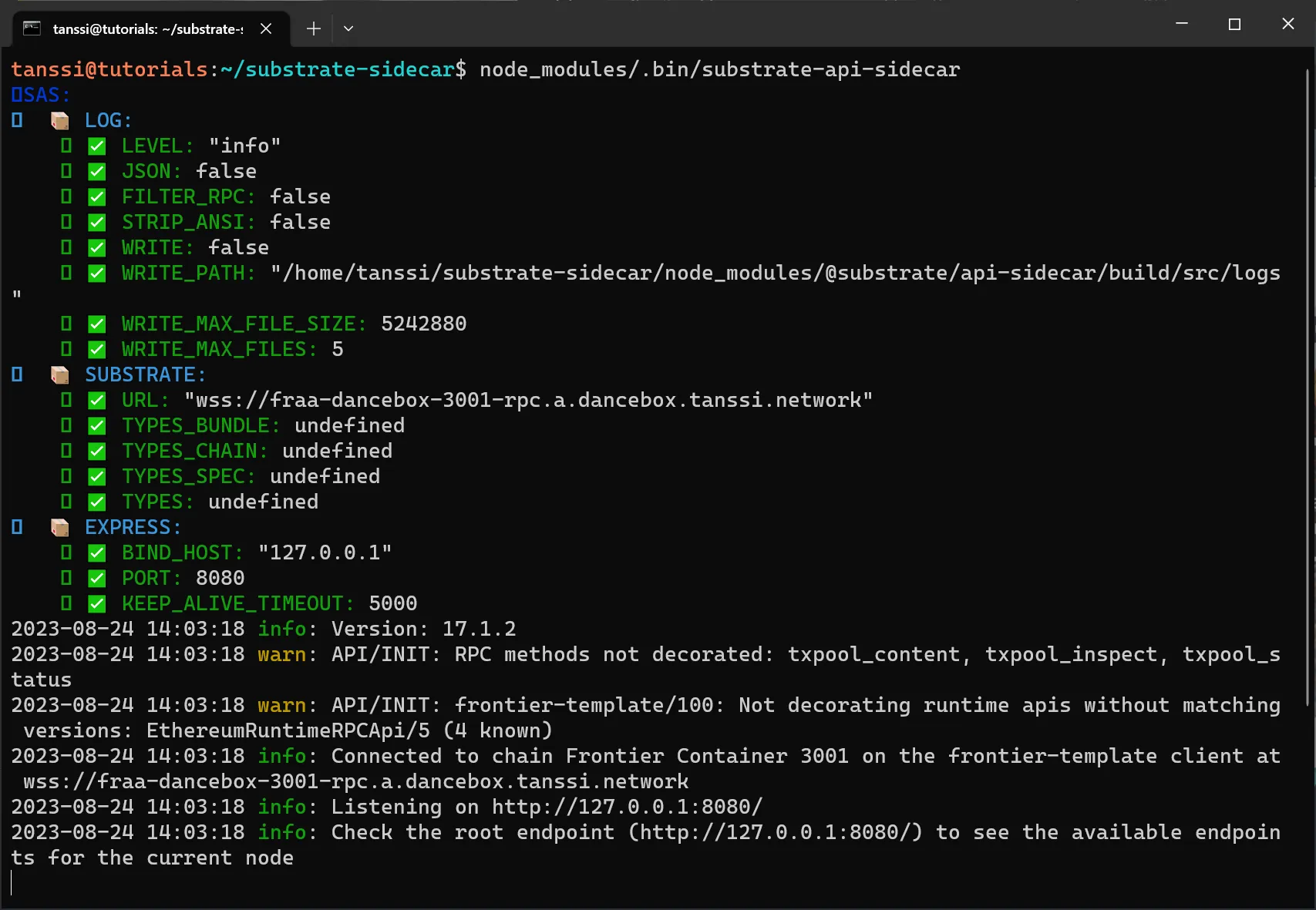
## Substrate API Sidecar Endpoints {: #substrate-api-sidecar-endpoints }
Some of the commonly used Substrate API Sidecar endpoints include:
- **GET /blocks/head** — Get the most recently finalized block. The optional parameter `finalized` can be set to `false` to the get the newest known block, which may not be finalized
- **GET /blocks/head/header** — Get the most recently finalized block header. The optional parameter `finalized` can be set to `false` to the get the newest known block header, which may not be finalized
- **GET /blocks/{blockId}** — Get a block by its height or hash
- **GET /accounts/{accountId}/balance-info** — Get balance information for an account
- **GET /node/version** — Get information about the Substrates node's implementation and versioning
- **GET /runtime/metadata** — Get the runtime metadata in decoded, JSON form
For a full list of API endpoints available on Substrate API Sidecar, please refer to the [official documentation](https://paritytech.github.io/substrate-api-sidecar/dist).
## Field Mapping in Block JSON Object {: #fields-mapping-in-block-json-object }
Substrate API Sidecar returns blocks as a JSON object. Part of this JSON object is a nesting structure for individual extrinsics processed in a specific block. Each extrinsic calls a specific method of a given module. Generally speaking, for individual extrinsics, the nesting structure is as following:
```text
RESPONSE JSON Block Object:
|--extrinsics
|--{extrinsic_number}
|--method
|--pallet: "MODULE_NAME"
|--method: "METHOD_NAME"
|--signature
|--nonce
|--args
|--transaction
|--{transaction_type}
|--hash
|--events
|--{event_number}
|--method
|--pallet: "MODULE_NAME"
|--method: "METHOD_EVENT_NAME"
|--data
|--0
|--1
|--2
|--3
...
```
Consequently, information from specific extrinsics (like balance transfers) can be extracted by knowing the module and method called by the extrinsic.
## EVM Field Mapping in Block JSON Object {: #evm-fields-mapping-in-block-json-object }
For Tanssi EVM networks, the information related to EVM execution of each Tanssi EVM network transaction can be identified by the `method` field under the current extrinsic object, where it is set to:
```text
{extrinsic_number}.method.pallet = "ethereum"
{extrinsic_number}.method.method = "transact"
```
The nesting structure for EVM transactions is as following:
```text
RESPONSE JSON Block Object:
|--extrinsics
|--{extrinsic_number}
|--method
|--pallet: "ethereum"
|--method: "transact"
|--signature
|--nonce
|--args
|--transaction
|--{transaction_type}
|--hash
|--events
|--{event_number}
|--method
|--pallet: "ethereum"
|--method: "Executed"
|--data
|--0
|--1
|--2
|--3
...
```
For example, for Substrate transactions, the "Nonce" and "Signature" fields are under:
```text
extrinsics[extrinsic_number]
```
### EVM Transaction Types and Payload {: #transaction-types-and-payload }
Tanssi EVM networks currently support three transaction standards: `legacy`, `eip1559`, and `eip2930`. These correspond to the `transaction type` field in the above JSON object diagram. For each transaction type, the transaction payload contains the following fields:
=== "EIP1559"
```text
...
|--eip1559
|--chainId
|--nonce
|--maxPriorityFeePerGas
|--maxFeePerGas
|--gasLimit
|--action
|--value
|--input
|--accessList
|--oddYParity
|--r
|--s
...
```
=== "Legacy"
```text
...
|--legacy
|--nonce
|--gasPrice
|--gasLimit
|--action
|--value
|--input
|--signature
...
```
=== "EIP2930"
```text
...
|--eip2930
|--chainId
|--nonce
|--gasPrice
|--gasLimit
|--action
|--value
|--input
|--accessList
|--oddYParity
|--r
|--s
...
```
For more information on the new [EIP1559](https://eips.ethereum.org/EIPS/eip-1559){target=\_blank} and [EIP2930](https://eips.ethereum.org/EIPS/eip-2930){target=\_blank} transaction types and what each field means, please refer to the respective official Ethereum proposal specs.
### Transaction Field Mappings {: #transaction-field-mappings }
To obtain the EVM sender address, recipient address, and EVM hash of any EVM transaction type, check the `events` field under the current extrinsic object, and identify the event where the `method` field is set to:
```text
{event_number}.method.pallet: "ethereum"
{event_number}.method.method: "Executed"
```
The EVM field mappings are then summarized as the following:
=== "EIP1559"
| EVM Field | Block JSON Field |
|:------------------------:|:----------------------------------------------------------------------------:|
| Chain ID | `extrinsics[extrinsic_number].args.transaction.eip1559.chainId` |
| Nonce | `extrinsics[extrinsic_number].args.transaction.eip1559.nonce` |
| Max priority fee per gas | `extrinsics[extrinsic_number].args.transaction.eip1559.maxPriorityFeePerGas` |
| Max fee per gas | `extrinsics[extrinsic_number].args.transaction.eip1559.maxFeePerGas` |
| Gas limit | `extrinsics[extrinsic_number].args.transaction.eip1559.gasLimit` |
| Access list | `extrinsics[extrinsic_number].args.transaction.eip1559.accessList` |
| Signature | `extrinsics[extrinsic_number].args.transaction.eip1559.oddYParity/r/s` |
| Sender address | `extrinsics[extrinsic_number].events[event_number].data[0]` |
| Recipient address | `extrinsics[extrinsic_number].events[event_number].data[1]` |
| EVM hash | `extrinsics[extrinsic_number].events[event_number].data[2]` |
| EVM execution status | `extrinsics[extrinsic_number].events[event_number].data[3]` |
=== "Legacy"
| EVM Field | Block JSON Field |
|:--------------------:|:----------------------------------------------------------------:|
| Nonce | `extrinsics[extrinsic_number].args.transaction.legacy.nonce` |
| Gas price | `extrinsics[extrinsic_number].args.transaction.legacy.gasPrice` |
| Gas limit | `extrinsics[extrinsic_number].args.transaction.legacy.gasLimit` |
| Value | `extrinsics[extrinsic_number].args.transaction.legacy.value` |
| Signature | `extrinsics[extrinsic_number].args.transaction.legacy.signature` |
| Sender address | `extrinsics[extrinsic_number].events[event_number].data[0]` |
| Recipient address | `extrinsics[extrinsic_number].events[event_number].data[1]` |
| EVM hash | `extrinsics[extrinsic_number].events[event_number].data[2]` |
| EVM execution status | `extrinsics[extrinsic_number].events[event_number].data[3]` |
=== "EIP2930"
| EVM Field | Block JSON Field |
|:--------------------:|:----------------------------------------------------------------------:|
| Chain ID | `extrinsics[extrinsic_number].args.transaction.eip2930.chainId` |
| Nonce | `extrinsics[extrinsic_number].args.transaction.eip2930.nonce` |
| Gas price | `extrinsics[extrinsic_number].args.transaction.eip2930.gasPrice` |
| Gas limit | `extrinsics[extrinsic_number].args.transaction.eip2930.gasLimit` |
| Value | `extrinsics[extrinsic_number].args.transaction.eip2930.value` |
| Access list | `extrinsics[extrinsic_number].args.transaction.eip2930.accessList` |
| Signature | `extrinsics[extrinsic_number].args.transaction.eip2930.oddYParity/r/s` |
| Sender address | `extrinsics[extrinsic_number].events[event_number].data[0]` |
| Recipient address | `extrinsics[extrinsic_number].events[event_number].data[1]` |
| EVM hash | `extrinsics[extrinsic_number].events[event_number].data[2]` |
| EVM execution status | `extrinsics[extrinsic_number].events[event_number].data[3]` |
For example, for EVM transactions, the "Nonce" and "Signature" fields are under:
```text
extrinsics[extrinsic_number].args.transaction[transaction_type]
```
Consequently, this leaves the "Nonce" and "Signature" for the Substrate-level field `extrinsics[extrinsic_number]` to be `null`.
A successfully executed EVM transaction will return either `succeed: "Stopped"` or `succeed: "Returned"` under the "EVM Execution Status" field.
## Monitor Token Balance Transfers {: #monitor-transfers }
The following code samples will demonstrate how to listen to both native token transfers, sent via Substrate or Ethereum API, and ERC-20 token transfers sent via the Ethereum API, using Substrate API Sidecar. Transfers via the Ethereum API are only applicable to Tanssi EVM networks.
### Native Token Transfers { #native-token-transfers }
Both Tanssi non-EVM networks and EVM networks can perform Substrate-based native token balance transfers.
The following code snippet uses the Axios HTTP client to query the Sidecar endpoint [`/blocks/head`](https://paritytech.github.io/substrate-api-sidecar/dist){target=\_blank} for the latest finalized block, and then decodes the block for the `from`, `to`, `value`, `tx hash` and `transaction status` of native token transfers at both the EVM and Substrate API level.
```typescript
import axios from 'axios';
// This script will decode all native token transfers (Substrate & Ethereum)
// in a given Sidecar block, and extract the tx hash. It can be adapted for
// any Tanssi-powered network.
// Endpoint to retrieve the latest block
const endpoint = 'http://127.0.0.1:8080/blocks/head';
async function main() {
try {
// Retrieve the block from the Sidecar endpoint
const response = await axios.get(endpoint);
// Retrieve the block height of the current block
console.log('Block Height: ' + response.data.number);
// Iterate through all extrinsics in the block
response.data.extrinsics.forEach((extrinsic) => {
// Retrieve Ethereum Transfers
if (
extrinsic.method.pallet === 'ethereum' &&
extrinsic.method.method === 'transact'
) {
// Get the value for any of the three EIP transaction standards supported
const value =
(extrinsic.args.transaction.legacy &&
extrinsic.args.transaction.legacy.value) ||
(extrinsic.args.transaction.eip1559 &&
extrinsic.args.transaction.eip1559.value) ||
(extrinsic.args.transaction.eip2930 &&
extrinsic.args.transaction.eip2930.value);
// Iterate through the events to get transaction details
extrinsic.events.forEach((event) => {
if (
event.method.pallet === 'ethereum' &&
event.method.method === 'Executed'
) {
console.log('From: ' + event.data[0]);
console.log('To: ' + event.data[1]);
console.log('Tx Hash: ' + event.data[2]);
console.log('Value: ' + value);
// Check the execution status
if (event.data[3].succeed) {
console.log('Status: Success');
} else {
console.log('Status: Failed');
}
}
});
}
// Retrieve Substrate Transfers
if (
extrinsic.method.pallet === 'balances' &&
(extrinsic.method.method === 'transferKeepAlive' ||
extrinsic.method.method === 'transfer')
) {
// Iterate through the events to get transaction details
extrinsic.events.forEach((event) => {
if (
event.method.pallet === 'balances' &&
event.method.method === 'Transfer'
) {
console.log('From: ' + event.data[0]);
console.log('To: ' + event.data[1]);
console.log('Tx Hash: ' + extrinsic.hash);
console.log('Value: ' + event.data[2]);
// Check the execution status
if (extrinsic.success) {
console.log('Status: Success');
} else {
console.log('Status: Failed');
}
}
});
}
});
} catch (err) {
console.log(err);
}
}
main();
```
### ERC-20 Token Transfers {: #erc-20-token-transfers }
Events emitted by smart contracts such as an ERC-20 token contract deployed on Tanssi EVM networks can be decoded from Sidecar block JSON objects. The nesting structure is as following:
```text
RESPONSE JSON Block Object:
|--extrinsics
|--{extrinsic_number}
|--method
|--pallet: "ethereum"
|--method: "transact"
|--signature:
|--nonce:
|--args
|--transaction
|--{transaction_type}
|--hash
|--events
|--{event_number}
|--method
|--pallet: "evm"
|--method: "Log"
|--data
|--0
|-- address
|-- topics
|--0
|--1
|--2
|-- data
...
...
```
ERC-20 token transfers will emit the [`Transfer`](https://eips.ethereum.org/EIPS/eip-20){target=\_blank} event which can be decoded as the following:
| Tx Information | Block JSON Field |
|:-----------------------:|:---------------------------------------------------------------------:|
| ERC-20 contract address | `extrinsics[extrinsic_number].events[event_number].data[0].address` |
| Event signature hash | `extrinsics[extrinsic_number].events[event_number].data[0].topics[0]` |
| Sender address | `extrinsics[extrinsic_number].events[event_number].data[0].topics[1]` |
| Recipient address | `extrinsics[extrinsic_number].events[event_number].data[0].topics[2]` |
| Amount | `extrinsics[extrinsic_number].events[event_number].data[0].data` |
Other events emitted by EVM smart contracts can be decoded in a similar fashion, but the content of the topics and data fields will change depending on the definition of the specific event.
!!! note
The amount transferred is given in accounting for decimals and in hexadecimal format.
## Substrate API Transaction Fees {: #substrate-api-transaction-fees }
For Tanssi non-EVM networks and EVM networks, all the information around fee data for transactions sent via the Substrate API can be extracted from the following block endpoint:
```text
GET /blocks/{blockId}
```
The block endpoints will return data relevant to one or more blocks. You can read more about the block endpoints on the [official Sidecar documentation](https://paritytech.github.io/substrate-api-sidecar/dist/#operations-tag-blocks){target=\_blank}.
Read as a JSON object, for a given `pallet` (module) and `method`, the transaction fee is provided by an associated event with the following extructure:
```text
{event_number}.method.pallet: "transactionPayment"
{event_number}.method.method: "TransactionFeePaid"
```
The relevant nesting structure is as follows:
```text
RESPONSE JSON Block Object:
...
|--number
|--extrinsics
|--{extrinsic_number}
|--method
|--signature
|--nonce
|--args
|--tip
|--hash
|--info
|--era
|--events
|--{event_number}
|--method
|--pallet: "transactionPayment"
|--method: "TransactionFeePaid"
|--data
|--0
|--1
|--2
...
```
The object mappings are summarized as follows:
| Tx Information | Block JSON Field |
|:------------------:|:-----------------------------------------------------------:|
| Fee paying account | `extrinsics[extrinsic_number].events[event_number].data[0]` |
| Total fees paid | `extrinsics[extrinsic_number].events[event_number].data[1]` |
| Tip | `extrinsics[extrinsic_number].events[event_number].data[2]` |
Then, the total transaction fee paid for this extrinsic is mapped to the following field of the block JSON object:
```text
extrinsics[extrinsic_number].events[event_number].data[1]
```
## Ethereum API Transaction Fees {: #ethereum-api-transaction-fees }
For Tanssi EVM networks, users could also send funds via the Ethereum API. To calculate the fee incurred on transactions sent via the Ethereum API, the following formula can be used:
=== "EIP-1559"
```text
GasPrice = BaseFee + MaxPriorityFeePerGas < MaxFeePerGas ?
BaseFee + MaxPriorityFeePerGas :
MaxFeePerGas;
Transaction Fee = (GasPrice * TransactionWeight) / 25000
```
=== "Legacy"
```text
Transaction Fee = (GasPrice * TransactionWeight) / 25000
```
=== "EIP-2930"
```text
Transaction Fee = (GasPrice * TransactionWeight) / 25000
```
The following sections describe in more detail each of the components needed to calculate the transaction fee.
### Base Fee {: #base-fee}
The `BaseFee` is the minimum amount charged to send a transaction and is a value set by the network itself. It was introduced in [EIP-1559](https://eips.ethereum.org/EIPS/eip-1559){target=\_blank}. Tanssi EVM networks have a dynamic fee mechanism that aims to replicate the [EIP-1559 fee market mechanism](https://eips.ethereum.org/EIPS/eip-1559#specification){target=\_blank}, where the base fee is adjusted based on block congestion.
For example, for the Tanssi EVM network template the minimum gas price is `1 GWei`.
The `BaseFee` can be directly retrieved from the `baseFeePerGas` storage found in the `baseFee` module (pallet), using the following endpoint:
```text
GET /pallets/baseFee/storage/baseFeePerGas?at={blockId}
```
Read as a JSON object, the relevant nesting structure is as follows:
```text
RESPONSE JSON Storage Object:
|--at
|--hash
|--height
|--pallet
|--palletIndex
|--storageItem
|--keys
|--value
```
The relevant data will be stored in the `value` key of the JSON object. This value is a fixed point data type, hence the real value is found by dividing the `value` by the decimals.
### GasPrice, MaxFeePerGas, and MaxPriorityFeePerGas {: #gasprice-maxfeepergas-maxpriorityfeepergas }
The `GasPrice` is used to specify the gas price of legacy transactions prior to [EIP-1559](https://eips.ethereum.org/EIPS/eip-1559){target=\_blank}. The `MaxFeePerGas` and `MaxPriorityFeePerGas` were both introduced in EIP-1559 alongside the `BaseFee`. The `MaxFeePerGas` defines the maximum fee permitted to be paid per unit of gas and is the sum of the `BaseFee` and the `MaxPriorityFeePerGas`. The `MaxPriorityFeePerGas` is the maximum priority fee configured by the sender of a transaction that is used to incentive the prioritization of a transaction in a block.
Although Tanssi EVM networks are Ethereum-compatible, they are also Substrate-based chains at their core, and priorities work differently in Substrate than in Ethereum. In Substrate, transactions are not prioritized by gas price. To address this, Tanssi EVM networks uses a modified prioritization system that reprioritizes Substrate transactions using an Ethereum-first solution. A Substrate transaction still goes through the validity process, where it is assigned transaction tags, longevity, and a priority. The original priority is then overwritten with a new priority based on the transaction's fee per gas, which is derived from the transaction's tip and weight. If the transaction is an Ethereum transaction, the priority is set according to the priority fee.
It's important to note that priority is not the sole component responsible for determining the order of transactions in a block. Other components, such as the longevity of a transaction, also play a role in the sorting process.
The values of `GasPrice`, `MaxFeePerGas` and `MaxPriorityFeePerGas` for the applicable transaction types can be read from the block JSON object according to the structure described in [the Sidecar API page](#evm-fields-mapping-in-block-json-object).
The data for an Ethereum transaction in a particular block can be extracted from the following block endpoint:
```text
GET /blocks/{blockId}
```
The paths to the relevant values have also truncated and reproduced below:
=== "EIP1559"
| EVM Field | Block JSON Field |
|:--------------------:|:----------------------------------------------------------------------------:|
| MaxFeePerGas | `extrinsics[extrinsic_number].args.transaction.eip1559.maxFeePerGas` |
| MaxPriorityFeePerGas | `extrinsics[extrinsic_number].args.transaction.eip1559.maxPriorityFeePerGas` |
=== "Legacy"
| EVM Field | Block JSON Field |
|:---------:|:---------------------------------------------------------------:|
| GasPrice | `extrinsics[extrinsic_number].args.transaction.legacy.gasPrice` |
=== "EIP2930"
| EVM Field | Block JSON Field |
|:---------:|:----------------------------------------------------------------:|
| GasPrice | `extrinsics[extrinsic_number].args.transaction.eip2930.gasPrice` |
### Transaction Weight {: #transaction-weight}
`TransactionWeight` is a Substrate mechanism used to measure the execution time a given transaction takes to be executed within a block. For all transactions types, `TransactionWeight` can be retrieved under the event of the relevant extrinsic where the `method` field is set to:
```text
pallet: "system", method: "ExtrinsicSuccess"
```
And then `TransactionWeight` is mapped to the following field of the block JSON object:
```text
extrinsics[extrinsic_number].events[event_number].data[0].weight
```
{{ trans("disclaimer.third_party") }}
--- END CONTENT ---
Doc-Content: https://docs.tanssi.network/builders/toolkit/substrate-api/wallets/ledger/
--- BEGIN CONTENT ---
---
title: Using Ledger With Your Substrate Appchain
description: This guide walks you through setting up and using a Ledger device to interact with the Tanssi network or any of the Tanssi-powered Substrate appchains.
icon: material-wallet-outline
categories: Substrate-Template
---
# Interacting with Substrate Tanssi Chains Using Ledger
## Introduction {: #introduction }
Developers and users of Substrate networks, such as the Tanssi network or non-EVM Tanssi-powered appchains, have a variety of options when it comes to wallets. Regarding cold wallets, which store your private keys in a secure, offline environment, [Ledger](https://www.ledger.com/){target=\_blank} is one of the most popular options. Ledger provides full support for Substrate blockchains, such as the Tanssi network.
Ledger devices are hardware wallets designed to store the private keys offline. They are used to verify and sign the transactions, but they still need a software layer to provide the UI that interacts with the networks, builds the transactions, and sends the signed transactions back to the network once the user has verified them.
This guide takes you through all the necessary steps to use your Ledger device with Substrate Tanssi chains.
## Setting Up Your Ledger Device {: #setting-up-ledger-device }
If you have a brand new Ledger device, refer to the [official website](https://support.ledger.com/article/4404389503889-zd){target=\_blank} for a guide on getting it started with the initial setup.
Now, with your Ledger already initiated, install the _Polkadot_ app taking the following steps:
1. Open the Ledger Live App on your computer.
2. Go to My Ledger.
3. Connect and unlock the device.
Finally, search for **Polkadot (DOT)** app in Ledger Live and install it on your device.
!!! note
Why Polkadot? Tanssi is built using Substrate, the same framework that powers Polkadot. As a result, even though Tanssi and Polkadot are separate networks, they share the same cryptographic signature schema. This means that the Ledger app named **Polkadot (DOT)** is fully compatible with Tanssi.
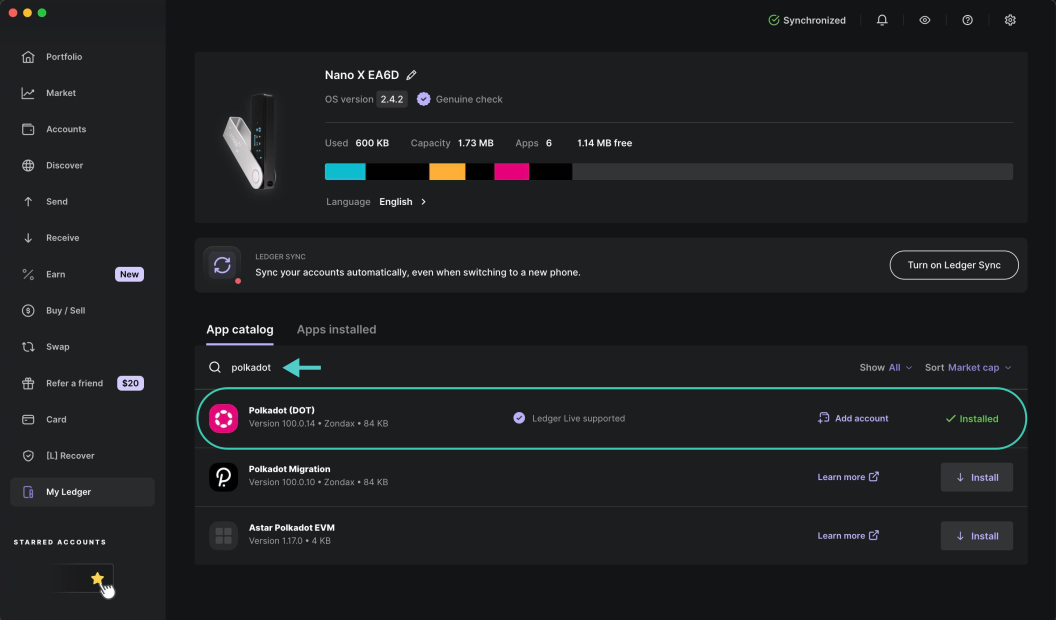
And that's it. Your device now has a Substrate account and is able to sign transactions on Tanssi and any non-EVM Tanssi-powered appchain.
## Adding the Ledger to a Hot Wallet {: #adding-Ledger-hot-wallet }
As presented in the [introduction](#introduction), a Ledger hardware wallet provides secure, offline storage for private keys, allowing users to verify and sign transactions. However, by design, it can't interact with blockchains or dApps by itself, nor does it offer a UI for managing assets. To complement the device, a hot wallet is required. The user can choose any Substrate wallet, such as [Talisman](/builders/toolkit/substrate-api/wallets/talisman/){target=\_blank} or [SubWallet](/builders/toolkit/substrate-api/wallets/subwallet/){target=\_blank}.
For demonstration purposes, we'll show how to configure Talisman to work with your hardware wallet, but these steps are generally applicable to any other Substrate-enabled wallet that supports Ledger. To follow along with the steps, make sure you have [Talisman installed](/builders/toolkit/substrate-api/wallets/talisman/#setting-up-talisman){target=\_blank} in your browser, then open the extension and:
1. Press the **+** icon (Add Account).
2. Click on the **Connect** tab.
3. Select **Connect Ledger**.
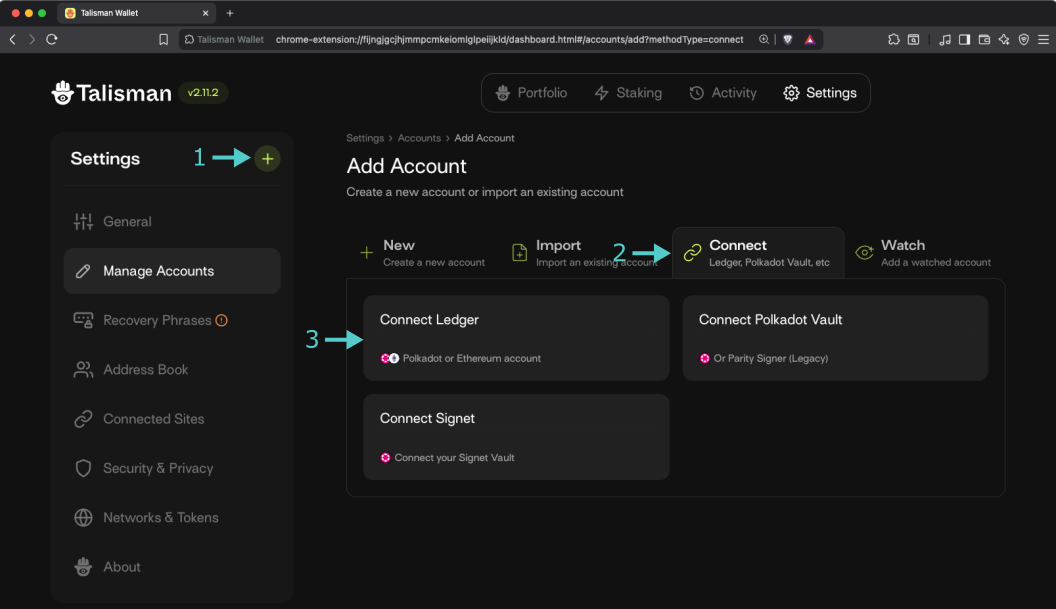
On the following screen, take the following steps:
1. Select **Polkadot**. Other options will be presented below.
2. Select **Polkadot** from the dropdown.
3. Select **Polkadot App** from the box. You'll be prompted to connect your ledger and open the Polkadot app.
4. Make sure that your ledger is successfully connected.
5. Click on **Continue**.
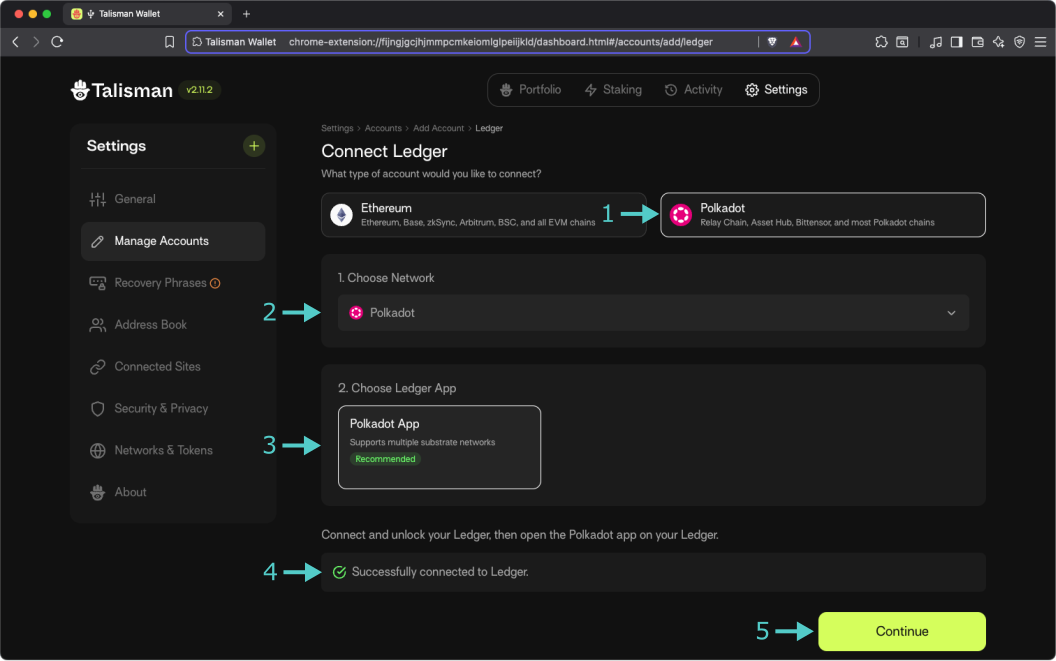
In the next step, you will be presented with a list of derived accounts. Select the one you want to import, click **Continue**, and that's all! Your Talisman wallet can now sign transactions using your Ledger device.
{{ trans("disclaimer.third_party") }}
--- END CONTENT ---
Doc-Content: https://docs.tanssi.network/builders/toolkit/substrate-api/wallets/subwallet/
--- BEGIN CONTENT ---
---
title: How to Connect SubWallet to Tanssi Substrate
description: This guide walks you through how to connect SubWallet, a comprehensive Polkadot, Substrate, and Ethereum wallet, to your Tanssi-powered Substrate network.
icon: material-wallet-outline
categories: Substrate-Template
---
# Interacting with Your Tanssi Substrate Network Using SubWallet
## Introduction {: #introduction }
Developers and users of Tanssi-powered Substrate networks have a variety of options when it comes to wallets. SubWallet is a comprehensive Web3 wallet that natively supports Substrate (Polkadot) and Ethereum accounts. This tutorial centers on the Substrate API, but you can check out a similar [tutorial for interacting with SubWallet using the Ethereum API](/builders/toolkit/ethereum-api/wallets/subwallet/){target=\_blank}.
The SubWallet wallet browser extension [can be downloaded](https://www.subwallet.app/download.html){target=\_blank} for all supported browsers, including Chrome, Brave, Firefox, and MS Edge. SubWallet also has a mobile app for both iOS and Android, but that is beyond the scope of this guide. A complete online asset dashboard is accessible at [web.subwallet.app](https://web.subwallet.app){target=\_blank}.
This guide takes you through all the necessary steps, from installing SubWallet to setting up a wallet, connecting it to your Tanssi Substrate network, and sending funds.
## Creating Your First Substrate Account {: #creating-your-first-substrate-account }
First, download and install the [SubWallet extension](https://www.subwallet.app/download.html){target=\_blank}. Creating a new account will generate a seed phrase that can derive multiple Ethereum and Substrate accounts. By default, SubWallet will generate a single Ethereum and a single Substrate account, but you can easily derive more from the same seed phrase. Click **Create a new account** to get started.
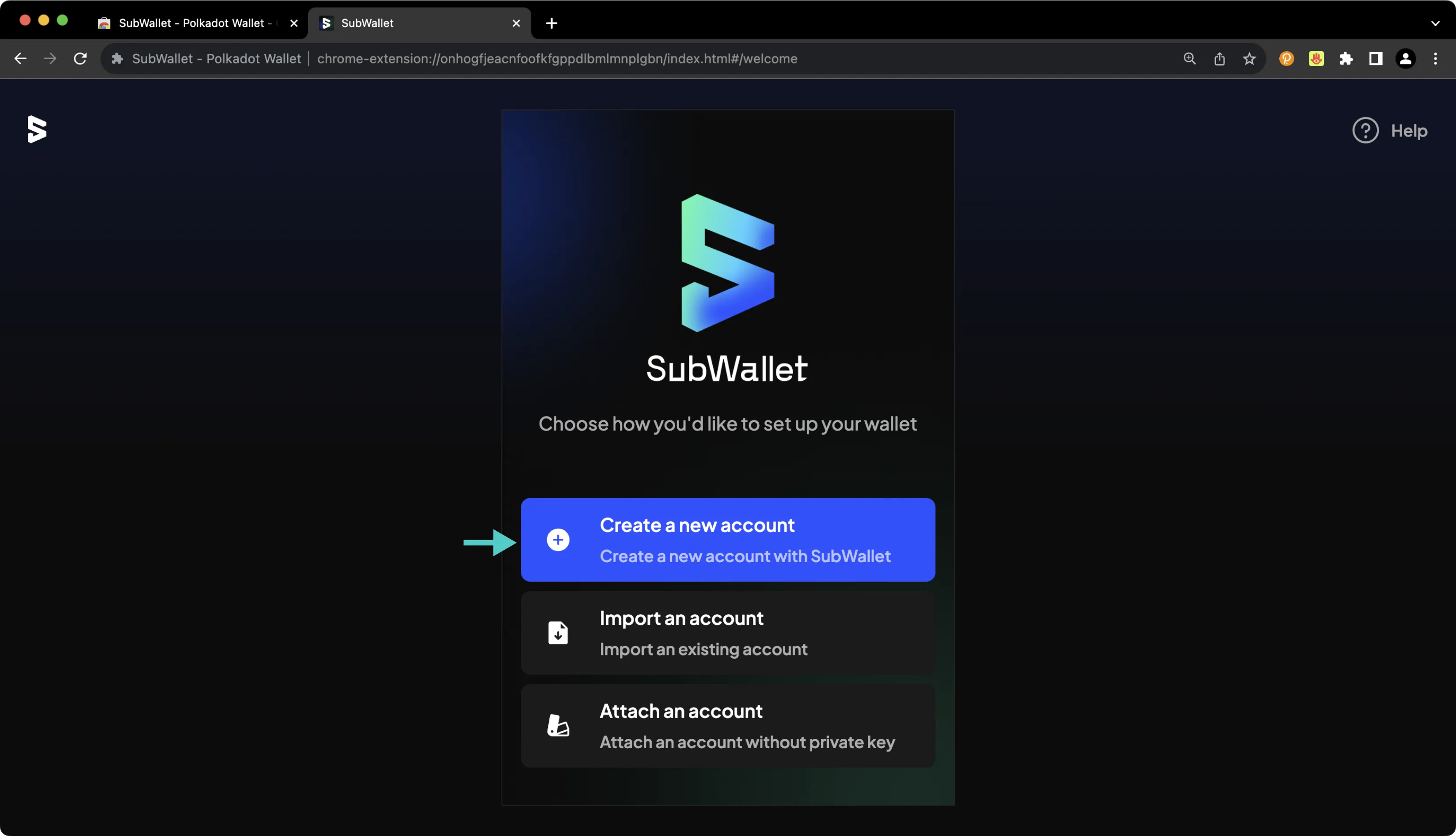
On the following screen, you'll be prompted to create a password to secure your new wallet.
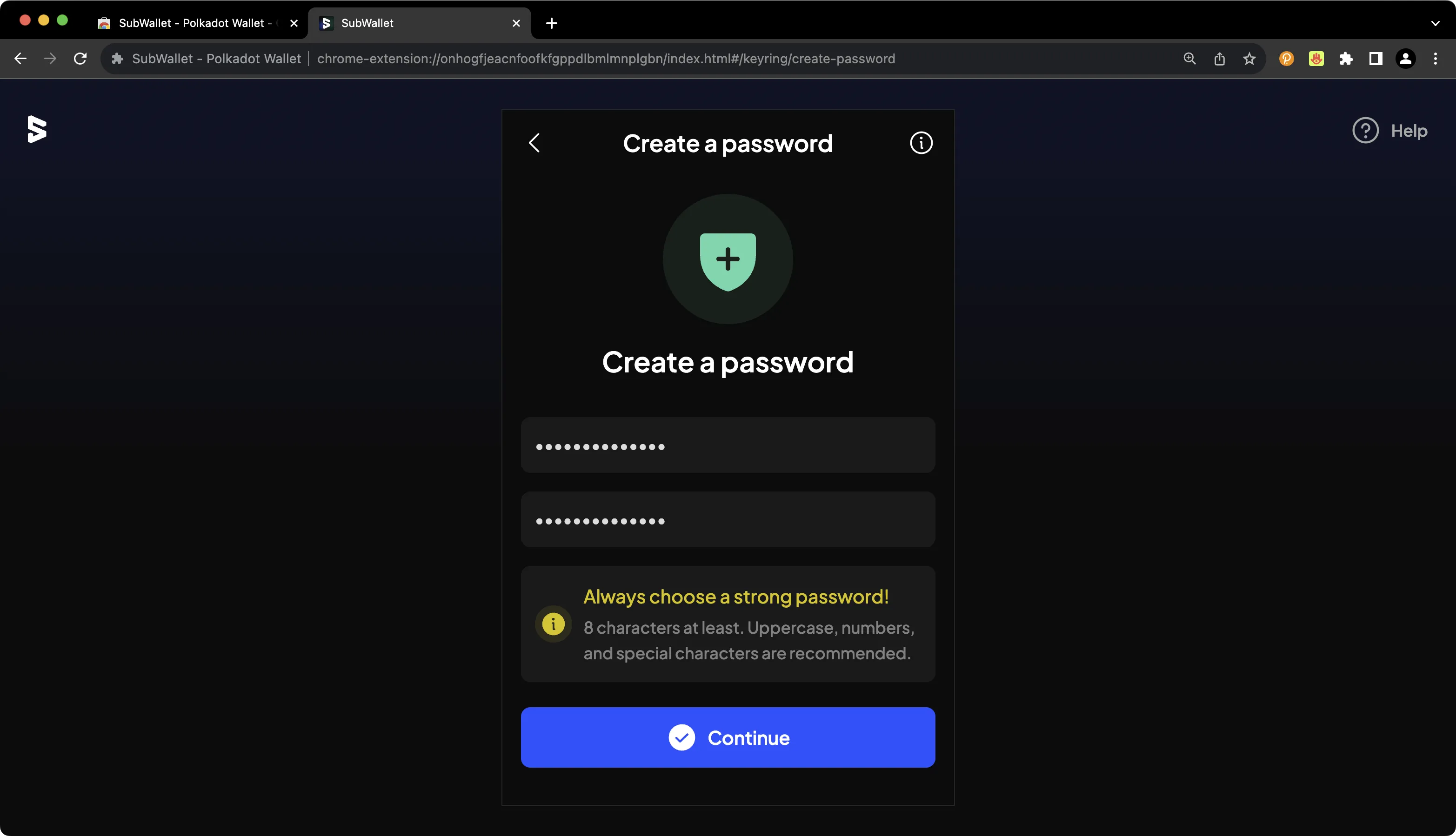
You'll then be prompted to back up your seed phrase. This is an important step, especially because you have the option to later derive additional accounts from this seed phrase.
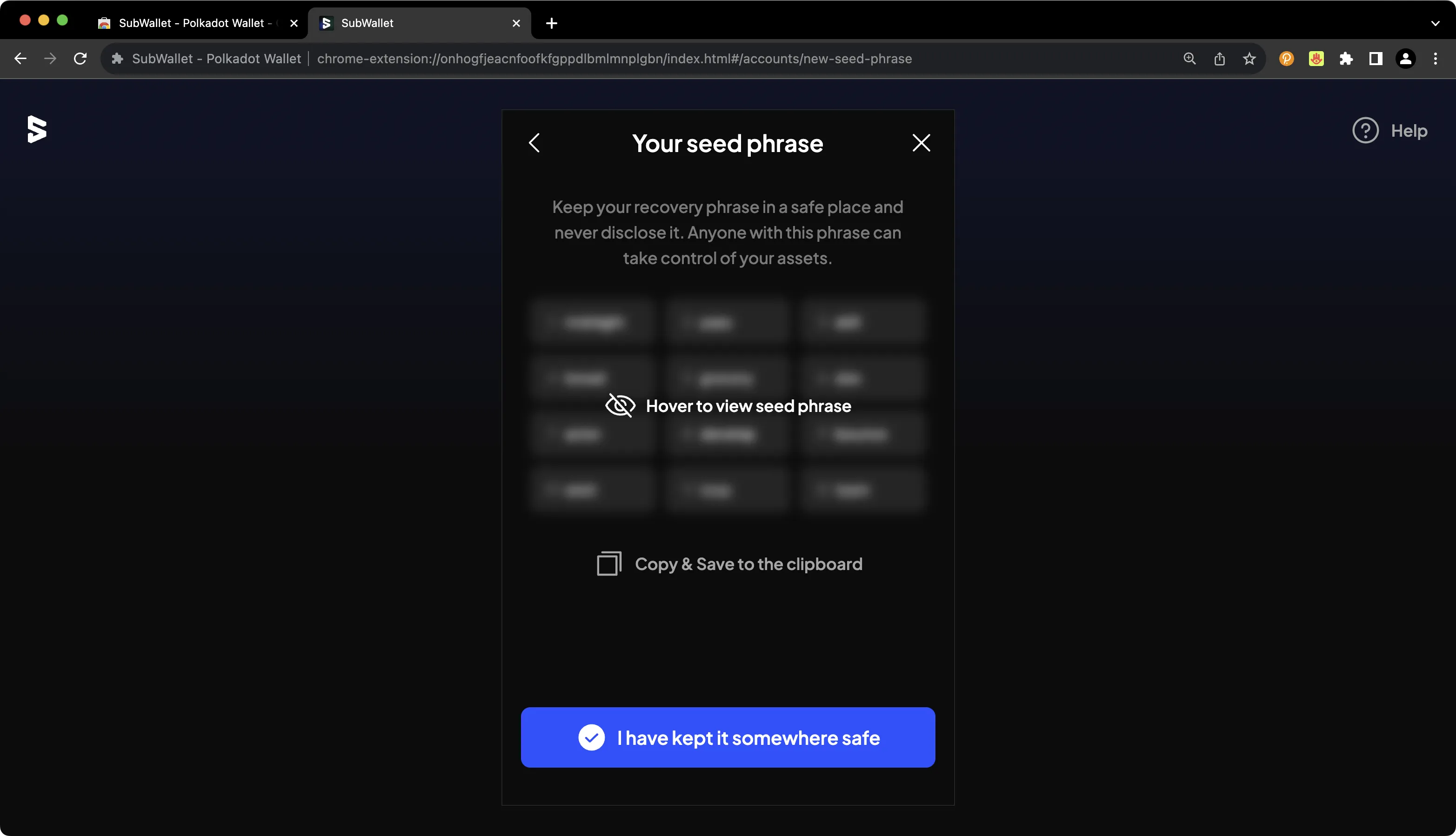
!!! note
You should never share your seed phrase (mnemonic) or private key with anyone. This gives them direct access to your funds. This guide is for educational purposes only.
## Importing an Existing Substrate Account {: #importing-an-existing-substrate-account }
Of course, you can import an existing Substrate account into SubWallet. To get started, take the following steps:
1. Press the **All accounts** button at the top
2. Press the **Import account** icon
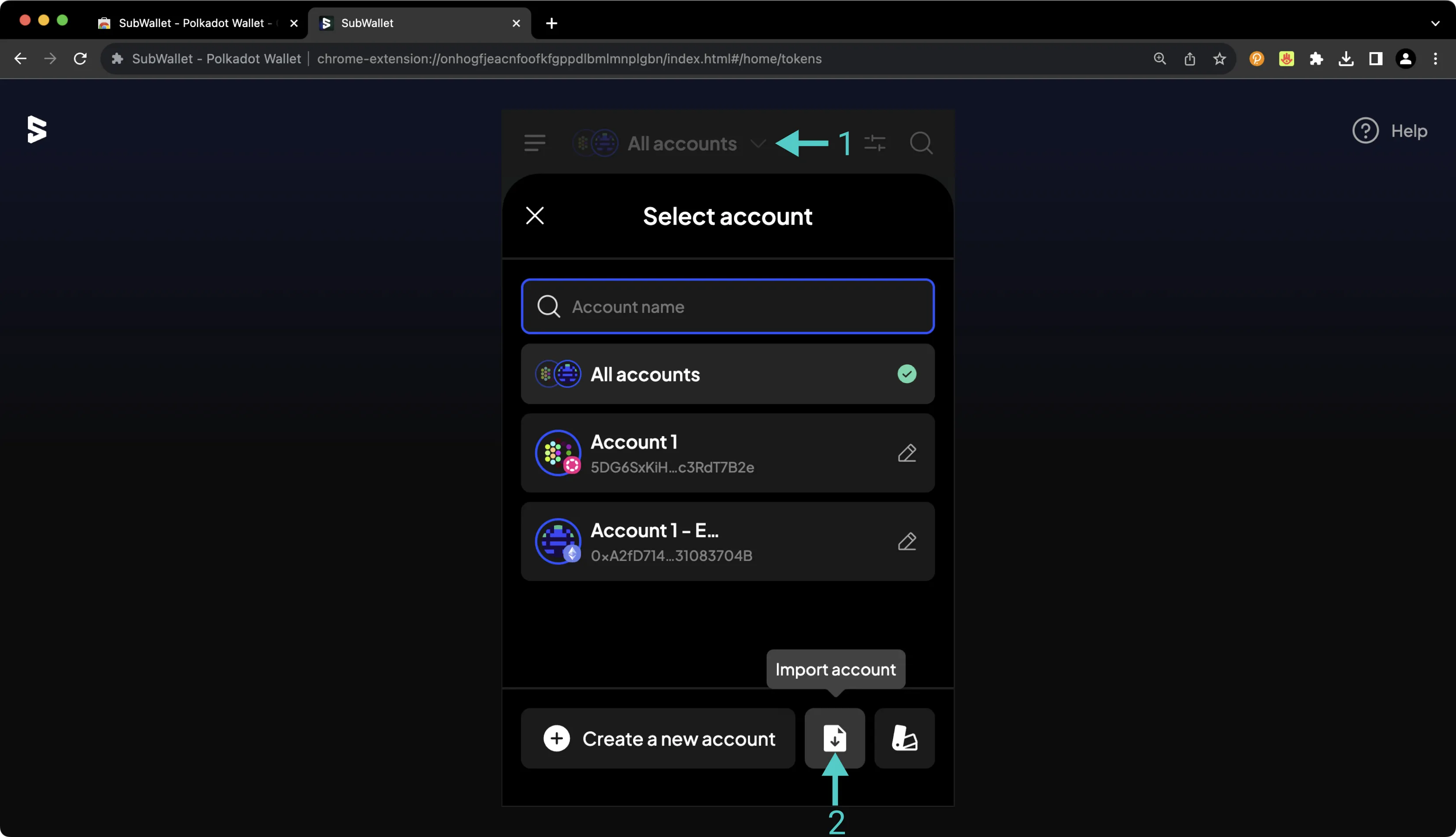
On the following screen, select the method by which you would like to import the existing account. If you're importing a Substrate account, you can choose from the seed phrase, Polkadot.js (JSON), or QR code options.
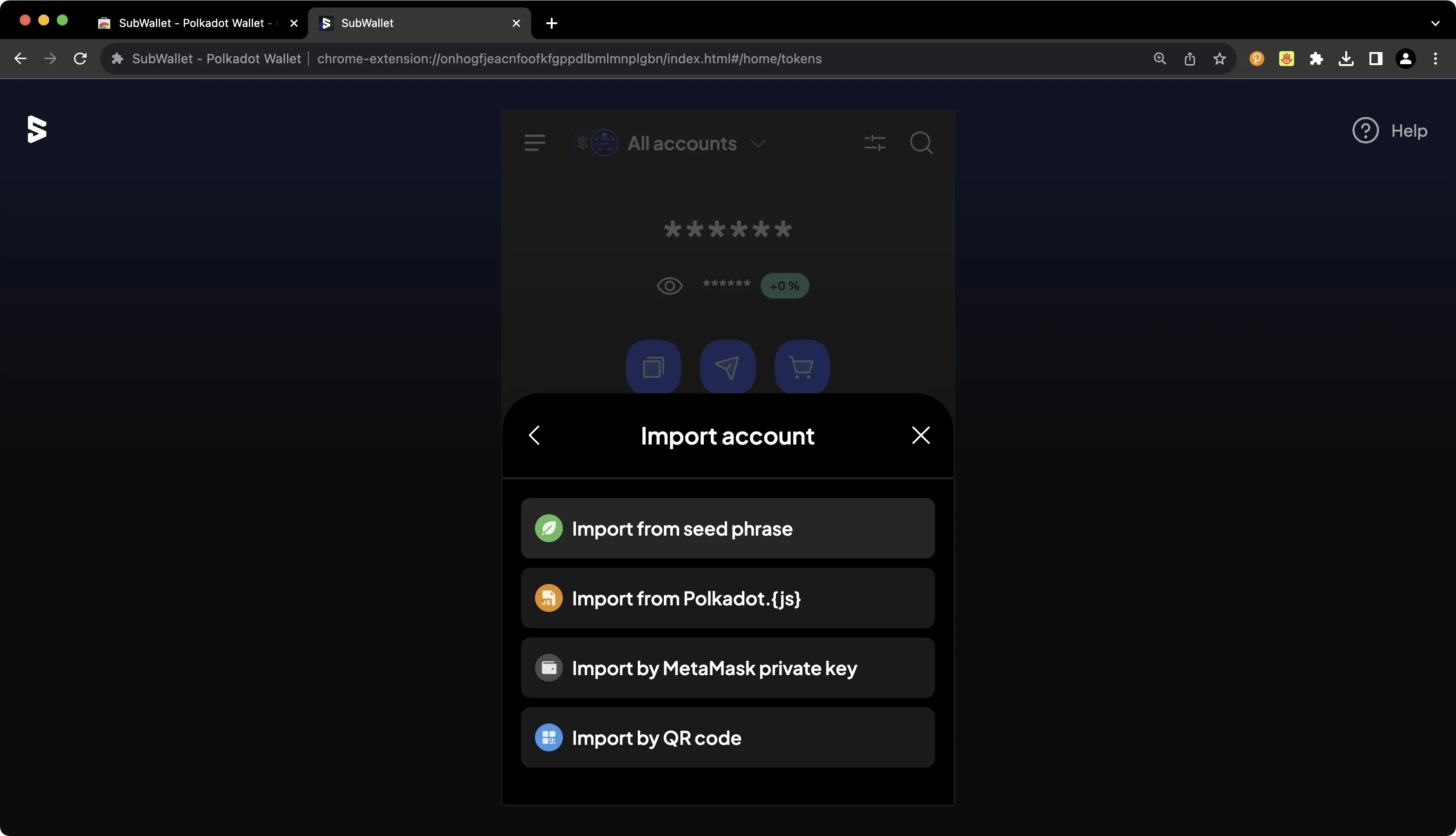
On the following screen, you'll be able to provide the relevant seed phrase, JSON file, or QR code, and you can begin using your new account right away.
## Connecting SubWallet to Dancelight {: #connecting-Subwallet-to-dancelight }
SubWallet comes pre-configured with support for Dancelight, the Tanssi TestNet, but it may not be enabled by default. You just need to head to the **Manage networks** page to toggle it on. Remember that [Dancelight](/builders/tanssi-network/testnet/dancelight/){target=\_blank} itself is the Substrate-based network that orchestrates and manages the launch of Tanssi-powered networks. To configure your SubWallet to work with Dancelight, press the **More Options** icon in the upper left corner. Then click **Manage networks** and take the following steps:
1. Search for **Dancelight**
2. Toggle the slider on to enable support for Dancelight
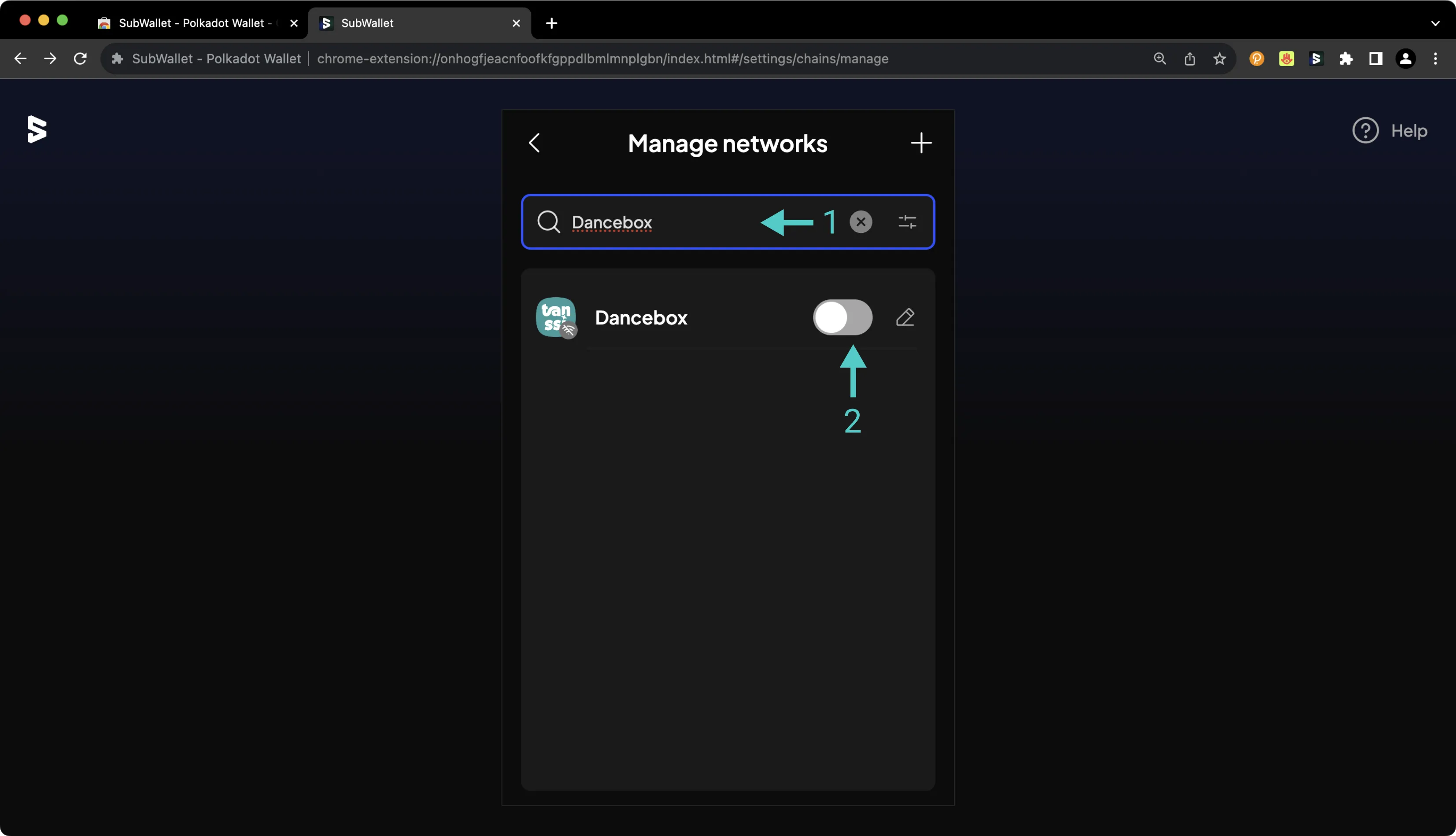
If you have a balance of Dancelight tokens, you'll see your account balance on the homepage of the SubWallet wallet. By default, all balances are hidden in SubWallet, but if you press the eye icon, you can toggle balance visibility.
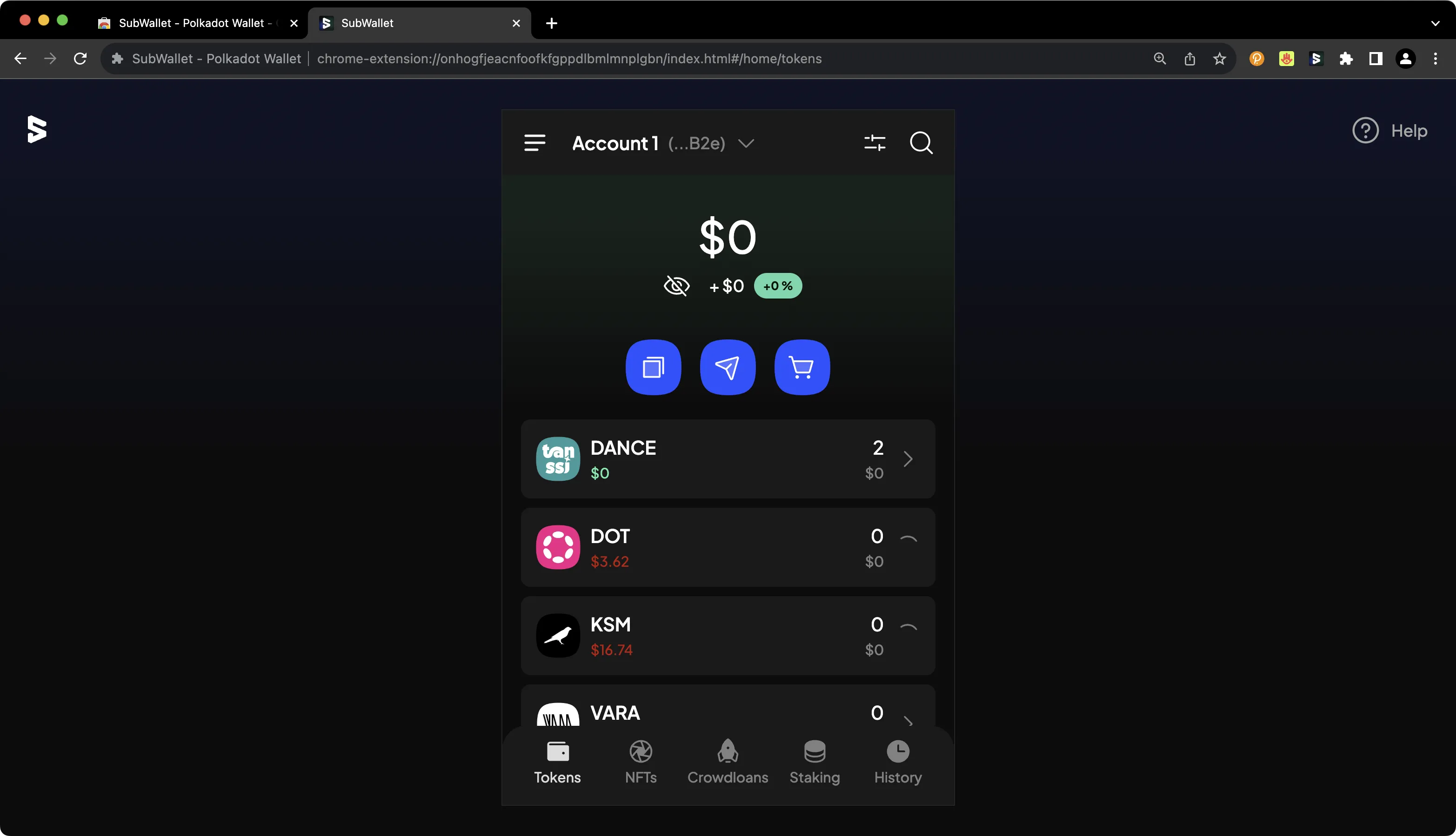
## Connecting SubWallet to Your Substrate Network {: #connecting-Subwallet-to-your-substrate-network }
To configure SubWallet for your Substrate network, press the **More Options** icon in the upper left corner. Then click **Manage networks**. Press the **+** icon. On the following page, you'll then be prompted to enter the network details for your Tanssi network. For demonstration purposes, Dancelight is used here; however, you can substitute these details with your own Tanssi network. To add your Tanssi network to SubWallet, take the following steps:
1. Paste in the WSS URL of your Tanssi network. Other parameters like the parachain ID and token decimals may be auto-populated
2. Provide a name for your Tanssi network
3. Press **Save**
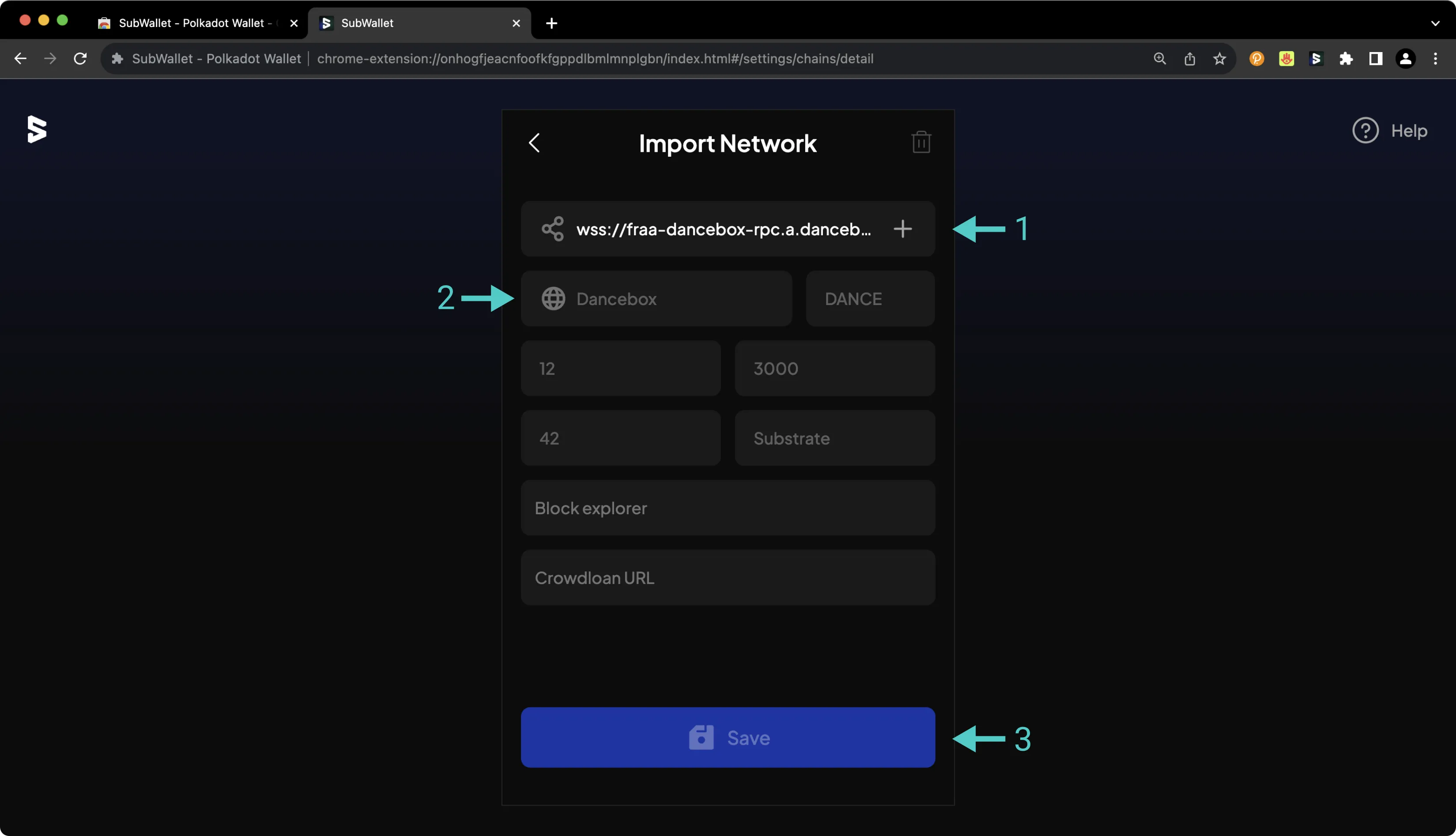
## Connecting to Polkadot.js {: #connecting-to-polkadotjs}
To connect your Tanssi Substrate network to Polkadot.js Apps, first head to [Polkadot.js Apps](https://polkadot.js.org/apps/?rpc=wss%3A%2F%2F{{ networks.dancelight.dns_name }}#/accounts){target=\_blank}. In this example, Polkadot.js Apps is connected to Dancelight, but you can point Polkadot.js to your Tanssi network by clicking on the network dropdown and filling in the WSS endpoint of your Tanssi network in the **custom endpoint** field.
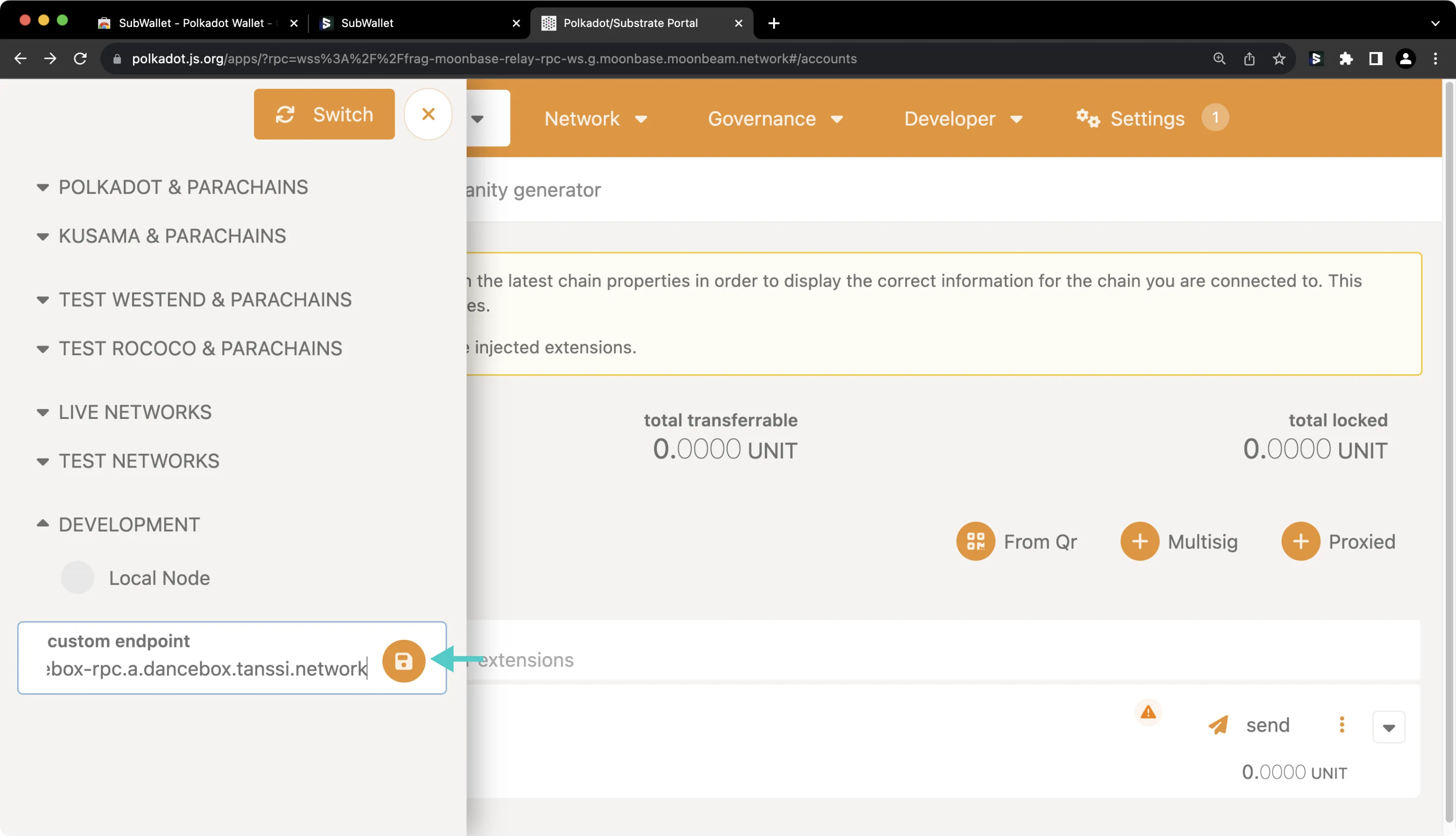
The SubWallet extension will prompt you to select the accounts you'd like to use with Polkadot.js Apps. If it doesn't automatically pop up, you can open the SubWallet extension and click on the **Connected** icon next to your account at the top. To configure SubWallet to correctly interface with your Tanssi network on Polkadot.js Apps, you should take the following steps:
1. Select the Substrate account(s) that you'd like to use with Polkadot.js Apps
2. Press **Connect**
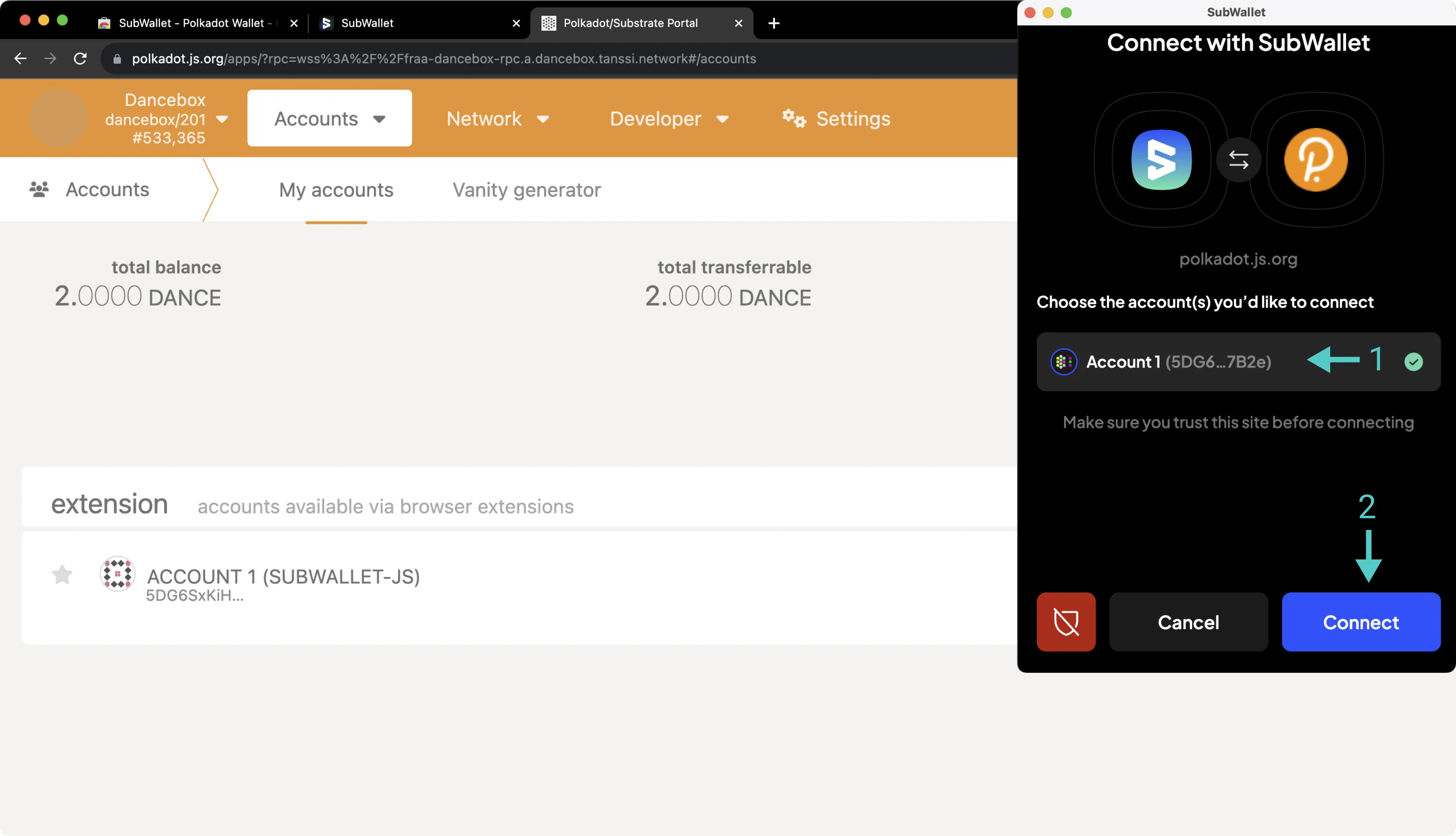
Your SubWallet wallet is now connected to Polkadot.js Apps. After refreshing Polkadot.js Apps, you should see your SubWallet account in the [Accounts page of Polkadot.js Apps](https://polkadot.js.org/apps/?rpc=wss%3A%2F%2F{{ networks.dancelight.dns_name }}#/accounts){target=\_blank} underneath the **extension** heading.
## Sending a Transaction {: #sending-a-transaction}
To send a transaction through the Substrate API, click **Send** next to your account on Polkadot.js Apps. Then, take the following steps:
1. Input the **send to address**
2. Enter the **amount**
3. Press **Make Transfer** and confirm the transaction in the resulting Polkadot.js pop-up
4. Press **View Details** if you'd like to inspect the contents of the transaction
5. Press **Approve** to submit the transaction
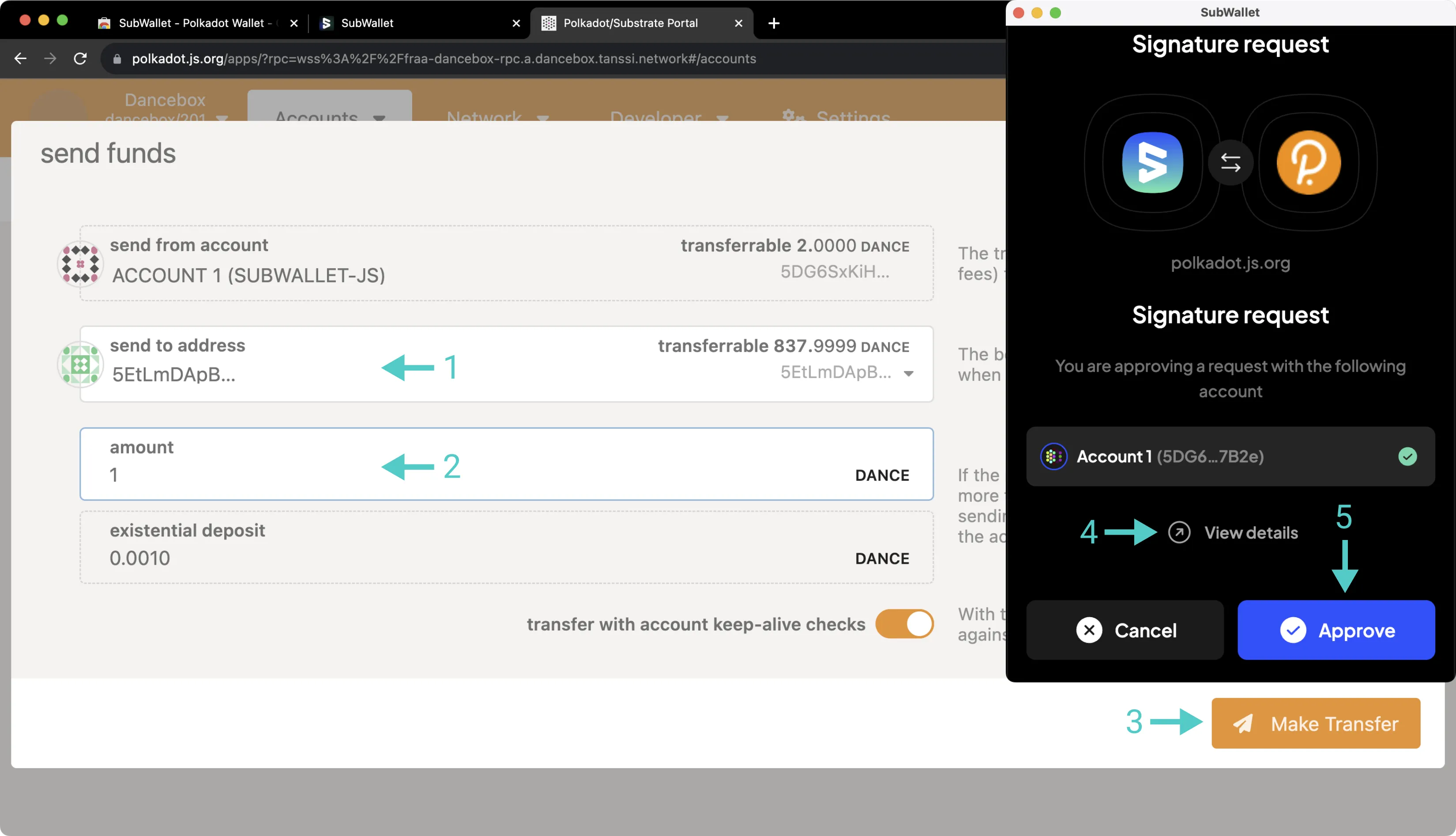
You can also send a transaction through the Substrate API directly from the SubWallet extension without using Polkadot.js Apps. To do so, press the **Send** icon and take the following steps:
1. Specify the asset to send
2. Specify the destination chain (in this case, the same chain that you're sending from)
3. Enter the destination address
4. Enter the number of tokens to send
5. Look over the transaction details, then press **Transfer** and subsequently **Approve**
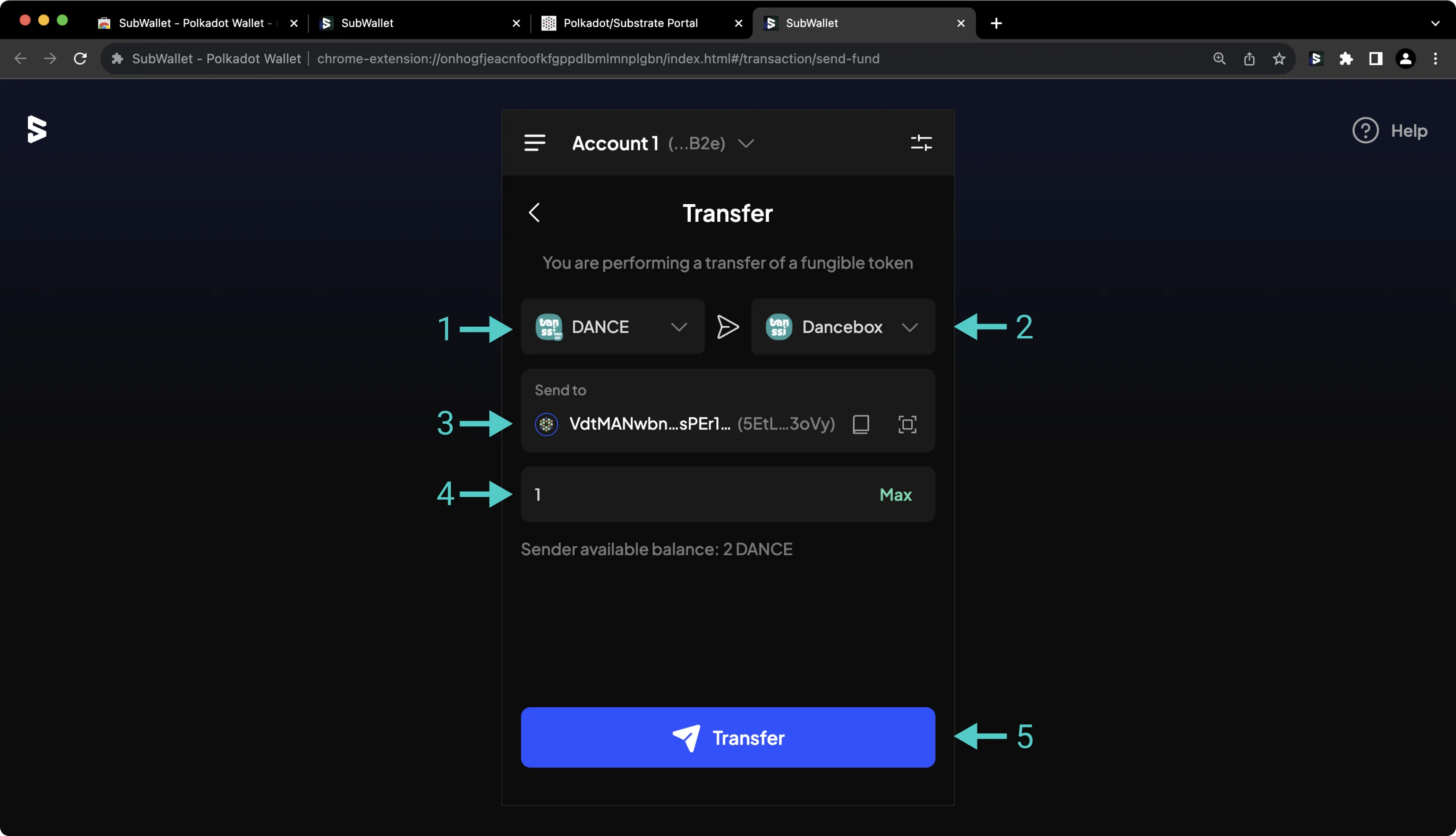
This guide focused specifically on configuring SubWallet to work with your Tanssi Substrate network, but SubWallet is also a full-featured wallet for EVM accounts. Under the Ethereum API section, you'll find a [similar guide for configuring SubWallet for use with your Tanssi EVM network](/builders/toolkit/ethereum-api/wallets/subwallet/){target=\_blank}.
{{ trans("disclaimer.third_party") }}
--- END CONTENT ---
Doc-Content: https://docs.tanssi.network/builders/toolkit/substrate-api/wallets/talisman/
--- BEGIN CONTENT ---
---
title: How to Connect Talisman to Tanssi
description: This guide walks you through how to connect Talisman, a Substrate and Ethereum wallet, to the Tanssi network or your Tanssi-powered Substrate appchain.
icon: material-wallet-outline
categories: Substrate-Template
---
# Interacting with Tanssi or Your Substrate Appchain Using Talisman
## Introduction {: #introduction }
Developers and users of Substrate networks, such as the Tanssi network or Tanssi-powered Substrate appchains, have a variety of options when it comes to wallets. Talisman is a great option, as it provides full native support for both Substrate and Ethereum accounts. This guide focuses on the Substrate API. You can also check out a [similar guide for configuring Talisman for use with your Tanssi EVM network](/builders/toolkit/ethereum-api/wallets/talisman/){target=\_blank}.
Talisman is a Web3 wallet that natively supports Substrate and Ethereum accounts. The Talisman wallet browser extension is available on [Google Chrome, Brave, and other Chromium-based browsers](https://chromewebstore.google.com/detail/talisman-wallet/fijngjgcjhjmmpcmkeiomlglpeiijkld){target=\_blank}, as well as [Firefox](https://addons.mozilla.org/en-US/firefox/addon/talisman-wallet-extension/){target=\_blank}. An asset dashboard is accessible at [app.talisman.xyz](https://app.talisman.xyz){target=\_blank}
This guide takes you through all the necessary steps, from installing Talisman to setting up a wallet, connecting it to your Tanssi Substrate network, and sending funds.
!!! note "Editor’s Note (2025 Update)"
This guide references options like Polkadot.js Apps or Polkadot account type because these are the labels used in common Substrate tools. Tanssi itself is independent — built with Substrate and aligned with Ethereum-backed security.
## Setting Up Talisman {: #setting-up-talisman }
First, download and install the [Talisman extension](https://talisman.xyz/){target=\_blank}. This guide will first cover creating a new wallet and later address importing an existing one. Review the terms and conditions, then press **Get Started**.
On the following screen, you'll be prompted to create a password to secure your new wallet.
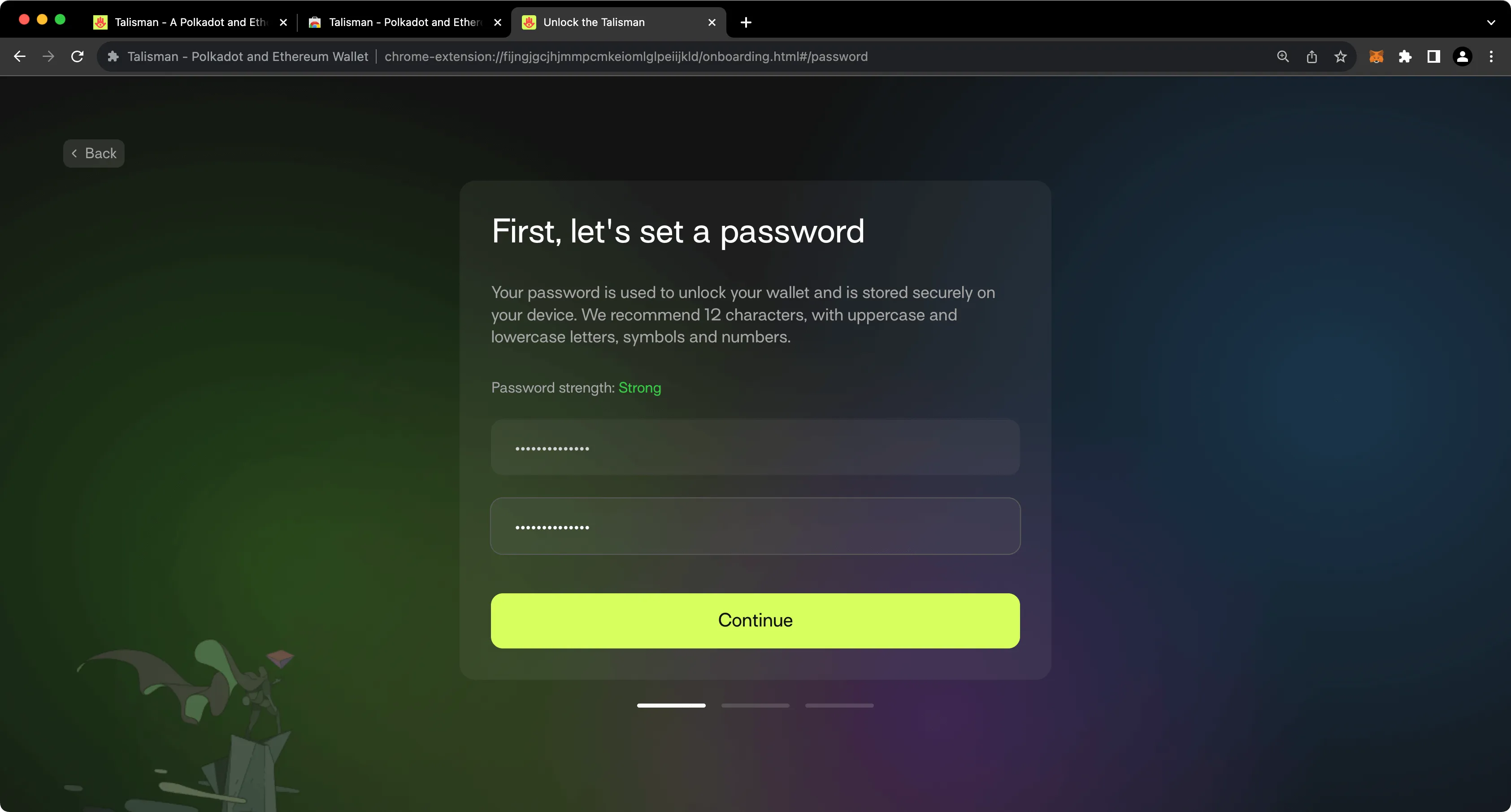
## Create a Substrate Account {: #create-a-substrate-account }
To create your first Substrate account in Talisman, take the following steps:
1. Select the **Polkadot** option.
2. Give your account a name.
3. Press **Create**.
!!! note
Why Polkadot? Tanssi and Tanssi-powered appchains are built using Substrate, the same framework that powers Polkadot. As a result, even though Tanssi and Polkadot are separate networks, they share the same cryptographic signature schema.
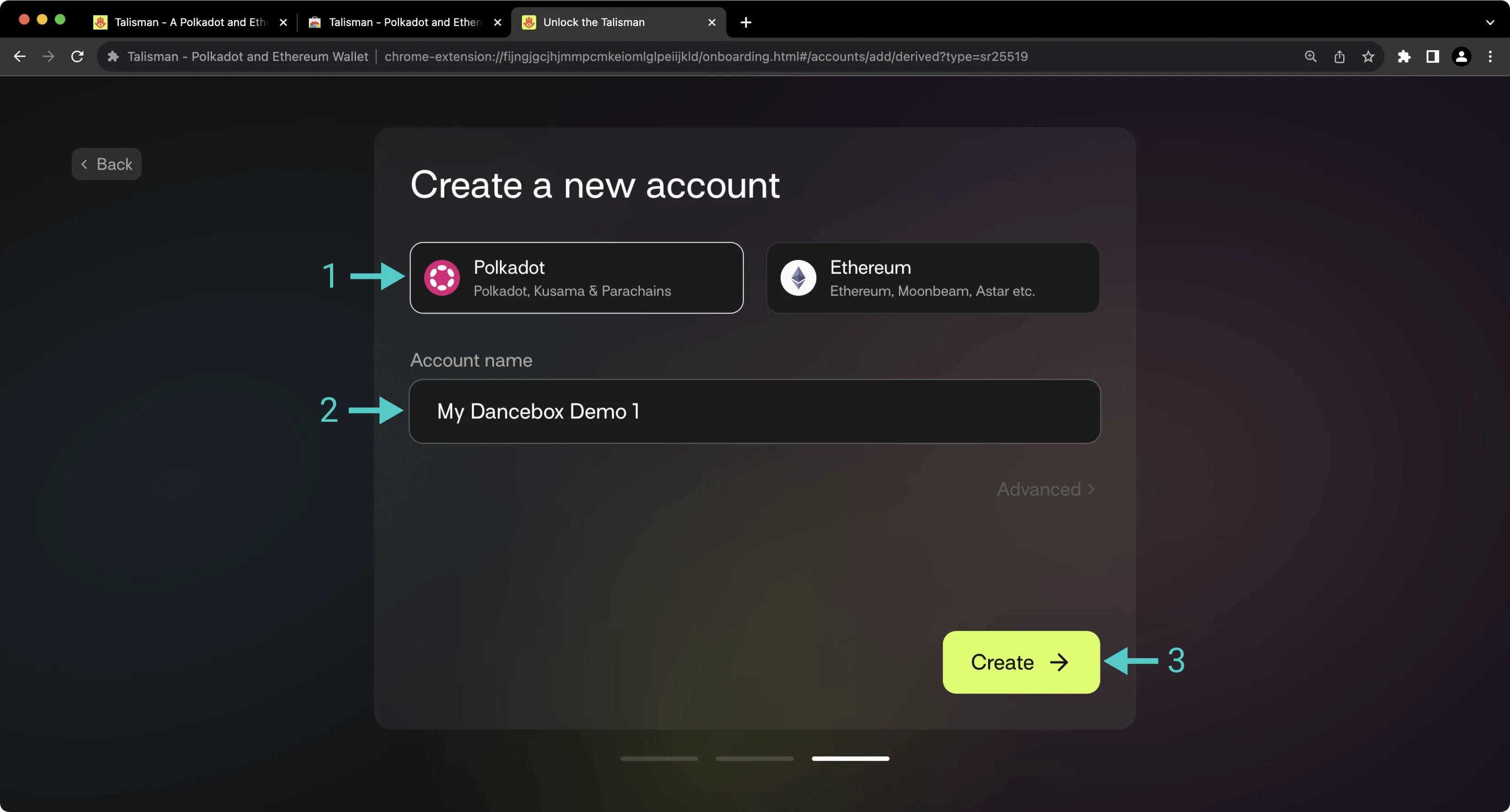
After creating your first account, you'll be prompted to back up your seed phrase. This is an important step, especially because you have the option to later derive additional accounts from this seed phrase.
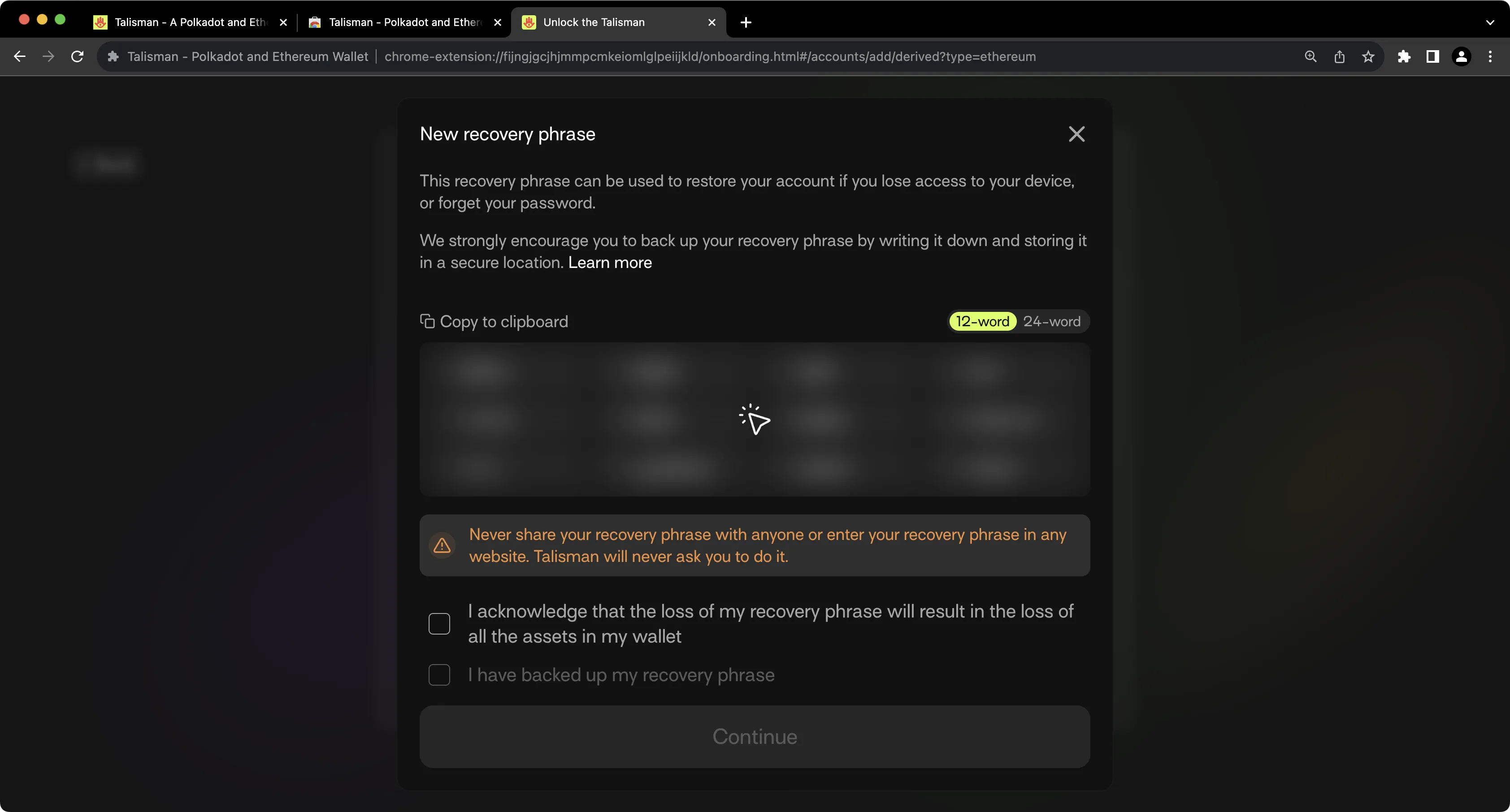
!!! note
You should never share your seed phrase (mnemonic) or private key with anyone. This gives them direct access to your funds. This guide is for educational purposes only.
## Importing an Existing Substrate Account {: #importing-an-existing-substrate-account }
Of course, you can import an existing Substrate account into Talisman. To do so, take the following steps:
1. Press **Add Account**.
2. Press **Import**.
3. Select **Import via Recovery Phrase**.
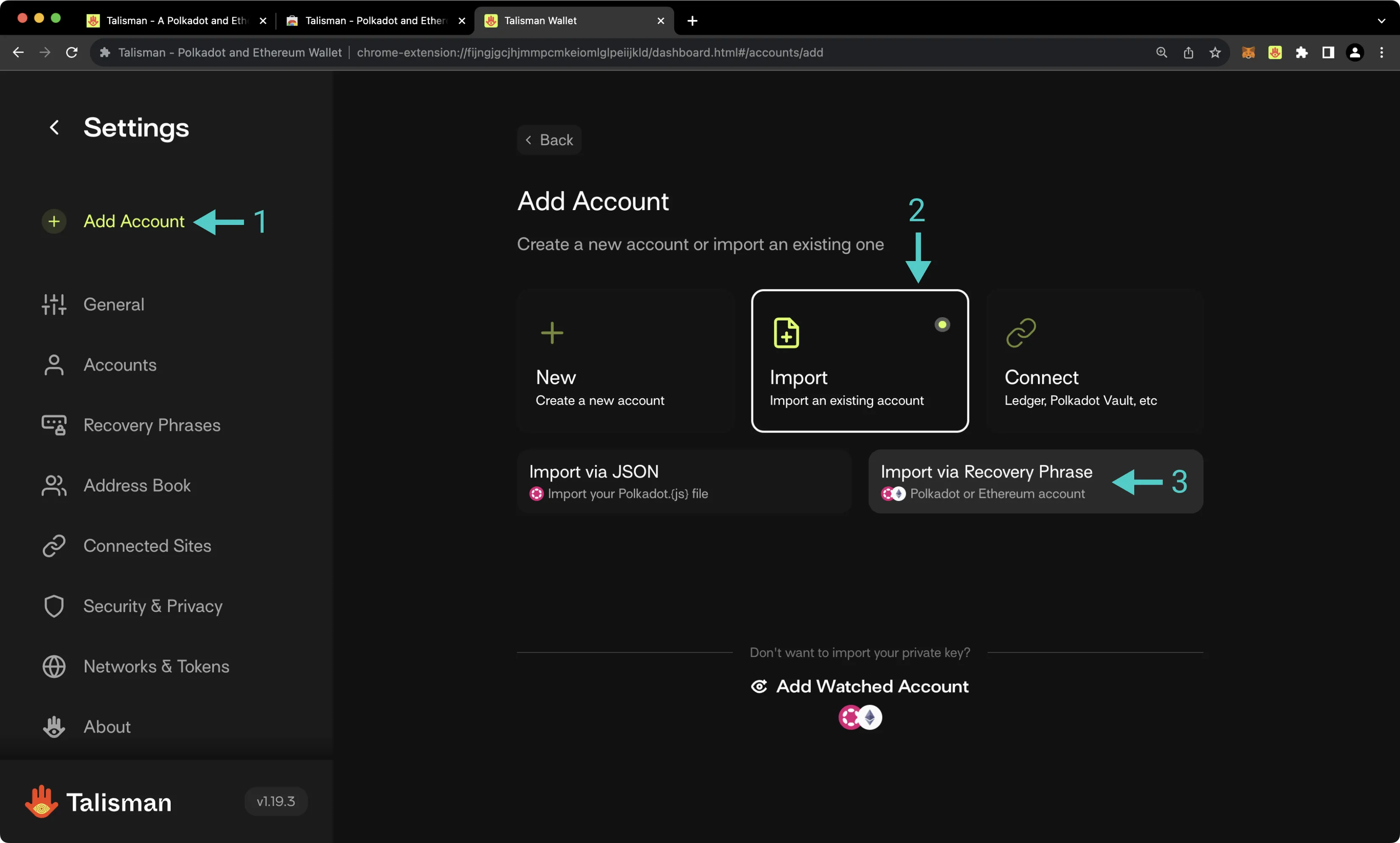
On the following screen, take the following steps:
1. Select the **Polkadot** account type.
2. Provide a name for your account.
3. Paste in your seed.
4. Select which accounts you'd like to import.
5. Press **Import**.
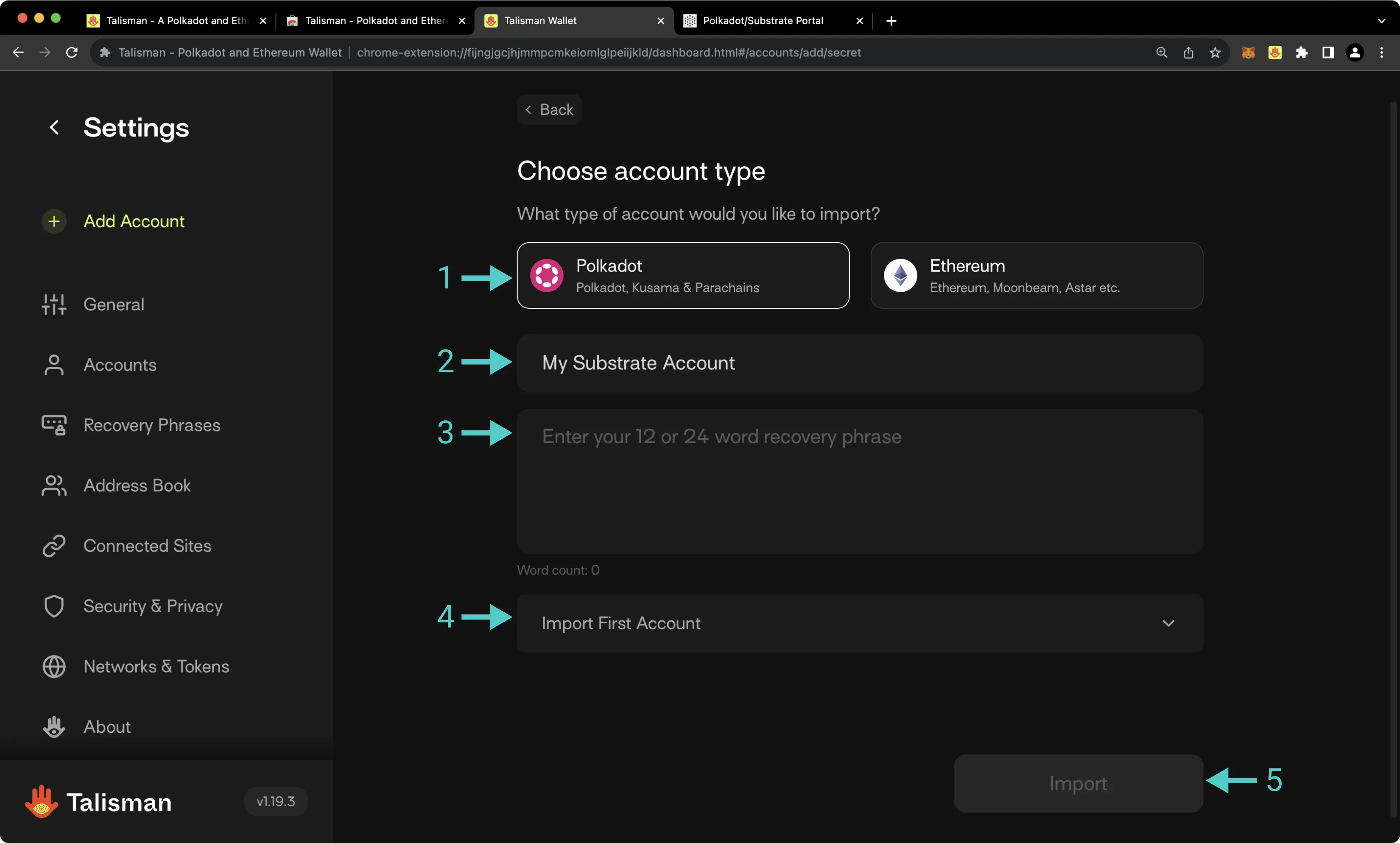
## Connecting Talisman to the Tanssi Network {: #connecting-talisman-to-the-tanssi-network }
Talisman already comes pre-configured with support for Tanssi MainNet and [Dancelight](/builders/tanssi-network/testnet/dancelight/){target=\_blank}. To connect to Dancelight, you first need to make sure you have enabled support for TestNets on Talisman. To do so, take the following steps:
1. Open the Talisman extension and click on the Talisman logo.
2. Select **Settings**.
3. Ensure that **Enable testnets** is checked.
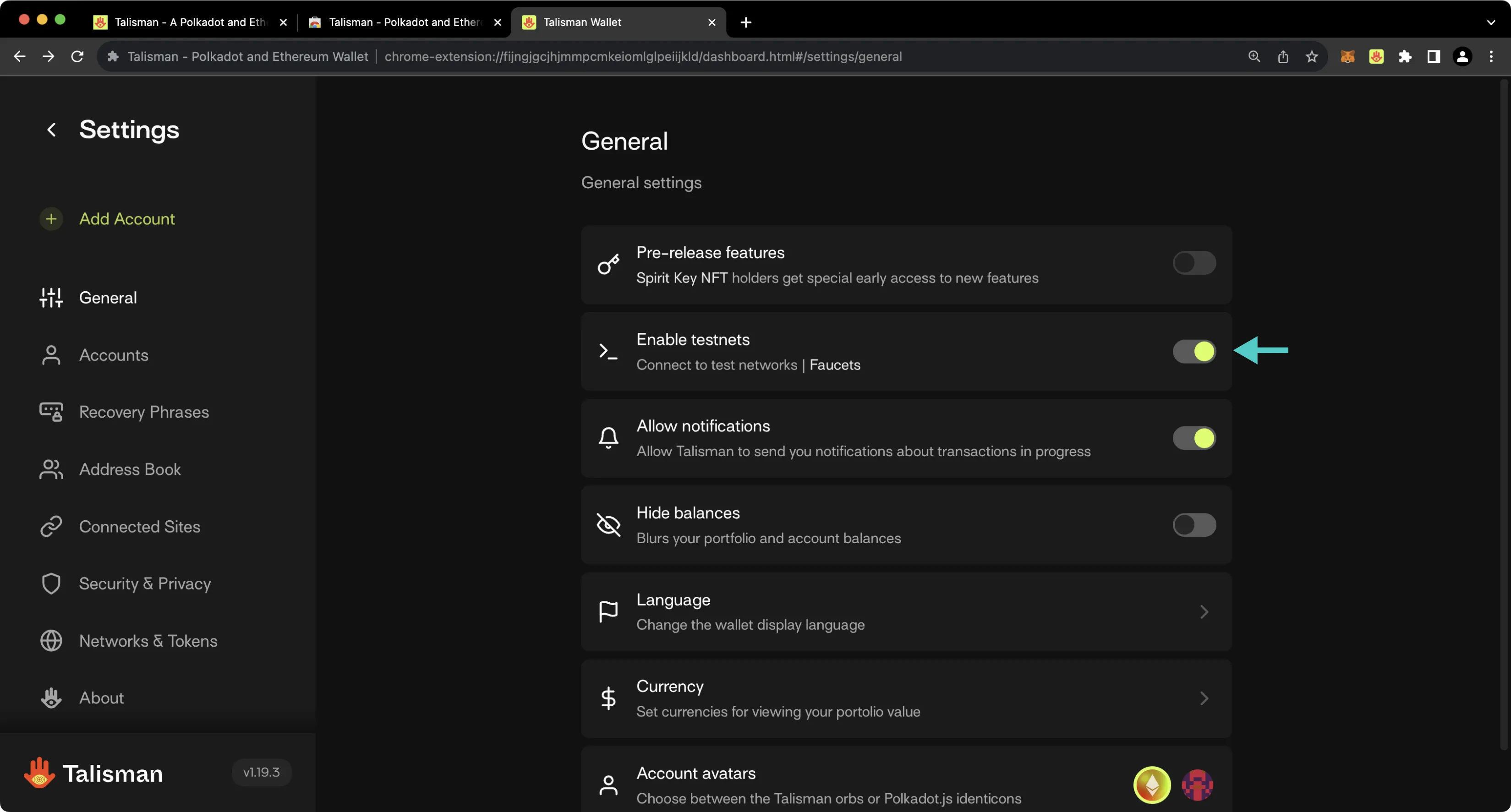
If you have a balance of Tanssi MainNet or Dancelight tokens, you'll see your account balance on the homepage of the Talisman wallet. When you don't have a balance, the network is omitted from your list of assets.
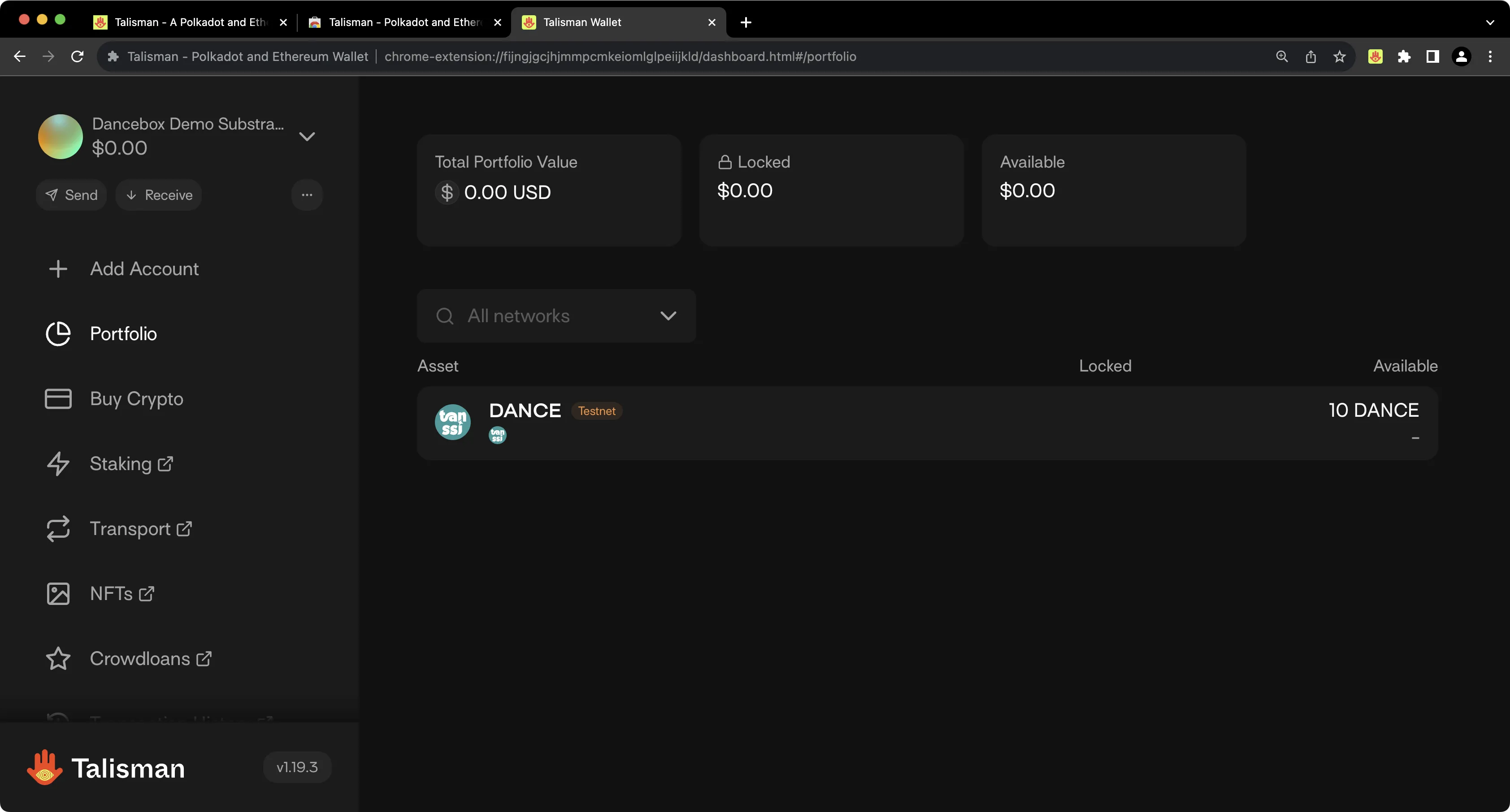
## Connecting Talisman to Your Substrate Network {: #connecting-talisman-to-your-substrate-network }
To configure Talisman for your Tanssi-powered Substrate network, open the Talisman extension and click on the **More Options** tab. Click on **Settings** > **Networks & Tokens** > **Manage Networks**.
1. Slide the network slider to **Polkadot**.
2. Check the **Enable testnets** box.
3. Press **Add Network**.
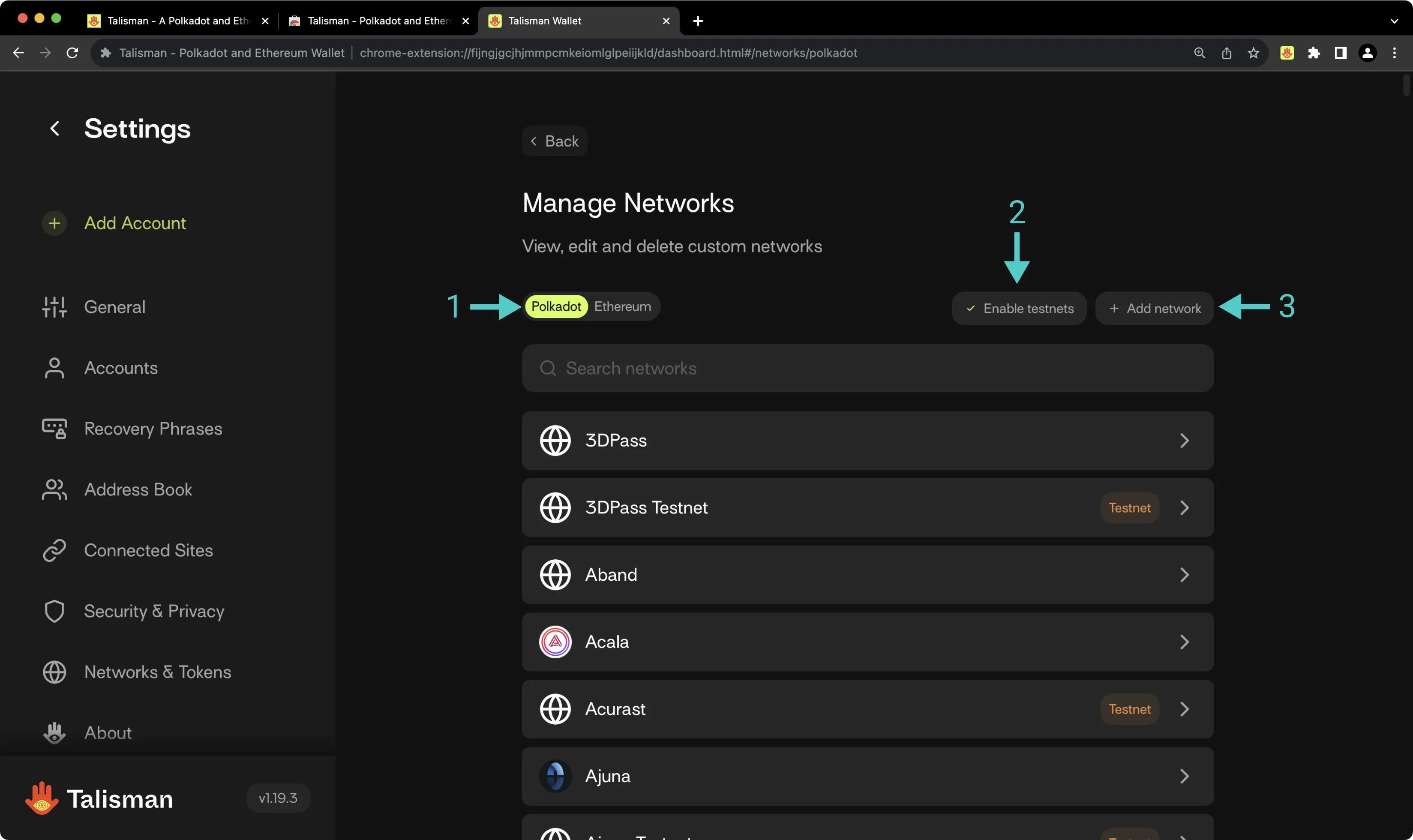
On the following page, you'll then be prompted to enter the network details for your Tanssi network. For demonstration purposes, Dancelight is used here, but you can substitute these details for your own Tanssi network. To add your Tanssi network to Talisman, take the following steps:
1. Paste in the RPC URL of your Tanssi network. Other parameters will be auto-populated.
2. Optionally, enter the block explorer URL of your Tanssi network, if applicable.
3. Check the **This is a testnet** box if applicable.
4. Press **Add Network**.
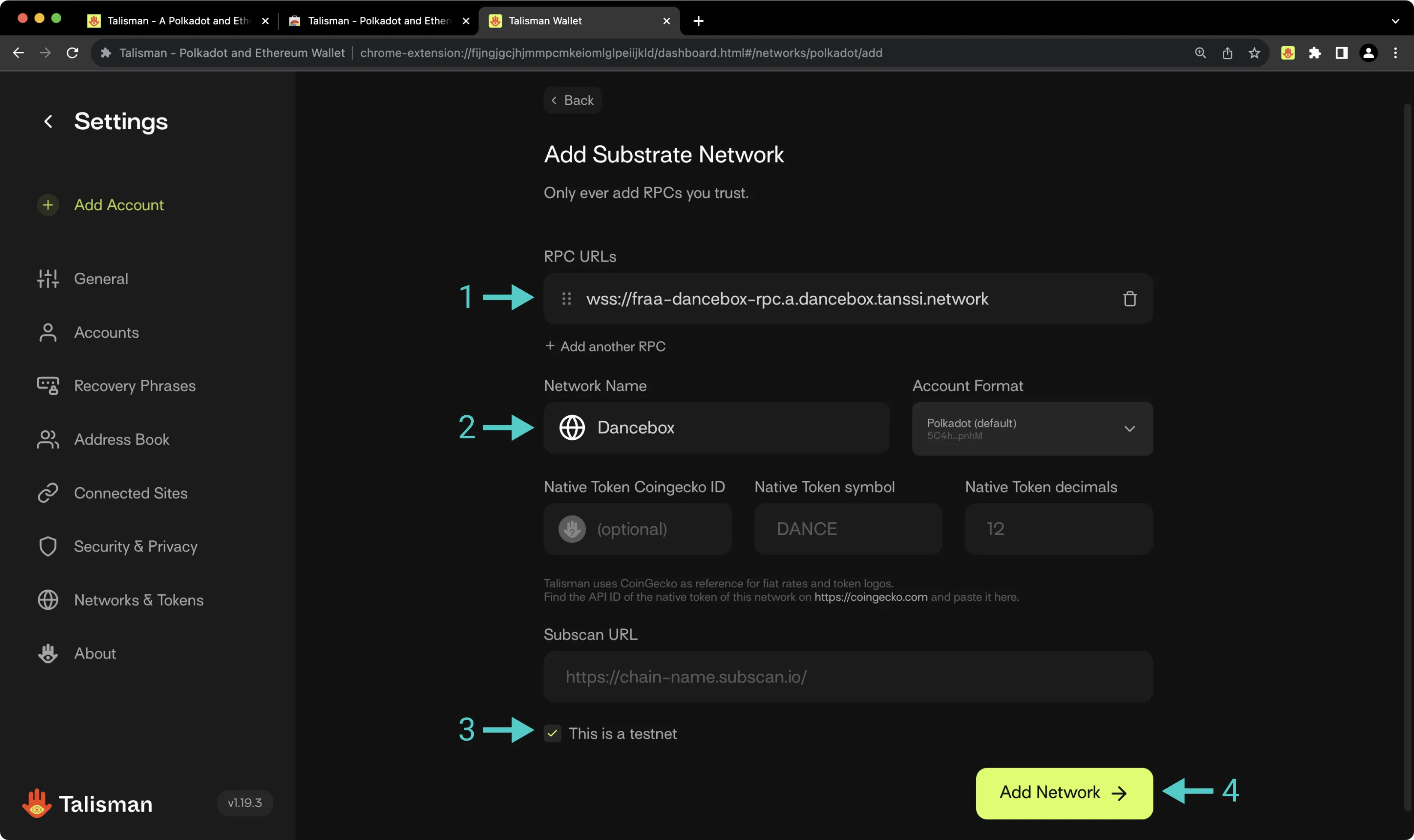
## Connecting to Polkadot.js {: #connecting-to-polkadotjs}
To connect your Tanssi Substrate network to Polkadot.js Apps, first head to [Polkadot.js Apps](https://polkadot.js.org/apps/?rpc=wss%3A%2F%2F{{ networks.dancelight.dns_name }}#/accounts){target=\_blank}. In this example, Polkadot.js Apps is connected to Dancelight, but you can point Polkadot.js to your Tanssi network by clicking on the network dropdown and filling in the WSS endpoint of your Tanssi network in the **custom endpoint** field.
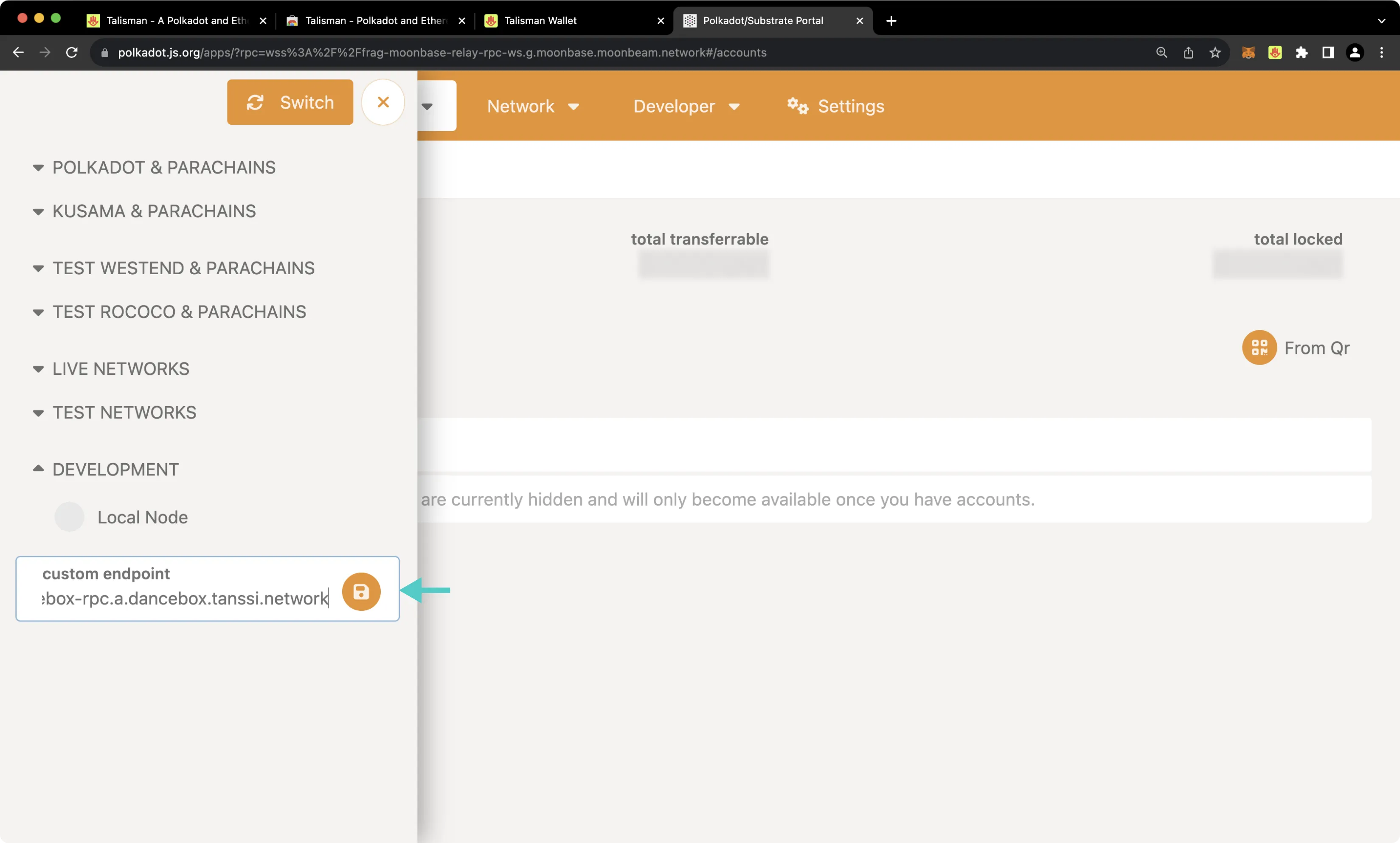
The Talisman extension will prompt you to select the accounts you'd like to use with Polkadot.js Apps. If it doesn't automatically pop up, you can open the Talisman extension and click on the **polkadot.js.org** heading at the top. To configure Talisman to correctly interface with your Tanssi network on Polkadot.js Apps, you should take the following steps:
1. Select the Substrate account(s) that you'd like to use with Polkadot.js Apps
2. Press **Connect 1**. The value will change depending on the number of accounts you are connecting
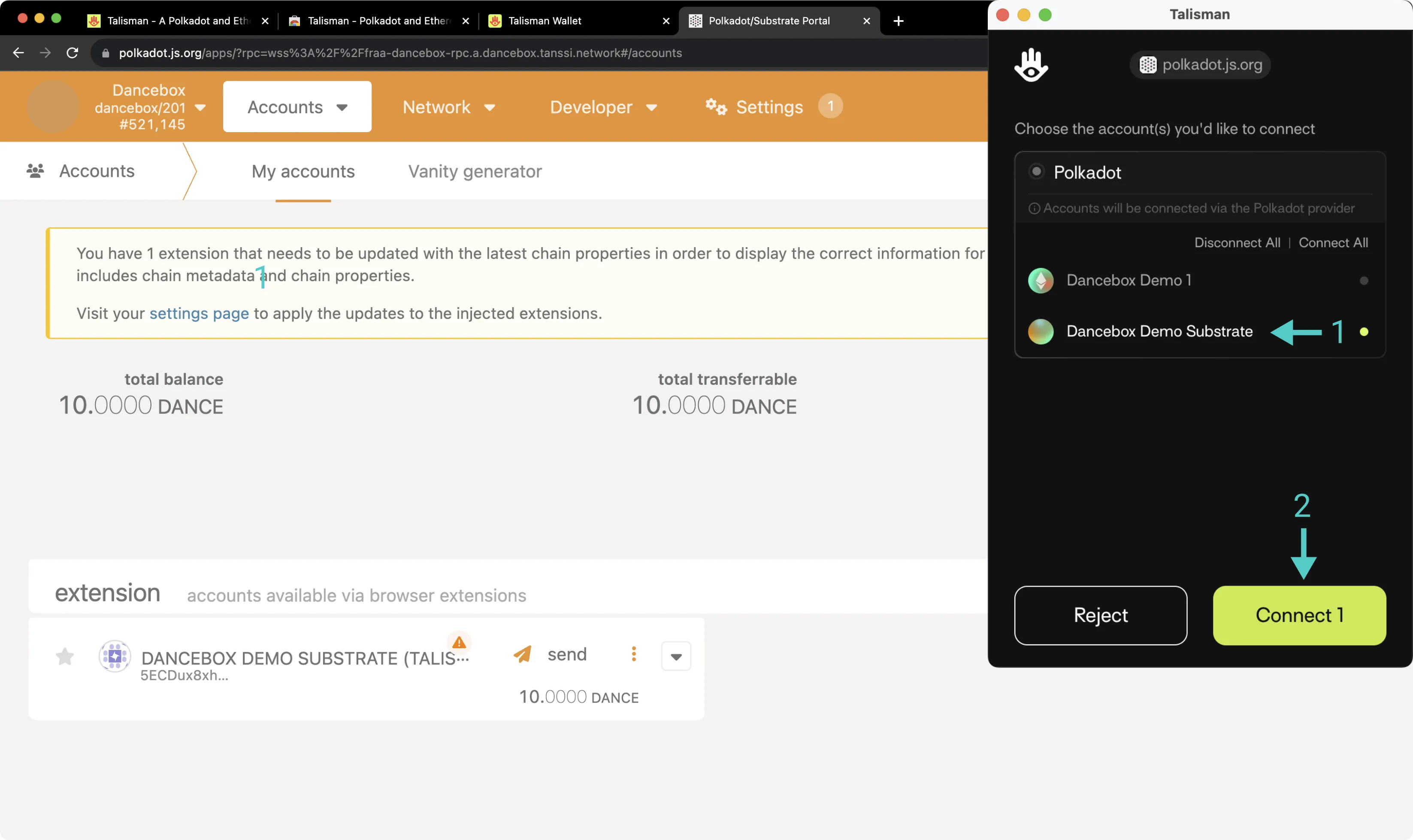
Your Talisman wallet is now connected to Polkadot.js Apps. After refreshing Polkadot.js Apps, you should see your Talisman account in the [Accounts page of Polkadot.js Apps](https://polkadot.js.org/apps/?rpc=wss%3A%2F%2F{{ networks.dancelight.dns_name }}#/accounts){target=\_blank} underneath the **extension** heading.
## Sending a Transaction {: #sending-a-transaction}
To send a transaction through the Substrate API, click **Send** next to your account on Polkadot.js Apps. Then, take the following steps:
1. Input the **send to address**.
2. Enter the **amount**.
3. Press **Make Transfer** and confirm the transaction in the resulting Polkadot.js pop-up.
4. Press **View Details** if you'd like to inspect the contents of the transaction.
5. Press **Approve** to submit the transaction.
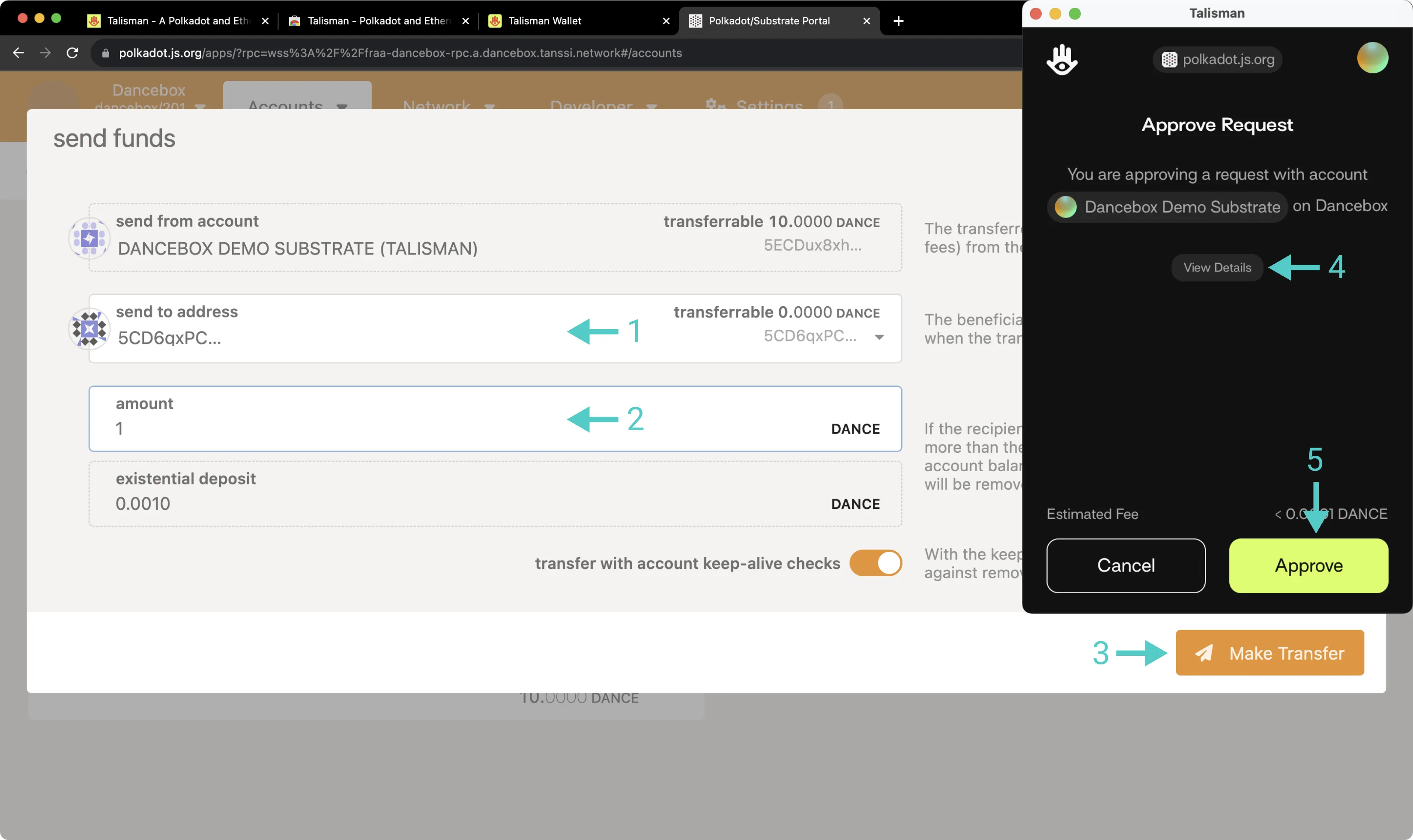
This guide focused specifically on configuring Talisman to work with your Tanssi Substrate network, but Talisman is also a full-featured wallet for EVM accounts. Under the Ethereum API section, you'll find a [similar guide for configuring Talisman for use with your Tanssi EVM network](/builders/toolkit/ethereum-api/wallets/talisman/){target=\_blank}.
{{ trans("disclaimer.third_party") }}
--- END CONTENT ---
Doc-Content: https://docs.tanssi.network/pt/builders/build/templates/substrate/
--- BEGIN CONTENT ---
---
title: Template de Rede de Base
description: O repositório Tanssi inclui um Template básico que fornece a configuração necessária para suportar o protocolo e iniciar o desenvolvimento de uma rede.
icon: simple-paritysubstrate
categories: Substrate-Template
---
# Template de Rede de Base {: #baseline-network-template }
## Introdução {: #introduction }
O repositório Tanssi inclui um Template mínimo que fornece a configuração necessária para suportar o protocolo Tanssi e alguns módulos essenciais, como o que permite lidar com a moeda da rede Tanssi.
Esta seção aborda este Template básico, o que ele inclui e alguns aspectos a serem considerados ao adicionar dependências externas.
## Template de Rede de Base {:#baseline-network-template }
Desenvolver um Runtime de rede normalmente envolve duas etapas principais:
1. [Incorporar módulos internos pré-existentes](/pt/builders/build/customize/adding-built-in-module/){target=\_blank} no Runtime
2. [Criar módulos personalizados](/pt/builders/build/customize/adding-custom-made-module/){target=\_blank} adaptados às necessidades específicas do seu aplicativo
Como o Template fornecido já inclui as configurações essenciais para uma integração perfeita com o protocolo Tanssi e o provedor de segurança (por exemplo, [Symbiotic](https://symbiotic.fi/){target=\_blank} no Ethereum), as equipes interessadas em construir uma rede inovadora powered by Tanssi podem usar este Template como ponto de partida para adicionar sua lógica personalizada.
Aqui estão alguns dos recursos que vêm com este Template:
- Utilize da Tanssi [produção de blocos como serviço](/pt/learn/tanssi/network-services/block-production/){target=\_blank}
- Escolha o provedor de segurança que melhor se adapta às suas necessidades. Por exemplo, aproveite a segurança de nível Ethereum do [Symbiotic](https://symbiotic.fi/){target=\_blank}
- Obtenha a finalidade determinística da transação em segundos
- Crie dApps que interagem com sua rede por meio de uma [API](/pt/builders/toolkit/substrate-api/libraries/polkadot-js-api/){target=\_blank}
Aproveitando esses recursos no Template, você pode iniciar o desenvolvimento da sua rede Tanssi e personalizá-la para atender aos seus requisitos e inovações específicos.
## Adicionando Dependências Extras {: #adding-extra-dependencies}
O Template de rede Substrate inclui todos os módulos e configurações necessários que o tornam compatível com o protocolo Tanssi e também [muitos outros módulos](/pt/builders/build/templates/overview/#included-modules){target=\_blank} que fornecem funcionalidades básicas.
Este Template foi projetado para servir como base para construir, pois a maioria dos casos de uso requer capacidades expandidas, adicionando módulos existentes ou personalizados. Para saber como adicionar novas funcionalidades ao seu Runtime, consulte a seção [personalizar Runtime](/pt/builders/build/customize/){target=\_blank}.
--- END CONTENT ---
Doc-Content: https://docs.tanssi.network/pt/builders/toolkit/integrations/indexers/sqd/quick-start/
--- BEGIN CONTENT ---
---
title: Indexando uma Rede Tanssi com SQD
description: Aprenda a usar o Squid SDK, um framework de query node para cadeias baseadas em Substrate, para indexar e processar dados em uma rede EVM ou Substrate powered by Tanssi.
icon: octicons-rocket-24
categories: EVM-Template, Substrate-Template
---
# Indexando uma Rede Tanssi com SQD
## Introdução {: #introduction }
[SQD](https://www.sqd.ai/){target=_blank} é uma rede de dados que permite recuperar dados de blockchain de mais de 100 cadeias de forma rápida e econômica usando o data lake descentralizado da SQD e o SDK open-source. Em termos simples, o SQD funciona como uma ferramenta ETL (extrair, transformar e carregar) com um servidor GraphQL incluído. Ele oferece filtragem abrangente, paginação e até pesquisa de texto completo. O SQD tem suporte nativo e completo para dados EVM e Substrate, até no mesmo projeto.
Este guia rápido mostra como criar um projeto Squid e configurá-lo para indexar dados em uma rede powered by Tanssi. Há uma seção para [redes Substrate](#index-substrate-networks) e outra para [redes EVM](#index-evm-networks). Se você estiver em uma rede EVM, pode usar a seção Substrate caso também precise indexar dados Substrate.
Para um tutorial mais completo para redes EVM, confira [Indexando Transferências ERC-20 em uma Rede EVM Tanssi](/pt/builders/toolkit/integrations/indexers/sqd/erc20-transfers/){target=_blank}.
## Verificando Pré-requisitos {: #checking-prerequisites }
Para os exemplos deste guia, você vai precisar de:
- [Node.js](https://nodejs.org/en/download){target=_blank} versão 16 ou superior
- [Docker](https://docs.docker.com/get-started/get-docker/){target=_blank}
- [Squid CLI](https://docs.sqd.ai/squid-cli/installation/){target=_blank}
## Indexar uma Rede Substrate Tanssi {: #index-substrate-networks }
Para começar a indexar dados Substrate na sua rede Tanssi, crie um projeto Squid e configure-o para sua rede com estes passos:
1. Crie um projeto Squid baseado no template Substrate executando:
```bash
sqd init INSERT_SQUID_NAME --template substrate
```
Para mais detalhes sobre este template, veja o guia [Primeiros passos: Cadeias Substrate](https://docs.sqd.ai/sdk/how-to-start/squid-development/?template-tech=substrate){target=_blank} na documentação da SQD.
2. No diretório raiz do projeto, instale as dependências:
```bash
npm ci
```
3. Ajuste `src/processor.ts` para apontar para o RPC da sua rede Tanssi. Remova a linha `archive: lookupArchive`, pois não será usado um arquivo Squid. Especifique o RPC da sua rede Substrate Tanssi, pois o endpoint é usado para ingerir os dados da cadeia:
```ts
const processor = new EvmBatchProcessor();
processor.setDataSource({
chain: 'INSERT_RPC_URL',
})
```
4. Suba o Postgres executando:
```bash
sqd up
```
5. Inspecione e execute o processador:
```bash
sqd process
```
6. Em outro terminal, no mesmo diretório, inicie o servidor GraphQL:
```bash
sqd serve
```
7. Consulte o Squid Substrate de template com a query abaixo. Se você modificar o template para indexar dados diferentes, ajuste a query conforme necessário:
```graphql
query MyQuery {
accountsConnection(orderBy: id_ASC) {
totalCount
}
}
```
Pronto! Agora você pode atualizar `schema.graphql`, `src/main.ts`, `typegen.json` e `src/processor.ts` para indexar os dados que precisa.
## Indexar uma Rede EVM Tanssi {: #index-evm-networks }
Para indexar dados EVM em uma rede EVM Tanssi, crie um projeto Squid e configure-o assim:
1. Crie um projeto Squid para EVM usando o [template EVM](https://github.com/subsquid-labs/squid-evm-template){target=_blank} genérico ou o [template ABI](https://github.com/subsquid-labs/squid-abi-template){target=_blank} para dados de um contrato específico.
=== "EVM"
```bash
sqd init INSERT_SQUID_NAME --template evm
```
=== "ABI"
```bash
sqd init INSERT_SQUID_NAME --template abi
```
Para saber mais sobre esses templates, consulte:
- [Primeiros passos: Cadeias EVM](https://docs.sqd.ai/sdk/how-to-start/squid-development/?template-tech=evm){target=_blank}
- [Início rápido: Ferramentas de geração Squid](https://docs.sqd.ai/sdk/resources/tools/squid-gen/){target=_blank}
2. No diretório raiz do projeto, instale as dependências:
```bash
npm ci
```
3. Ajuste `src/processor.ts` para apontar para o RPC da sua rede Tanssi. Remova a linha `archive: lookupArchive('eth-mainnet')`, pois não será usado um arquivo Squid. Abaixo, o RPC da rede EVM de demonstração é usado como exemplo; substitua pelo seu:
```ts
const processor = new EvmBatchProcessor();
processor.setDataSource({
chain: 'INSERT_RPC_URL',
})
```
!!! note
Para testar na rede EVM de demonstração, você pode usar este RPC:
```text
{{ networks.dancelight.demo_evm_rpc_url }}
```
4. Suba o Postgres executando:
```bash
sqd up
```
5. Inspecione e execute o processador:
```bash
sqd process
```
6. Em outro terminal, inicie o servidor GraphQL:
```bash
sqd serve
```
7. Execute consultas no playground GraphQL em `http://localhost:4350/graphql`, por exemplo:
```graphql
query MyQuery {
burns(orderBy: value_DESC) {
address
block
id
txHash
value
}
}
```
Pronto! Agora você pode atualizar `schema.graphql`, `src/main.ts` e `src/processor.ts` para indexar os dados necessários.
Para um guia passo a passo mais completo, veja o tutorial [Indexando Transferências ERC-20 em uma Rede EVM Tanssi](/pt/builders/toolkit/integrations/indexers/sqd/erc20-transfers/){target=_blank}.
{{ trans("disclaimer.third_party") }}
--- END CONTENT ---
Doc-Content: https://docs.tanssi.network/pt/builders/toolkit/substrate-api/dev-env/chopsticks/
--- BEGIN CONTENT ---
---
title: Como usar o Chopsticks para bifurcar sua rede
description: Aprenda o básico de como usar o Chopsticks para reproduzir blocos, dissecar mudanças de estado, testar interações XCM e criar um fork local da sua rede Tanssi.
icon: octicons-code-square-24
categories: Substrate-Template, EVM-Template
---
# Como usar o Chopsticks para bifurcar sua rede
## Introdução {: #introduction }
[Chopsticks](https://github.com/AcalaNetwork/chopsticks){target=\_blank} oferece uma forma amigável para desenvolvedores bifurcarem localmente cadeias baseadas em [Substrate](/pt/learn/framework/overview/){target=\_blank}. Ele permite reproduzir blocos para examinar como transações afetam o estado, bifurcar múltiplas redes Tanssi para testes de XCM e muito mais. Isso facilita testar e experimentar configurações personalizadas de blockchain em um ambiente local sem precisar implantar uma rede real.
Em resumo, o Chopsticks simplifica o processo de construir aplicações em Substrate e o torna acessível a mais desenvolvedores.
Este artigo mostra como usar o Chopsticks para bifurcar e interagir com uma cópia local de uma rede Tanssi.
!!! note
O Chopsticks atualmente não suporta chamadas via Ethereum JSON-RPC. Portanto, você não pode bifurcar sua cadeia com o Chopsticks e conectar o Metamask a ela.
## Pré-requisitos {: #prerequisites }
Para seguir este tutorial, clone o repositório com seus submódulos ([Smoldot](https://github.com/smol-dot/smoldot.git){target=\_blank}):
```bash
git clone --recurse-submodules https://github.com/AcalaNetwork/chopsticks.git
```
Depois, entre na pasta e instale as dependências usando o [yarn](https://classic.yarnpkg.com/en/docs/install){target=\_blank}:
```bash
cd chopsticks && yarn
```
Por fim, faça o build do projeto:
```bash
yarn build-wasm
```
Agora o ambiente de desenvolvimento está pronto para começar a testar e depurar redes implantadas com Tanssi.
## Bifurcando uma rede EVM de Demonstração com o Chopsticks {: #forking-demo-chain }
Para bifurcar uma rede Tanssi usando o Chopsticks, execute o comando passando apenas o endpoint RPC:
```bash
yarn start --endpoint {{ networks.dancelight.demo_evm_rpc_wss_url }}
```
Esse comando inicia um clone local da cadeia no último bloco.
chopsticks % yarn start --endpoint wss://services.tanssi-testnet.network/dancelight-2001
[01:59:42.628] INFO (xcm/59650): Frontier Container 2001 RPC listening on port 8000
Normalmente, os parâmetros de configuração ficam em um arquivo de configuração, como os que estão na pasta `configs` do repositório para relay chains e parachains do ecossistema Dotsama. O arquivo a seguir funciona para a [rede EVM de demonstração](/pt/builders/tanssi-network/testnet/demo-evm-network/){target=\_blank}, sobrescrevendo a conta sudo da cadeia pela conta da Alith e financiando-a com tokens:
```yaml
endpoint: {{ networks.dancelight.demo_evm_rpc_wss_url }}
mock-signature-host: true
allow-unresolved-imports: true
db: ./tmp/db_ftrcon.sqlite
import-storage:
System:
Account:
- - - "0xf24FF3a9CF04c71Dbc94D0b566f7A27B94566cac" # Alith
- providers: 1
sufficients: 1
consumers: 1
data:
free: "100000000000000000000000"
Sudo:
Key: "0xf24FF3a9CF04c71Dbc94D0b566f7A27B94566cac"
```
O arquivo de configuração aceita todos os parâmetros a seguir:
| Opção | Descrição |
|:--------------------------:|:---------------------------------------------------------------------------------------------------------:|
| `genesis` | Link para o raw genesis de uma parachain para construir o fork, em vez de usar um endpoint. |
| `timestamp` | Timestamp do bloco de origem do fork. |
| `endpoint` | Endpoint da parachain a ser bifurcada. |
| `block` | Especifica em qual hash ou número de bloco o fork deve ser reproduzido. |
| `wasm-override` | Caminho do Wasm a usar como runtime da parachain em vez do runtime do endpoint. |
| `db` | Caminho para o arquivo que armazena (ou armazenará) o banco de dados da parachain. |
| `config` | Caminho ou URL do arquivo de configuração. |
| `port` | Porta para expor um endpoint. |
| `build-block-mode` | Como os blocos devem ser construídos: batch, manual, instant. |
| `import-storage` | Caminho JSON/YAML de um storage predefinido para sobrescrever o storage da parachain. |
| `allow-unresolved-imports` | Se permite imports Wasm não resolvidos ao usar um Wasm para construir a parachain. |
| `html` | Inclua para gerar preview de diff de storage entre blocos. |
| `mock-signature-host` | Mock de assinatura: qualquer assinatura iniciada com `0xdeadbeef` e preenchida com `0xcd` é válida. |
Você pode rodar `yarn start` para bifurcar cadeias informando um arquivo de configuração local. Como alternativa, use o nome ou a URL do GitHub se a cadeia estiver listada na pasta `configs` do repositório.
=== "Caminho de arquivo local"
```bash
yarn start --config=configs/polkadot.yml
```
=== "Nome da cadeia"
```bash
yarn start --config=polkadot
```
=== "URL do GitHub"
```bash
yarn start \
--config=https://github.com/AcalaNetwork/chopsticks.git/master/configs/polkadot.yml
```
Todas as configurações (exceto `genesis` e `timestamp`) também podem ser passadas como flags para definir o ambiente apenas pela linha de comando. Por exemplo, o comando a seguir bifurca a rede EVM de demonstração no bloco 100.
```bash
yarn start --endpoint {{ networks.dancelight.demo_evm_rpc_wss_url }} --block 100
```
### Interagir com um Fork {: #interacting-with-a-fork }
Ao executar um fork, por padrão ele fica acessível em:
```text
ws://localhost:8000
```
Você pode interagir com a parachain via bibliotecas como [Polkadot.js](https://github.com/polkadot-js/common){target=\_blank} e sua interface [Polkadot.js Apps](https://polkadot.js.org/apps/?rpc=ws%3A%2F%2F127.0.0.1%3A8000#/explorer){target=\_blank}.

Agora você deve conseguir interagir com a cadeia bifurcada como faria com a real.
!!! note
Se o navegador não conseguir conectar ao endpoint WebSocket do Chopsticks, talvez seja necessário permitir conexões inseguras na URL do Polkadot.js Apps. Outra opção é usar a [versão em Docker do Polkadot.js Apps](https://github.com/polkadot-js/apps#docker){target=\_blank}.
## Reproduzindo Blocos {: #replaying-blocks }
Se quiser reproduzir um bloco e recuperar suas informações para dissecar os efeitos de um extrínseco, use o comando `yarn start run-block`. Os flags são:
| Flag | Descrição |
|:--------------------------:|:--------------------------------------------------------------------------------------:|
| `endpoint` | Endpoint da parachain a ser bifurcada. |
| `block` | Especifica em qual hash ou número de bloco reproduzir o fork. |
| `wasm-override` | Caminho do Wasm a usar como runtime da parachain em vez do runtime do endpoint. |
| `db` | Caminho para o arquivo que armazena (ou armazenará) o banco de dados da cadeia. |
| `config` | Caminho ou URL do arquivo de configuração. |
| `output-path=/[file_path]` | Imprime os resultados em um arquivo JSON em vez de exibi-los no console. |
| `html` | Inclua para gerar uma representação HTML do diff de storage entre blocos. |
| `open` | Define se abre a representação HTML. |
Por exemplo, o comando abaixo executa novamente o bloco 1000 da rede EVM de demonstração e grava o diff de storage e outros dados em `chain-output.json`:
```bash
yarn start run-block \
--endpoint {{ networks.dancelight.demo_evm_rpc_wss_url }} \
--output-path=./chain-output.json \
--block 1000
```
## Comandos WebSocket {: #websocket-commands }
O servidor WebSocket interno do Chopsticks possui endpoints especiais para manipular a cadeia Substrate local.
Estes são os métodos que podem ser invocados e seus parâmetros:
???+ function "**dev_newBlock** (options) — Gera um ou mais blocos novos"
=== "Parâmetros"
- **options** - `{ "to": number, "count": number }` - objeto JSON em que `"to"` cria blocos até certo valor e `"count"` aumenta em determinado número de blocos. Use apenas uma entrada por vez no objeto
=== "Exemplo"
```js
import { WsProvider } from '@polkadot/api'
const ws = new WsProvider(`ws://localhost:8000`)
// Cria cinco blocos novos
await ws.send('dev_newBlock', [{ count: 5 }])
```
??? function "**dev_setStorage** (values, blockHash) — Cria ou sobrescreve o valor de qualquer storage"
=== "Parâmetros"
- **values** - Objeto - JSON semelhante ao caminho para um valor de storage, como você obteria via Polkadot.js
- **blockHash** - String - opcional, hash do bloco no qual o valor de storage é alterado
=== "Exemplo"
```js
import { WsProvider } from '@polkadot/api';
const ws = new WsProvider(`ws://localhost:8000`);
// Sobrescreve a chave sudo
await ws.send('dev_setStorage',
[{"Sudo": { "Key": "0x6Be02d1d3665660d22FF9624b7BE0551ee1Ac91b" }}]
);
```
??? function "**dev_timeTravel** (date) — Define o timestamp do bloco para o valor informado"
=== "Parâmetros"
- **date** - Date - string compatível com a biblioteca Date do JavaScript que altera o timestamp dos próximos blocos. Todos os blocos futuros serão criados sequencialmente após esse ponto no tempo
=== "Exemplo"
```js
import { WsProvider } from '@polkadot/api';
const ws = new WsProvider(`ws://localhost:8000`);
// Define o timestamp para 15 de agosto de 2030
await ws.send('dev_timeTravel', ["2030-08-15T00:00:00"]);
```
??? function "**dev_setHead** (hashOrNumber) — Define a head da blockchain para um hash ou número específico"
=== "Parâmetros"
- **hashOrNumber** - number | string - se encontrado, a head será definida para o bloco com esse número ou hash
=== "Exemplo"
```js
import { WsProvider } from '@polkadot/api';
const ws = new WsProvider(`ws://localhost:8000`);
// Define a head para o bloco 500
await ws.send('dev_setHead', [500]);
```
{{ trans("disclaimer.third_party") }}
--- END CONTENT ---
Doc-Content: https://docs.tanssi.network/pt/builders/toolkit/substrate-api/libraries/polkadot-js-api/
--- BEGIN CONTENT ---
---
title: Como usar a API Polkadot.js
description: Aprenda a usar a API Polkadot.js para interagir com uma rede Tanssi, obtendo dados da cadeia e enviando transações (extrínsecas) via Substrate.
keywords: polkadot.js, substrate, tanssi, api, extrinsics, rpc, typescript
icon: octicons-code-24
categories: Substrate-Template
---
# Biblioteca da API Polkadot.js
## Introdução {: #introduction }
[Polkadot.js](https://wiki.polkadot.com/general/polkadotjs/){target=\_blank} é um conjunto de ferramentas que permite interagir com blockchains baseadas em Substrate, como a sua rede com Tanssi! A [API Polkadot.js](https://polkadot.js.org/docs/api){target=\_blank} é um de seus componentes: uma biblioteca que permite aos desenvolvedores consultar a rede e interagir com as interfaces Substrate do nó usando JavaScript, possibilitando ler e escrever dados na rede.
Você pode usar a API Polkadot.js para consultar dados on-chain e enviar transações pelo lado Substrate da sua rede Tanssi. É possível consultar constantes do runtime, estado da cadeia, eventos, dados de transações (extrínsecas) e muito mais.
Aqui você encontra uma visão geral das funcionalidades disponíveis e exemplos de código em [TypeScript](https://www.typescriptlang.org){target=\_blank} para começar a interagir com sua rede Tanssi usando a biblioteca Polkadot.js API.
!!! note "Nota do editor (atualização 2025)"
Polkadot.js é o nome do conjunto de ferramentas para interação com blockchains Substrate. Embora o nome faça referência ao Polkadot, a biblioteca é agnóstica de cadeia e funciona com qualquer rede baseada em Substrate, incluindo o Tanssi.
!!! note
Os exemplos deste guia partem de um ambiente MacOS ou Ubuntu 20.04. Se estiver usando Windows, adapte os comandos conforme necessário.
Verifique também se você tem o Node.js e um gerenciador de pacotes (como npm ou yarn) instalados. Para saber como instalar o Node.js, consulte a [documentação oficial](https://nodejs.org/en/download){target=\blank}.
Além disso, certifique-se de ter inicializado um arquivo `package.json` para módulos ES6. Você pode criar um `package.json` padrão com npm executando `npm init --yes`.
## Instalar a API Polkadot.js {: #installing-polkadot.js-api-library }
Primeiro, instale a biblioteca Polkadot.js API e a biblioteca RLP usando um gerenciador de pacotes como `yarn`. Ambas são necessárias para executar os exemplos deste guia.
Instale no diretório do projeto com:
=== "npm"
```bash
npm i @polkadot/api
npm i @polkadot/util-rlp
```
=== "yarn"
```bash
yarn add @polkadot/api
yarn add @polkadot/util-rlp
```
A biblioteca também inclui outros componentes centrais, como o Keyring para gerenciamento de contas e utilitários usados ao longo do guia.
## Criar uma Instância do Provedor da API {: #creating-an-API-provider-instance }
Para interagir com sua rede Tanssi usando a Polkadot.js API, crie uma instância da API. Construa o `WsProvider` usando o endpoint WebSocket da sua rede Tanssi.
```typescript
// Importar
import { ApiPromise, WsProvider } from '@polkadot/api';
const main = async () => {
// Construir provedor da API
const wsProvider = new WsProvider('INSERT_NETWORK_WSS_ENDPOINT');
const api = await ApiPromise.create({ provider: wsProvider });
// Seu código aqui
await api.disconnect();
};
main();
```
### Metadata e Decoração Dinâmica da API {: #metadata-and-dynamic-api-decoration }
Quando a API Polkadot.js se conecta a um nó, uma das primeiras ações é recuperar a metadata e decorar a API com base nela. A metadata fornece a estrutura:
```text
api...
```
Onde `` pode ser:
- `query` — endpoints de leitura de estado
- `tx` — endpoints relacionados a transações
- `rpc` — endpoints específicos para chamadas RPC
- `consts` — endpoints para constantes do runtime
Nada em `api.{query, tx, rpc, consts}..` é hardcoded. Isso torna a biblioteca modular e adaptável a qualquer cadeia Substrate com diferentes [módulos](/pt/learn/framework/modules/){target=\_blank}, como sua rede Tanssi.
## Consultar Dados On-Chain {: #querying-for-information }
### Consultas de Estado {: #state-queries }
Recuperam informações sobre o estado atual da cadeia. Esses endpoints geralmente têm a forma `api.query..`, decorados a partir da metadata. Liste endpoints inspecionando `api.query`, por exemplo:
```typescript
console.log(api.query);
```
Após [inicializar a API](#creating-an-API-provider-instance), você pode obter informações básicas de conta com:
```typescript
// Definir endereço da carteira
const addr = 'INSERT_ADDRESS';
// Obter o último timestamp
const now = await api.query.timestamp.now();
// Obter saldo da conta e nonce atual via módulo system
const { nonce, data: balance } = await api.query.system.account(addr);
console.log(
`${now}: balance of ${balance.free} and a current nonce of ${nonce}`
);
```
??? code "Veja o script completo"
```typescript
import '@polkadot/api-augment';
import { ApiPromise, WsProvider } from '@polkadot/api';
const main = async () => {
// Construct API provider
const wsProvider = new WsProvider('INSERT_NETWORK_WSS_ENDPOINT');
const api = await ApiPromise.create({ provider: wsProvider });
// Define wallet address
const addr = 'INSERT_ADDRESS';
// Retrieve the last timestamp via the timestamp module
const now = await api.query.timestamp.now();
// Retrieve the account balance & current nonce via the system module
const { nonce, data: balance } = await api.query.system.account(addr);
console.log(
`${now}: balance of ${balance.free} and a current nonce of ${nonce}`
);
// Disconnect the API
await api.disconnect();
};
main();
```
### Consultas RPC {: #rpc-queries }
As chamadas RPC são a base para transmissão de dados com o nó. Endpoints como `api.query`, `api.tx` ou `api.derive` encapsulam chamadas RPC, fornecendo informações no formato esperado pelo nó. Liste endpoints via:
```typescript
console.log(api.rpc);
```
O `api.rpc` segue formato semelhante ao `api.query`. Por exemplo, após [inicializar a API](#creating-an-API-provider-instance), obtenha dados da cadeia e o cabeçalho mais recente:
```typescript
// Obter nome da cadeia
const chain = await api.rpc.system.chain();
// Obter o cabeçalho mais recente
const lastHeader = await api.rpc.chain.getHeader();
// Registrar as informações
console.log(
`${chain}: last block #${lastHeader.number} has hash ${lastHeader.hash}`
);
```
??? code "Veja o script completo"
```typescript
import { ApiPromise, WsProvider } from '@polkadot/api';
const main = async () => {
// Construct API provider
const wsProvider = new WsProvider('INSERT_NETWORK_WSS_ENDPOINT');
const api = await ApiPromise.create({ provider: wsProvider });
// Retrieve the chain name
const chain = await api.rpc.system.chain();
// Retrieve the latest header
const lastHeader = await api.rpc.chain.getHeader();
// Log the information
console.log(
`${chain}: last block #${lastHeader.number} has hash ${lastHeader.hash}`
);
// Disconnect the API
await api.disconnect();
};
main();
```
### Consultas por Assinatura {: #query-subscriptions }
O `rpc` também oferece endpoints de assinatura. Após [inicializar a API](#creating-an-API-provider-instance), você pode ouvir novos blocos:
```typescript
// Obter nome da cadeia
const chain = await api.rpc.system.chain();
// Assinar novos cabeçalhos
await api.rpc.chain.subscribeNewHeads((lastHeader) => {
console.log(
`${chain}: last block #${lastHeader.number} has hash ${lastHeader.hash}`
);
});
```
O padrão geral em `api.rpc.subscribe*` é passar um callback que é acionado a cada novo item importado.
Chamadas em `api.query.*` também aceitam callbacks para modo assinado, inclusive chamadas com parâmetros. Exemplo para monitorar saldo de uma conta:
```typescript
// Definir endereço da carteira
const addr = 'INSERT_ADDRESS';
// Assinar mudanças de saldo para uma conta específica
await api.query.system.account(addr, ({ nonce, data: balance }) => {
console.log(
`Free balance is ${balance.free} with ${balance.reserved} reserved and a nonce of ${nonce}`
);
});
```
??? code "Veja o script completo"
```typescript
import '@polkadot/api-augment';
import { ApiPromise, WsProvider } from '@polkadot/api';
const main = async () => {
// Construct API provider
const wsProvider = new WsProvider('INSERT_NETWORK_WSS_ENDPOINT');
const api = await ApiPromise.create({ provider: wsProvider });
// Retrieve the chain name
const chain = await api.rpc.system.chain();
// Subscribe to the new headers
await api.rpc.chain.subscribeNewHeads((lastHeader) => {
console.log(
`${chain}: last block #${lastHeader.number} has hash ${lastHeader.hash}`
);
});
// Define wallet address
const addr = 'INSERT_ADDRESS';
// Subscribe to balance changes for a specified account
await api.query.system.account(addr, ({ nonce, data: balance }) => {
console.log(
`Free balance is ${balance.free} with ${balance.reserved} reserved and a nonce of ${nonce}`
);
// Handle API disconnect here if needed
});
};
main();
```
## Criar um Keyring para uma Conta {: #keyrings }
O objeto Keyring mantém pares de chaves e assina quaisquer dados, seja transferência, mensagem ou interação com contrato.
### Criar uma Instância de Keyring {: #creating-a-keyring-instance }
Instancie a classe Keyring e defina o tipo padrão de endereço. O padrão é `sr25519`, mas para redes Tanssi compatíveis com EVM use `ethereum`.
```typescript
// Importe o keyring conforme necessário
import Keyring from '@polkadot/keyring';
// Crie uma instância de keyring (ECDSA)
const keyringECDSA = new Keyring({ type: 'ethereum' });
// Crie uma instância de keyring (SR25519)
const keyring = new Keyring({ type: 'sr25519' });
```
### Adicionar uma Conta ao Keyring {: #adding-accounts }
Há várias formas de adicionar contas, incluindo frase mnemônica e chave privada curta. Exemplos:
=== "Mnemonic (ECDSA)"
```typescript
// Import the required packages
import Keyring from '@polkadot/keyring';
import { u8aToHex } from '@polkadot/util';
import { mnemonicToLegacySeed, hdEthereum } from '@polkadot/util-crypto';
// Import Ethereum account from mnemonic
const keyringECDSA = new Keyring({ type: 'ethereum' });
const mnemonic = 'INSERT_MNEMONIC';
// Define index of the derivation path and the derivation path
const index = 0;
const ethDerPath = "m/44'/60'/0'/0/" + index;
console.log(`Mnemonic: ${mnemonic}`);
console.log(`--------------------------\n`);
// Extract Ethereum address from mnemonic
const newPairEth = keyringECDSA.addFromUri(`${mnemonic}/${ethDerPath}`);
console.log(`Ethereum Derivation Path: ${ethDerPath}`);
console.log(`Derived Ethereum Address from Mnemonic: ${newPairEth.address}`);
// Extract private key from mnemonic
const privateKey = u8aToHex(
hdEthereum(mnemonicToLegacySeed(mnemonic, '', false, 64), ethDerPath)
.secretKey
);
console.log(`Derived Private Key from Mnemonic: ${privateKey}`);
```
=== "Chave privada (ECDSA)"
```typescript
// Import the required packages
import Keyring from '@polkadot/keyring';
// Import Ethereum account from private key
const keyringECDSA = new Keyring({ type: 'ethereum' });
const privateKeyInput = 'INSERT_PK';
// Extract address from private key
const otherPair = keyringECDSA.addFromUri(privateKeyInput);
console.log(`Derived Address from provided Private Key: ${otherPair.address}`);
```
=== "Mnemonic (SR25519)"
```typescript
// Import the required packages
import Keyring from '@polkadot/keyring';
import { cryptoWaitReady } from '@polkadot/util-crypto';
const main = async () => {
await cryptoWaitReady();
// Import SR25519 account from mnemonic
const keyring = new Keyring({ type: 'sr25519' });
const mnemonic = 'INSERT_MNEMONIC';
// Extract SR25519 address from mnemonic
const newPair = keyring.addFromUri(`${mnemonic}`);
console.log(`Derived SR25519 Address from Mnemonic: ${newPair.address}`);
};
main();
```
## Enviando Transações {: #transactions }
Endpoints de transação têm a forma `api.tx..`, decorados via metadata. Eles permitem enviar transações para inclusão em blocos — transferências, interações com pallets, ou qualquer coisa suportada. Liste endpoints via:
```typescript
console.log(api.tx);
```
### Enviar uma Transação Básica {: #sending-basic-transactions }
A Polkadot.js API pode enviar transações. Supondo que você tenha [inicializado a API](#creating-an-API-provider-instance) e um [keyring](#creating-a-keyring-instance), use:
```typescript
// Inicializar pares de chaves da carteira
const alice = keyring.addFromUri('INSERT_ALICES_PRIVATE_KEY');
// Montar a transação
const tx = await api.tx.balances.transferAllowDeath(
'INSERT_BOBS_ADDRESS',
BigInt(INSERT_VALUE)
);
// Obter o calldata codificado da transação
const encodedCallData = tx.method.toHex()
console.log(`Encoded calldata: ${encodedCallData}`);
// Assinar e enviar a transação
const txHash = await tx.signAndSend(alice);
// Exibir o hash da transação
console.log(`Submitted with hash ${txHash}`);
```
??? code "Veja o script completo"
```typescript
import { ApiPromise, WsProvider } from '@polkadot/api';
import Keyring from '@polkadot/keyring';
const main = async () => {
// Construct API provider
const wsProvider = new WsProvider('INSERT_NETWORK_WSS_ENDPOINT');
const api = await ApiPromise.create({ provider: wsProvider });
// Create a keyring instance (ECDSA)
const keyring = new Keyring({ type: 'ethereum' });
// Initialize wallet key pairs
const alice = keyring.addFromUri('INSERT_ALICES_PRIVATE_KEY');
// Form the transaction
const tx = await api.tx.balances.transferAllowDeath(
'INSERT_BOBS_ADDRESS',
BigInt(INSERT_VALUE)
);
// Retrieve the encoded calldata of the transaction
const encodedCalldata = tx.method.toHex();
console.log(`Encoded calldata: ${encodedCalldata}`);
// Sign and send the transaction
const txHash = await tx.signAndSend(alice);
// Show the transaction hash
console.log(`Submitted with hash ${txHash}`);
// Disconnect the API
await api.disconnect();
};
main();
```
Observe que `signAndSend` aceita parâmetros opcionais, como `nonce`, por exemplo `signAndSend(alice, { nonce: aliceNonce })`. Você pode usar o código da seção [Consultas de estado](#state-queries){target=\_blank} para obter o nonce correto, incluindo transações no mempool.
### Informações de Taxa {: #fees}
Os endpoints de transação também oferecem um método para obter o peso de um `api.tx..`. Use `paymentInfo` após montar a transação com o módulo e método específicos.
`paymentInfo` retorna informações de peso em `refTime` e `proofSize`, que podem ser usadas para determinar a taxa da transação — útil ao criar execuções remotas via XCM.
Exemplo, após [inicializar a API](#creating-an-API-provider-instance), para obter peso de uma transferência simples:
```typescript
// Transação para obter informações de peso
const tx = api.tx.balances.transferAllowDeath('INSERT_BOBS_ADDRESS', BigInt(INSERT_VALUE));
// Obter informações de peso
const { partialFee, weight } = await tx.paymentInfo('INSERT_SENDERS_ADDRESS');
console.log(`Transaction weight: ${weight}`);
console.log(`Transaction fee: ${partialFee.toHuman()}`);
```
??? code "Veja o script completo"
```typescript
import { ApiPromise, WsProvider } from '@polkadot/api';
const main = async () => {
// Construct API provider
const wsProvider = new WsProvider('INSERT_WSS_ENDPOINT');
const api = await ApiPromise.create({ provider: wsProvider });
// Transaction to get weight information
const tx = api.tx.balances.transferAllowDeath('INSERT_BOBS_ADDRESS', BigInt(INSERT_VALUE));
// Get weight info
const { partialFee, weight } = await tx.paymentInfo('INSERT_SENDERS_ADDRESS');
console.log(`Transaction weight: ${weight}`);
console.log(`Transaction fee: ${partialFee.toHuman()}`);
// Disconnect the API
await api.disconnect();
};
main();
```
### Eventos de Transação {: #transaction-events }
Qualquer transação emite eventos; no mínimo, haverá `system.ExtrinsicSuccess` ou `system.ExtrinsicFailed`, indicando sucesso ou falha na execução. Dependendo da transação, outros eventos podem ser emitidos, por exemplo `balances.Transfer` em uma transferência.
### Agrupar Transações {: #batching-transactions }
A Polkadot.js API permite processar transações em lote via `api.tx.utility.batch`. As transações são processadas sequencialmente de um único remetente. A taxa pode ser estimada com `paymentInfo`.
Assumindo que você tenha [inicializado a API](#creating-an-API-provider-instance), um [keyring](#creating-a-keyring-instance) e [adicionado uma conta](#adding-accounts), o exemplo abaixo faz duas transferências em uma transação:
```typescript
// Construir lista de transações para o batch
const txs = [
api.tx.balances.transferAllowDeath('INSERT_BOBS_ADDRESS', BigInt(INSERT_VALUE)),
api.tx.balances.transferAllowDeath('INSERT_CHARLEYS_ADDRESS', BigInt(INSERT_VALUE)),
];
// Estime as taxas como RuntimeDispatchInfo usando o assinante
// (endereço ou par de chaves bloqueado/desbloqueado)
const info = await api.tx.utility
.batch(txs)
.paymentInfo(alice);
console.log(`Estimated fees: ${info}`);
// Construir o batch e enviar as transações
await api.tx.utility
.batch(txs)
.signAndSend(alice, ({ status }) => {
if (status.isInBlock) {
console.log(`included in ${status.asInBlock}`);
// Desconecte a API aqui!
}
});
```
??? code "Veja o script completo"
```typescript
import { ApiPromise, WsProvider } from '@polkadot/api';
import Keyring from '@polkadot/keyring';
const main = async () => {
// Construct API provider
const wsProvider = new WsProvider('INSERT_NETWORK_WSS_ENDPOINT');
const api = await ApiPromise.create({ provider: wsProvider });
// Create a keyring instance (ECDSA)
const keyring = new Keyring({ type: 'ethereum' });
// Initialize wallet key pairs
const alice = keyring.addFromUri('INSERT_ALICES_PRIVATE_KEY');
// Construct a list of transactions to batch
const txs = [
api.tx.balances.transferAllowDeath('INSERT_BOBS_ADDRESS', BigInt(INSERT_VALUE)),
api.tx.balances.transferAllowDeath('INSERT_CHARLEYS_ADDRESS', BigInt(INSERT_VALUE)),
];
// Estimate the fees as RuntimeDispatchInfo, using the signer (either
// address or locked/unlocked keypair)
const info = await api.tx.utility.batch(txs).paymentInfo(alice);
console.log(`Estimated fees: ${info}`);
// Construct the batch and send the transactions
await api.tx.utility.batch(txs).signAndSend(alice, async ({ status }) => {
if (status.isInBlock) {
console.log(`Included in ${status.asInBlock}`);
// Disconnect the API
await api.disconnect();
}
});
};
main();
```
## Código de Exemplo para Monitorar Transferências do Token Nativo { #sample-code-for-monitoring-native-token-transfers }
Os códigos a seguir mostram como escutar transferências do token nativo, enviadas via Substrate ou Ethereum API, usando a [biblioteca Polkadot.js](https://polkadot.js.org/docs/api/start){target=\_blank} ou o [Substrate API Sidecar](https://github.com/paritytech/substrate-api-sidecar){target=\_blank}. Os snippets são para demonstração e precisam de ajustes e testes antes de produção.
O snippet abaixo usa [`subscribeFinalizedHeads`](https://polkadot.js.org/docs/substrate/rpc/#subscribefinalizedheads-header){target=\_blank} para assinar cabeçalhos de blocos finalizados, percorre as extrínsecas do bloco e recupera eventos de cada extrínseca. Se encontrar um evento `balances.Transfer`, extrai `from`, `to`, `amount` e o `tx hash` e mostra no console. O `amount` aparece na menor unidade (Wei). Veja a documentação oficial para detalhes da API Polkadot.js e do JSON RPC do Substrate.
```typescript
import '@polkadot/api-augment';
import { ApiPromise, WsProvider } from '@polkadot/api';
// This script will listen to all Native token transfers (Substrate & Ethereum) and extract the tx hash
// It can be adapted for any Tanssi-powered network
const main = async () => {
// Define the provider
const wsProvider = new WsProvider('INSERT_WSS_ENDPOINT');
// Create the provider
const polkadotApi = await ApiPromise.create({
provider: wsProvider,
});
// Subscribe to finalized blocks
await polkadotApi.rpc.chain.subscribeFinalizedHeads(
async (lastFinalizedHeader) => {
const [{ block }, records] = await Promise.all([
polkadotApi.rpc.chain.getBlock(lastFinalizedHeader.hash),
(await polkadotApi.at(lastFinalizedHeader.hash)).query.system.events(),
]);
block.extrinsics.forEach((extrinsic, index) => {
const {
method: { args, method, section },
} = extrinsic;
const isEthereum = section == 'ethereum' && method == 'transact';
// Gets the transaction object
const tx = args[0] as any;
// Convert to the correct Ethereum Transaction format
const ethereumTx =
isEthereum &&
((tx.isLegacy && tx.asLegacy) ||
(tx.isEip1559 && tx.asEip1559) ||
(tx.isEip2930 && tx.asEip2930));
// Check if the transaction is a transfer
const isEthereumTransfer =
ethereumTx &&
ethereumTx.input.length === 0 &&
ethereumTx.action.isCall;
// Retrieve all events for this extrinsic
const events = records.filter(
({ phase }) =>
phase.isApplyExtrinsic && phase.asApplyExtrinsic.eq(index)
);
// This hash will only exist if the transaction was executed through Ethereum.
let ethereumHash = '';
if (isEthereum) {
// Search for Ethereum execution
events.forEach(({ event }) => {
if (event.section == 'ethereum' && event.method == 'Executed') {
ethereumHash = event.data[2].toString();
}
});
}
// Search if it is a transfer
events.forEach(({ event }) => {
if (event.section == 'balances' && event.method == 'Transfer') {
const from = event.data[0].toString();
const to = event.data[1].toString();
const balance = (event.data[2] as any).toBigInt();
const substrateHash = extrinsic.hash.toString();
console.log(
`Transfer from ${from} to ${to} of ${balance} (block #${lastFinalizedHeader.number})`
);
console.log(` - Triggered by extrinsic: ${substrateHash}`);
if (isEthereum) {
console.log(
` - Ethereum (isTransfer: ${isEthereumTransfer}) hash: ${ethereumHash}`
);
}
}
});
});
}
);
};
main();
```
Há mais exemplos de transferências neste [gist](https://gist.github.com/crystalin/b2ce44a208af60d62b5ecd1bad513bce){target=\_blank}.
## Funções Utilitárias {: #utilities }
A API Polkadot.js inclui utilitários para primitivas criptográficas e funções de hash.
O exemplo a seguir calcula o hash determinístico de uma transação Ethereum legacy crua: primeiro gera a codificação RLP ([Recursive Length Prefix](https://ethereum.org/developers/docs/data-structures-and-encoding/rlp/){target=\_blank}) e depois aplica keccak256.
```typescript
import { encode } from '@polkadot/util-rlp';
import { keccakAsHex } from '@polkadot/util-crypto';
import { numberToHex } from '@polkadot/util';
// Defina o tipo da chave como string
type txType = {
[key: string]: any;
};
// Defina a transação assinada bruta
const txData: txType = {
nonce: numberToHex(1),
gasPrice: numberToHex(21000000000),
gasLimit: numberToHex(21000),
to: '0xc390cC49a32736a58733Cf46bE42f734dD4f53cb',
value: numberToHex(1000000000000000000),
data: '',
v: '0507',
r: '0x5ab2f48bdc6752191440ce62088b9e42f20215ee4305403579aa2e1eba615ce8',
s: '0x3b172e53874422756d48b449438407e5478c985680d4aaa39d762fe0d1a11683',
};
// Extraia os valores para um array
var txDataArray = Object.keys(txData).map(function (key) {
return txData[key];
});
// Calcule a transação codificada em RLP
var encoded_tx = encode(txDataArray);
// Faça o hash da transação codificada usando keccak256
console.log(keccakAsHex(encoded_tx));
```
Consulte o [repositório NPM](https://www.npmjs.com/package/@polkadot/util-crypto){target=\_blank} para a lista de métodos disponíveis em `@polkadot/util-crypto` e suas descrições.
{{ trans("disclaimer.third_party") }}
--- END CONTENT ---
Doc-Content: https://docs.tanssi.network/pt/builders/toolkit/substrate-api/libraries/sidecar-api/
--- BEGIN CONTENT ---
---
title: Usando o Substrate API Sidecar
description: Aprenda a usar o serviço REST baseado em Substrate com redes Tanssi para acessar blocos, saldo de contas, calcular gas usado e muito mais.
icon: octicons-code-24
categories: Substrate-Template
---
# Usando o Substrate API Sidecar
## Introdução {: #introduction }
O Substrate API Sidecar permite que aplicações acessem blocos, saldo de contas e outras informações de blockchains baseadas em Substrate por meio de uma API REST. Isso é útil para exchanges, carteiras ou outras aplicações que precisam acompanhar saldo e mudanças de estado em uma rede powered by Tanssi. Esta página descreve como instalar e executar o Substrate API Sidecar para uma rede Tanssi e os endpoints mais usados.
## Instalando e Executando o Substrate API Sidecar {: #installing-and-running-substrate-api-sidecar }
Existem várias formas de instalar e executar o Substrate API Sidecar. Este guia descreve os passos para instalá-lo e executá-lo localmente via NPM. Para uso via Docker ou build e execução a partir do código-fonte, consulte o [repositório oficial do Substrate API Sidecar](https://github.com/paritytech/substrate-api-sidecar#readme){target=\_blank}.
!!! note
Os exemplos deste guia partem de um ambiente MacOS ou Ubuntu 20.04. Se estiver usando Windows, adapte os comandos conforme necessário.
Verifique também se você tem o Node.js e um gerenciador de pacotes (como npm ou yarn) instalados. Para saber como instalar o Node.js, consulte a [documentação oficial](https://nodejs.org/en/download){target=\blank}.
Além disso, certifique-se de ter inicializado um arquivo `package.json` para módulos ES6. Você pode criar um `package.json` padrão com npm executando `npm init --yes`.
### Instalando o Substrate API Sidecar {: #installing-the-substrate-api-sidecar }
Para instalar o serviço localmente no diretório atual, execute:
```bash
npm install @substrate/api-sidecar@{{ networks.mainnet.substrate_api_sidecar.stable_version }}
```
!!! note
Se a pasta não tiver um projeto Node.js, crie manualmente `node_modules` com `mkdir node_modules`.
O Substrate API Sidecar v{{ networks.mainnet.substrate_api_sidecar.stable_version }} é a versão estável atual testada com redes Tanssi. Verifique a instalação a partir da raiz do diretório:
```bash
node_modules/.bin/substrate-api-sidecar --version
```
## Configurando o Substrate API Sidecar {: #setting-up-the-substrate-api-sidecar }
No terminal em que o Sidecar rodará, exporte a variável de ambiente com o endpoint WS da rede que deseja usar. Exemplos:
=== "Tanssi MainNet"
```bash
export SAS_SUBSTRATE_URL=wss://{{ networks.mainnet.dns_name }}
```
=== "Dancelight TestNet"
```bash
export SAS_SUBSTRATE_URL=wss://{{ networks.dancelight.dns_name }}
```
=== "Rede EVM de Demonstração"
```bash
export SAS_SUBSTRATE_URL={{ networks.dancelight.demo_evm_rpc_wss_url }}
```
=== "Sua rede"
```bash
export SAS_SUBSTRATE_URL=INSERIR_ENDPOINT_WSS_DA_REDE
```
Depois de definir, confirme com:
```bash
echo $SAS_SUBSTRATE_URL
```
Ele deve exibir o endpoint configurado.
## Executando o Substrate API Sidecar {: #running-substrate-api-sidecar }
Com a variável de ambiente configurada e a partir da raiz da instalação, execute:
```bash
node_modules/.bin/substrate-api-sidecar
```
Se a instalação e configuração estiverem corretas, verá uma saída semelhante a:

## Endpoints do Substrate API Sidecar {: #substrate-api-sidecar-endpoints }
Endpoints comuns:
- **GET /blocks/head** — bloco finalizado mais recente. O parâmetro opcional `finalized=false` retorna o bloco mais novo, possivelmente não finalizado
- **GET /blocks/head/header** — cabeçalho do último bloco. `finalized=false` opcional
- **GET /blocks/{blockId}** — bloco por altura ou hash
- **GET /accounts/{accountId}/balance-info** — saldo e informações da conta
- **GET /node/version** — implementação e versão do nó Substrate
- **GET /runtime/metadata** — metadata do runtime em JSON decodificado
Para a lista completa, consulte a [documentação oficial](https://paritytech.github.io/substrate-api-sidecar/dist){target=\_blank}.
## Mapeamento de Campos no Objeto JSON do Bloco {: #fields-mapping-in-block-json-object }
O Sidecar retorna blocos em JSON. Parte do objeto é a estrutura aninhada das extrínsecas processadas em um bloco específico. Cada extrínseca chama um método de um módulo. Em linhas gerais, a estrutura é:
```text
RESPONSE JSON Block Object:
|--extrinsics
|--{extrinsic_number}
|--method
|--pallet: "MODULE_NAME"
|--method: "METHOD_NAME"
|--signature
|--nonce
|--args
|--transaction
|--{transaction_type}
|--hash
|--events
|--{event_number}
|--method
|--pallet: "MODULE_NAME"
|--method: "METHOD_EVENT_NAME"
|--data
|--0
|--1
|--2
|--3
...
```
Saber o módulo e método chamados permite extrair informações específicas (por exemplo, transferências de saldo).
## Mapeamento EVM em Blocos {: #evm-fields-mapping-in-block-json-object }
Para redes EVM da Tanssi, execuções EVM são identificadas por:
```text
{extrinsic_number}.method.pallet = "ethereum"
{extrinsic_number}.method.method = "transact"
```
Estrutura aninhada:
```text
RESPONSE JSON Block Object:
|--extrinsics
|--{extrinsic_number}
|--method
|--pallet: "ethereum"
|--method: "transact"
|--signature
|--nonce
|--args
|--transaction
|--{transaction_type}
|--hash
|--events
|--{event_number}
|--method
|--pallet: "ethereum"
|--method: "Executed"
|--data
|--0
|--1
|--2
|--3
...
```
Para transações Substrate, campos como “Nonce” e “Signature” ficam em:
```text
extrinsics[extrinsic_number]
```
### Tipos de Transação EVM e Payload {: #transaction-types-and-payload }
As redes EVM da Tanssi suportam `legacy`, `eip1559` e `eip2930`. Cada tipo contém o seguinte payload:
=== "EIP1559"
```text
...
|--eip1559
|--chainId
|--nonce
|--maxPriorityFeePerGas
|--maxFeePerGas
|--gasLimit
|--action
|--value
|--input
|--accessList
|--oddYParity
|--r
|--s
...
```
=== "Legacy"
```text
...
|--legacy
|--nonce
|--gasPrice
|--gasLimit
|--action
|--value
|--input
|--signature
...
```
=== "EIP2930"
```text
...
|--eip2930
|--chainId
|--nonce
|--gasPrice
|--gasLimit
|--action
|--value
|--input
|--accessList
|--oddYParity
|--r
|--s
...
```
Para mais detalhes sobre [EIP1559](https://eips.ethereum.org/EIPS/eip-1559){target=\_blank} e [EIP2930](https://eips.ethereum.org/EIPS/eip-2930){target=\_blank}, veja as especificações oficiais.
### Mapeamento de Campos da Transação {: #transaction-field-mappings }
Para obter remetente, destinatário e hash EVM de qualquer transação, verifique o evento em que:
```text
{event_number}.method.pallet: "ethereum"
{event_number}.method.method: "Executed"
```
Mapeamentos:
=== "EIP1559"
| Campo EVM | Campo JSON do bloco |
|:---------------------:|:-------------------------------------------------------------------------------:|
| Chain ID | `extrinsics[extrinsic_number].args.transaction.eip1559.chainId` |
| Nonce | `extrinsics[extrinsic_number].args.transaction.eip1559.nonce` |
| Max priority fee/gas | `extrinsics[extrinsic_number].args.transaction.eip1559.maxPriorityFeePerGas` |
| Max fee per gas | `extrinsics[extrinsic_number].args.transaction.eip1559.maxFeePerGas` |
| Gas limit | `extrinsics[extrinsic_number].args.transaction.eip1559.gasLimit` |
| Access list | `extrinsics[extrinsic_number].args.transaction.eip1559.accessList` |
| Assinatura | `extrinsics[extrinsic_number].args.transaction.eip1559.oddYParity/r/s` |
| Endereço remetente | `extrinsics[extrinsic_number].events[event_number].data[0]` |
| Endereço destinatário | `extrinsics[extrinsic_number].events[event_number].data[1]` |
| Hash EVM | `extrinsics[extrinsic_number].events[event_number].data[2]` |
| Status de execução | `extrinsics[extrinsic_number].events[event_number].data[3]` |
=== "Legacy"
| Campo EVM | Campo JSON do bloco |
|:---------------:|:--------------------------------------------------------------------:|
| Nonce | `extrinsics[extrinsic_number].args.transaction.legacy.nonce` |
| Gas price | `extrinsics[extrinsic_number].args.transaction.legacy.gasPrice` |
| Gas limit | `extrinsics[extrinsic_number].args.transaction.legacy.gasLimit` |
| Valor | `extrinsics[extrinsic_number].args.transaction.legacy.value` |
| Assinatura | `extrinsics[extrinsic_number].args.transaction.legacy.signature` |
| Remetente EVM | `extrinsics[extrinsic_number].events[event_number].data[0]` |
| Destinatário EVM| `extrinsics[extrinsic_number].events[event_number].data[1]` |
| Hash EVM | `extrinsics[extrinsic_number].events[event_number].data[2]` |
| Status execução | `extrinsics[extrinsic_number].events[event_number].data[3]` |
=== "EIP2930"
| Campo EVM | Campo JSON do bloco |
|:------------------:|:--------------------------------------------------------------------------:|
| Chain ID | `extrinsics[extrinsic_number].args.transaction.eip2930.chainId` |
| Nonce | `extrinsics[extrinsic_number].args.transaction.eip2930.nonce` |
| Gas price | `extrinsics[extrinsic_number].args.transaction.eip2930.gasPrice` |
| Gas limit | `extrinsics[extrinsic_number].args.transaction.eip2930.gasLimit` |
| Valor | `extrinsics[extrinsic_number].args.transaction.eip2930.value` |
| Access list | `extrinsics[extrinsic_number].args.transaction.eip2930.accessList` |
| Assinatura | `extrinsics[extrinsic_number].args.transaction.eip2930.oddYParity/r/s` |
| Remetente EVM | `extrinsics[extrinsic_number].events[event_number].data[0]` |
| Destinatário EVM | `extrinsics[extrinsic_number].events[event_number].data[1]` |
| Hash EVM | `extrinsics[extrinsic_number].events[event_number].data[2]` |
| Status execução | `extrinsics[extrinsic_number].events[event_number].data[3]` |
Para transações EVM, campos como “Nonce” e “Signature” ficam em:
```text
extrinsics[extrinsic_number].args.transaction[transaction_type]
```
Assim, “Nonce” e “Signature” no nível Substrate (`extrinsics[extrinsic_number]`) ficam `null`.
Uma transação EVM bem-sucedida retorna `succeed: "Stopped"` ou `succeed: "Returned"` no campo de status de execução EVM.
## Monitorar Transferências de Tokens {: #monitor-transfers }
Os trechos a seguir mostram como escutar transferências do token nativo enviadas via Substrate ou Ethereum API, e transferências de tokens ERC-20 via Ethereum API, usando o Substrate API Sidecar. Transferências pela Ethereum API se aplicam apenas a redes EVM da Tanssi.
### Transferências de Token Nativo {: #native-token-transfers }
Redes Tanssi EVM e não-EVM podem fazer transferências de saldo nativas baseadas em Substrate.
O snippet abaixo usa Axios para consultar o endpoint [`/blocks/head`](https://paritytech.github.io/substrate-api-sidecar/dist){target=\_blank} para o último bloco finalizado, e decodifica `from`, `to`, `value`, `tx hash` e `transaction status` de transferências nativas tanto no nível EVM quanto Substrate.
```typescript
import axios from 'axios';
// This script will decode all native token transfers (Substrate & Ethereum)
// in a given Sidecar block, and extract the tx hash. It can be adapted for
// any Tanssi-powered network.
// Endpoint to retrieve the latest block
const endpoint = 'http://127.0.0.1:8080/blocks/head';
async function main() {
try {
// Retrieve the block from the Sidecar endpoint
const response = await axios.get(endpoint);
// Retrieve the block height of the current block
console.log('Block Height: ' + response.data.number);
// Iterate through all extrinsics in the block
response.data.extrinsics.forEach((extrinsic) => {
// Retrieve Ethereum Transfers
if (
extrinsic.method.pallet === 'ethereum' &&
extrinsic.method.method === 'transact'
) {
// Get the value for any of the three EIP transaction standards supported
const value =
(extrinsic.args.transaction.legacy &&
extrinsic.args.transaction.legacy.value) ||
(extrinsic.args.transaction.eip1559 &&
extrinsic.args.transaction.eip1559.value) ||
(extrinsic.args.transaction.eip2930 &&
extrinsic.args.transaction.eip2930.value);
// Iterate through the events to get transaction details
extrinsic.events.forEach((event) => {
if (
event.method.pallet === 'ethereum' &&
event.method.method === 'Executed'
) {
console.log('From: ' + event.data[0]);
console.log('To: ' + event.data[1]);
console.log('Tx Hash: ' + event.data[2]);
console.log('Value: ' + value);
// Check the execution status
if (event.data[3].succeed) {
console.log('Status: Success');
} else {
console.log('Status: Failed');
}
}
});
}
// Retrieve Substrate Transfers
if (
extrinsic.method.pallet === 'balances' &&
(extrinsic.method.method === 'transferKeepAlive' ||
extrinsic.method.method === 'transfer')
) {
// Iterate through the events to get transaction details
extrinsic.events.forEach((event) => {
if (
event.method.pallet === 'balances' &&
event.method.method === 'Transfer'
) {
console.log('From: ' + event.data[0]);
console.log('To: ' + event.data[1]);
console.log('Tx Hash: ' + extrinsic.hash);
console.log('Value: ' + event.data[2]);
// Check the execution status
if (extrinsic.success) {
console.log('Status: Success');
} else {
console.log('Status: Failed');
}
}
});
}
});
} catch (err) {
console.log(err);
}
}
main();
```
### Transferências de Tokens ERC-20 {: #erc-20-token-transfers }
Eventos emitidos por smart contracts (como um contrato ERC-20 implantado em redes EVM da Tanssi) podem ser decodificados a partir do JSON do bloco. A estrutura é:
```text
RESPONSE JSON Block Object:
|--extrinsics
|--{extrinsic_number}
|--method
|--pallet: "ethereum"
|--method: "transact"
|--signature:
|--nonce:
|--args
|--transaction
|--{transaction_type}
|--hash
|--events
|--{event_number}
|--method
|--pallet: "evm"
|--method: "Log"
|--data
|--0
|-- address
|-- topics
|--0
|--1
|--2
\t\t\t\t |-- data
...
...
```
Transferências ERC-20 emitem o evento [`Transfer`](https://eips.ethereum.org/EIPS/eip-20){target=\_blank}, que pode ser decodificado assim:
| Informação da tx | Campo JSON do bloco |
|:-------------------:|:------------------------------------------------------------------------:|
| Endereço do contrato| `extrinsics[extrinsic_number].events[event_number].data[0].address` |
| Hash da assinatura | `extrinsics[extrinsic_number].events[event_number].data[0].topics[0]` |
| Endereço remetente | `extrinsics[extrinsic_number].events[event_number].data[0].topics[1]` |
| Endereço destinatário| `extrinsics[extrinsic_number].events[event_number].data[0].topics[2]` |
| Quantia | `extrinsics[extrinsic_number].events[event_number].data[0].data` |
Outros eventos de contratos EVM podem ser decodificados de modo semelhante; o conteúdo de `topics` e `data` muda conforme a definição do evento.
!!! note
A quantia transferida leva em conta as casas decimais e vem em hexadecimal.
## Taxas de Transação na Substrate API {: #substrate-api-transaction-fees }
Para redes Tanssi EVM e não-EVM, todas as informações sobre taxas de transações enviadas via Substrate API podem ser extraídas do endpoint:
```text
GET /blocks/{blockId}
```
Os endpoints de bloco retornam dados de um ou mais blocos. Saiba mais na [documentação oficial do Sidecar](https://paritytech.github.io/substrate-api-sidecar/dist/#operations-tag-blocks){target=\_blank}.
Lendo como JSON, para um `pallet` (módulo) e `method`, a taxa da transação vem de um evento com:
```text
{event_number}.method.pallet: "transactionPayment"
{event_number}.method.method: "TransactionFeePaid"
```
Estrutura relevante:
```text
RESPONSE JSON Block Object:
...
|--number
|--extrinsics
|--{extrinsic_number}
|--method
|--signature
|--nonce
|--args
|--tip
|--hash
|--info
|--era
|--events
|--{event_number}
|--method
|--pallet: "transactionPayment"
|--method: "TransactionFeePaid"
|--data
|--0
|--1
|--2
...
```
Mapeamento:
| Informação da tx | Campo JSON do bloco |
|:----------------:|:--------------------------------------------------------------:|
| Conta que paga | `extrinsics[extrinsic_number].events[event_number].data[0]` |
| Taxas totais | `extrinsics[extrinsic_number].events[event_number].data[1]` |
| Gorjeta (tip) | `extrinsics[extrinsic_number].events[event_number].data[2]` |
A taxa total paga para a extrínseca está em:
```text
extrinsics[extrinsic_number].events[event_number].data[1]
```
## Taxas de Transação na Ethereum API {: #ethereum-api-transaction-fees }
Para redes EVM da Tanssi, usuários também podem enviar fundos via Ethereum API. Para calcular a taxa de uma transação Ethereum, use:
=== "EIP-1559"
```text
GasPrice = BaseFee + MaxPriorityFeePerGas < MaxFeePerGas ?
BaseFee + MaxPriorityFeePerGas :
MaxFeePerGas;
Transaction Fee = (GasPrice * TransactionWeight) / 25000
```
=== "Legacy"
```text
Transaction Fee = (GasPrice * TransactionWeight) / 25000
```
=== "EIP-2930"
```text
Transaction Fee = (GasPrice * TransactionWeight) / 25000
```
As seções a seguir detalham cada componente.
### Base Fee {: #base-fee }
A `BaseFee` é o valor mínimo cobrado para enviar uma transação e é definida pela rede. Foi introduzida na [EIP-1559](https://eips.ethereum.org/EIPS/eip-1559){target=\_blank}. Redes EVM da Tanssi usam um mecanismo dinâmico semelhante ao da EIP-1559, ajustando a base fee conforme congestionamento.
No template EVM da Tanssi, a gas price mínima é `1 GWei`.
A `BaseFee` pode ser obtida em `baseFeePerGas` do módulo `baseFee`:
```text
GET /pallets/baseFee/storage/baseFeePerGas?at={blockId}
```
Estrutura relevante:
```text
RESPONSE JSON Storage Object:
|--at
|--hash
|--height
|--pallet
|--palletIndex
|--storageItem
|--keys
|--value
```
O valor está em `value` (fixed point); divida pelas casas decimais para obter o valor real.
### GasPrice, MaxFeePerGas e MaxPriorityFeePerGas {: #gasprice-maxfeepergas-maxpriorityfeepergas }
`GasPrice` define o gas price em transações legacy (pré‑EIP-1559). `MaxFeePerGas` e `MaxPriorityFeePerGas` foram introduzidos com a EIP-1559 junto da `BaseFee`. `MaxFeePerGas` define a taxa máxima por unidade de gas (BaseFee + MaxPriorityFeePerGas). `MaxPriorityFeePerGas` é a gorjeta máxima configurada para priorizar a transação.
Embora redes EVM da Tanssi sejam compatíveis com Ethereum, são cadeias Substrate, e prioridades funcionam de forma diferente: no Substrate transações não são priorizadas por gas price. O Tanssi usa um sistema de priorização ajustado que reordena transações Substrate com base na taxa por gas (derivada de tip e weight). Para transações Ethereum, a prioridade é definida pela priority fee.
Nota: prioridade não é o único fator para ordenar transações; longevidade também influencia.
Os valores de `GasPrice`, `MaxFeePerGas` e `MaxPriorityFeePerGas` podem ser lidos do JSON do bloco conforme descrito em [Mapeamento EVM](#evm-fields-mapping-in-block-json-object).
Os dados de uma transação Ethereum em um bloco podem ser obtidos de:
```text
GET /blocks/{blockId}
```
Trajetos relevantes:
=== "EIP1559"
| Campo EVM | Campo JSON |
|:--------------------:|:---------------------------------------------------------------------:|
| MaxFeePerGas | `extrinsics[extrinsic_number].args.transaction.eip1559.maxFeePerGas` |
| MaxPriorityFeePerGas | `extrinsics[extrinsic_number].args.transaction.eip1559.maxPriorityFeePerGas` |
=== "Legacy"
| Campo EVM | Campo JSON |
|:---------:|:---------------------------------------------------------:|
| GasPrice | `extrinsics[extrinsic_number].args.transaction.legacy.gasPrice` |
=== "EIP2930"
| Campo EVM | Campo JSON |
|:---------:|:----------------------------------------------------------:|
| GasPrice | `extrinsics[extrinsic_number].args.transaction.eip2930.gasPrice` |
### Transaction Weight {: #transaction-weight }
`TransactionWeight` mede o Runtime de uma transação no bloco. Para todos os tipos, pode ser obtido no evento da extrínseca em que:
```text
pallet: "system", method: "ExtrinsicSuccess"
```
E então `TransactionWeight` está em:
```text
extrinsics[extrinsic_number].events[event_number].data[0].weight
```
{{ trans("disclaimer.third_party") }}
--- END CONTENT ---
Doc-Content: https://docs.tanssi.network/pt/builders/toolkit/substrate-api/wallets/ledger/
--- BEGIN CONTENT ---
---
title: Usando Ledger com Sua Substrate do Appchain
description: Este guia orienta você na configuração e uso de um dispositivo Ledger para interagir com a rede Tanssi ou qualquer uma das appchains Substrate Powered by Tanssi.
icon: material-wallet-outline
categories: Substrate-Template
---
# Interagindo com as Tanssi Chains do Substrate Usando Ledger
## Introdução {: #introduction }
Desenvolvedores e usuários de redes Substrate, como a rede Tanssi ou appchains Substrate não-EVM Powered by Tanssi, têm uma variedade de opções quando se trata de carteiras. Em relação às carteiras frias, que armazenam suas chaves privadas em um ambiente seguro e offline, [Ledger](https://www.ledger.com/){target=\_blank} é uma das opções mais populares. Ledger oferece suporte total para blockchains Substrate, como a rede Tanssi.
Os dispositivos Ledger são carteiras de hardware projetadas para armazenar as chaves privadas offline. Eles são usados para verificar e assinar as transações, mas ainda precisam de uma camada de software para fornecer a interface do usuário que interage com as redes, constrói as transações e envia as transações assinadas de volta para a rede assim que o usuário as verifica.
Este guia leva você por todas as etapas necessárias para usar seu dispositivo Ledger com as Tanssi Chains do Substrate.
## Configurando Seu Dispositivo Ledger {: #setting-up-ledger-device }
Se você tiver um dispositivo Ledger novo, consulte o [site oficial](https://support.ledger.com/article/4404389503889-zd){target=\_blank} para obter um guia sobre como iniciá-lo com a configuração inicial.
Agora, com seu Ledger já iniciado, instale o aplicativo _Polkadot_ seguindo estas etapas:
1. Abra o aplicativo Ledger Live no seu computador.
2. Vá para My Ledger.
3. Conecte e desbloqueie o dispositivo.
Por fim, procure o aplicativo **Polkadot (DOT)** no Ledger Live e instale-o em seu dispositivo.
!!! note
Por que Polkadot? Tanssi é construído usando Substrate, a mesma estrutura que alimenta Polkadot. Como resultado, embora Tanssi e Polkadot sejam redes separadas, eles compartilham o mesmo esquema de assinatura criptográfica. Isso significa que o aplicativo Ledger chamado **Polkadot (DOT)** é totalmente compatível com Tanssi.

E é isso. Seu dispositivo agora possui uma conta Substrate e é capaz de assinar transações na Tanssi e em qualquer appchain não-EVM Powered by Tanssi.
## Adicionando o Ledger a uma Carteira Quente {: #adding-Ledger-hot-wallet }
Conforme apresentado na [introdução](#introduction), uma carteira de hardware Ledger fornece armazenamento seguro offline para chaves privadas, permitindo que os usuários verifiquem e assinem transações. No entanto, por design, ele não pode interagir com blockchains ou dApps por si só, nem oferece uma interface do usuário para gerenciar ativos. Para complementar o dispositivo, uma carteira quente é necessária. O usuário pode escolher qualquer carteira Substrate, como [Talisman](/builders/toolkit/substrate-api/wallets/talisman/){target=\_blank} ou [SubWallet](/builders/toolkit/substrate-api/wallets/subwallet/){target=\_blank}.
Para fins de demonstração, mostraremos como configurar o Talisman para funcionar com sua carteira de hardware, mas essas etapas são geralmente aplicáveis a qualquer outra carteira habilitada para Substrate que suporte Ledger. Para acompanhar as etapas, certifique-se de ter [o Talisman instalado](/builders/toolkit/substrate-api/wallets/talisman/#setting-up-talisman){target=\_blank} no seu navegador, em seguida, abra a extensão e:
1. Pressione o ícone **+** (Adicionar conta).
2. Clique na guia **Conectar**.
3. Selecione **Conectar Ledger**.

Na tela seguinte, siga estas etapas:
1. Selecione **Polkadot**. Outras opções serão apresentadas abaixo.
2. Selecione **Polkadot** no menu suspenso.
3. Selecione **Aplicativo Polkadot** na caixa. Você será solicitado a conectar seu ledger e abrir o aplicativo Polkadot.
4. Certifique-se de que seu ledger está conectado com sucesso.
5. Clique em **Continuar**.

Na próxima etapa, você será apresentado a uma lista de contas derivadas. Selecione aquela que você deseja importar, clique em **Continuar**, e pronto! Sua carteira Talisman agora pode assinar transações usando seu dispositivo Ledger.
{{ trans("disclaimer.third_party") }}
--- END CONTENT ---
Doc-Content: https://docs.tanssi.network/pt/builders/toolkit/substrate-api/wallets/talisman/
--- BEGIN CONTENT ---
---
title: Como conectar Talisman à Tanssi
description: Este guia explica como conectar Talisman, uma carteira Substrate e Ethereum, à rede Tanssi ou à sua appchain Substrate powered by Tanssi.
icon: material-wallet-outline
categories: Substrate-Template
---
# Interagindo com Tanssi ou Sua Appchain Substrate Usando Talisman
## Introdução {: #introduction }
Desenvolvedores e usuários de redes Substrate, como a rede Tanssi ou appchains Substrate powered by Tanssi, têm uma variedade de opções quando se trata de carteiras. Talisman é uma ótima opção, pois oferece suporte nativo total para contas Substrate e Ethereum. Este guia se concentra na API Substrate. Você também pode conferir um [guia semelhante para configurar o Talisman para uso com sua rede Tanssi EVM](/pt/builders/toolkit/ethereum-api/wallets/talisman/){target=\_blank}.
Talisman é uma carteira Web3 que suporta nativamente contas Substrate e Ethereum. A extensão do navegador da carteira Talisman está disponível no [Google Chrome, Brave e outros navegadores baseados em Chromium](https://chromewebstore.google.com/detail/talisman-wallet/fijngjgcjhjmmpcmkeiomlglpeiijkld){target=\_blank}, bem como no [Firefox](https://addons.mozilla.org/en-US/firefox/addon/talisman-wallet-extension/){target=\_blank}. Um painel de ativos é acessível em [app.talisman.xyz](https://app.talisman.xyz){target=\_blank}
Este guia leva você por todas as etapas necessárias, desde a instalação do Talisman até a configuração de uma carteira, conectando-a à sua rede Substrate Tanssi e enviando fundos.
!!! note "Nota do Editor (Atualização de 2025)"
Este guia faz referência a opções como Polkadot.js Apps ou tipo de conta Polkadot porque esses são os rótulos usados em ferramentas Substrate comuns. A própria Tanssi é independente — construída com Substrate e alinhada com a segurança apoiada pela Ethereum.
## Configurando o Talisman {: #setting-up-talisman }
Primeiro, baixe e instale a [extensão Talisman](https://talisman.xyz/){target=\_blank}. Este guia primeiro abordará a criação de uma nova carteira e, mais tarde, tratará da importação de uma existente. Revise os termos e condições e, em seguida, pressione **Começar**.

Na tela seguinte, você será solicitado a criar uma senha para proteger sua nova carteira.

## Criar uma Conta Substrate {: #create-a-substrate-account }
Para criar sua primeira conta Substrate no Talisman, siga as seguintes etapas:
1. Selecione a opção **Polkadot**.
2. Dê um nome para sua conta.
3. Pressione **Criar**.
!!! note
Por que Polkadot? Tanssi e appchains powered by Tanssi são construídos usando Substrate, a mesma estrutura que alimenta Polkadot. Como resultado, embora Tanssi e Polkadot sejam redes separadas, eles compartilham o mesmo esquema de assinatura criptográfica.

Após criar sua primeira conta, você será solicitado a fazer backup de sua frase semente. Esta é uma etapa importante, especialmente porque você tem a opção de, mais tarde, derivar contas adicionais dessa frase semente.

!!! note
Você nunca deve compartilhar sua frase semente (mnemônico) ou chave privada com ninguém. Isso lhes dá acesso direto aos seus fundos. Este guia é apenas para fins educacionais.
## Importando uma Conta Substrate Existente {: #importing-an-existing-substrate-account }
É claro que você pode importar uma conta Substrate existente para o Talisman. Para fazer isso, siga as seguintes etapas:
1. Pressione **Adicionar Conta**.
2. Pressione **Importar**.
3. Selecione **Importar via Frase de Recuperação**.

Na tela seguinte, siga as seguintes etapas:
1. Selecione o tipo de conta **Polkadot**.
2. Forneça um nome para sua conta.
3. Cole sua semente.
4. Selecione quais contas você gostaria de importar.
5. Pressione **Importar**.

## Conectando o Talisman à Rede Tanssi {: #connecting-talisman-to-the-tanssi-network }
Talisman já vem pré-configurado com suporte para Tanssi MainNet e [Dancelight](/builders/tanssi-network/testnet/dancelight/){target=\_blank}. Para se conectar à Dancelight, você primeiro precisa garantir que ativou o suporte para TestNets no Talisman. Para fazer isso, siga as seguintes etapas:
1. Abra a extensão Talisman e clique no logotipo do Talisman.
2. Selecione **Configurações**.
3. Certifique-se de que **Habilitar testnets** esteja marcado.

Se você tiver um saldo de tokens Tanssi MainNet ou Dancelight, verá o saldo da sua conta na página inicial da carteira Talisman. Quando você não tem um saldo, a rede é omitida da sua lista de ativos.

## Conectando o Talisman à Sua Rede Substrate {: #connecting-talisman-to-your-substrate-network }
Para configurar o Talisman para sua rede Substrate powered by Tanssi, abra a extensão Talisman e clique na guia **Mais Opções**. Clique em **Configurações** > **Redes e Tokens** > **Gerenciar Redes**.
1. Deslize o controle deslizante da rede para **Polkadot**.
2. Marque a caixa **Habilitar testnets**.
3. Pressione **Adicionar Rede**.

Na página seguinte, você será solicitado a inserir os detalhes da rede para sua rede Tanssi. Para fins de demonstração, a Dancelight é usada aqui, mas você pode substituir esses detalhes pela sua própria rede Tanssi. Para adicionar sua rede Tanssi ao Talisman, siga as seguintes etapas:
1. Cole a URL RPC da sua rede Tanssi. Outros parâmetros serão preenchidos automaticamente.
2. Opcionalmente, insira a URL do block explorer da sua rede Tanssi, se aplicável.
3. Marque a caixa **Esta é uma testnet**, se aplicável.
4. Pressione **Adicionar Rede**.

## Conectando ao Polkadot.js {: #connecting-to-polkadotjs}
Para conectar sua rede Substrate Tanssi aos Polkadot.js Apps, primeiro acesse \[Polkadot.js Apps\](https://polkadot.js.org/apps/?rpc=wss%3A%2F%2F{{ networks.dancelight.dns_name }}#/accounts){target=\_blank}. Neste exemplo, os Polkadot.js Apps estão conectados à Dancelight, mas você pode apontar o Polkadot.js para sua rede Tanssi clicando no menu suspenso da rede e preenchendo o endpoint WSS da sua rede Tanssi no campo de **endpoint personalizado**.

A extensão Talisman solicitará que você selecione as contas que deseja usar com os Polkadot.js Apps. Se ela não aparecer automaticamente, você pode abrir a extensão Talisman e clicar no título **polkadot.js.org** na parte superior. Para configurar o Talisman para interagir corretamente com sua rede Tanssi nos Polkadot.js Apps, você deve seguir as seguintes etapas:
1. Selecione a(s) conta(s) Substrate que você deseja usar com os Polkadot.js Apps
2. Pressione **Conectar 1**. O valor mudará dependendo do número de contas que você está conectando

Sua carteira Talisman agora está conectada aos Polkadot.js Apps. Após atualizar os Polkadot.js Apps, você deve ver sua conta Talisman na \[página Contas dos Polkadot.js Apps\](https://polkadot.js.org/apps/?rpc=wss%3A%2F%2F{{ networks.dancelight.dns_name }}#/accounts){target=\_blank} abaixo do título **extensão**.
## Enviando uma Transação {: #sending-a-transaction}
Para enviar uma transação por meio da API Substrate, clique em **Enviar** próximo à sua conta nos Polkadot.js Apps. Em seguida, siga as seguintes etapas:
1. Insira o **endereço para enviar**.
2. Insira o **valor**.
3. Pressione **Fazer Transferência** e confirme a transação no pop-up Polkadot.js resultante.
4. Pressione **Ver Detalhes** se você quiser inspecionar o conteúdo da transação.
5. Pressione **Aprovar** para enviar a transação.

Este guia se concentrou especificamente na configuração do Talisman para funcionar com sua rede Substrate Tanssi, mas o Talisman também é uma carteira completa para contas EVM. Na seção da API Ethereum, você encontrará um [guia semelhante para configurar o Talisman para uso com sua rede Tanssi EVM](/pt/builders/toolkit/ethereum-api/wallets/talisman/){target=\_blank}.
{{ trans("disclaimer.third_party") }}
--- END CONTENT ---
## Basics Concepts [shared: true]
The following section contains foundational documentation shared across all Tanssi products.
It describes the architecture and infrastructure that serve as the backbone for all integrations built with Tanssi.
This includes the network development framework, Substrate and EVM development tools, templates, and guidance for node operators.
This context is provided to help understand how the system works under the hood, but responses should stay focused on the specific product unless the user explicitly asks about the general architecture.
---
## List of shared concept pages:
## Full content for shared concepts:
Doc-Content: https://docs.tanssi.network/learn/decentralized-networks/included-templates/
--- BEGIN CONTENT ---
---
title: Network Templates Included in Tanssi
description: Tanssi protocol provides useful templates to start building your decentralized network, including a ready-to-use EVM template for Ethereum compatibility.
icon: octicons-copy-24
categories: Basics
---
# Network Templates Included in Tanssi {: #network-templates-included-in-tanssi }
## Introduction {: #introduction }
Building a new network from scratch can be a daunting prospect. Fortunately, thanks to the [network development framework](/learn/framework/overview/){target=\_blank} used by Tanssi and its modular-oriented architecture, developers can leverage some pre-bundled network templates that help them jumpstart the process and benefit in some aspects, such as:
- **Head Start** - Tanssi network templates provide a starting point for your project, saving significant time and effort by providing a basic structure and a set of tested and ready-to-use functionalities. It allows developers to accelerate the construction of prototypes or minimum viable products (MVPs) and reduce the time to market
- **Consistency** - included Tanssi network templates follow established design patterns, coding standards, and best practices widely accepted among the developer community. They also provide a default set of architecture definitions to streamline blockchain development
- **UX** - Tanssi network templates cover the most demanded use cases, such as the EVM support for an Ethereum-compatible network
- **Customizability** - Tanssi network templates are a great starting point and are completely customizable. The functionalities and default configurations they include can be modified, replaced, or extended to meet the specific requirements of the use case
- **Upgrades and Compatibility** - Tanssi is built on top of an evolving framework, with new features, enhancements, and bug fixes being regularly introduced. The provided Tanssi network templates are kept up-to-date with these upgrades
## Start Building a Network {: #start-building }
To start building a decentralized network to deploy in Tanssi, some useful Tanssi network templates to kick-start the development process are provided in the [official repository](https://github.com/moondance-labs/tanssi){target=\_blank}.
The process is as simple as:
1. Select one of the templates
2. Add the specific logic to adapt the runtime to the requirements of the use case
3. Deploy in Tanssi
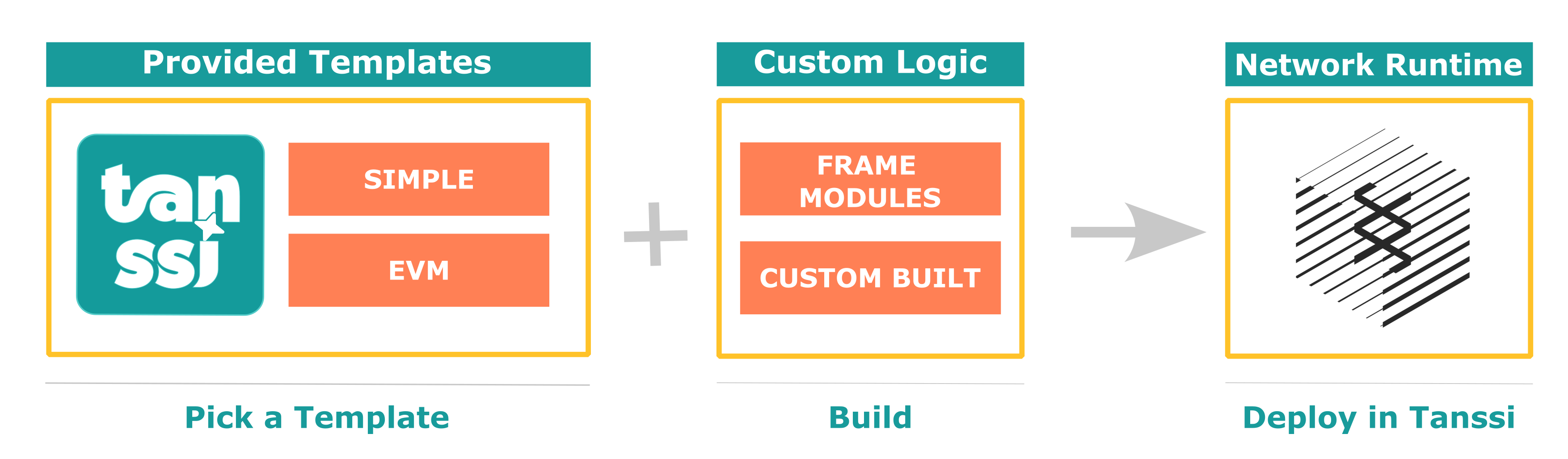
The two included templates are the *baseline network template* and the *baseline EVM template*, which are presented in the following sections.
### Baseline Network Template {: #baseline-network-template }
As presented in the [Overview](/learn/tanssi/overview/){target=\_blank} article, networks deployed through Tanssi are fully sovereign and customizable blockchains.
As part of the Tanssi ecosystem, networks must include the essential components to implement the consensus mechanism and be able to interact and synchronize with the security provider of their choice (for example, [Symbiotic](https://symbiotic.fi/){target=\_blank} on Ethereum). The baseline Tanssi network template includes all the necessary functionality for the sequencers logic, p2p, database, and synchronization layers between the network and the security provider, allowing developers to focus solely on customizing their product.
This template also includes Tanssi's [Author Noting](https://github.com/moondance-labs/tanssi/blob/master/pallets/author-noting/src/lib.rs){target=\_blank} module, which implements the logic for retrieving and validating the set of sequencers assigned to provide block production services to the network. It also includes logic that allows a sequencer to sign the block when the consensus mechanism determines that it is the sequencer's turn to produce the block (and thus be rewarded accordingly).
The source code for this template is public and accessible on the [Tanssi GitHub repository](https://github.com/moondance-labs/tanssi/blob/master/chains/container-chains/runtime-templates/simple/src/lib.rs){target=\_blank}.
### Baseline EVM (Ethereum Virtual Machine) Template {: #baseline-evm-template }
Extending the [baseline Tanssi network template](#baseline-network-template), this template provides not only Tanssi protocol support but also an EVM and full Ethereum compatibility.
Leveraging a set [EVM-specific modules](https://github.com/polkadot-evm/frontier){target=\_blank}, this template includes an Ethereum compatibility layer for networks to allow running unmodified Ethereum dApps.
Using this template, networks support the deployment and running of any existing smart contract written in Solidity or Vyper with no changes. By emulating Ethereum block production and exposing the expected RPC interface, developers can also continue using the same tools like [Metamask](https://metamask.io){target=\_blank}, [Hardhat](https://hardhat.org){target=\_blank}, [Remix](https://remix.ethereum.org){target=\_blank}, [Foundry](https://github.com/foundry-rs/foundry){target=\_blank}, and many more out of the box, with no extra adapters.
With this EVM template, developers can deploy a [Moonbeam](https://moonbeam.network){target=\_blank}-like network in no time and add their custom logic and features specific to their use case.
The source code for this template is public and accessible on the [Tanssi GitHub repository](https://github.com/moondance-labs/tanssi/blob/master/chains/container-chains/runtime-templates/frontier/src/lib.rs){target=\_blank}.
--- END CONTENT ---
Doc-Content: https://docs.tanssi.network/learn/decentralized-networks/overview/
--- BEGIN CONTENT ---
---
title: Network Overview
description: Learn the high-level definitions of how a Tanssi network works, its architecture, and its block production as a service mechanism with deterministic finality.
icon: octicons-home-24
categories: Basics
---
# Tanssi Networks Overview {: #networks-tanssi-overview }
## Introduction {: #introduction }
Networks deployed through Tanssi receive many [benefits](/learn/tanssi/overview/#what-tanssi-provides){target=\_blank}, like block production as a service, data retrievability as a service, and security through an [external security providers](/learn/tanssi/external-security-providers/){target=\_blank} such as [Symbiotic](https://symbiotic.fi/){target=\_blank} on Ethereum.
Also, because Tanssi-powered networks are based on a [modular tech stack](/learn/framework/){target=\_blank}, they profit from unique advantages when customizations are required at a runtime level. This [modularity](/learn/framework/modules/){target=\_blank} allows developers to add functionality directly into the runtime or extend the capabilities of the EVM itself via precompiled contracts.
For example, Tanssi provides a ready-to-use [template](/learn/decentralized-networks/included-templates#baseline-evm-template){target=\_blank} that includes [Frontier](https://github.com/polkadot-evm/frontier){target=\_blank} modules, enabling the effortless deployment of an EVM-compatible networks, similar to [Moonbeam](https://moonbeam.network){target=\_blank}.
This section covers the fundamentals of a Tanssi network, its architecture, its core modules and functionalities, and the transaction fee mechanism.
## General Architecture {: #general-architecture}
As previously discussed, networks deployed through Tanssi are customizable blockchains that, among other features, receive block production as a service and inherit security with deterministic block finality within seconds from an external security provider.
Tanssi-powered networks are fully decentralized networks. The decentralized nature of the networks considerably increases their resilience and fault tolerance since they don't rely on a single authority or entity to ensure their liveness, security, and performance but on trustless, decentralized protocols. For example, they receive block production services from a decentralized and incentivized set of sequencers managed by Tanssi.
The Tanssi protocol runs with an [external security provider](/learn/tanssi/external-security-providers/){target=\_blank}, which has a set of operators (also called validators) with assets at stake, validating the transactions from the Tanssi network itself and all of the networks deployed through Tanssi. This way, all Tanssi-powered networks inherit the economic security derived from the Tanssi protocol and, indirectly, from the operators, which verify every transaction from every network. Tanssi networks don't need to run their own operator set nor bootstrap liquidity to secure their protocol.
Tanssi networks also benefit from a set of Data-Preservers, with full archive nodes, ensuring the data availability layer availability. These data-preservers are incentivized through Tanssi's data retrieval services and also provide the RPC infrastructure for apps and users interacting with Tanssi networks.
```mermaid
flowchart TB
networks["Tanssi Networks
(Decentralized Networks)"]
subgraph tanssi["Tanssi Protocol"]
direction TB
sequencers["Decentralized Sequencers Set"]
node["Full Archive Nodes with
RPC Services"]
end
security["External Security Provider
Operators"]
networks<--Block Production-->tanssi
networks<--Shared Security Model-->tanssi
networks<--Data Availability
RPC endpoints-->tanssi
tanssi<--Transactions
Validation and Finality-->security
```
## Network Transaction Flow {: #network-transaction-flow }
A transaction submitted to a Tanssi-powered network follows a complex yet seamless path from submission to block inclusion and finalization. The network infrastructure, Tanssi, and the chosen [security provider](/learn/tanssi/external-security-providers/){target=\_blank} work together at different levels to ensure the process happens as quickly as possible, usually taking around 30 seconds. Remember that a transaction in a Tanssi network reaches deterministic finality. Consequently, once the transaction is final, it becomes irreversible and unchangeable, and the state transition resulting from executing that transaction is final.
For example, a user initiates a transaction when interacting via an application deployed to a Tanssi-powered network. The RPC provider will share the transaction, which sits in the chain's transaction pool, with all network participants. A sequencer assigned by Tanssi to that network will eventually pick up the transaction and include it in the next network block.
Then, the sequencer will share with the security provider's operators:
- The block itself with the state transitions
- The storage components in the Tanssi network database that the block is modifying
- The necessary hashes of the unaffected points in the Merkle tree of the storage
These components constitute the proof of validity (PoV).
Next, the PoV is verified by the security provider's operators. Note that the operators do not check that the Tanssi network storage is valid but that the state transitions that affect it are. A summary of that verification is then gossiped to other operators so they can verify it and include it in the next Tanssi block. Lastly, that Tanssi block with all the networks' verifications is finalized.
The transaction flow process is summarized in the following diagram:
--- END CONTENT ---
Doc-Content: https://docs.tanssi.network/learn/decentralized-networks/runtime-features/
--- BEGIN CONTENT ---
---
title: Core Runtime Features
description: Learn about the core features of a Tanssi network, the transactions types, how they are executed and included in a block, and the forkless runtime upgrades.
icon: octicons-package-24
categories: Basics
---
# Core Runtime Features {: #core-runtime-features }
## Introduction {: #introduction}
Networks deployed through Tanssi have [many benefits](/learn/tanssi/overview/#what-tanssi-provides){target=\_blank} due to its unique [architecture](/learn/tanssi/overview/#tanssi-architecture){target=\_blank}.
Nevertheless, Tanssi-powered networks are also unique due to the [framework](/learn/framework/){target=\_blank} (Substrate) they are built on top of, which provides some unique characteristics that developers can leverage to fine-tune specific behaviors in their runtime.
This section covers some of these Tanssi network core runtime-specific features, including the different origins a transaction might have, the different types of transactions and how they are executed and included in a block, the special account known as _SUDO_, and the quite unique feature of Tanssi networks: the forkless runtime upgrades.
## Origins {: #origins}
Generally speaking, all calls in a Tanssi network have an origin. But what is an origin? Developers from the EVM realm might be familiar with the concept of _msg.sender_ in EVM transactions. Origins are to Tanssi networks what _msg.sender_ is to an EVM transaction, but supercharged with many extra functionalities.
An origin defines where the call is coming from. In contrast to Ethereum-compatible chains, there can be many origins in Tanssi networks. For example, the _msg.sender_ of an EVM transaction is known as a _signed origin_, which means that the call is a transaction that was signed by some on-chain account's private key. This allows the runtime to authenticate the source of the call and, for example, charge transaction fees to the associated account.
However, origins can do much more than represent a private key/public key pair. Origins also have different privilege levels. For example, a _signed origin_ can send a transaction that is dispatched by the private key/public key pair but should not be able to authorize a runtime upgrade.
Some of the most common types of origins are:
- **Root** - a system-level origin with the highest privilege level. It can be thought of as a superuser of the chain, which can execute any call
- **Signed** - as mentioned before, the origin of a transaction signed by an on-chain account's private key, which includes the account identifier (address) as the signer
- **None** - a lack of origin. Used in specific actions that must be agreed upon at a runtime level. For example, you can program your runtime so that a transaction with _none_ origin can enact a pre-authorized runtime upgrade, which means that the transaction has no fee associated with it
- **Custom** - developers can also create custom origins for specific use cases. For example, [Moonbeam's on-chain governance](https://docs.moonbeam.network/learn/features/governance){target=\_blank} has specific origins for each type of governance vote, called _tracks_. Consequently, each track can be configured to only execute calls with specific privilege levels. One track is _Root_, whose origin is the _Root_ origin mentioned before, and has a very restrictive configuration for votes to go through. But other tracks have much lower privilege levels to do some less critical network operations
## Transaction Types {: #transaction-types}
Tanssi networks have three main types of transactions:
- **Signed Transactions** - include a signed payload requesting to execute some runtime call. Generally, the signature is associated with a private key/public key pair. Depending on the runtime logic, the account associated with the signature pays a transaction fee
- **Unsigned Transactions** - include an unsigned payload requesting to execute some runtime call. Because these transactions are unsigned, there is no account associated with them. Consequently, runtimes need to define specific conditions that prevent network spam or replay attacks because there is no fee mechanism to prevent such malicious behaviors. One example of an unsigned transaction is executing pre-approved actions, like a runtime upgrade
- **Inherent Transactions** - an unsigned transaction that a sequencer inserts into a block when initializing its construction. These transactions are part of the block and are not stored in the transaction pool or shared among network participants. In addition, the data inserted through inherent transactions can skip runtime validation, and it might be up to operators to accept it. One example is the block timestamp. This is injected into the block by an inherent transaction, and operators can accept or reject the block based on whether the timestamp is within some acceptable range
## Transaction Execution {: #transaction-execution}
When a user or application submits a signed transaction to a Tanssi network, the transaction is validated at a full-node level using rules defined in the runtime, and then it is queued in a transaction pool. This ensures that only transactions that comply with certain chain-specific conditions are considered to be included in a block.
!!! note
The most common type of transaction is a signed transaction. Nevertheless, unsigned transactions are also validated before they are queued in the transaction pool.
The valid transaction queue comprises two pools: ready and future. The ready queue contains all transactions that can be included in a new pending block. The future queue is for transactions that don't meet all the criteria to be included now but might become valid. For example, transactions with a future nonce. Invalid transactions are directly rejected.
During the block-building process, a sequencer uses a [priority system](https://github.com/paritytech/substrate/blob/fb24fda76d613305ebb2e5728c75362c94b64aa1/frame/transaction-payment/src/lib.rs#L614-L681){target=\_blank} through a transaction orchestration module to order transactions for the next block, until the block reaches its maximum capacity. The block building and execution order has the following operations:
- **Initializing a Block** - known as `on_initialize`, enables you to define runtime logic executed before any other transaction is accounted for. For example, inherent transactions, like the timestamp in the previous example, are commonly executed when initializing a block. Once the initialization logic is completed, the transaction orchestration module verifies the parent hash in the block header and the trie root to ensure the information is correct
- **Transaction Execution** - with the block already initialized, the transaction orchestration module executes each valid transaction according to its priority. The initial state is not cached before the execution, meaning that if one of the transactions fails mid-execution, any state changes committed up to that moment cannot be reverted, and the subsequent block will be invalid. Consequently, runtime logic should perform all necessary checks to ensure all valid transactions will succeed
- **Finalizing a Block** - after all queued valid transactions are executed or the block limit is reached, the orchestration module calls into each runtime module the `on_idle` and `on_finalize` functions. These two functions allow the definition of extra business logic that is automatically executed in the block finalization process. After the last `on_finalize` function is called, the orchestration module ensures that the block digest and storage root match what was calculated when the block was initialized
## Forkless Upgrades {: #forkless-upgrades}
Networks deployed through Tanssi have a thrilling feature: [forkless upgrades](https://docs.polkadot.com/develop/parachains/maintenance/runtime-upgrades/){target=\_blank}. Forkless upgrades allow developers to change the state transition function that governs the chain without creating a network fork, as seen on Ethereum multiple times. Furthermore, if the Tanssi network is set up with an on-chain governance system, upgrades to the network can happen in a truly decentralized and trustless way.
Forkless upgrades are made possible by storing the state transition function as a WebAssembly (Wasm) blob in both the Tanssi network itself and the Tanssi-powered network. When a new runtime is scheduled through a function call in the Tanssi-powered network, the Tanssi network validates this block, so it is notified and readies itself to validate incoming blocks using the most recent state transition function. Following a specified runtime upgrade delay period, a Tanssi sequencer on the Tanssi-powered network constructs a block that references a Tanssi network block, signaling to the Tanssi network that it can now apply the new runtime. Consequently, this new state transition function is utilized for that specific block. As all infrastructure participants at the network level employ the on-chain Wasm blob, every Tanssi network node operator can validate new blocks using the latest state transition function.
A high-level summary of the runtime upgrade process is shown in the following diagram:
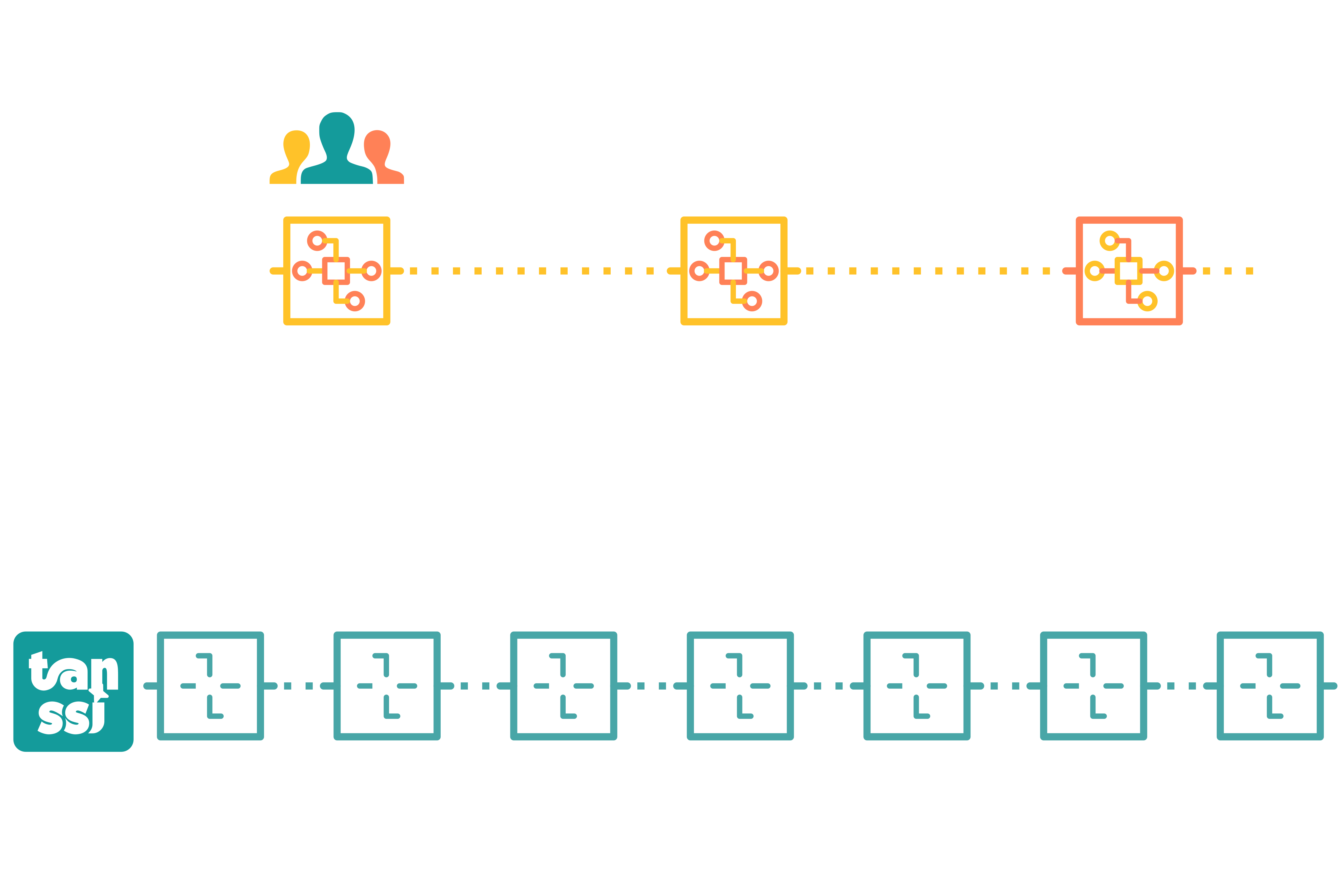
## SUDO Account {: #sudo-account}
Tanssi networks may use a specific module called [SUDO](https://paritytech.github.io/polkadot-sdk/master/pallet_sudo/pallet/struct.Pallet.html){target=\_blank}. This module introduces a new type of account, also named _SUDO_, that can execute transactions with the [_Root_ origin](#origins).
Consequently, the SUDO account can perform **any** action that the runtime allows the _Root_ origin to execute. This can include:
- Mint new native Tanssi network tokens
- Perform [forkless runtime upgrades](#forkless-upgrades)
- Send transactions impersonating other [origin types](#origins). Therefore, SUDO can send transactions on behalf of other users without accessing their private key
_SUDO_ is recommended for TestNets as it allows them to swiftly make changes without the need to go through a lengthy on-chain governance process. It is good practice to have _SUDO_ keys stored safely and grant access to _SUDO_ calls via proxy accounts. Nevertheless, having _SUDO_ enabled in a production environment can lead to undesired consequences.
**Understanding the centralization risks of having _SUDO_ in a production environment is key.**
--- END CONTENT ---
Doc-Content: https://docs.tanssi.network/learn/decentralized-networks/tx-fees/
--- BEGIN CONTENT ---
---
title: Transaction Fees
description: Learn about the transaction fee mechanism in Tanssi networks, how it works from a Substrate perspective, and in the Ethereum EVM emulation layer with EIP-1559.
icon: material-piggy-bank-outline
categories: Basics
---
# Transaction Fees {: #transaction-fees }
## Introduction {: #introduction}
Tanssi-powered networks are built with a [modular framework](/learn/framework/){target=\_blank} called [Substrate](https://docs.polkadot.com/develop/parachains/intro-polkadot-sdk/){target=\_blank}. With this framework, you can build unique ways to handle transaction fees. For example, most transactions use a specific module called [Transaction Payment](https://docs.rs/pallet-transaction-payment/latest/pallet_transaction_payment){target=\_blank}. However, transaction fees on Tanssi-powered EVM-compatible networks can be charged at an EVM execution level, bypassing other fee-related modules.
Under the hood, for execution time, instead of working with a gas-based mechanism, all Tanssi networks work with a [weight-based mechanism](https://docs.polkadot.com/polkadot-protocol/parachain-basics/blocks-transactions-fees/fees/){target=\_blank}. Weight refers to the time (in picoseconds) it takes to validate a block. Generally speaking, for both EVM and non-EVM Tanssi networks, all function calls have a weight associated with them, which sets limits on storage input/output and computation. For Tanssi EVM networks, there is a gas-to-weight mapping that fully complies with the expected gas requirements for Ethereum API-based tools.
A transaction fee scheme is applied on top of the weight-based mechanism to ensure economic incentives are in line to limit the execution time, computation, and number of calls (database read/writes) to perform operations. Transaction fees are fundamental to preventing network spam, as they represent the cost of using the Tanssi network service. Consequently, a user interacting with the network through a specific function call will pay a transaction fee determined by a baseline fee algorithm.
This page covers the fundamentals of transaction fees for Tanssi networks. It first covers the underlying transaction fee architecture and how it is adapted to a fully EIP-1559-compliant model for Tanssi EVM networks.
## Baseline Fees Calculation {: #baseline-fees }
Every action that alters the state of a Tanssi network incurs a transaction fee. This fee is essential for the network's operation, covering the computational resources required to process transactions, similar to the gas and gas price parameters in EVM-compatible chains like Ethereum.
Tanssi networks [modular framework](/learn/framework/){target=\_blank} use a weight-based fee calculation mechanism to determine transaction fees. This approach considers various factors, including computational resources and storage operations (inputs/outputs), to reflect the true cost of transactions accurately. By accounting for these elements, the network ensures fair and efficient resource allocation.
Furthermore, Tanssi networks modularity ensures that EVM-compatible networks support legacy and [EIP-1559 compatible](https://eips.ethereum.org/EIPS/eip-1559){target=\_blank} transaction pricing mechanisms, ensuring full compatibility with development environments commonly used in Ethereum.
This section outlines all the different concepts associated with transaction fees for Tanssi networks.
### Weight {: #baseline-weight}
Broadly speaking, weight refers to the execution time it takes to validate a block, measured in picoseconds. Weight is divided into two separate variables:
- **`refTime`** - corresponds to the weight associated with computation time and database reads/writes
- **`proofSize`** - corresponds to the weight associated with the size of the Proof-Of-Validity (or PoV for short). The PoV is associated with the relevant state of a transaction, and it is what the Tanssi network sequencer shares with the security provider operators to get a block validated and finalized as part of the [network transaction flow](/learn/decentralized-networks/overview/#network-transaction-flow){target=\_blank}
To find the weights for all function calls, they are benchmarked in a system with reference hardware, and the approximate values of `refTime` and `proofSize` are set. This process is repeated for all function calls that consume blockspace and affect the PoV.
For transactions in which the fees are handled by the [transaction payment](https://docs.rs/pallet-transaction-payment/latest/pallet_transaction_payment){target=\_blank} module, all weight-based parameters are then passed through a _weight to fee_ algorithm that converts all to a final value, deducted from the sender's account when executing the function call. The algorithm can be customized, but Tanssi networks have a constant value set.
For EVM transactions, gas is converted to weight through a gas-to-weight algorithm so that all EVM calls can be mapped to block execution time. Nevertheless, fees are handled at an EVM execution level.
### Baseline Transaction Fees {: #baseline-transaction-fees}
With all function calls benchmarked, the transaction fee for each specific call can be obtained. Transaction fees are typically comprised of the following elements:
- **`BaseFee`** - baseline cost for a transaction to be included. It accounts for the transaction inclusion overhead, like signature verification. The fee is defined by two separate parameters:
- **`ExtrinsicBaseWeight`** - a constant value that represents the weight of the transaction inclusion overhead
- **`WeightToFee`** - a polynomial function that converts weight to fee
- **`WeightFee`** - fee defined by two separate parameters:
- **`BenchmarkedWeight`** - weight that accounts for the complexity (execution time) of a specific call
- **`CongestionMultiplier`** - a function that converts weight to fee and can be adjusted to account for the congestion of the network (weight consumed in the previous block). The default strategy for Tanssi networks is [`SlowAdjustingFeeUpdate`](https://research.web3.foundation/Polkadot/overview/token-economics#2-slow-adjusting-mechanism){target=\_blank}, which adjusts this multiplier slowly over time following the network load
- **`LengthFee`** - a fee correlated to the length in bytes of the function call. The fee is defined by two separate parameters:
- **`ByteLengthFunctionCall`** - length in bytes of the call being executed
- **`LengthToFee`** - a function that defines the per-byte fee algorithm. For Tanssi networks, this is a constant value
- **`Tip`** - an optional value that increases the overall fee, increasing the priority of the transaction by incentivizing sequencers to include it in the next block
Therefore, in general terms, the transaction fee can be calculated with the following equation:
```text
BaseFee = ExtrinsicBaseWeight * WeightToFee
WeightFee = BenchmarkedWeight * CongestionMultiplier
LengthFee = ByteLengthFunctionCall * LengthToFee
InclusionFee = BaseFee + WeightFee + LengthFee
FinalFee = InclusionFee + Tip
```
All non-EVM function calls available to developers use these baseline calculations for transaction fees. Tanssi EVM networks have an extra layer to translate this fee scheme into an Ethereum-like scheme from an Ethereum JSON-RPC and EVM perspective.
### EVM Transaction Fees {: #evm-transaction-fees }
Tanssi offers [templates for full Tanssi EVM-compatible networks](/builders/build/templates/evm/){target=\_blank}. Such networks provide an Ethereum-like environment for developers, where they can use Eth-specific libraries like [Ethers.js](/builders/toolkit/ethereum-api/libraries/ethersjs/){target=\_blank}, [Hardhat](/builders/toolkit/ethereum-api/dev-env/hardhat/){target=_blank}, and [Foundry](/builders/toolkit/ethereum-api/dev-env/foundry/){target=\_blank}.
In addition, all Tanssi EVM-compatible networks have an [EIP-1559 compatible](https://eips.ethereum.org/EIPS/eip-1559){target=\_blank} transaction pricing mechanism for EVM transactions. But they support both commonly used EVM transaction types:
- **Type 0 (Legacy)** - the transaction fee is calculated through a single gas price value that is included in the signed transaction blob. Because Tanssi EVM-compatible networks have a dynamic pricing mechanism, gas price must be greater than the current block's `baseFee` for a transaction to be considered valid
- **Type 2 (EIP-1559)** - the transaction fee is calculated with a combination of the `maxFeePerGas` and `maxPriorityFeePerGas` from the signed transaction blob, and the network's `baseFee` dynamically changes based on block congestion
Independently of the transaction type, the outcome of all EVM transactions is that there is an associated cost in native tokens that the network must charge.
By default, Tanssi EVM-compatible networks are configured with the following parameters:
- **Minimum BaseFee** - the minimum gas price of the network in case there are no transactions for long periods. The default value is set to 1 GWei
- **Block Fulness Target (Elasticity)** - the target gas used in a block so that the `baseFee` remains the same. [EIP-1559](https://eips.ethereum.org/EIPS/eip-1559){target=\_blank} defines this value as a constant set to 2, meaning that the target usage is 50% of the block gas limit. All Tanssi EVM-compatible networks are set with the same target
- **Maximum BaseFee Increase** - the maximum amount the `baseFee` can increase or decrease, in percent points, based on the previous block target usage. [EIP-1559](https://eips.ethereum.org/EIPS/eip-1559){target=\_blank} defines this value as a constant set to 12.5%. Consequently, if the block is full/empty, the `baseFee` will increase/decrease by 12.5%, and any intermediate values are linearly adjusted. Developers can configure this value for Tanssi EVM-compatible networks, but the default value is 12.5%
!!! note
One key difference in Tanssi EVM-compatible networks EIP-1559 implementation is that the transaction fees are calculated using the previous block `baseFee`.
The EVM transaction fee cost associated with all Tanssi EVM-compatible networks is captured at an EVM execution level. Nevertheless, EVM transactions do take block execution time. Therefore a gas-to-weight algorithm is required to account for the weight consumed by a specific call relative to the gas it is consuming.
Ultimately, the transaction fee and weight associated to an EVM call in a Tanssi EVM-compatible network can be calculated with the following formula:
=== "EIP-1559"
```text
Gas Price = baseFee + maxPriorityFeePerGas < maxFeePerGas ?
baseFee + maxPriorityFeePerGas :
maxFeePerGas;
Transaction Fee = Gas Price * Gas Used
Transaction Weight = Gas Used * GasToWeight
```
=== "Legacy"
```text
Transaction Fee = GasPrice * GasUsed
Transaction Weight = GasUsed * GasToWeight
```
`GasToWeight` is a constant value set to `{{ templates.evm.gas_to_weight }}`.
--- END CONTENT ---
Doc-Content: https://docs.tanssi.network/learn/framework/architecture/
--- BEGIN CONTENT ---
---
title: Framework Architecture
description: In a Substrate node, two main components are the runtime, which controls the blockchain's state transition, and the client, which manages everything else.
icon: octicons-stack-24
categories: Basics
---
# Framework Architecture {: #framework-architecture }
## Introduction {: #introduction }
Substrate is a software development kit (SDK) for building blockchains. This framework is the foundation and engine powering many projects across the Web3 ecosystem, including the Tanssi network itself and the networks deployed through Tanssi.
Written in the Rust language and designed with a modular architecture, Substrate is extremely performant, flexible, and highly customizable, making it the best choice for developing blockchains.
In this article, the architecture of a Substrate node is covered.
## Architecture {: #architecture }
The Substrate framework is designed for maximum customizability, providing a fully functional implementation for every important internal aspect of a blockchain. It allows developers to focus on the specifics of the use case and the runtime characteristics, and it provides the ability to change any of the default features (should the need arise).
The architecture of a Substrate node contains two main components:
- **Core Client** - handles the communication with the outer world (other nodes, dApps, end users, among others), and many other internal responsibilities, such as storage and communication
- **Runtime** - implements the custom logic of the Tanssi network, executes transactions, and manages the state transitions
From the end-user perspective, all the interaction with the Tanssi network is usually made through dApps or directly via the node RPC endpoints, for example, using a wallet. When a user triggers a request to fetch data or sends transactions to a node, the core client is responsible for responding or queuing the transactions until execution in the runtime. Still, all these internal aspects of the node design are kept transparent to the user.
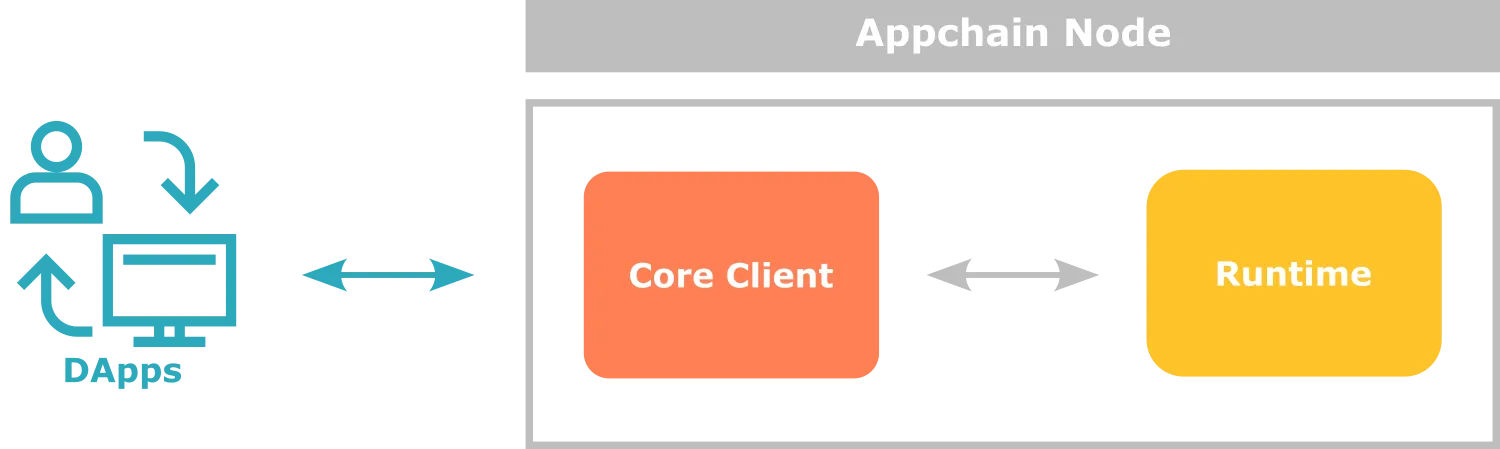
## The Core Client {: #core-client }
The core client comprises components responsible for everything in the operation of a node in the network except for what happens in the runtime.
Some of the main components are:
- **Networking** - this component handles the communication with the peers in the network (synchronizing blocks, propagating transactions, and so on) and exposes the endpoints that allow dApps to integrate and interact with the Tanssi network
- **Storage** - this component manages the state storage of the Tanssi network in a highly efficient key-value database
- **Consensus** - this component ensures that all the participants in the network agree on the state of the blockchain, validating transactions, state transitions, and the resulting blocks
The default configuration of a Substrate node and the built-in implementations of the components are usually the best choice for most use cases. Still, teams are welcome to innovate and change or replace any piece of the node or even write a completely different implementation of the core client, such as [Kagome](https://github.com/soramitsu/kagome#intro){target=\_blank} (C++ implementation) and [Gossamer](https://github.com/ChainSafe/gossamer#a-go-implementation-of-the-polkadot-host){target=\_blank} (Golang implementation).
## The Runtime {: #runtime }
The runtime plays a crucial role in the operation of the Tanssi network. It contains the core logic and rules to meet the requirements of the use case the developers are building, and, therefore, it is responsible for validating the transactions and executing the state transitions.
Being the core element in a Tanssi network, designing the Substrate architecture an important decision has been made regarding the format for the runtime: it is compiled to [WebAssembly (Wasm)](https://webassembly.org){target=\_blank} byte code.
The Wasm format offers many advantages to a deployed Tanssi network, including:
- **Portability** - the Wasm format is platform-independent, meaning that the same binary can be distributed and run on different nodes using different hardware architectures and operating systems
- **Deterministic Execution** - the Wasm format ensures deterministic execution of code, which means that the same input will always produce the same output. Determinacy is a critical aspect in blockchains to obtain the same state transitions across every node in the network and reach a consensus
- **Forkless Upgradeability** - Substrate stores the runtime Wasm blob on-chain, meaning that the runtime itself becomes part of the state. This design allows upgrading the runtime logic in a forkless way using a transaction
Besides the format, internally, a Substrate runtime is built by composing different modules, either provided and ready-to-use by Substrate or custom-made. Each one of these modules define, among other things, the transactions they expose, the logic behind them, what needs to be stored in the chain state, the best format to do it, and how they cooperate with other modules composing functionality. More details about building a runtime will be covered in the [modules](/learn/framework/modules/){target=\_blank} section.
## Client-Runtime Communication {: #client-runtime-communication }
As previously described, the two main components of a Substrate node (the core client and the runtime) have a clear separation of concerns. Beyond the functional responsibilities, at a lower level, their binary representation and execution environments are different. While the node is compiled to be installed and run on a specific platform (be it Linux x64 or any other), the Tanssi network runtime is compiled to a Wasm format that is platform-agnostic and runs in an isolated execution environment.
Bearing in mind the separated execution environments, all the communication between the node client and the runtime occurs through a limited and well-defined interface, allowing the necessary operations such as:
- **Executing Transactions** - when a user submits a transaction to the client node, the node passes this transaction to the runtime through the defined API for its execution
- **State Queries** - the client node can query the current state of the blockchain to retrieve information such as account balances and any other domain-specific data
- **Consensus and Finality** - the client node coordinates consensus and finalization of the blocks, but it is the runtime's responsibility to determine the validity of new blocks, validate transactions, and ensure that the consensus rules are followed
- **Event Notifications** - the runtime emits events while executing transactions that the client node can use to keep external users updated about specific actions or changes in the state
--- END CONTENT ---
Doc-Content: https://docs.tanssi.network/learn/framework/modules/
--- BEGIN CONTENT ---
---
title: Network Modules for your Runtime
description: Substrate is a modular blockchain development framework with an extensive set of ready-to-use components to bundle with custom logic into the network Runtime.
icon: material-puzzle-outline
categories: Custom-Runtime, Basics
---
# Network Framework Modules {: #network-framework-modules }
## Introduction {: #introduction }
The Substrate framework provides complete and ready-to-use implementations of the main functions a Tanssi network needs to work properly, including cryptography, consensus, governance, and so on. These implementations are fully customizable and could be replaced with custom logic if needed.
When building the Runtime, which defines the state transition rules between two blocks applied to a set of transactions, the intended behavior and features of the blockchain need to be set by determining the rules of the state transition.
To build the Runtime, Substrate provides many built-in modules (also known as pallets) that can be freely used as building blocks to compose and interact with any other custom-made modules, allowing teams to create unique behaviors according to the specific requirements of their Tanssi network.
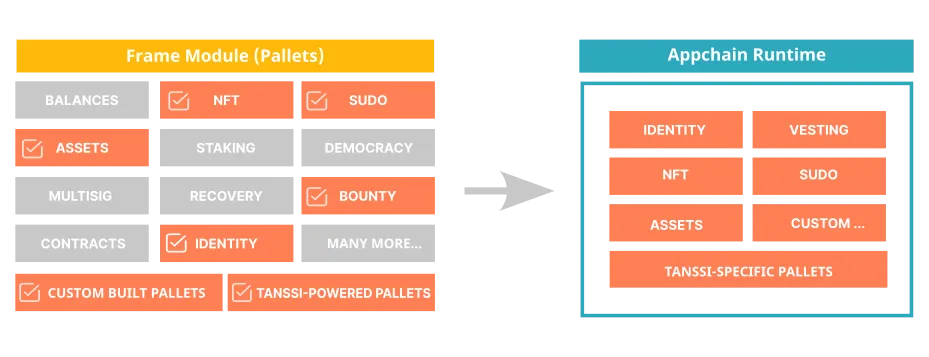
## Built-in Modules {: #built-in-modules }
When designing and writing the rules of a Tanssi network, the available set of functional modules brings a solution to many of the coding requirements that would otherwise need to be built from scratch.
Here is a list of some of the most popular modules:
- **[Balances](https://paritytech.github.io/substrate/master/pallet_balances/index.html){target=\_blank}** - it provides functions for handling accounts and balances for the Tanssi network native currency
- **[Assets](https://paritytech.github.io/substrate/master/pallet_assets/index.html){target=\_blank}** - it provides functions for handling any type of fungible tokens
- **[NFTs](https://paritytech.github.io/substrate/master/pallet_nfts/index.html){target=\_blank}** - it provides functions for dealing with non-fungible tokens
- **[Democracy](https://paritytech.github.io/substrate/master/pallet_democracy/index.html){target=\_blank}** - it provides functions to manage and administer general stakeholder voting
- **[Multisig](https://paritytech.github.io/substrate/master/pallet_multisig/index.html){target=\_blank}** - it provides functions for multi-signature dispatch
- **[Recovery](https://paritytech.github.io/substrate/master/pallet_recovery/index.html){target=\_blank}** - it provides functions to allow users to regain access to their accounts when the private key is lost. This works by granting other accounts the right to sign transactions on behalf of the lost account (note that it is necessary to have previously chosen the authorized accounts)
- **[Staking](https://paritytech.github.io/substrate/master/pallet_staking/index.html){target=\_blank}** - it provides functions to administer staked tokens, support rewarding, slashing, depositing, withdrawing, and so on
In addition to those previously listed, other modules like [identity](https://paritytech.github.io/substrate/master/pallet_identity/index.html){target=\_blank}, [smart contracts](https://paritytech.github.io/substrate/master/pallet_contracts/index.html){target=\_blank}, [vesting](https://paritytech.github.io/substrate/master/pallet_vesting/index.html){target=\_blank}, and many others that are freely available can speed up the development of the Tanssi network and, consequently, the time to market.
!!! note
The framework also includes other modules that provide core protocol functionality, such as consensus and low-level data encoding.
## Custom-Made Modules {: #custom-modules }
Developers creating new modules enjoy complete freedom to express any desired behavior in the core logic of the blockchain, like exposing new transactions, storing sensible information, and validating and enforcing business logic.
As explained in the [Architecture](/learn/framework/architecture/#client-runtime-communication){target=\_blank} article, a module needs to be able to communicate with the core client by exposing and integrating with a very specific API that allows the runtime to expose transactions, access storage, and code and decode information stored on-chain. It also needs to include many other required wiring codes that make the module work in the node.
To improve developer experience when writing modules, Substrate relies heavily on [Rust macros](https://doc.rust-lang.org/book/ch19-06-macros.html){target=\_blank}. Macros are special instructions that automatically expand to Rust code just before compile-time, allowing modules to keep up to seven times the amount of code out of sight of the developers. This allows developers to focus on the specific functional requirements when writing modules instead of dealing with technicalities and the necessary scaffolding code.
All modules in Substrate, including custom-made ones, implement these attribute macros, of which the first three are mandatory:
- **`#[frame_support::pallet]`** - this attribute is the entry point that marks the module as usable in the runtime
- **`#[pallet::pallet]`** - applied to a structure that is used to retrieve module information easily
- **`#[pallet::config]`** - is a required attribute to define the configuration for the data types of the module
- **`#[pallet::call]`** - this macro is used to define functions that will be exposed as transactions, allowing them to be dispatched to the runtime. It is here that the developers add their custom transactions and logic
- **`#[pallet::error]`** - as transactions may not be successful (insufficient funds, as an error example), and for security reasons, a custom module can never end up throwing an exception, all the possible errors are to be identified and listed in an enum to be returned upon an unsuccessful execution
- **`#[pallet::event]`** - events can be defined and used as a means to provide more information to the user
- **`#[pallet::storage]`** - this macro is used to define elements that will be persisted in storage. As resources are scarce in a blockchain, it should be used wisely to store only sensible information
All these macros act as attributes that must be applied to the code just above Rust modules, functions, structures, enums, types, etc., allowing the module to be built and added to the runtime, which, in time, will expose the custom logic to the outer world, as exposed in the following section.
### Custom Module Example { #custom-module-example }
As an example of a custom module, the following code (not intended for production use) showcases the use of the previously mentioned macros by presenting a simple lottery with minimal functionality, exposing two transactions:
- **buy_ticket** - this transaction verifies that the user signing the request has not already bought a ticket and has enough funds to pay for it. If everything is fine, the module transfers the ticket price to a special account and registers the user as a participant for the prize
- **award_prize** - this transaction generates a random number to pick the winner from the list of participants. The winner gets the total amount of the funds transferred to the module's special account
```rust
#![cfg_attr(not(feature = "std"), no_std)]
/// Learn more about FRAME and the core library of Substrate FRAME pallets:
///
pub use pallet::*;
#[frame_support::pallet(dev_mode)]
pub mod pallet {
use super::*;
use frame_support::pallet_prelude::{*, ValueQuery, OptionQuery};
use frame_system::pallet_prelude::*;
use scale_info::prelude::vec::Vec;
use frame_support::
{
sp_runtime::traits::AccountIdConversion,
traits:: {
Currency, ExistenceRequirement, Randomness
},
PalletId,
};
type BalanceOf =
<::Currency as Currency<::AccountId>>::Balance;
#[pallet::pallet]
pub struct Pallet(_);
/// Configure the module by specifying the parameters and types on which it depends.
#[pallet::config]
pub trait Config: frame_system::Config {
// Event definition
type RuntimeEvent: From>
+ IsType<::RuntimeEvent>;
// Currency
type Currency: Currency;
// Randomness
type MyRandomness: Randomness>;
// Ticket cost
#[pallet::constant]
type TicketCost: Get>;
// Maximum number of participants
#[pallet::constant]
type MaxParticipants: Get;
// Module Id
#[pallet::constant]
type PalletId: Get;
}
// The pallet's runtime storage items.
#[pallet::storage]
#[pallet::getter(fn get_participants)]
pub(super) type Participants = StorageValue<
_,
BoundedVec,
OptionQuery
>;
#[pallet::storage]
#[pallet::getter(fn get_nonce)]
pub(super) type Nonce = StorageValue<
_,
u64,
ValueQuery
>;
// Pallets use events to inform users when important changes are made.
// https://docs.substrate.io/main-docs/build/events-errors/
#[pallet::event]
#[pallet::generate_deposit(pub(super) fn deposit_event)]
pub enum Event {
/// Event emitted when a ticket is bought
TicketBought { who: T::AccountId },
/// Event emitted when the prize is awarded
PrizeAwarded { winner: T::AccountId },
/// Event emitted when the prize is to be awarded, but there are no participants
ThereAreNoParticipants,
}
// Errors inform users that something went wrong
#[pallet::error]
pub enum Error {
NotEnoughCurrency,
AccountAlreadyParticipating,
CanNotAddParticipant,
}
#[pallet::call]
impl Pallet {
#[pallet::call_index(0)]
#[pallet::weight(0)]
pub fn buy_ticket(origin: OriginFor) -> DispatchResult {
// 1. Validates the origin signature
let buyer = ensure_signed(origin)?;
// 2. Checks that the user has enough balance to afford the ticket price
ensure!(
T::Currency::free_balance(&buyer) >= T::TicketCost::get(),
Error::::NotEnoughCurrency
);
// 3. Checks that the user is not already participating
if let Some(participants) = Self::get_participants() {
ensure!(
!participants.contains(&buyer),
Error::::AccountAlreadyParticipating
);
}
// 4. Adds the user as a new participant for the prize
match Self::get_participants() {
Some(mut participants) => {
ensure!(
participants.try_push(buyer.clone()).is_ok(),
Error::::CanNotAddParticipant
);
Participants::::set(Some(participants));
},
None => {
let mut participants = BoundedVec::new();
ensure!(
participants.try_push(buyer.clone()).is_ok(),
Error::::CanNotAddParticipant
);
Participants::::set(Some(participants));
}
};
// 5. Transfers the ticket cost to the module's account
// to be hold until transferred to the winner
T::Currency::transfer(
&buyer,
&Self::get_pallet_account(),
T::TicketCost::get(),
ExistenceRequirement::KeepAlive)?;
// 6. Notify the event
Self::deposit_event(Event::TicketBought { who: buyer });
Ok(())
}
#[pallet::call_index(1)]
#[pallet::weight(0)]
pub fn award_prize(origin: OriginFor) -> DispatchResult {
// 1. Validates the origin signature
let _who = ensure_root(origin)?;
match Self::get_participants() {
Some(participants) => {
// 2. Gets a random number from the randomness module
let nonce = Self::get_and_increment_nonce();
let (random_seed, _) = T::MyRandomness::random(&nonce);
let random_number = ::decode(&mut random_seed.as_ref())
.expect("secure hashes should always be bigger than u32; qed");
// 3. Selects the winner from the participants lit
let winner_index = random_number as usize % participants.len();
let winner = participants.as_slice().get(winner_index).unwrap();
// 4. Transfers the total prize to the winner's account
let prize = T::Currency::free_balance(&Self::get_pallet_account());
T::Currency::transfer(
&Self::get_pallet_account(),
&winner,
prize,
ExistenceRequirement::AllowDeath)?;
// 5. Resets the participants list, and gets ready for another lottery round
Participants::::kill();
// 6. Notify the event
Self::deposit_event(Event::PrizeAwarded { winner: winner.clone() } );
},
None => {
// Notify the event (No participants)
Self::deposit_event(Event::ThereAreNoParticipants);
}
};
Ok(())
}
}
impl Pallet {
fn get_pallet_account() -> T::AccountId {
T::PalletId::get().into_account_truncating()
}
fn get_and_increment_nonce() -> Vec {
let nonce = Nonce::::get();
Nonce::::put(nonce.wrapping_add(1));
nonce.encode()
}
}
}
```
For more information about the step-by-step process of creating a custom-made module to the runtime, please refer to the [Adding a Custom-Made Module](/builders/build/customize/adding-custom-made-module/){target=\_blank} in the Builder's section.
--- END CONTENT ---
Doc-Content: https://docs.tanssi.network/learn/framework/overview/
--- BEGIN CONTENT ---
---
title: Network Development Framework Overview
description: Substrate is a blockchain development framework built in Rust Programming Language that streamlines and speeds up the process of developing new networks.
icon: octicons-home-24
categories: Basics
---
# Network Development Framework Overview {: #network-dev-framework-overview }
## Introduction {: #introduction }
Building a network from scratch is a very complex task that requires deep knowledge in a wide range of areas, including (but not limited to):
- **Consensus Algorithms** - consensus ensures that all participants in the blockchain network agree on the validity of transactions. Some popular consensus mechanisms include Proof of Work (PoW) and Proof of Stake (PoS)
- **Cryptography** - cryptography plays a crucial role in securing the blockchain. You'll need cryptographic algorithms for tasks like creating digital signatures, verifying transactions, and encrypting data
- **Distributed Network** - a network architecture to enable nodes to communicate, validate transactions, and synchronize the blockchain data is key to maintaining a shared ledger in a decentralized network
- **Data Structures** - besides the list of blocks, where each block contains a set of transactions along with a reference to the previous block, an optimized and performant strategy to store the state of the network is needed
- **Governance** - if the network is designed to be permissionless, a voting mechanism is important in order to keep it evolving and reflecting the community will
- **Upgradeability** - it is necessary to clearly define how to upgrade, how modifications are implemented, and how conflicts are resolved within the network
Fortunately, there’s no need to build these blockchain components from scratch, thanks to an excellent open-source framework called [Substrate](https://docs.polkadot.com/develop/parachains/intro-polkadot-sdk/){target=\_blank}. Tanssi itself is built with this framework, leveraging its comprehensive base implementations, modularity, and flexibility to achieve a high level of customization.
## Substrate Framework {: #substrate-framework}
Substrate is an extremely performant, flexible, modular, and highly customizable framework for building blockchains. This framework is the foundation and engine powering many projects across the Web3 ecosystem, including the Tanssi network itself and the networks deployed through Tanssi.
Many of its great features, such as performance, ease of use, and modularity, result from the programming language chosen for its development. This is where the [Rust Programming Language](#rust-programming-language) shines: It is fast, portable, and provides a wonderful model to handle memory, among other reasons detailed in the [next section](#rust-programming-language).
When developing a network, Substrate represents a great head start by providing a ready-to-use set of implementations of the main building blocks a project needs:
- **Consensus Algorithms** - there are multiple built-in consensus engines, such as Aura (Proof of Authority), Babe (Proof of Stake), and Grandpa (block finality), but due to the high degree of customization Substrate offers, teams can always choose to develop their specific consensus to adapt to the use case needs, as the Moonbeam team did with the [Nimbus Parachain Consensus Framework](https://docs.moonbeam.network/learn/features/consensus){target=\_blank}
- **Runtime Modules** - many built-in modules (explained in detail in the [modules](/learn/framework/modules/){target=\_blank} section) can be selected and configured into your network, such as accounts, balances, staking, governance, identity, and more
- **Networking** - built-in protocols and libraries for establishing connections, propagating transactions and blocks, synchronizing the blockchain state, and managing network interactions
- **Storage** - built-in storage mechanisms for efficient data storage and retrieval
- **Transaction Queue** - built-in transaction queue system that manages transaction validation, prioritization, and inclusion in blocks, ensuring the consistency and integrity of the network's state
- **RPC APIs** - Substrate provides Remote Procedure Call (RPC) APIs that enable external applications to interact with the network by querying blockchain data, submitting transactions, and accessing various functionalities exposed by the runtime
Every feature Substrate offers can be used as-is, extended, customized, or replaced to meet the specific requirements of the use case of the network.
Substrate streamlines and speeds up the process of developing new networks. When used in conjunction with Tanssi, which helps in handling the infrastructure and overseeing the deployment, the task of launching a new network becomes significantly simpler!
## Rust Programming Language {: #rust-programming-language}
[Rust](https://rust-lang.org/){target=\_blank} is a programming language with features developers consistently rank highly in surveys like [Stack Overflow's annual developer survey](https://survey.stackoverflow.co/){target=\_blank}.
In addition to providing a great experience for developers, Rust excels in many areas:
- **Memory safety** - Rust compiler enforces strict compile-time checks to prevent common programming errors such as null pointer dereferences, buffer overflows, and data races. Additionally, memory is managed through a novel system of ownership (checked by the compiler), which eliminates the necessity for a garbage collector
- **Performance** - Rust achieves performance comparable to that of C and C++ by providing low-level control over system resources and minimizing runtime overhead. It has a zero-cost abstraction principle, similar to "what you don't use, you don't pay for" from C++, meaning that abstractions have no extra overhead
- **Concurrency** - Rust has built-in features that make it easy to write concurrent and parallel code without introducing data races. It provides lightweight threads (tasks) and a powerful ownership model that ensures the safe sharing of data between threads
- **Expressive and safe abstractions** - Rust offers a rich set of modern language features, such as pattern matching, algebraic data types, closures, and type inference, allowing developers to write and read expressive and concise code. The Rust compiler enforces the strong type system, preventing many runtime errors at compile-time
- **Cross-platform compatibility** - Rust is designed to work well on a variety of platforms and architectures. It supports major operating systems like Windows, macOS, and Linux, as well as embedded systems and WebAssembly. This versatility allows developers to write code that can be deployed across different environments
- **Growing ecosystem** - Rust has a rapidly growing ecosystem with a vibrant community and a rich collection of libraries and tools. The official package manager, Cargo, simplifies dependency management, building, and testing
- **Interoperability** - Rust provides seamless interoperability with existing codebases written in C and C++. It has a Foreign Function Interface (FFI) that allows Rust code to interface with code written in other languages, enabling developers to gradually introduce Rust into existing projects, like the Linux kernel
--- END CONTENT ---
Doc-Content: https://docs.tanssi.network/learn/framework/xcm/
--- BEGIN CONTENT ---
---
title: Native Cross-Chain Communication
description: Tanssi networks benefit from XCM, a native cross-chain communication language, which allows fast and secure bridging guaranteed by Polkadot's relay chain.
categories: Basics
---
# Native Cross-Chain Communication
## Introduction {: #introduction }
All Tanssi-powered networks have an inherent capability to communicate and interoperate with any other network in the ecosystem. This native cross-chain communication feature is possible thanks to the unique infrastructure the networks are built on top of, leveraging the Cross-Consensus Message format (XCM for short), which facilitates communication between different consensus systems.
XCM is a messaging language designed to be generic. It doesn't make any assumptions about the destination chain and can communicate different intentions between sovereign consensus systems.
An XCM message is a program holding one or more instructions that will be relayed for execution to the destination chain. By itself, each XCM instruction is meaningless, but the combination of a specific set of instructions can result in a desired action when the XCM message is executed in the destination chain.
In this article, we cover the basic concepts of the native cross-chain communication mechanism that allows fast and secure bridging within the ecosystem.
## Design Principles {: #design-principles }
Conceived with an abstract mindset, XCM is not designed to comply with a specific use case or specific destination network setup, thus minimizing the coupling effect. Its core design principles are:
- **Asynchronous** - similar to sending a postcard -but way faster- the sender will keep performing its duties as usual, without blocking itself or awaiting a response from the destination
- **Absolute** - messages are guaranteed to be delivered to the intended destination, in order and in a timely fashion
- **Asymmetric** - messages sent have no response counterpart. Any return values, if required, must be sent back from the destination to the sender with another message
- **Agnostic** - there are no assumptions whatsoever about the configuration or properties of two communicating networks. Networks might differ in every aspect, except the ability to understand XCM. E.g., one chain could be EVM-compatible and not the other, one chain could be a DeFi network and the other a gaming network, and so on
## Fees {: #fees }
A user executing a transaction on a network must pay the fees derived from computational effort associated with the task, and cross-chain execution is no exception to this rule. In cross-chain communication, a message requires execution on at least two different chains, and the user needs to pay for the fees associated with the computational effort made by every chain involved. Besides the execution-related costs, Tanssi networks include a default [delivery fee](https://paritytech.github.io/polkadot-sdk/master/polkadot_runtime_common/xcm_sender/struct.ExponentialPrice.html){target=\_blank} to prevent XCM spamming.
For example, if a user on network A wants to call a smart contract on network B, the user must have enough funds to pay for the message delivery and include instructions in the XCM message to provide an asset that network B accepts as payment for its services to cover the associated fees. Once such an asset is provided, the execution can now be bought on the destination chain.
!!! note
Since networks are sovereign, they get to decide which tokens are valid for paying their XCM execution fees.
E.g., if network B accepts network A tokens for fee payments, any user on network A can pay for an XCM message destined for network B using only network A tokens.
## Common Use Cases {: #common-use-cases }
Many use cases can be addressed by benefiting from the common ground and versatility XCM provides. Two of the most recurrent ones are asset transfers and remote execution.
### Asset Transfers {: #asset-transfer }
Moving digital assets from one network to another is essential for creating a more dynamic, efficient, and interconnected blockchain ecosystem. The native cross-chain capability allows two main strategies to transfer assets from one chain to another:
- **Teleport** - teleporting an asset is a simple and efficient mechanism, but it has a major caveat: it requires trust between the parties. In essence, when network A wants to send X amount of assets to network B, it burns X amount of assets and sends a message to network B instructing them to mint exactly X amount of assets, preserving the overall asset balance and concluding the teleport action. In this process, network A trusts network B not to mint more tokens than what was transferred, and network B trusts network A to burn the tokens that were transferred
- **Reserve transfer** - A reserve transfer involves the **reserve chain** of an asset, which is the chain where the asset is native (e.g., [Moonbeam](https://moonbeam.network/){target=\_blank} is the reserve chain for the GLMR token). Also, non-reserve networks hold a *sovereign account* on the reserve chain, a keyless account managed by the respective network governor. Thus, when reserve network A wants to send X amount of an asset to non-reserve network B, it locally transfers the assets to network's B sovereign account and, in the same atomic action, it sends an XCM message to network B with instructions to mint X amount of a derivative form of the transferred asset. On the other way around, if non-reserve network B wants to send X amount of an asset to reserve network A, then the steps are: network B burns the derived form of the asset locally and sends an XCM message to network A, with instructions to transfer the assets from network B's sovereign account to network's A destination account. Even if the non-reserve network mints derived tokens in excess (or doesn't burn tokens when transferring), these tokens will have no real value because they are not backed one-to-one in the reserve chain
The associated fees for executing transfers are typically deducted from the transferred amount, so the recipient receives the intended amount minus the fees.
### Remote Execution {: #remote-execution }
The native interoperability XCM provides allows a network to send a message to another triggering some action. For example, If the destination chain is EVM-compatible, network A can call a smart contract deployed on network B.
As mentioned in the [fees section](#fees), to get any on-chain request executed it is necessary to cover its associated fees. On XCM, remote execution can be bought with two steps:
1. Reserve some assets using the `WithdrawAsset` XCM instruction, which takes funds from the call origin and puts them in a holding register
2. Pay for the on-chain execution, using the `BuyExecution` XCM instruction, which uses the previously withdrawn assets
!!! note
When a network sends an XCM message, its default source on the receiving end is the origin network's Sovereign account. The sender network can add an XCM instruction called `DescendOrigin` to the message, changing the origin account to match the signing user's account, ensuring execution occurs on behalf of the same entity initiating the XCM message on the source chain, and avoiding a potentially unsafe scenario.
Finally, the execution takes place on the destination chain, calling a smart contract or any other transaction using the XCM instruction called `Transact`.
The general flow for remote execution is represented in the following diagram:
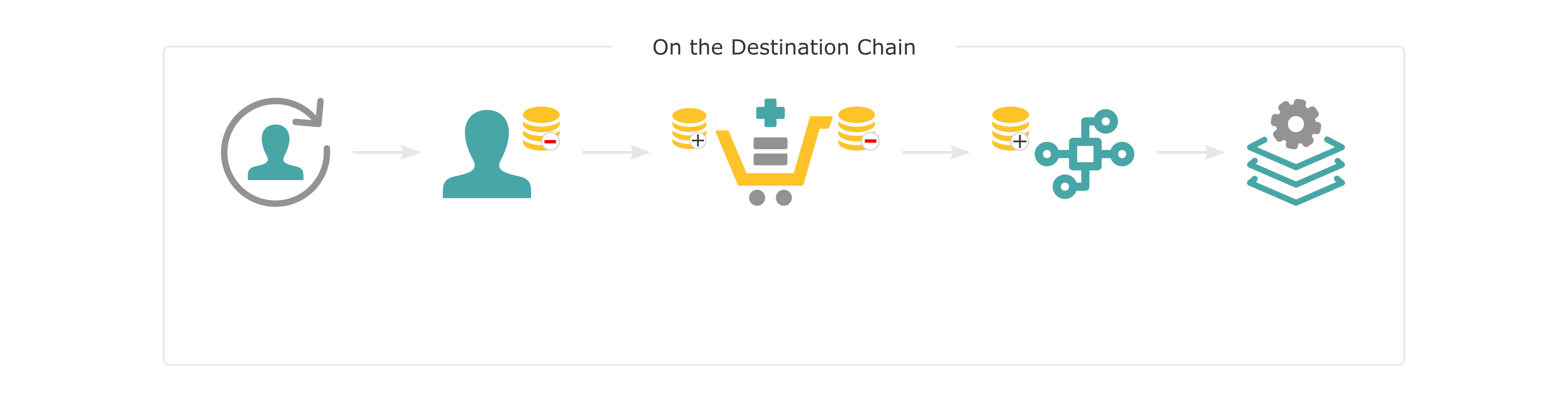
## Establishing Cross-Chain Communication {: #channel-registration }
Before two chains can communicate, a messaging channel must be established. Channels are unidirectional, which means that separate channels are needed to send messages from chain A to chain B and B to A.
For chain A to communicate with chain B, chain A must send an open channel transaction to the relay chain requesting a channel be opened with chain B. Chain B must then accept the request by sending a corresponding XCM message to the relay chain. Only when both chains agree is the channel opened in the next epoch. The same process is required to establish a channel from chain B to chain A.
It is important to note that a channel between a network and the relay chain is automatically opened upon network registration and onboarding.
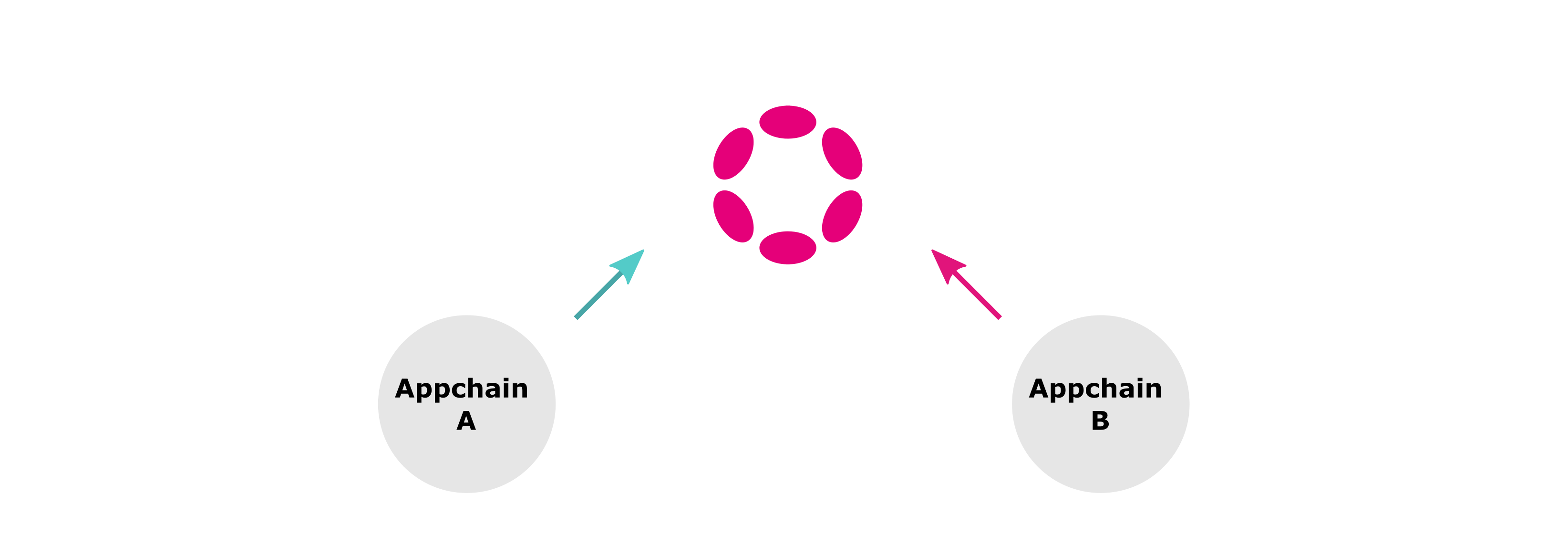
Once the channel is established, cross-chain messages can be sent between networks. For asset transfers, assets will also need to be registered before being transferred.
!!! note
XCM is a versioned, ever-evolving language. When two communicating networks use different XCM versions, they must use the latest version supported by the less upgraded side. To find out the latest XCM version a network can work with, other networks can query it and subscribe for updates whenever this changes.
## Message Destinations {: #message-destinations }
To compose meaningful messages in a multichain environment it is necessary to have a precise yet abstract way of referencing resources located in different consensus systems. A concept called *multilocation* is used to serve this purpose and target a specific chain or any of its inner elements, such as an account, an asset, or a smart contract.
XCM's destination elements are organized in a hierarchical architecture, where elements are contained within other components. For example, a smart contract is an element contained within a network, and the same can be said for an account or an ERC20 asset. Networks are contained by the relay chain, which plays a crucial role in the cross-chain messaging process, relaying messages from one network to another.
Multilocations are not a universal resource locator. They refer to elements from the sender's perspective and are composed of two components: `parents` and `interior`. Parents is a property that indicates if the route must "move up" in the hierarchy, i.e., from a network to the relay chain. Interior is a list of junctions that define how to locate the destination. Here are some examples of multilocations:
- **Network A references a smart contract in network B** - from the point of view of network A, to reach a smart contract in network B it is necessary to move up in the hierarchy (to the relay chain) and then descend to network B to, once there, reference the smart contract's address. The multilocation is therefore defined with a `parents` value set to `1`, which moves up, and two junctions, one defining which network should receive the message, and the other defining the H160 address of the smart contract that will be called
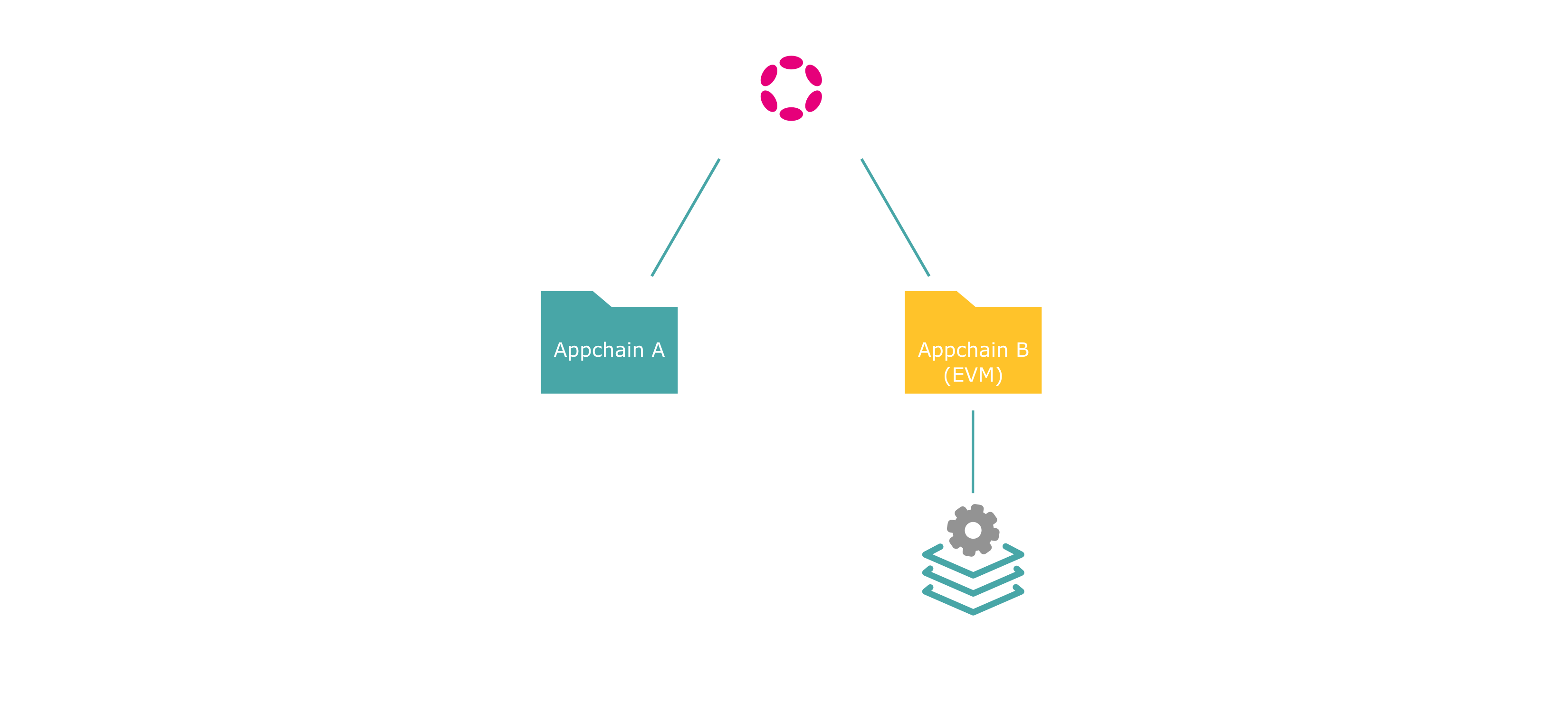
- **Network A references an account in the relay chain** - from the point of view of network A, to reference an account in the relay chain, it is necessary to move up and then reference the account. The multilocation is defined with a `parents` value set to `1`, which moves up to the relay chain, and one junction that references the substrate type destination address

--- END CONTENT ---
Doc-Content: https://docs.tanssi.network/learn/tanssi/account-types/
--- BEGIN CONTENT ---
---
title: Accounts in the Tanssi Protocol
description: Overview of the cryptographic keys essential for the Tanssi protocol, detailing the account types used and their general functions.
icon: octicons-key-24
categories: Basics
---
# Accounts in the Tanssi Protocol
## Introduction {: #introduction }
Blockchain technology relies on [public-private](https://en.wikipedia.org/wiki/Public-key_cryptography){target=\_blank} key cryptography for secure asset ownership and transaction verification. Private keys authorize transactions, while public keys serve as addresses for verification. Due to the Tanssi protocol's hybrid [Substrate](/learn/framework/overview/#substrate-framework){target=\_blank} and Ethereum nature, understanding the different account types is crucial for users and operators.
## Account Types in the Tanssi Protocol {: #key-types-in-tanssi-protocol }
| **Account Type** | **Underlying Algorithm** | **Primary Use in Tanssi** |
| --- | --- | --- |
| [Sr25519](https://wiki.polkadot.com/learn/learn-cryptography/){target=_blank} | Schnorr signatures on the Ristretto group | Default signature scheme for Substrate-based transactions and operator identity. |
| [Ed25519](https://wiki.polkadot.com/learn/learn-cryptography/){target=_blank} | EdDSA using Curve25519 | Used for specific consensus roles (e.g., block production, finality) within the Substrate framework. |
| [ECDSA](https://en.wikipedia.org/wiki/Elliptic_Curve_Digital_Signature_Algorithm){target=_blank} | Elliptic Curve Digital Signature Algorithm | Receiving rewards through the Ethereum-based Symbiotic protocol for operators. |
## Identity and Operations { : #identity-and-operations }
Tanssi, built with the Substrate framework, utilizes distinct cryptographic schemes for different functions, primarily _Sr25519_ and _Ed25519_. These account types are crucial for interacting with the protocol's Substrate components by signing transactions.
**Sr25519 (Schnorrkel/Ristretto x25519)** - is the primary account type used for most user-facing operations within Tanssi. Its strengths lie in security and efficiency. **Sr25519 accounts serve as your on-chain identity, used for holding tokens, participating in governance, paying transaction fees, and other general interactions with the network.** When you create a wallet to interact with Tanssi as a regular user, you will create and use an Sr25519 account.
**Ed25519 (Edwards-curve Digital Signature Algorithm)** - while Sr25519 handles general identity and transactions, Ed25519 is specifically leveraged for its high performance in cryptographic signing, making it ideal for consensus-related operations. **Within Tanssi, Ed25519 accounts are used by node operators for critical consensus mechanisms, such as block production and finality.** Regular users will typically not create or directly use an Ed25519 account. However, these accounts are fundamental for the security and operation of the network, managed by those running nodes.
Node operators on Tanssi require a Substrate account to record their activities, including operators who secure the network and sequencers who produce blocks. This account also tracks rewards, with session keys mapped to it for enhanced security.
## Security and Rewards on Ethereum { : #security-and-rewards-on-ethereum }
The Elliptic Curve Digital Signature Algorithm (ECDSA) is fundamental to Ethereum and is used by Tanssi to integrate with the Ethereum network via Symbiotic. This partnership leverages Ethereum's security for Tanssi-powered networks.
Tanssi operators need an ECDSA account to receive rewards distributed on Ethereum, likely through the Symbiotic protocol. The necessity of both Substrate and ECDSA accounts highlights Tanssi's hybrid design, where operations are Substrate-based, and security and rewards are linked to Ethereum.
## Account Mappings in Tanssi { : #account-mappings-in-tanssi}
### Internal Key Binding (_Sr25519_ and _Ed25519_)
Within Tanssi's Substrate-based protocol, an operator’s primary _Sr25519_ identity links to specific _Ed25519_ keys used for consensus tasks (like block production). Operators create this binding with an on-chain transaction. This transaction maps their internal public keys ("session keys") with the stash account. This on-chain registration ensures the network correctly attributes all actions from the session keys to the operator's primary identity.
### Cross-Ecosystem Reward Mapping (_Sr25519_ and _ECDSA_)
For rewards on Ethereum (e.g., via [Symbiotic](/learn/tanssi/external-security-providers/symbiotic/){target=\_blank}), an operator's Tanssi _Sr25519_ identity maps to an Ethereum _ECDSA_ address. Operators inform both accounts, which are then linked through the Tanssi middleware. This trusted link ensures that rewards from the operator's node work on the Tanssi network are routed to the operator's designated Ethereum account.
--- END CONTENT ---
Doc-Content: https://docs.tanssi.network/learn/tanssi/external-security-providers/symbiotic/
--- BEGIN CONTENT ---
---
title: Ethereum with Symbiotic
description: Tanssi's design allows developers to choose and connect to the Symbiotic restaking protocol, benefiting from Ethereum-grade security right from the start.
icon: octicons-shield-check-24
categories: Basics
---
# Ethereum with Symbiotic {: #ethereum-symbiotic }
## Introduction {: #introduction }
The Tanssi protocol takes care of critical infrastructural components, making it easy for developers to launch their networks in a few minutes. In addition to block production, data retrievability, and integrations with essential tools such as wallets, RPC endpoints, block explorers, and others, another major task to tackle is providing security to the network.
Tanssi is designed to offer developers a shared security model, alleviating them from having to source enough economic security or negotiating with operators to run nodes opting-in for their networks. By deploying networks through Tanssi, and by choosing [Symbiotic](https://symbiotic.fi/){target=\_blank} as a security provider, developers benefit from Ethereum-grade security, tapping into billions of dollars in shared security from staked ETH.
The following sections describe how the Symbiotic protocol works and how Tanssi networks can leverage it as their consensus mechanism.
## Ethereum-Grade Security with Symbiotic {: #symbiotic }
[Symbiotic](https://symbiotic.fi/){target=\_blank} is a shared security protocol designed to be permissionless, multi-asset, and network-agnostic. It fosters capital efficiency by allowing users to extend the functionality of their staked assets to secure other networks while providing additional utility.
The protocol provides a coordination layer for its main components and participants, aligning incentives among parties while minimizing execution layer risks by deploying non-upgradeable core contracts on Ethereum. The following diagram resumes all the components and actors participating in the protocol:
```mermaid
flowchart TD
%% Vaults subgraph
subgraph Ethereum["Ethereum/Symbiotic"]
slash[/Slashing Events/]
Restakers -- Deposit Assets --> Vaults
manager["Vault managers"] -- Manage --> Vaults
Resolvers -- Decide On --> slash
slash -- Executes On --> Vaults
end
%% Operators subgraph
subgraph Operators
direction BT
operators["Operators (Validators)"]
node_operators["Node Operators"]
node_operators -- Run --> operators
end
%% Networks subgraph
subgraph Networks
direction BT
developers["Developers"]
networks["Decentralized Networks"]
developers -- Launch --> networks
end
Vaults <--> Tanssi
Tanssi <--> Operators
Tanssi <--> Networks
```
Symbiotic's flexible design allows every party to decide on setups that best fit their use cases. For example, vaults can choose what forms of collateral they accept, operators can determine which networks they want to provide services to, and decentralized networks can customize their use case and define the level of security (which collaterals are accepted, for example) they need.
The following sections describe the protocol's main components.
### Vaults {: #vaults }
[Vaults](https://docs.symbiotic.fi/modules/vault/introduction){target=\_blank} are the Symbiotic protocol's economic backbone. They manage liquidity and deposits from restakers, connect operators and networks, and set up delegation strategies.
Each vault is bound to a specific token that satisfies the [ERC20](https://github.com/ethereum/ercs/blob/master/ERCS/erc-20.md){target=\_blank} interface and is accepted as collateral. Internally, the funds within the vault are represented as shares, which provide a mechanism for tracking ownership and distributing rewards. However, the reward token may differ from the collateral token.
A vault comprises three key modules, each serving a distinct function: the slasher, the delegator, and the accounting module. The implementation of these modules can vary depending on the vault manager's decisions.
- **Slasher module** - implements the [slashing](#slashing-process) logic, which penalizes bad actors
- **Delegator module** - defines how funds are delegated across operators and networks. Several [strategies](https://docs.symbiotic.fi/modules/vault/delegator){target=\_blank} are available, allowing the vault manager to select which operators and networks they want to work with
- **Accounting module** - handles the vault's financial operations, including processing user deposits, managing withdrawal requests, tracking active balances and total supply, and implementing epoch-based accounting for withdrawals and slashing events. The accounting module's standard implementation is [ERC-4626](https://ethereum.org/developers/docs/standards/tokens/erc-4626/){target=\_blank}, which provides a vault with a shares system included
Since the operators get delegated stake from the vault and could potentially get slashed, they must be approved by the vault managers beforehand. On a similar note, vault managers analyze and authorize each network the vault will secure, considering, for example, the rewards the network offers.
Vault managers also designate [resolvers](https://docs.symbiotic.fi/modules/counterparties/resolvers){target=\_blank}, responsible for approving or vetoing [slashing events](https://docs.symbiotic.fi/modules/vault/slasher){target=\_blank} caused by operators on networks with [veto-slashing](https://docs.symbiotic.fi/modules/vault/slasher#veto-slashing){target=\_blank} support, like the Tanssi Network.
### Operators {: #operators }
[Node operators](/node-operators/){target=\_blank} are entities or individuals responsible for running the [nodes (also known as operators or validators)](https://docs.symbiotic.fi/modules/counterparties/operators){target=\_blank}, which are the computational components validating the networks' transactions. They are responsible for the nodes' configuration, hardware setup, uptime, and performance.
Node operators opt-in to provide services to networks, which must accept their request. Also, they opt-in to provide services in vaults, which must accept their request.
Once an operator has been accepted by a vault and a network connected to that vault, the node can start providing validation services to that network, receiving rewards in exchange.
### Networks {: #networks }
[Networks](https://docs.symbiotic.fi/modules/counterparties/networks){target=\_blank} are the actively validated services or networks. These application-specific blockchains can be a use case from a wide range of industries, such as Gaming, Defi, RWAs, and others, and are the platforms that, through dApps, the end users interact with.
Since operators opt-in to provide services to networks and the vault managers must accept the networks, the developers are responsible for defining, controlling, and adapting their methodology for onboarding, rewarding, and slashing operators.
!!! note
Networks deployed through Tanssi don't need to work on the relation with vaults and operators since the Tanssi protocol deals with those complexities.
## Tanssi with Symbiotic {: #tanssi-symbiotic }
Developers launching networks through Tanssi benefit from [block production services](/learn/tanssi/network-services/block-production/){target=\_blank}, data retrievability as a service, and the shared security model derived from every vault opting-in to support the Tanssi protocol. This eliminates the hurdle of dealing with infrastructural and security components developers would need to take on otherwise.
Vault managers running vaults can apply to offer the restaked collaterals as economic security for the Tanssi Network. Since Tanssi networks run in a sandbox-like environment, and the Tanssi protocol manages all the networks-related responsibilities, vault managers only need to analyze and opt-in to the Tanssi protocol, regardless of the quality and the quantity of networks that are running through the Tanssi protocol at any given moment.
Operators opting-in to provide services to the Tanssi protocol (provided that they participate in a vault that supports the Tanssi protocol) have the benefit of running the same setup to provide block production and validation services to the Tanssi Network and, consequently, to every network deployed through Tanssi. This unique architecture facilitates all the tasks related to running and maintaining the operators since there are no changes in the setup when a new Tanssi network is launched or decommissioned.
!!! note
The Tanssi protocol effectively abstracts the details of the active set of networks away from vault managers and operators. Networks particularities don't require any additional setup from operators nor pose risks to vault assets.
All things combined shape a functional and elegant ecosystem where developers can focus on creating and innovating. Tanssi handles the infrastructural components, guaranteeing liveness and performance, and Symbiotic provides the economic safeguards to ensure the validity of the operations.
```mermaid
flowchart LR
subgraph Symbiotic
direction LR
Operators
Vaults
end
Symbiotic -- Validates/Secures --> tanssi["Tanssi Network"]
tanssi -- Block Production Services--> Networks
tanssi -- Security--> Networks
tanssi -- Data Retrievability--> Networks
class Symbiotic custom-container
```
### Tanssi-Ethereum Communication {: #tanssi-ethereum-communication }
It is important to learn how Tanssi and Ethereum exchange data to understand the mechanics of the protocol. They connect through a two-way bridge that lets them communicate with each other. Each protocol has a specific job in making cross-chain operations possible.
There are three key components between Symbiotic and Tanssi:
```mermaid
flowchart LR
Tanssi["Tanssi"] <--> Relayer
Relayer <--> Gateway
Gateway["Gateway"] <--> Middleware
Middleware <--> Symbiotic["Symbiotic"]
class Tanssi tanssiNode;
class Middleware middlewareNode;
class Gateway gatewayNode;
class Symbiotic symbioticNode;
class Relayer relayerNode;
```
- **`Relayer`** - is the software that continuously monitors both blockchains and transmits messages. Enabling reliable bidirectional communication between Tanssi and Ethereum, serving as the connection layer that ensures messages are correctly delivered across networks
- **`Gateway`** - operates on the Ethereum side of the bridge and serves three essential functions. It receives, verifies, and routes incoming messages from Tanssi to ensure they are correctly processed. The contract accepts outgoing messages destined for the Tanssi network, preparing them for relay. Finally, it handles higher-level application functionalities, most notably token transfers between the two networks, providing a secure interface for cross-chain asset movement
- **`Middleware`** - is Tanssi's implementation for handling network events and operations. It is the critical link between the `Gateway` and Tanssi's core protocol
The `Middleware` plays a central role in network coordination between Tanssi and Symbiotic. It distributes rewards to operators and vaults based on their network security and performance contributions. The contract sorts operators by stake to create a merit-based ranking system for their selection and transmits the list of sorted operator keys to Tanssi for assignment. Additionally, it facilitates operator registration processes and handles the reward and slashing protocols that maintain network incentive alignment.
#### From Ethereum to Tanssi {: #from-ethereum-tanssi }
The `Middleware` transmits operator set information to Tanssi for session assignment through the bridge. It sends details about active operators for each epoch, ordering them by their total stake aggregated across vaults. Tanssi then uses this information to assign operators for upcoming sessions, ensuring that the most economically aligned ones secure the network. This mechanism creates a stake-weighted operator selection process where economic security on Ethereum translates to operational security on Tanssi.
#### From Tanssi to Ethereum {: #from-tanssi-ethereum }
Tanssi sends operational data back to Ethereum through the same communication channel. This message includes reward information that enables proper distribution to stakeholders based on network performance. The network also transmits slashing event data when operators fail to perform correctly or violate protocol rules, allowing the protocol to apply penalties. Tanssi can also request new tokens to be created on Ethereum and register tokens, making managing assets between both networks easy.
### Rewards {: #rewards }
Well-behaved operators and restakers are rewarded for their participation with TANSSI tokens. The reward process consists of two main phases: [Reward Distribution Phase](#reward-distribution-phase) and [Reward Claiming Phase](#reward-claiming-phase).
#### Reward Distribution Phase {: #reward-distribution-phase }
The reward distribution phase calculates and allocates rewards through five key steps involving operators, restakers, and smart contracts. The steps are:
1. **Reward Calculation** - Tanssi calculates rewards based on the activity of operators and stakers and then creates a [Merkle root](https://en.wikipedia.org/wiki/Merkle_tree){target=\_blank}. This Merkle root is a cryptographic fingerprint that summarizes the reward allocations, indicating who receives what. Stakers are rewarded according to their stake in each vault
2. **Reward Data Sent via XCM** - reward allocation data is sent using [XCM](https://wiki.polkadot.com/learn/learn-xcm/){target=\_blank} (Cross-Consensus Messaging), a standardized protocol for blockchain communication. [Snowbridge](https://docs.snowbridge.network/){target=\_blank} acts as a trustless bridge between Tanssi and Ethereum
3. **Ethereum Message Reception** - once the message is relayed to the `Gateway` contract, this contract serves as Tanssi's authorized entry point on Ethereum for the Snowbridge bridge
4. **Message Processing and Validation** - the `Gateway` forwards the data to the [`Middleware`](https://github.com/moondance-labs/tanssi-symbiotic/blob/main/src/contracts/middleware/Middleware.sol){target=\_blank}, which is responsible for various tasks, including passing the information to the `OperatorReward` contract
5. **Reward Storage and Distribution** - this is the final destination for the data. The [`OperatorRewards`](https://github.com/moondance-labs/tanssi-symbiotic/blob/main/src/contracts/rewarder/ODefaultOperatorRewards.sol){target=\_blank} contract stores the Merkle tree of the reward allocations and handles the transfer of reward tokens when a claim is made
```mermaid
%%{init: {'sequence': {'mirrorActors': false}}}%%
sequenceDiagram
participant Tanssi Network
participant Snowbridge (XCM)
participant Gateway
participant Middleware
participant OperatorRewards
Tanssi Network->>Tanssi Network: 1. Calculate rewards and generate Merkle root
Tanssi Network->>Snowbridge (XCM): 2. Reward data sent via XCM (Merkle root + data)
Snowbridge (XCM)->>Gateway: 3. Relay message and sent to Ethereum
Gateway ->>Middleware: 4. Message processing and validation
Middleware->>OperatorRewards: 5. Reward storage and distribution
```
#### Reward Claiming Phase {: #reward-claiming-phase }
In the reward-claiming phase, operators and stakers can claim rewards based on their participation in the network. Tanssi determines the share distribution for operators and stakers, currently setting it at 20% for operators and 80% for stakers.
1. **Operator Reward Claim** - operators can claim their share by calling the `OperatorRewards` contract by using a cryptographic receipt that verifies their entitlement
2. **Token Release** - the operator call triggers the token release, and the `OperatorRewards` sends the established amount to the operator
3. **Token Distribution to Stakers** - the remaining rewards are forwarded to the `StakerRewards` contract for further claiming of the staker
4. **Staker Allocation** - the remaining 80% of the rewards are automatically directed to the [`StakerRewards`](https://github.com/moondance-labs/tanssi-symbiotic/blob/main/src/contracts/rewarder/ODefaultStakerRewards.sol){target=\_blank} contract, where stakers can claim rewards proportional to their stake in the vaults
```mermaid
%%{init: {'sequence': {'mirrorActors': false}}}%%
sequenceDiagram
participant Operator
participant OperatorRewards
participant StakerRewards
participant Stakers
Operator->>OperatorRewards: 1. Operator reward claim
OperatorRewards->>Operator: 2. Release rewards to the operator
OperatorRewards->>StakerRewards: 3. Forward the remainder to StakerRewards
Stakers->>StakerRewards: 4. Stakers claim individual rewards
```
### Slashing {: #slashing }
The Tanssi protocol implements slashing to penalize operators for misbehavior. When a slashing event is triggered, the authorities designated as resolvers by the vault managers can either accept or revert this action.
The following actions can trigger slashing events:
- Producing invalid blocks (e.g., blocks that include invalid transactions)
- Invalid validation (e.g., double-signing or breaking protocol rules)
- Downtime or unavailability
- Consensus violations
!!!note
Slashing events can only be triggered by operators' misbehavior within the Tanssi Network. Even if Tanssi networks are faulty or malicious, they operate in a sandboxed environment and cannot cause slashing.
#### Slashing Process {: #slashing-process }
The slashing process follows a path similar to that of rewards. When an operator misbehaves, the Tanssi Network sends a slashing request message to the trustless bridge (Snowbridge). The message passes through the `Gateway` and into the `Middleware` where the slashing method gets called.
The slashing method receives a unique identifier for the operator's identity, the severity of the slash as a percentage of the operator's assigned stake in each vault, and the time context within which the offense occurred.
The slashing process consists of the following steps:
1. **Slash Reported** - Tanssi sends the slash request to the `Middleware` with the parameters `operatorKey`, `percentage`, and `epoch`
2. **Operator Validation** - the `Middleware` validates the operator's identity and checks if the operator is subject to slashing
3. **Retrieve Active Vaults** - the `Middleware` iterates through all active vaults during the offense epoch, skipping any inactive vaults
4. **Retrieve Operator Stake** - for each active vault, the `Middleware` retrieves the stake of the misbehaving operator
5. **Calculate Slash Amount** - the `Middleware` calculates the slashing amount by applying the slashed percentage to the operator's stake in each vault
6. **Slashing** - depending on the vault's slashing implementation, there are two possible routes
- **Instant Slashing** - if the vault uses instant slashing, the stake is immediately reduced
- **Veto Slashing** - if the vault uses veto slashing, the `Middleware` requests the slashing from a resolver. A time-limited veto window is created (e.g., 7 days)
The slashing is canceled if the resolver vetoes the request within the time window. Otherwise, the slashing penalty is executed if no veto occurs within the time window
This process ensures that each vault's slashing is handled independently, preventing cross-contamination, and offers both instant and time-delayed slashing with dispute resolution mechanisms.
```mermaid
%%{init: {'sequence': {'mirrorActors': false}}}%%
sequenceDiagram
participant Network
participant Middleware
participant Vault
participant Slasher
Network->>Middleware: 1. Slash reported
Middleware->>Middleware: 2. Operator validation
loop Each Active Vault
Middleware->>Vault: 3. Retrieve operator stake
Vault-->>Middleware: 4. Retrieve vault stake
Middleware->>Middleware: 5. Calculate slash amount
alt Instant Slasher
Middleware->>Slasher: 6.1 Slash
else Veto Slasher
Middleware->>Slasher: 6.2 Request slash
opt If Not Vetoed
Slasher->>Slasher: 6.2 Execute slash
end
end
end
```
#### Burner {: #burner }
The `Burner` contract is an extension responsible for handling actions that follow a [slashing event](#slashing-process), notably the burning of slashed collateral. Once a slash is executed, the `Slasher` contract calls the `Burner` to carry out these post-slashing tasks.
Within the protocol, the `Burner` contract plays a crucial role in deciding what happens after slashing. While there are different ways to implement the burning process, the recommended approach is to burn the slashed assets.
When a slash is executed, the `Burner` contract's `onSlash` function is activated. This function kicks off the process of burning the slashed assets.
The vault manager chooses the specific implementation of the burning process during the vault's initialization phase, and once set, the vault manager cannot modify it. The exact design of the `Burner` contract may differ depending on the type of collateral asset involved. Below are some potential implementation options:
- **Burning Tokens** - if the slashed collateral is a regular ERC-20 token, the `Burner` destroys those tokens, permanently removing them from circulation
- **Unwrapping and Burning** - if the slashed tokens represent something like staked assets (e.g., liquid staking tokens) or liquidity provider (LP) tokens from a decentralized exchange (DEX), the `Burner` might convert them back into their original form before burning them
- **Cross-Chain Operations** - if the tokens are tied to assets on another blockchain, the `Burner` could unwrap them on Ethereum and trigger the burn process on the original network
- **Alternative Handling** - sometimes, burning isn't the best option. Instead, the `Burner` might redistribute the slashed assets to other operators, compensate affected users, or lock them in liquidity pools—whatever the system is designed to do
Burning slashed collateral is important because it penalizes misbehaving operators and reduces the total supply of tokens, which can have deflationary effects.
--- END CONTENT ---
Doc-Content: https://docs.tanssi.network/learn/tanssi/network-features/staking/
--- BEGIN CONTENT ---
---
title: Staking for Block Production
description: Learn how Tanssi implements a novel Staking mechanism to provide liveness via a decentralized and trustless set of sequencers to all Tanssi-powered networks.
icon: material-hand-coin-outline
categories: Basics
---
# Tanssi Staking for Block Production {: #tanssi-staking }
## Introduction {: #introduction }
One of Tanssi's core propositions is to simplify the infrastructure complexity for networks. A significant component is bootstrapping a decentralized set of sequencers, which Tanssi offers through its unique architecture and staking mechanics.
Tanssi staking mechanics guarantee that the sequencers for Tanssi-powered networks are selected through a trustless and decentralized mechanism. They also incentivize the community to delegate to top-performing or engaged sequencers.
This page covers the fundamental concepts of Tanssi's staking mechanics and how it secures a decentralized block production set that drives network liveness for Tanssi networks.
## Core Concepts {: #core-concepts }
Tanssi's staking module mechanics were inspired by the concept of liquidity pool tokens (LP tokens) in traditional Automated-Market-Makers (AMMs) like Uniswap V2.
Each sequencer has four liquidity pools through which delegators move as they perform different staking operations. In short, each liquidity pool represents a different state throughout the staking process: joining, staking through manual rewards, staking through auto-compound rewards, and leaving. Nevertheless, one core difference is that LP tokens in common AMMs are transferable while staking shares tokens are not.
A delegator has four simple transactions to go through the different states (liquidity pools): delegate (for manual or auto-compound rewards), undelegate, swap, and execute pending operations. For example, users who want to stake through either rewards pool can use the delegate call and join the Joining Pool immediately. After a delay, users (or anyone else) can execute the pending operation and enter the initially set rewards pool. Once there, users can swap between reward pools as often as they like. Lastly, users in a rewards pool can use the undelegate call to go into the Leaving Pool and unstake their tokens (or anyone else's) executing the pending operation after a given delay.
Liquidity pools have a set of shares that can be considered LP tokens in traditional AMMs. When users join a new liquidity pool, they are given several shares (LP tokens) that depend on the pool type, the number of tokens they staked, the total number of shares, and the total number of tokens staked in that pool.
Rewards are assigned to a sequencer's Manual or Auto-Compound Reward Pools when Tanssi attests that the specific block production slot that sequencer was assigned to has been fulfilled, and the block was produced successfully.
All rewards (for all pools) are stored in a protocol-owned account. Nevertheless, the protocol internally keeps track of the actual native tokens held by each pool. The core difference between staking through the Manual or Auto-Compound Rewards Pools is how rewards are distributed. In the Manual Rewards Pool, users have to claim any staking rewards they've accumulated manually. In contrast, in the Auto-Compound Rewards Pool, the rewards are automatically re-staked at each Tanssi block, where the protocol announces the sequencer for each block production assignment.
The delegate and undelegate operations need to be sent by the delegator itself. They signal the intent of the action to be taken and ask the protocol to perform the necessary checks to allow the delegator to delegate or undelegate. Consequently, these actions can be executed only after a certain number of sessions, but anyone in the network can perform this second operation through the execute pending operation transaction.
The following diagram summarizes the high-level flow of a delegator delegating and undelegating tokens to a sequencer. User actions are highlighted in cyan, while different pools are highlighted in coral.
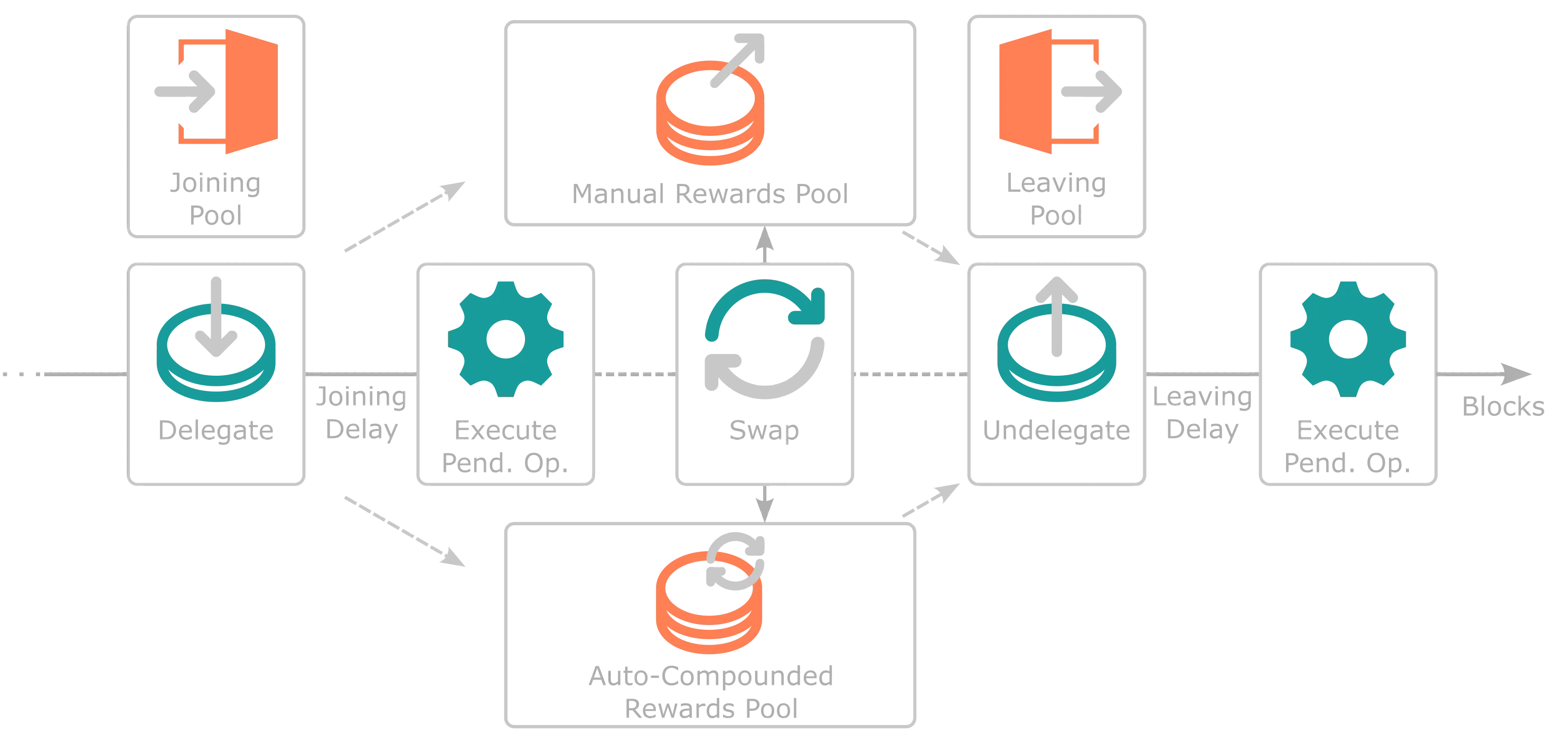
## Staking Parameters {: #staking-parameters }
=== "Tanssi MainNet"
| Variable | Value |
|:-------------:|:---------------------------------------------------------------------------------------------------------------------:|
| Joining Delay | {{ networks.mainnet.staking.joining_delay_blocks }} blocks ({{ networks.mainnet.staking.joining_delay_hours }} hours) |
| Leaving Delay | {{ networks.mainnet.staking.leaving_delay_blocks }} blocks ({{ networks.mainnet.staking.leaving_delay_hours }} hours) |
=== "Dancelight TestNet"
| Variable | Value |
|:-------------:|:---------------------------------------------------------------------------------------------------------------------------:|
| Joining Delay | {{ networks.dancelight.staking.joining_delay_blocks }} blocks ({{ networks.dancelight.staking.joining_delay_hours }} hours) |
| Leaving Delay | {{ networks.dancelight.staking.leaving_delay_blocks }} blocks ({{ networks.dancelight.staking.leaving_delay_hours }} hours) |
## Staking Pools {: #staking-pools}
The following section goes through each of the liquidity pools that represent a step throughout the staking process.
### Joining Pool {: $joining-pool}
When a user first delegates to start the staking process, it must state what staking rewards mechanism it wants: manual or auto-compound rewards (each being a separate pool). Once the joining transaction is executed, the user automatically enters the Joining Pool and is given shares of that pool directly correlated to the number of tokens being staked. This pool offers stability to the current set of sequencers by providing a delay between a delegator staking and receiving rewards. The delay is set to at least one entire session.
As a practical example, Alice starts the staking process targeting the Manual Rewards Pool and enters the Joining Pool halfway through a session; she must wait until the end of the next session to execute her pending operation to start receiving staking rewards.
Joining Pools for each sequencer have a one-to-one ratio of shares per token staked. Therefore, if Alice is staking 100 tokens, she will receive 100 shares (LP tokens) of the Joining Pool she entered. When her delegate pending operation is executed, the protocol consumes her shares of the Joining Pool in favor of native protocol tokens, which are immediately swapped to shares in either the Manual Rewards or Auto-Compound Rewards Pools.
The following diagrams assumes a user is staking into the Manual Rewards Pool.
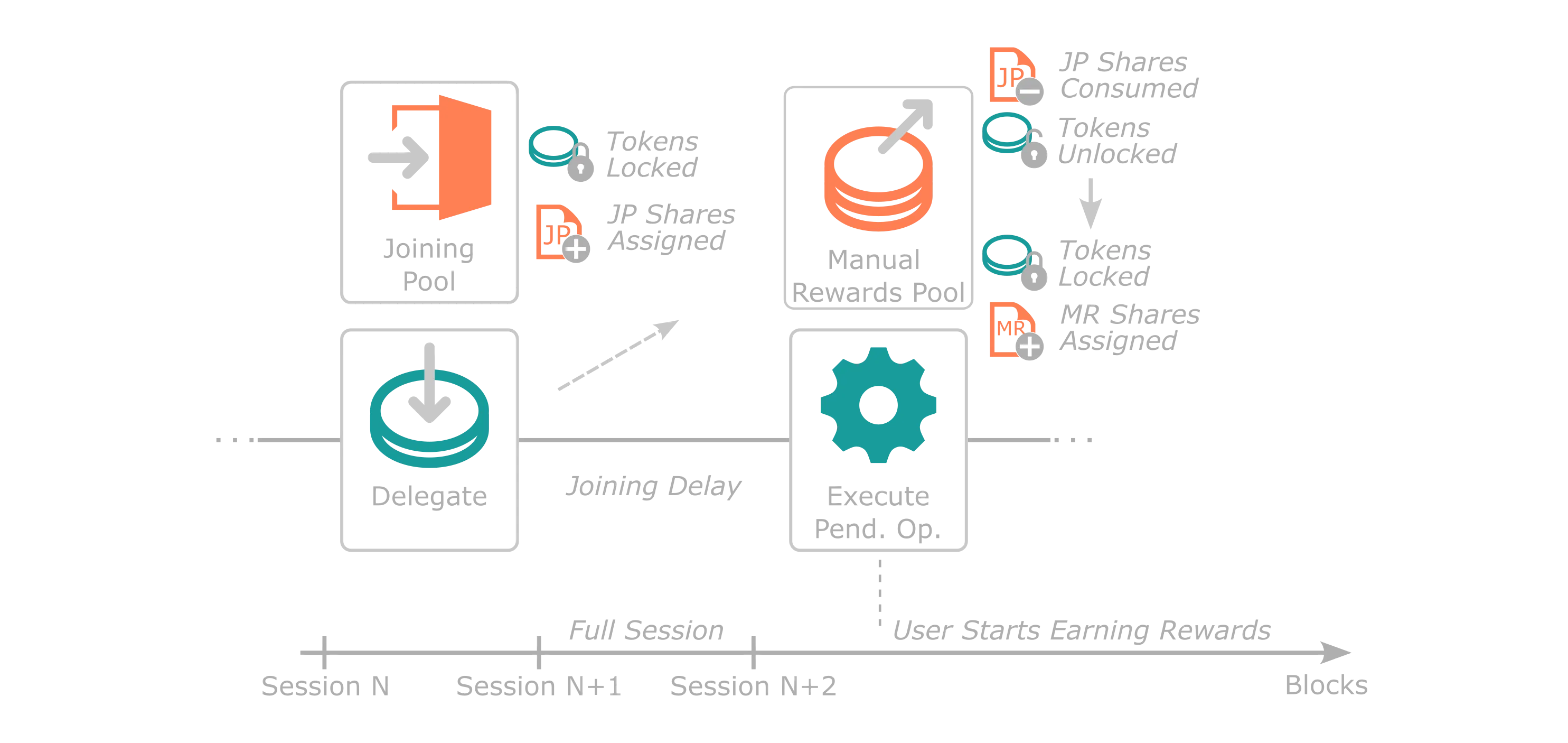
### Manual Rewards Pool {: #manual-rewards-pool}
When a user joins the Manual Rewards Pool, the protocol destroys all Joining Pool shares they own in favor of the native protocol token. Next, in the same block, the protocol computes the amount of Manual Pool shares that can be minted with this amount based on the share's price. The price is calculated based on current pool conditions, that is, the number of native tokens and shares that exist:
```mathematica
SharePrice [Tokens/Shares] = NumberOfTokensInPool / NumberOfSharesInPool
```
Shares don't have decimals. Consequently, any remaining native tokens when acquiring the pool's shares are refunded to the user. The share price is not impacted by users joining the pool, as the ratio is maintained. Once the user has Manual Rewards Pool shares, they earn staking rewards (that is, in the same session) that need to be claimed manually by the user delegating.
In contrast to the Auto-Compound Rewards Pool, where reward distribution is done automatically to the specific pool, the distribution for the Manual Rewards Pools operates through a counter checkpoint rewards mechanism. This mechanism tracks the historical native token per share distribution rate assigned to you by the protocol for that particular Manual Reward Pool at a specific point in time. When Tanssi attests that a block was produced by a given sequencer, new rewards are assigned to that Manual Rewards Pool for users to claim, and the rewards counter increases. Therefore, rewards are reflected as the ratio of native tokens per share you receive as staking rewards, which is the difference between the current pool's rewards counter and your original rewards counter checkpoint.
Consequently, the native tokens per share rewards counter plays a vital role in the protocol's calculation of the tokens the user is due when they claim their rewards. Once the rewards are calculated, the protocol sends them from the protocol-owned account to the user. Simultaneously, the user's rewards counter checkpoint is reset to the current one set by the pool current counter value. This reset is necessary to ensure the user's new rewards counter aligns and that the due rewards are zero.
Similarly, when a user stakes or unstakes tokens, rewards are automatically claimed, and the user's checkpoint rewards counter is reset. Adding or removing a stake means that reward conditions for that specific amount differ from what the protocol has in storage. Consequently, the rewards counter checkpoint must be synced with the pool's rewards counter to ensure no imbalances.
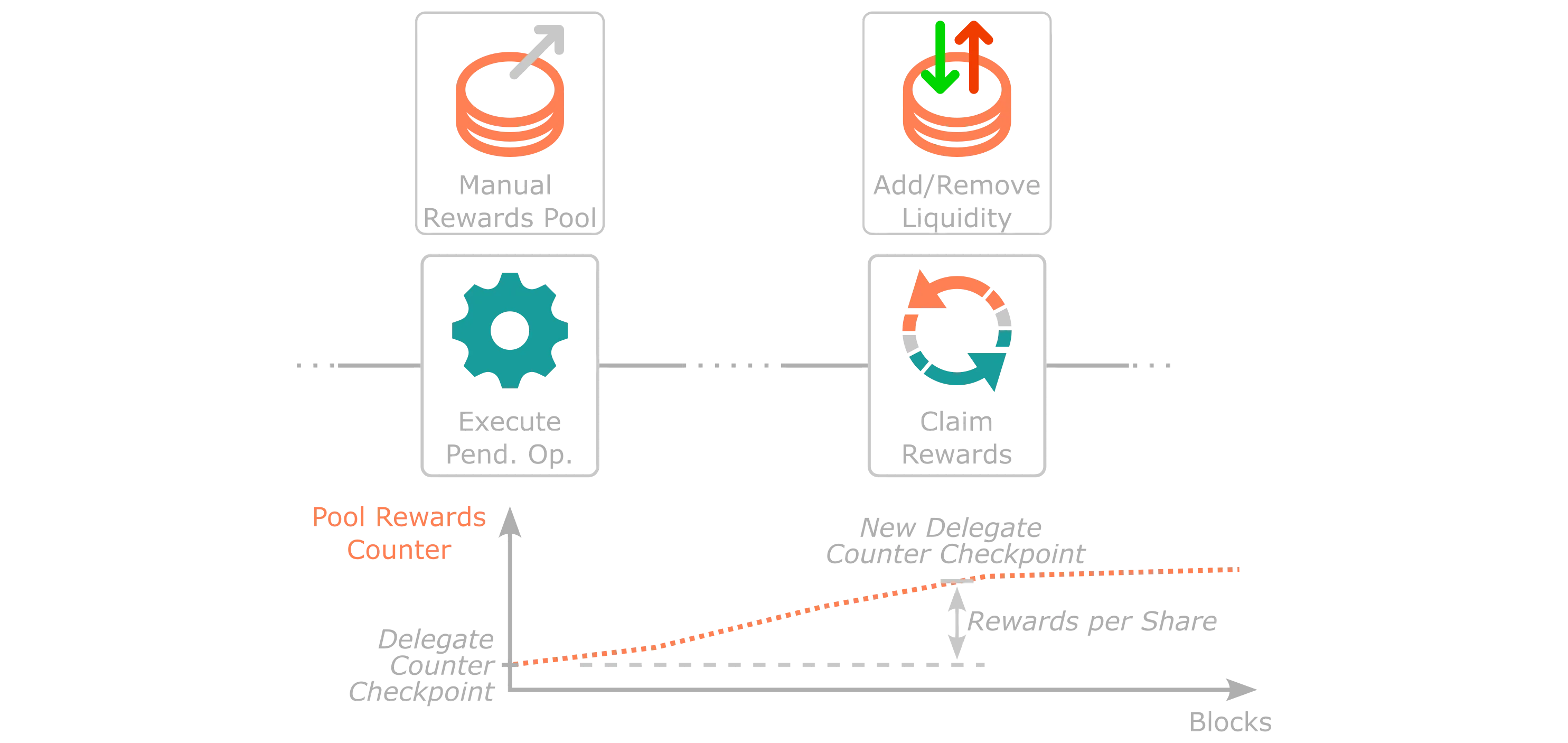
### Auto-Compound Rewards Pool {: #autocompounded-rewards-pool}
When a user joins the Auto-Compound Rewards Pool, the protocol destroys all Joining Pool shares they own in favor of the native protocol token. Next, in the same block, the protocol computes the amount of Auto-Compound shares that can be minted with this amount based on the share's price. The price is calculated based on current pool conditions, that is, the amount of native tokens and shares that exist:
```mathematica
SharePrice [Tokens/Shares] = NumberOfTokensInPool / NumberOfSharesInPool
```
Shares don't have decimals. Consequently, any remaining native tokens when acquiring the pool's shares are refunded to the user. The share price is not impacted by users joining the pool, as the ratio is maintained. Once the user has Auto-Compound Rewards Pool shares, they earn staking rewards (that is, in the same session).
In contrast to the Manual Rewards Pool, native token rewards in the Auto-Compound Rewards Pool are automatically assigned to the pool at each Tanssi block where the protocol attests the sequencer for each block production assignment in any Tanssi-powered network. Consequently, as the number of native tokens held in the pool increases but the number of shares stays constant, the share price increases (according to the formula). Therefore, if the users redeem their shares for native tokens, they will receive more native tokens per share than when they joined the pool.
Native token rewards are automatically assigned as new stake into the Auto-Compound Rewards Pool, hence the auto-compounding nature of this specific staking pool mechanism.
Nevertheless, when auto-compound staking rewards are assigned, they are not held in the user's reserved balance, as the protocol-owned account still has them. The increase in the delegator's stake is indirectly represented by the share price increase. However, in specific scenarios, a user might want to let the protocol know that they want that balance to be represented in their state as reserved balance, for example, for governance purposes.
Consequently, the protocol offers a specific transaction any user can submit to update the reserve balance of any delegate. This call moves the auto-compound rewards for the specified user from the protocol-owned account to their reserve balance. This is also automatically executed by the protocol when a user removes liquidity from a Auto-Compound Rewards Pool.
### Leaving Pool {: #leaving-pool}
When a user decides to exit their staking positions from a Manual or Auto-Compound Reward Pool, they have the power to initiate an undelegation. This process, similar to when they initially entered the Joining Pool, is a two-step journey. The user signs an intent to remove a specific delegation and patiently waits for at least one entire session before the operation can be executed by anyone.
Upon executing the leaving transaction intent, the protocol exchanges shares of the specified pool for native tokens at the current pool price. For the Manual Rewards Pool, any unclaimed rewards are assigned to the user. Simultaneously, the protocol purchases Leaving Pool shares in a one-to-one ratio for the native tokens the user just received. This ensures that the user joins the Leaving Pool, acquiring shares that correspond to the number of native tokens they desire to unstake.
After an entire session passes, any user can execute the pending operation. Then, the protocol swaps Leaving Pool shares for native protocol tokens at a one-to-one ratio.
The primary purpose of the Leaving Pool is to provide a buffer for users leaving the staking mechanics. This buffer allows the implementation of slashing mechanisms to deter bad behavior. Slashing has not been implemented in Tanssi but could be implemented in the future.
The following diagrams assumes a user is unstaking from the Manual Rewards Pool.
### Swapping Between Rewards Pools {: #swap-rewards-pool}
Tanssi's staking module allows users to swap their stake from one type of reward pool to another. Users can use this functionality to move partial or full amounts of the staked tokens in a specific pool. The main benefit is that users don't have to go through the Leaving Pool and the Joining Pool again to move their stake.
First, all pending Manual Rewards Pool rewards are claimed at a protocol level, as liquidity is either added or removed. Therefore, the checkpoint rewards counter needs to be synced with the pool. Next, shares from the original pool are consumed and exchanged in favor of native protocol tokens at the current pool price. Then, shares of the new pool are attained at that pool's price. Lastly, any dust tokens remaining are automatically exchanged in favor of Leaving Pool shares. Note that all of the above is executed in the same block, and users don't have to wait for delays to earn rewards in the new pool. The dust in the Leaving Pool can be claimed after the required delays have passed.
--- END CONTENT ---
Doc-Content: https://docs.tanssi.network/learn/tanssi/network-services/block-production/
--- BEGIN CONTENT ---
---
title: Block Production Services
description: Tanssi abstracts away infrastructure complexities, such as block production, allowing developers to launch decentralized networks with Ethereum-grade security.
icon: octicons-container-24
categories: Basics
---
# Block Production Services {: #block-production-services }
## Introduction {: #introduction }
As presented in the [Overview](/learn/tanssi/overview/){target=\_blank} article, Tanssi is an infrastructure protocol that streamlines the deployment of decentralized networks with custom logic fitting a wide range of use cases, including DeFi, NFTs, Gaming, and any other use case development teams may want to address.
Infrastructure poses a huge challenge for developers, requiring them to bootstrap sequencers, data preservers, and RPC endpoints, while also managing integrations, interoperability, and security. This demands valuable time and resources, diverting focus from what truly matters: delivering value to their users.
Tanssi orchestrates resources, allowing developers to deploy decentralized networks (also known as actively validated services or AVSs) that are fully adaptable to any specific application or use case. In this analogy, the Tanssi network resembles [Kubernetes](https://kubernetes.io){target=\_blank} in its role as an orchestrator, managing resources to guarantee the liveness and performance of the networks.
The protocol also tackles the security front by allowing networks to select and connect to external security providers (like [Symbiotic](/learn/tanssi/external-security-providers/symbiotic/){target=\_blank}), ensuring Ethereum-grade security right from the start.
This article covers the necessary aspects to consider when building and deploying your own modular blockchain, along with the most relevant technical aspects of the Tanssi protocol.
## Block Production as a Service {: #block-production-as-a-service }
The Tanssi protocol provides block production as a service, orchestrating a decentralized and trustless set of sequencers, ensuring the networks' liveness. To do so, the protocol bridges both ends:
- **Node operators**: Who run sequencers, offering their block production services to get rewards.
- **Developers**: Who launch networks, which require sequencers.
The protocol assigns a subset of sequencers to provide services to each network, rotating them after a period of time. The sequencers can serve any Tanssi-powered network, regardless of the custom logic they implement. On the other hand, networks deployed through Tanssi can customize their runtime as much as they need to fit their use case and upgrade the logic at any moment in a forkless fashion without worrying about the sequencer's setup.
The following diagram illustrates how Tanssi assigns two sequencers to each active network, selecting them from a decentralized set of sequencers.
```mermaid
flowchart TB
subgraph network1 [Network 1]
s1bis[Sequencer 1]
s2bis[Sequencer 2]
end
subgraph network2 [Network 2]
s3bis[Sequencer 3]
s4bis[Sequencer 4]
end
Tanssi[Tanssi Network
Orchestrator]
subgraph sequencers [Sequencers Pool]
direction LR
s1[Sequencer 1]
s2[Sequencer 2]
s3[Sequencer 3]
s4[Sequencer 4]
sn[Sequencer N]
s1 --- s2 --- s3 --- s4 --- sn
end
sequencers -- Managed by --> Tanssi
Tanssi -- Assigns Sequencers --> network1
Tanssi -- Assigns Sequencers --> network2
```
### Sequencer Selection Process {: #sequencer-selection-process}
At any given time, all Tanssi networks require a certain number of sequencers, depending on the number of active networks and the current block production configuration set in Tanssi. The configuration sets the maximum number of total sequencers in the set and the number of sequencers each network has to have assigned.
=== "Tanssi MainNet"
| Variable | Value |
|:--------------------------:|:----------------------------------------------------------------------------------:|
| Max. # of Sequencers | {{ networks.mainnet.sequencers.configuration.max_block_producers }} |
| # of Sequencers (Networks) | {{ networks.mainnet.sequencers.configuration.block_producer_per_container }} |
=== "Dancelight TestNet"
| Variable | Value |
|:--------------------------:|:----------------------------------------------------------------------------------:|
| Max. # of Sequencers | {{ networks.dancelight.sequencers.configuration.max_block_producers }} |
| # of Sequencers (Networks) | {{ networks.dancelight.sequencers.configuration.block_producer_per_container }} |
Once the required number of sequencers for a given session is known, Tanssi uses two mechanisms to decide the set of sequencers distributed among all networks.
The first mechanism is through the *Invunerables* module, which sets a list of fixed sequencers prioritized by the protocol and ensures block production stability in certain scenarios, such as TestNets.
The second mechanism is through the [Tanssi staking module](/learn/tanssi/network-features/staking/){target=\_blank}. The module helps create a decentralized set of sequencers for all Tanssi networks by providing the protocol with a sorted list of sequencers by staked amount. Tanssi appends the sorted list by stake of sequencers to the invulnerable ones (if any), then takes from the list only the exact amount of sequencers needed, starting from the top, leaving out of the next session those sequencers that have less staked value, to finally begin the sequencer assignation process.
### Sequencers Assignment {: #block_producers-assignment }
Once the sequencer set that will participate in the next session is known, Tanssi shuffles the list and assigns them to provide block production services to the active Tanssi networks.
The assignment algorithm will start distributing the sequencers serving the networks by the registration date on a first-come, first-served basis. Once the assignment is made, it will be upheld for at least one session, representing a period measured in blocks with a constant set of sequencers. In Tanssi MainNet, the default session duration is set to {{ networks.mainnet.session.blocks }} blocks, which, with an average block time of six seconds, translates to (roughly) {{ networks.mainnet.session.display }} hours.
Every new assignment works intentionally with a one-session delay, so the sequencers know in advance which one of the networks they are assigned to. Sequencers will start syncing the new network they'll have to serve in the next session with a special syncing mechanism called warp sync. This allows the sequencers to swiftly sync the new network without acting as an archive node.
When a new session starts, the Tanssi protocol will put the queued assignment into effect. Sequencers will automatically change and start producing blocks in the new Tanssi network they've been assigned to while discarding the chain state from the previous assignment. Tanssi will also calculate the new assignment, considering changes in Tanssi networks that might have been activated or deactivated and sequencers that might have been added or removed from the pool or changed the total staked value. This new assignment will be queued for the next session.
### The Role of the Tanssi Network {: #tanssi-newtwork }
As previously discussed, the Tanssi protocol assigns sequencers to the Tanssi networks, and the result of this assignment is stored within the chain state. Besides running the network node, the sequencers also run the Tanssi one. Hence, by accessing the data stored in the finalized blocks of the Tanssi Network, they can learn their assignation for the session, and the Tanssi networks can confirm that a certain group of sequencers have been assigned to them.
As the Tanssi networks produce blocks, those blocks need to be validated and finalized by an external security provider. Once an operator verifies a block, a small proof of validity is produced and stored in Tanssi, keeping track of the proofs for each block of each chain. This small representation of the proof of validity is called [candidate receipt](https://wiki.polkadot.com/learn/learn-parachains-protocol/#candidate-receipts){target=\_blank} and is composed of a set of values, including the state root, which can be used to verify state proofs.
Finally, Tanssi can verify that the author of a network block was the expected one and reward accordingly.
The following diagram shows a simplified model of the data Tanssi stores in its internal state. For every active network (in this example, two), Tanssi stores the assigned sequencers, which are the only ones authorized to produce blocks on the network's behalf, proof of validity (candidate receipts) extended by the security provider's operators, the latest state root, and the latest sequencer.
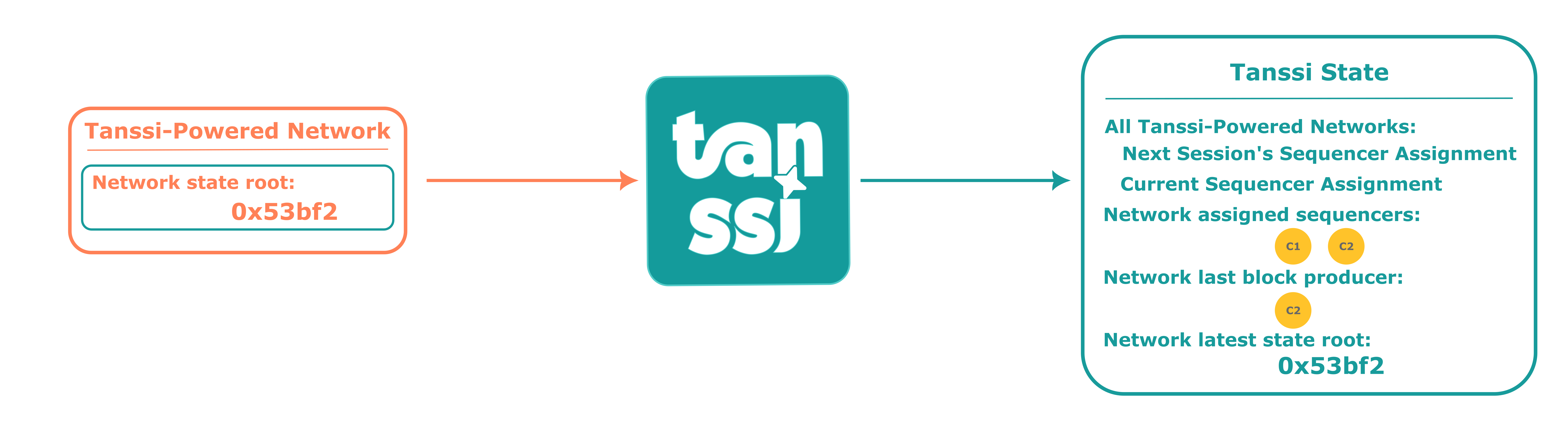
### The Role of the Tanssi-Powered Network {: #network }
As a sequencer assigned to a Tanssi-powered network includes built-in Tanssi node functionality, it is technically feasible to read the state from the Tanssi Network.
Leveraging this ability to access the states, the current sequencer with the authority to produce a block will read the state of the latest block produced in the Tanssi chain. It will proceed to include this state in the block of the network, the current set of sequencers assigned to the network, and its public signature, allowing Tanssi to know who produced the block and reward the node operator.
Once the block is filled with network transactions, it will be proposed as a candidate and handed over to the Tanssi chain, where the security provider's operators will ensure that the included state proofs match the state proofs from the latest state of Tanssi (preventing unauthorized block production) and that the transactions produced valid state transitions. Having verified the work of the sequencer, the operators will finalize the proposed block, including its candidate receipt in a Tanssi Network block.
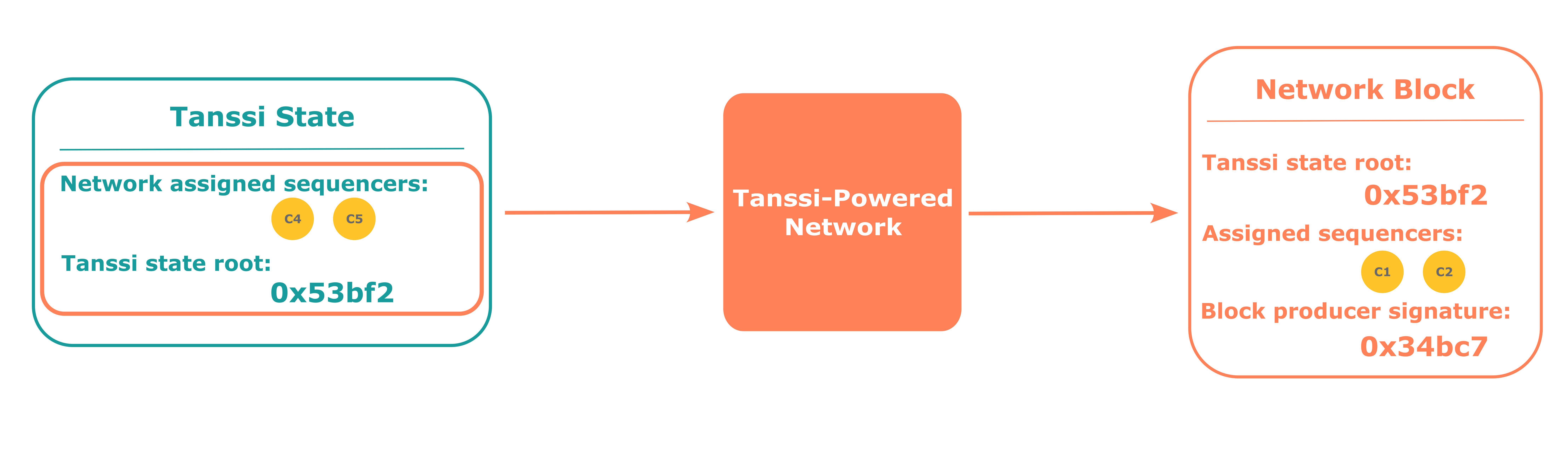
## Block Production Fees {: #block-production-fees }
As presented in the [Introduction](#introduction), Tanssi is an infrastructure protocol that addresses the complexities and high costs associated with setting up and maintaining blockchain infrastructure, streamlining the deployment of networks. This protocol brings benefits for both participants:
- **Networks**: Teams can focus on the core logic of their product, the UX, and the UI without dealing with the challenges of infrastructure bootstrapping and its management.
- **Sequencers**: Bearing with the responsibility of keeping their hardware and software configuration in optimal conditions, they are incentivized to execute transactions and produce blocks on behalf of the Tanssi networks.
[Block production as a service](#block-production-as-a-service) carries associated costs that must be covered by the networks that want to leverage Tanssi for such a purpose. The following sections cover the general aspects of those costs and associated service payments.
### Service Payments {: #service-payments }
There are three main costs associated with block production as a service that any network must cover using Tanssi tokens to deploy successfully and get the block production services:
- **Registration deposit**: The initial deposit that is locked from the account that signs the network registration transaction.
- **Registration storage deposit**: The initial deposit that is locked from the account that signs the network registration transaction. It is a variable amount depending on the appchain's runtime size.
- **Sequencers assignment**: Every time the Tanssi protocol assigns sequencers, which happens once per session, a fixed fee is charged. This fee gives networks the right to be assigned sequencers and discourages networks whose runtime logic fails to produce valid transactions or blocks.
- **Block production**: Networks must pay for each block produced on their behalf. Since the protocol selects and assigns the sequencers on a per-session basis, networks must have enough funds to cover all the blocks to be produced in an entire session to be served.
The current configuration is set as follows:
=== "Tanssi MainNet"
| Variable | Value |
|:----------------------------:|:------------------------------------------------------------------------------------------------------------------------------------------:|
| Registration deposit | {{ networks.mainnet.costs.registration_deposit_fee }} {{ networks.mainnet.token_symbol }} |
| Registration storage deposit | {{ networks.mainnet.costs.registration_deposit_per_byte }} x 10-5 {{ networks.mainnet.token_symbol }} per appchain runtime byte |
| Sequencers assignment | {{ networks.mainnet.costs.cost_per_assignment }} {{ networks.mainnet.token_symbol }} per session |
| Block production | {{ networks.mainnet.costs.cost_per_block }} {{ networks.mainnet.token_symbol }} per block |
=== "Dancelight TestNet"
| Variable | Value |
|:---------------------:|:---------------------------------------------------------------------------------------------------:|
| Registration deposit | {{ networks.dancelight.costs.registration_deposit_fee }} {{ networks.dancelight.token_symbol }} |
| Registration storage deposit | {{ networks.dancelight.costs.registration_deposit_per_byte }} x 10-5 {{ networks.dancelight.token_symbol }} per appchain runtime byte |
| Sequencers assignment | {{ networks.dancelight.costs.cost_per_assignment }} x 10-6 {{ networks.dancelight.token_symbol }} per session |
| Block production | {{ networks.dancelight.costs.cost_per_block }} x 10-6 {{ networks.dancelight.token_symbol }} per block |
To ensure block production in the next session, the total balance must be at least enough to cover the sequencers assignment cost plus the cost to produce the {{ networks.mainnet.session.blocks }} blocks that comprise an entire session.
!!! note
Although the sequencers assignment and block production costs are currently fixed, as protocol development progresses, they might become dynamic, varying in response to the network's workload.
### Tipping {: #tipping }
On some occasions, Tanssi might experience a high demand for its block production services that can not be met with the available resources. For example, if there are ten active networks for the next session and Tanssi can only serve eight, two networks will stall for the entire session duration.
To deal with these high-workload periods, the Tanssi protocol implements a tipping mechanism that allows networks to compete for a higher priority over the rest. Similar to Ethereum-compatible networks, where a priority fee can be set to outbid competing transactions and obtain preferential execution treatment, the Tanssi networks will be served according to the priority given by the tips they offer. Following the previous example, if there are ten active networks for the next session and Tanssi can only serve eight, then only the eight highest bidding networks will get sequencers assigned.
--- END CONTENT ---
Doc-Content: https://docs.tanssi.network/learn/tanssi/overview/
--- BEGIN CONTENT ---
---
title: Overview
description: Tanssi is an infrastructure protocol that simplifies the process of deploying decentralized appchains, allowing developers to focus on creating their product.
icon: octicons-home-24
categories: Basics
---
# What is Tanssi? {: #what-is-tanssi }
Tanssi is a decentralized appchain infrastructure protocol that allows developers to launch their appchain in minutes. In other words, Tanssi reduces the six-to-twelve-month setup process typically required for any team to go live with a new chain to minutes.
You can think of Tanssi as _AWS for appchains_. Instead of dealing with all the networking infrastructure yourself, Tanssi handles all the hurdles, allowing you to focus on building your application logic, growing your community, and other tasks essential to your product's success.
Security is another significant obstacle that developers must deal with, taking on the responsibility of attracting staked assets to ensure consensus security and bootstrapping a validator set, which can be particularly challenging for projects in their early stages. All Tanssi-powered appchains benefit from Ethereum-grade security right from the start, and by leveraging Tanssi's decentralized design, appchains aren't exposed to single points of failure.
Tanssi-powered appchains also benefit from a modular tech stack, providing ultimate control over the logic that powers the blockchain's runtime, offering an excellent way for projects to scale and build optimized solutions for their products. This complete control over the appchain's logic and governance mechanism suits perfectly a wide range of use cases, including DeFi Protocols, Real World Assets (RWA), Gaming Platforms, and others.
## The Problem with Appchains {: #the-problem-with-appchains }
Developers looking to build decentralized appchains typically have to deal with the following problems:
- **Complex Infrastructure Management**: Appchain deployments typically require handling numerous infrastructural components, including bootstrapping sequencers, operators (also known as validators), wallets, block explorers, oracles, indexers, RPC endpoints, and more. Properly managing these components are both time-consuming and resource-intensive.
- **Weak & Inefficient Security**: Appchains commonly suffer from having a small set of operators or weak economic security. Early-stage projects often lack sufficient economic backing to support a robust consensus mechanism. Moreover, developers often have to pay for full blockchain capacity validation even when they might not have achieved product-market fit, and blocks might be close to empty. This essentially means that operators are being overpaid, and there is a significant opportunity cost, as those resources could be used elsewhere to develop the protocol.
- **Cross-Chain and Interoperability**: Appchains inherently lack cross-chain capabilities, which prevents them from connecting to other blockchain ecosystems. Furthermore, developing interoperability solutions requires specialized expertise and meticulous implementation.
- **Slow Time to Market**: The complexities of appchain infrastructure divert developers' focus from application logic, which is the key driver for intuitive interfaces and a seamless user experience, critical for adoption.
## What Tanssi Provides {: #what-tanssi-provides}
Tanssi addresses the most common appchain pain points by:
- **Sequencing as a Service**: Appchains built with Tanssi have their blocks produced by Tanssi's incentivized workers. Tanssi guarantees the appchain's liveness by orchestrating a decentralized set of sequencers.
- **Economic Security Through External Providers**: Appchains deployed through Tanssi leverage security from a provider of choice (for example, [Symbiotic](https://symbiotic.fi/){target=\_blank} for Ethereum). The protocol is designed to finalize transactions deterministically in seconds through a decentralized set of operators.
- **Tanssi/Ethereum Bridge**: Move liquidity to and from Ethereum using the [built-in bridge](/learn/tanssi/tanssi-ethereum-bridge/){target=\_blank} based on Snowbridge.
- **Key Integrations**: Appchains built with Tanssi can access key infrastructural components alongside block production in a fully automated and standardized way. Tanssi-powered appchains come with built-in support for essential tools, including wallets, block explorers, indexers, RPC providers, and more, saving developers the effort of integrating these components.
- **Modular Blockchain Framework**: Appchains built with Tanssi can use a modular blockchain framework called [Substrate](https://docs.polkadot.com/develop/parachains/intro-polkadot-sdk/){target=\_blank}, which enables developers to quickly and easily build optimized and customizable blockchains for any use case. Tanssi handles most infrastructural complexities, allowing developers to focus on their appchain's custom logic.
In summary, appchains deployed through Tanssi are sovereign Layer 1 solutions designed to be highly modular and interconnected, with a focus on simplifying the deployment process and enabling customization of the appchain itself. This empowers developers to bring their blockchain applications to market faster, securely, and with greater potential for integration and interaction within the broader blockchain ecosystems.
### Key Aspects of Tanssi {: #tanssi-key-aspects }
The following table summarizes the main benefits Tanssi brings to your project:
| Aspect | The Tanssi Solution |
|--------------------------|-----------------------------------------------------------------------------------------------------------------------------------|
| Deployment Time | - Minutes to deploy
- Faster time to market |
| Block production | - Sequencing as a service
- Decentralized set of sequencers by design |
| Security | - Ethereum-grade security from the start |
| Finality/Settlement | - Deterministic
- Finality in seconds |
| Cost | - Registration bond + Pay-as-you-go model |
| Customizability | - Choose the governance mechanism that best suits your project
- Modular framework
- Full runtime customizability
|
| Integrations and tooling | - Essential tools available from the start |
## General Architecture of Tanssi & Tanssi-powered Appchains {: #tanssi-architecture }
As previously discussed, appchains deployed through Tanssi are sovereign and customizable blockchains that, among other features, leverage sequencing as a service and inherit block finality from an external security provider.
A high-level overview of the architecture is presented below, featuring [Symbiotic](https://symbiotic.fi/){target=\_blank} as the security provider.
The Tanssi protocol manages and orchestrates a decentralized set of sequencers assigned to provide block production services to Tanssi-powered appchains. The sequencers execute transactions and include them in blocks, which the security provider's operators then proceed to validate. Symbiotic's restaking protocol allows its operators to offer Ethereum-grade economic security. The mechanism of how this works is explained in two separate articles: [Block Production Services](/learn/tanssi/network-services/block-production/){target=\_blank} and [Ethereum with Symbiotic](/learn/tanssi/external-security-providers/symbiotic/){target=\_blank}.
While the sequencers providing block production services are rotated and reassigned to a different appchain upon every session change, each appchain will have its own set of Data Preservers running full archive nodes, ensuring data availability. These Data Preservers will provide the RPC infrastructure for apps and users interacting with Tanssi-powered appchains.
## What's Next? {: #whats-next }
- Head to the [Tanssi dApp](https://apps.tanssi.network){target=\_blank} and launch your appchain.
- Interact with a live Tanssi-powered appchain: the [Tanssi Demo EVM appchain](/builders/tanssi-network/testnet/demo-evm-network/){target=\_blank}.
--- END CONTENT ---
Doc-Content: https://docs.tanssi.network/learn/tanssi/tanssi-ethereum-bridge/
--- BEGIN CONTENT ---
---
title: Tanssi-Ethereum Bridge
description: Discover how Tanssi bridge enables secure, trustless cross-chain interoperability, facilitating asset and message transfers between Tanssi and Ethereum.
icon: octicons-link-24
categories: Basics
---
# Tanssi-Ethereum Bridge {: #tanssi-ethereum-bridge }
## Introduction {: #introduction }
Traditional blockchains often create silos, limiting asset and functional interoperability. The Tanssi-Ethereum bridge overcomes these limitations by enabling seamless cross-chain operations that benefit both ecosystems.
The bridge is more than an asset exchange. It’s a secure, standardized protocol for direct cross-chain interaction without centralized intermediaries. Its trustless design avoids the risks of central points of failure that many other bridges face.
This article introduces the Tanssi-Ethereum bridge as a key interoperability layer between the two networks. You’ll learn how it works, including its architecture, operator management, economic model, slashing mechanisms, and asset transfers.
You'll also learn about the consensus layers that secure communication (BEEFY on [Tanssi](https://docs.tanssi.network/learn/tanssi/){target=\_blank} and the [Ethereum Beacon Chain](https://ethereum.org/roadmap/beacon-chain/){target=\_blank}), and the roles of provers, verifiers, and relayers, giving you a clear view of how assets and messages move securely between Tanssi and Ethereum.
## Core Functions { : #core-functions }
The bridge facilitates several critical operations between Tanssi and Ethereum:
- **Operator Management** - maintains operator stake information on Ethereum via the [Symbiotic](/learn/tanssi/external-security-providers/symbiotic/#tanssi-symbiotic){target=\_blank} protocol, providing this data to Tanssi for selecting active, decentralized, and economically aligned operators each era
- **Economic Operations** - distributes [rewards](/learn/tanssi/external-security-providers/symbiotic/#rewards){target=\_blank} from Tanssi to Ethereum stakers and operators
- **Slashing** - processes [slashing requests](/learn/tanssi/external-security-providers/symbiotic/#slashing){target=\_blank} from Tanssi to Ethereum when operators violate protocol rules
- **Asset Transfer** - enables bilateral, trustless asset transfers between Tanssi and Ethereum, enhancing liquidity.
This interoperability expands the potential of decentralized applications and significantly enhances the liquidity and usability of blockchain assets.
## The Bridge Architecture { : #bridge-architecture }
Understanding the bridge's consensus functionality requires examining its core components: provers, verifiers, and relayers. Provers generate cryptographic proofs, verifiers validate them, and relayers move data between chains.
Provers include Tanssi's BEEFY module and Ethereum's Beacon Chain consensus. They produce consensus data transmitted by specialized relayers.
Each chain runs a [light client](https://ethereum.org/developers/docs/nodes-and-clients/light-clients/){target=\_blank} of the other, acting as an on-chain verifier for data legitimacy. For instance, when Tanssi sends a message to Ethereum, it generates compact proofs of events or state changes based on its consensus. Ethereum's light client verifies these proofs before acting. This efficient method avoids processing the entire sending chain's state, relying instead on concise cryptographic proof verification.
### Tanssi to Ethereum Consensus { : #tanssi-ethereum-consensus }
BEEFY (Bridge Efficiency Enabling Finality Yielder) is Tanssi's consensus protocol, which acts as a prover. It's designed for efficient, trustless bridging to chains like Ethereum that are not natively built for interoperability.
```mermaid
sequenceDiagram
%%{init: {'sequence': {'mirrorActors': false}}}%%
participant Tanssi_Pallet as Tanssi
BEEFY Pallet (prover)
participant Beefy_Relayer as Relayer
(Beefy)
participant Eth_BeefyClient as Ethereum
BEEFY Client (verifier)
Tanssi_Pallet->>Beefy_Relayer: Generate BEEFY Commitment
activate Beefy_Relayer
Beefy_Relayer->>Eth_BeefyClient: Submit commitment/proof
deactivate Beefy_Relayer
activate Eth_BeefyClient
Eth_BeefyClient->>Eth_BeefyClient: Verify commitment
deactivate Eth_BeefyClient
```
### Ethereum to Tanssi Consensus { : #ethereum-tanssi-consensus }
For Ethereum-to-Tanssi bridging, Ethereum's Beacon Chain consensus is the prover. It provides Tanssi's on-chain light client with proof of Ethereum's finalized state, including events or messages for Tanssi.
```mermaid
sequenceDiagram
%%{init: {'sequence': {'mirrorActors': false}}}%%
participant Eth_BeaconCons as Ethereum
Beacon Chain Consensus(Prover)
participant Beacon_Relayer as Relayer
(Beacon)
participant Tanssi_EthClient as Tanssi
Ethereum Light Client (verifier)
Eth_BeaconCons->>Beacon_Relayer: Beacon chain update (Header/Proof)
activate Beacon_Relayer
Beacon_Relayer->>Tanssi_EthClient: Submit update/proof
deactivate Beacon_Relayer
activate Tanssi_EthClient
Tanssi_EthClient->>Tanssi_EthClient: Verify update/proof
deactivate Tanssi_EthClient
```
From a messaging perspective, the bridge uses its consensus verification layer for secure cross-chain communication. Dedicated relayers transport messages: the Execution Relay for Ethereum to Tanssi, and the Tanssi Relay for Tanssi to Ethereum.
Relayers are stateless and only submit proofs. They cannot forge messages or steal funds, as the consensus mechanism revalidates each proof on-chain. Multiple concurrent relayers improve responsiveness without centralizing power.
Ethereum's `Gateway` contract is the central messaging point. It receives messages from Tanssi via relayers, validates them using consensus proofs, and executes operations like token minting/unlocking or smart contract calls.
### Ethereum to Tanssi Inbound Messages { : #ethereum-tanssi-messages }
This section describes messages from Ethereum to Tanssi, using Ethereum's Beacon Chain consensus for proofs and an Execution Relay (or Beacon Relay).
```mermaid
sequenceDiagram
%%{init: {'sequence': {'mirrorActors': false}}}%%
participant Eth_Gateway as Ethereum
Gateway Contract
participant Exec_Relay as Relayer
(Execution Relay)
participant Tanssi_InQueue as Tanssi
Inbound Queue
Note over Eth_Gateway: Message Ready / Event Occurs
Eth_Gateway->>Exec_Relay: Message + Proof
activate Exec_Relay
Exec_Relay->>Tanssi_InQueue: Submit Message/Proof
deactivate Exec_Relay
activate Tanssi_InQueue
Tanssi_InQueue->>Tanssi_InQueue: Process Inbound Message
deactivate Tanssi_InQueue
```
### Tanssi to Ethereum Outbound Messages { : #tanssi-ethereum-messages }
This section describes messages from Tanssi to Ethereum, using BEEFY consensus to prove Tanssi's state and a Tanssi Relay for transmission.
```mermaid
sequenceDiagram
%%{init: {'sequence': {'mirrorActors': false}}}%%
participant Tanssi_OutQueue as Tanssi
Outbound Queue
participant Para_Relay as Relayer
(Tanssi Relay)
participant Eth_Gateway as Ethereum
Gateway Contract
Note over Tanssi_OutQueue: Message Ready / Proof Committed
Tanssi_OutQueue->>Para_Relay: Message + Proof
activate Para_Relay
Para_Relay->>Eth_Gateway: Submit Message/Proof
deactivate Para_Relay
activate Eth_Gateway
Eth_Gateway->>Eth_Gateway: Process Outbound Message
deactivate Eth_Gateway
```
The `Gateway` manages Ethereum's outbound communications. For cross-chain transfers, it logs an event, locks tokens if necessary, and packages data for relay to Tanssi. Tanssi uses two queues for efficient message processing.
The `Outbound Queue` handles messages to Ethereum. It bundles them and adds a [Merkle root](https://en.wikipedia.org/wiki/Merkle_tree){target=\_blank} (cryptographic commitment) to each block header. This allows Ethereum's light client to verify message inclusion using consensus proofs efficiently.
The `Inbound Queue` processes messages from Ethereum. It receives and verifies proofs of Ethereum events via Tanssi's on-chain Ethereum light client. Verified events become internal instructions in Tanssi. This layered, consensus-secured architecture ensures trustless cross-chain interactions.
## Token Transfers Flow {: #token-transfers-flow }
This section explains how the bridge moves assets and messages. It involves locking/minting assets on one chain and a complementary action on the other, secured by verified proofs. The following describes the typical transfer sequences.
1. **Initiation (Source Chain)** - user initiates asset transfer
2. **Relay Proof** - off-chain relayers pick up the event and submit cryptographic proofs to the destination chain
3. **Verification (Destination Chain)** - on-chain light clients independently verify submitted proofs
4. **Execution** - upon successful verification, tokens are minted/unlocked on the destination chain
### Ethereum to Tanssi Transfer
This section outlines asset movement from Ethereum to Tanssi (as derivative assets).
1. **Lock on Ethereum** - a user deposits assets into Ethereum's Bridge contract. The contract locks the tokens and emits a deposit event
2. **Relay Proof to Tanssi** - an off-chain relayer detects the finalized event, creates a proof package (including Ethereum block header and Merkle proof of the deposit), and submits it to the Tanssi Bridge's `Inbound Queue`
3. **Verify on Tanssi** - Tanssi Bridge's `EthereumClient` module (an on-chain light client) receives the proof from the `Inbound Queue`. It verifies the Ethereum block header's finality/validity and the Merkle proof's authenticity
4. **Mint on Tanssi** - upon successful verification by the `EthereumClient`, the `Inbound Queue` is notified and mints the corresponding asset on Tanssi
```mermaid
sequenceDiagram
%%{init: {'sequence': {'mirrorActors': false}}}%%
participant User
participant EBridge as Ethereum Bridge Contract
participant Relayer
participant TBP as Tanssi Bridge
(Inbound Queue + ETH Client)
participant TAH as Tanssi
User->>EBridge: 1. Deposit Asset
activate EBridge
Note over EBridge: Lock Tokens & Emit Event
deactivate EBridge
Relayer->>Relayer: Observe Ethereum Event
Relayer->>TBP: 2. Submit Header + Merkle Proof
activate TBP
Note over TBP: Receive Proof (Inbound Queue)
TBP->>TBP: 3. Verify Proof (EthereumClient Pallet)
TBP->>TAH: Send Mint Request
deactivate TBP
activate TAH
TAH->>TAH: 4. Mint Asset
TAH-->>User: (Asset appears in Recipient Account)
deactivate TAH
```
### Tanssi to Ethereum Transfer
This flow describes the reverse process, moving assets from Tanssi to Ethereum.
1. **Initiate and Commit on Tanssi** - user initiates a transfer on Tanssi. A message with transfer details goes to the Bridge's `Outbound Queue`. The queue processes it, bundles the payload, and commits its Merkle root to the Tanssi block header, representing all outgoing messages in that block
2. **Relay Proof to Ethereum** - an off-chain relayer monitors Tanssi for finalized blocks with `Outbound Queue` Merkle roots. It retrieves proofs: a BEEFY commitment (signed statement of finalized Tanssi block headers) and a Merkle proof of the user's transfer payload under the committed root
3. **Submit Commitment in Ethereum** - the relayer submits the BEEFY commitment and Merkle proof to Ethereum's `Gateway` contract
4. **Verify on Ethereum** - Ethereum's Beefy Client contract (Tanssi's on-chain light client) receives the BEEFY commitment from the `Gateway` and verifies its validity (including signatures)
5. **Validate Payload** - after commitment verification, the `Gateway` validates the Merkle proof for the user's payload
6. **Execute on Ethereum** - with both proofs verified, the `Gateway` contract executes the action, usually releasing locked assets via the main Bridge contract to the recipient or executing a target contract call on Ethereum
The following diagram illustrates the initiation and commitment phase of the asset transfer process on the Tanssi side.
```mermaid
sequenceDiagram
%%{init: {'sequence': {'mirrorActors': false}}}%%
participant User
participant TAH as Tanssi
participant TBP as Tanssi Bridge
(Outbound Queue)
participant Relayer
User->>TAH: 1. Initiate Transfer & Deposit Asset
activate TAH
TAH->>TBP: Send message to Outbound Queue
deactivate TAH
activate TBP
Note over TBP: Process message, Bundle, and
Commit Merkle Root to Tanssi Header
deactivate TBP
Relayer->>Relayer: 2. Observe Tanssi Header /
BEEFY Commitment & Get Proof
Note over Relayer: Relayer is now ready to interact
with Ethereum based on observed data.
```
The subsequent diagram details the relay, verification, and execution steps on the Ethereum side of the asset transfer.
```mermaid
sequenceDiagram
%%{init: {'sequence': {'mirrorActors': false}}}%%
participant Relayer
participant EGateway as Ethereum Gateway Contract
participant EBeefy as Ethereum Beefy Client Contract
participant EBridge as Ethereum Bridge Contract
participant User
Relayer->>EGateway: 3. Submit BEEFY Commitment + Merkle Proof
activate EGateway
EGateway->>EBeefy: 4. Verify BEEFY Commitment
activate EBeefy
EBeefy-->>EGateway: Verification OK
deactivate EBeefy
EGateway->>EGateway: 5. Verify Merkle Proof for Payload
Note over EGateway: Proof Validated
EGateway->>EBridge: 6. Execute: Unlock Tokens / Call Target Contract
activate EBridge
Note over EBridge: Assets Transferred or
Target Call Executed
EBridge-->>User: (Tokens Received / Call Executed)
deactivate EBridge
deactivate EGateway
```
--- END CONTENT ---
Doc-Content: https://docs.tanssi.network/pt/learn/decentralized-networks/included-templates/
--- BEGIN CONTENT ---
---
title: Templates de Rede Incluídos na Tanssi
description: O protocolo Tanssi fornece Templates úteis para começar a construir sua rede descentralizada, incluindo um Template EVM pronto para uso para compatibilidade com Ethereum.
icon: octicons-copy-24
categories: Basics
---
# Templates de Rede Incluídos na Tanssi {: #network-templates-included-in-tanssi }
## Introdução {: #introduction }
A construção de uma nova rede do zero pode ser uma tarefa assustadora. Felizmente, graças ao [framework de desenvolvimento de rede](/pt/learn/framework/overview/){target=\_blank} usado pela Tanssi e sua arquitetura orientada a módulos, os desenvolvedores podem aproveitar alguns Templates de rede pré-empacotados que os ajudam a dar o pontapé inicial no processo e se beneficiar em alguns aspectos, como:
- **Head Start** - Os Templates de rede Tanssi fornecem um ponto de partida para seu projeto, economizando tempo e esforço significativos, fornecendo uma estrutura básica e um conjunto de funcionalidades testadas e prontas para uso. Ele permite que os desenvolvedores acelerem a construção de protótipos ou produtos minimamente viáveis (MVPs) e reduzam o tempo de lançamento
- **Consistência** - os Templates de rede Tanssi incluídos seguem padrões de design estabelecidos, padrões de codificação e melhores práticas amplamente aceitos entre a comunidade de desenvolvedores. Eles também fornecem um conjunto padrão de definições de arquitetura para otimizar o desenvolvimento de blockchain
- **UX** - Os Templates de rede Tanssi cobrem os casos de uso mais exigidos, como o suporte EVM para uma rede compatível com Ethereum
- **Customização** - Os Templates de rede Tanssi são um ótimo ponto de partida e são totalmente personalizáveis. As funcionalidades e configurações padrão que eles incluem podem ser modificadas, substituídas ou estendidas para atender aos requisitos específicos do caso de uso
- **Atualizações e Compatibilidade** - Tanssi é construído sobre um framework em evolução, com novos recursos, aprimoramentos e correções de bugs sendo introduzidos regularmente. Os Templates de rede Tanssi fornecidos são mantidos atualizados com essas atualizações
## Comece a Construir uma Rede {: #start-building }
Para começar a construir uma rede descentralizada para implantação em Tanssi, alguns Templates de rede Tanssi úteis para iniciar o processo de desenvolvimento são fornecidos no [repositório oficial](https://github.com/moondance-labs/tanssi){target=\_blank}.
O processo é tão simples quanto:
1. Selecione um dos Templates
2. Adicione a lógica específica para adaptar o Runtime aos requisitos do caso de uso
3. Implante na Tanssi

Os dois Templates incluídos são o *Template de rede de linha de base* e o *Template EVM de linha de base*, que são apresentados nas seções a seguir.
### Template de Rede Baseline {: #baseline-network-template }
Conforme apresentado no artigo [Visão geral](/pt/learn/tanssi/overview/){target=\_blank}, as redes implantadas por meio da Tanssi são blockchains totalmente soberanas e personalizáveis.
Como parte do ecossistema Tanssi, as redes devem incluir os componentes essenciais para implementar o mecanismo de consenso e ser capazes de interagir e sincronizar com o provedor de segurança de sua escolha (por exemplo, [Symbiotic](https://symbiotic.fi/){target=\_blank} no Ethereum). O Template de rede Tanssi de linha de base inclui toda a funcionalidade necessária para a lógica de Sequencers, p2p, banco de dados e camadas de sincronização entre a rede e o provedor de segurança, permitindo que os desenvolvedores se concentrem exclusivamente na personalização de seu produto.
Este Template também inclui o módulo [Author Noting](https://github.com/moondance-labs/tanssi/blob/master/pallets/author-noting/src/lib.rs){target=\_blank} da Tanssi, que implementa a lógica para recuperar e validar o conjunto de Sequencers atribuídos para fornecer serviços de produção de blocos à rede. Ele também inclui a lógica que permite que um Sequencer assine o bloco quando o mecanismo de consenso determina que é a vez do Sequencer produzir o bloco (e, portanto, ser recompensado de acordo).
O código fonte para este Template é público e acessível no [repositório Tanssi GitHub](https://github.com/moondance-labs/tanssi/blob/master/chains/container-chains/runtime-templates/simple/src/lib.rs){target=\_blank}.
### Template Baseline EVM (Ethereum Virtual Machine) {: #baseline-evm-template }
Estendendo o [Template de rede Tanssi de linha de base](#baseline-network-template), este Template fornece não apenas suporte ao protocolo Tanssi, mas também um EVM e compatibilidade total com Ethereum.
Aproveitando um conjunto de [módulos específicos para EVM](https://github.com/polkadot-evm/frontier){target=\_blank}, este Template inclui uma camada de compatibilidade com Ethereum para que as redes possam executar dApps Ethereum não modificadas.
Usando este Template, as redes suportam a implantação e execução de qualquer contrato inteligente existente escrito em Solidity ou Vyper, sem alterações. Ao emular a produção de blocos Ethereum e expor a interface RPC esperada, os desenvolvedores também podem continuar usando as mesmas ferramentas como [Metamask](https://metamask.io){target=\_blank}, [Hardhat](https://hardhat.org){target=\_blank}, [Remix](https://remix.ethereum.org){target=\_blank}, [Foundry](https://github.com/foundry-rs/foundry){target=\_blank}, e muitos mais prontos para uso, sem adaptadores extras.
Com este Template EVM, os desenvolvedores podem implantar uma rede semelhante a [Moonbeam](https://moonbeam.network){target=\_blank} em nenhum momento e adicionar sua lógica e recursos personalizados, específicos para seu caso de uso.
O código fonte para este Template é público e acessível no [repositório Tanssi GitHub](https://github.com/moondance-labs/tanssi/blob/master/chains/container-chains/runtime-templates/frontier/src/lib.rs){target=\_blank}.
--- END CONTENT ---
Doc-Content: https://docs.tanssi.network/pt/learn/decentralized-networks/overview/
--- BEGIN CONTENT ---
---
title: Visão Geral da Rede
description: Saiba, em alto nível, como funciona uma rede Tanssi, sua arquitetura e o mecanismo de produção de blocos como serviço com finalidade determinística.
icon: octicons-home-24
categories: Basics
---
# Visão Geral das Redes Tanssi {: #networks-tanssi-overview }
## Introdução {: #introduction }
As redes implantadas via Tanssi recebem vários [benefícios](/pt/learn/tanssi/overview/#what-tanssi-provides){target=\_blank}, como produção de blocos como serviço, recuperabilidade de dados como serviço e segurança por meio de [provedores externos de segurança](/pt/learn/tanssi/external-security-providers/){target=\_blank}, como [Symbiotic](https://symbiotic.fi/){target=\_blank} na Ethereum.
Além disso, como as redes powered by Tanssi se baseiam em uma [pilha modular](/pt/learn/framework/){target=\_blank}, elas ganham vantagens únicas quando são necessárias customizações em nível de runtime. Essa [modularidade](/pt/learn/framework/modules/){target=\_blank} permite adicionar funcionalidades direto no runtime ou estender as capacidades da própria EVM via precompilados.
Por exemplo, a Tanssi fornece um [template](/pt/learn/decentralized-networks/included-templates#baseline-evm-template){target=\_blank} pronto para uso que inclui os módulos [Frontier](https://github.com/polkadot-evm/frontier){target=\_blank}, possibilitando implantar facilmente redes compatíveis com EVM, similar ao [Moonbeam](https://moonbeam.network){target=\_blank}.
Esta seção aborda os fundamentos de uma rede Tanssi, sua arquitetura, módulos e funcionalidades principais e o mecanismo de taxas de transação.
## Arquitetura Geral {: #general-architecture}
Como mencionado, as redes implantadas via Tanssi são blockchains customizáveis que, entre outras características, recebem produção de blocos como serviço e herdam segurança com finalização determinística em segundos de um provedor externo de segurança.
As redes powered by Tanssi são totalmente descentralizadas. Essa natureza descentralizada aumenta consideravelmente a resiliência e a tolerância a falhas, já que não dependem de uma autoridade única para garantir disponibilidade, segurança e desempenho, mas sim de protocolos trustless e descentralizados. Por exemplo, recebem serviços de produção de blocos de um conjunto descentralizado e incentivado de Sequencers gerenciados pela Tanssi.
O protocolo Tanssi funciona com um [provedor externo de segurança](/pt/learn/tanssi/external-security-providers/){target=\_blank}, que possui um conjunto de operators (validadores) com ativos em stake, validando as transações da própria rede Tanssi e de todas as redes implantadas via Tanssi. Assim, todas as redes powered by Tanssi herdam a segurança econômica do protocolo Tanssi e, indiretamente, dos operators, que verificam cada transação de cada rede. As redes Tanssi não precisam manter seu próprio conjunto de operators nem fazer bootstrapping de liquidez para proteger o protocolo.
As redes Tanssi também se beneficiam de um conjunto de Data-Preservers, com nós de arquivo completos, garantindo a disponibilidade da camada de dados. Esses data-preservers são incentivados pelos serviços de recuperação de dados da Tanssi e também fornecem a infraestrutura RPC para apps e usuários que interagem com redes Tanssi.
```mermaid
flowchart TB
networks["Tanssi Networks
(Decentralized Networks)"]
subgraph tanssi["Tanssi Protocol"]
direction TB
sequencers["Decentralized Sequencers Set"]
node["Full Archive Nodes with
RPC Services"]
end
security["External Security Provider
Operators"]
networks<--Block Production-->tanssi
networks<--Shared Security Model-->tanssi
networks<--Data Availability
RPC endpoints-->tanssi
tanssi<--Transactions
Validation and Finality-->security
```
## Fluxo de Transações da Rede {: #network-transaction-flow }
Uma transação enviada a uma rede Tanssi segue um caminho complexo porém transparente, desde o envio até a inclusão no bloco e finalização. A infraestrutura da rede, a Tanssi e o [provedor de segurança](/pt/learn/tanssi/external-security-providers/){target=\_blank} escolhido atuam em níveis diferentes para que o processo ocorra o mais rápido possível, geralmente em cerca de 30 segundos. Uma transação em uma rede Tanssi atinge finalização determinística; uma vez final, torna-se irreversível e imutável, e a transição de estado resultante é definitiva.
Por exemplo, um usuário inicia uma transação ao interagir com um aplicativo implantado em uma rede Tanssi. O provedor RPC compartilha a transação, que permanece no pool de transações da cadeia, com todos os participantes. Um Sequencer designado pela Tanssi para essa rede capturará a transação e a incluirá no próximo bloco.
Em seguida, o Sequencer compartilhará com os operators do provedor de segurança:
- O bloco em si com as transições de estado
- Os componentes de armazenamento no banco de dados da rede Tanssi que o bloco está modificando
- Os hashes necessários dos pontos não afetados na árvore de Merkle do armazenamento
Esses componentes constituem a prova de validade (PoV).
Depois, a PoV é verificada pelos operators do provedor de segurança. Observe que os operators não verificam se o storage da rede Tanssi é válido, mas se as transições de estado que o afetam são válidas. Um resumo dessa verificação é disseminado para outros operators, para que verifiquem e incluam no próximo bloco da Tanssi. Por fim, esse bloco da Tanssi com todas as verificações é finalizado.
O fluxo da transação está resumido no diagrama a seguir:

--- END CONTENT ---
Doc-Content: https://docs.tanssi.network/pt/learn/decentralized-networks/runtime-features/
--- BEGIN CONTENT ---
---
title: Recursos Essenciais de Runtime
description: Conheça os recursos centrais de uma rede Tanssi, os tipos de transação, como são executadas e incluídas em um bloco e os upgrades de runtime sem fork.
icon: octicons-package-24
categories: Basics
---
# Recursos Essenciais de Runtime {: #core-runtime-features }
## Introdução {: #introduction}
As redes implantadas via Tanssi têm [muitos benefícios](/pt/learn/tanssi/overview/#what-tanssi-provides){target=\_blank} devido à sua [arquitetura](/pt/learn/tanssi/overview/#tanssi-architecture){target=\_blank} exclusiva.
Além disso, redes powered by Tanssi são únicas pelo [framework](/pt/learn/framework/){target=\_blank} (Substrate) em que são construídas, que oferece características que os desenvolvedores podem aproveitar para ajustar comportamentos específicos no runtime.
Esta seção aborda alguns desses recursos essenciais de runtime em redes Tanssi, incluindo as diferentes origens que uma transação pode ter, os diferentes tipos de transação e como são executadas e incluídas em um bloco, a conta especial conhecida como _SUDO_ e o recurso bastante singular das redes Tanssi: os upgrades de runtime sem fork.
## Origens {: #origins}
De modo geral, todas as chamadas em uma rede Tanssi têm uma origem. Mas o que é uma origem? Desenvolvedores do mundo EVM conhecem o _msg.sender_ em transações EVM. As origens são para redes Tanssi o que _msg.sender_ é para uma transação EVM, mas com diversas funcionalidades extras.
Uma origem define de onde a chamada vem. Diferentemente de cadeias compatíveis com Ethereum, pode haver muitas origens em redes Tanssi. Por exemplo, o _msg.sender_ de uma transação EVM é uma _signed origin_, o que significa que a chamada é uma transação assinada pela chave privada de alguma conta on-chain. Isso permite ao runtime autenticar a origem da chamada e, por exemplo, cobrar taxas da conta associada.
No entanto, origens podem fazer mais do que representar um par de chaves privada/pública. Elas também têm diferentes níveis de privilégio. Por exemplo, uma _signed origin_ pode enviar uma transação despachada pelo par de chaves, mas não deveria poder autorizar um upgrade de runtime.
Alguns dos tipos mais comuns de origem são:
- **Root** - origem em nível de sistema com o nível mais alto de privilégio; pode ser vista como o superusuário da cadeia, capaz de executar qualquer chamada
- **Signed** - como mencionado, a origem de uma transação assinada pela chave privada de uma conta on-chain, que inclui o identificador da conta (endereço) como assinante
- **None** - ausência de origem. Usada em ações específicas que devem ser acordadas no nível do runtime. Por exemplo, é possível programar o runtime para que uma transação com origem _none_ efetive um upgrade de runtime pré-autorizado, sem taxa associada
- **Custom** - desenvolvedores podem criar origens personalizadas para casos específicos. Por exemplo, a [governança on-chain da Moonbeam](https://docs.moonbeam.network/learn/features/governance){target=\_blank} tem origens específicas para cada tipo de voto, chamadas _tracks_. Cada track pode ser configurada para executar chamadas com níveis de privilégio específicos. Uma track é _Root_, cuja origem é a _Root_ mencionada, com configuração bem restritiva para aprovação. Outras tracks têm níveis de privilégio muito menores para operações menos críticas
## Tipos de Transação {: #transaction-types}
Redes Tanssi possuem três tipos principais de transações:
- **Signed Transactions** - incluem um payload assinado solicitando executar alguma chamada de runtime. Em geral, a assinatura está associada a um par de chaves privada/pública. Dependendo da lógica do runtime, a conta associada à assinatura paga a taxa de transação
- **Unsigned Transactions** - incluem um payload não assinado solicitando executar alguma chamada de runtime. Como são não assinadas, não há conta associada. Portanto, os runtimes precisam definir condições específicas para evitar spam ou replay, pois não há mecanismo de taxa para impedir comportamentos maliciosos. Um exemplo de transação não assinada é executar ações pré-aprovadas, como um upgrade de runtime
- **Inherent Transactions** - transação não assinada que um Sequencer insere em um bloco ao iniciar sua construção. Elas fazem parte do bloco e não ficam no pool de transações nem são compartilhadas entre participantes. Além disso, os dados inseridos por transações inherents podem pular validação de runtime, ficando a cargo dos operators aceitá-los. Um exemplo é o timestamp do bloco, injetado por uma transação inherent; operators podem aceitar ou rejeitar o bloco com base em o timestamp estar dentro de um intervalo aceitável
## Execução de Transações {: #transaction-execution}
Quando um usuário ou aplicativo envia uma transação assinada a uma rede Tanssi, a transação é validada em nível de nó completo usando regras definidas no runtime e, em seguida, é enfileirada no transaction pool. Isso garante que apenas transações que cumpram certas condições específicas da cadeia sejam consideradas para inclusão em um bloco.
!!! note
O tipo de transação mais comum é a assinada. Ainda assim, transações não assinadas também são validadas antes de entrarem no transaction pool.
A fila de transações válidas tem dois pools: ready e future. O pool ready contém todas as transações que podem ser incluídas em um novo bloco pendente. O pool future é para transações que não atendem a todos os critérios agora, mas podem se tornar válidas (por exemplo, nonce futura). Transações inválidas são rejeitadas diretamente.
Durante a construção do bloco, um Sequencer usa um [sistema de prioridade](https://github.com/paritytech/substrate/blob/fb24fda76d613305ebb2e5728c75362c94b64aa1/frame/transaction-payment/src/lib.rs#L614-L681){target=\_blank} via um módulo de orquestração de transações para ordenar as transações do próximo bloco até atingir a capacidade máxima. A ordem de construção e execução do bloco tem as seguintes operações:
- **Initializing a Block** - conhecido como `on_initialize`, permite definir lógica de runtime executada antes de qualquer outra transação. Por exemplo, transações inherents como o timestamp são comumente executadas ao inicializar o bloco. Após a lógica de inicialização, o módulo de orquestração verifica o parent hash no cabeçalho e a trie root para garantir que as informações estejam corretas
- **Transaction Execution** - com o bloco já inicializado, o módulo de orquestração executa cada transação válida conforme sua prioridade. O estado inicial não é armazenado em cache antes da execução; se uma transação falhar no meio, quaisquer alterações de estado já cometidas não podem ser revertidas, e o bloco subsequente será inválido. Portanto, a lógica de runtime deve realizar todas as verificações necessárias para garantir que as transações válidas serão bem-sucedidas
- **Finalizing a Block** - após executar todas as transações válidas em fila ou atingir o limite do bloco, o módulo de orquestração chama, em cada módulo do runtime, as funções `on_idle` e `on_finalize`. Essas funções permitem definir lógica extra executada automaticamente na finalização do bloco. Depois da última `on_finalize`, o módulo de orquestração garante que o block digest e o storage root correspondam ao que foi calculado ao inicializar o bloco
## Upgrades sem Fork {: #forkless-upgrades}
Redes implantadas via Tanssi têm um recurso empolgante: [forkless upgrades](https://docs.polkadot.com/develop/parachains/maintenance/runtime-upgrades/){target=\_blank}. Eles permitem alterar a função de transição de estado que governa a cadeia sem criar um fork, como já visto várias vezes na Ethereum. Além disso, se a rede Tanssi estiver configurada com governança on-chain, upgrades podem ocorrer de forma realmente descentralizada e trustless.
Os forkless upgrades são possíveis porque a função de transição de estado fica armazenada como um blob Wasm tanto na rede Tanssi quanto na rede powered by Tanssi. Quando um novo runtime é agendado por uma chamada na rede powered by Tanssi, a rede Tanssi valida esse bloco e se prepara para validar blocos usando a função mais recente. Após um período de atraso configurado para o upgrade, um Sequencer na rede powered by Tanssi constrói um bloco que referencia um bloco da rede Tanssi, sinalizando que o novo runtime pode ser aplicado. Assim, essa nova função de transição de estado é usada para aquele bloco. Como todos os participantes usam o blob Wasm on-chain, cada node operator da rede Tanssi pode validar novos blocos com a função mais recente.
Um resumo em alto nível do processo de upgrade de runtime está no diagrama a seguir:

## Conta SUDO {: #sudo-account}
Redes Tanssi podem usar um módulo específico chamado [SUDO](https://paritytech.github.io/polkadot-sdk/master/pallet_sudo/pallet/struct.Pallet.html){target=\_blank}. Esse módulo introduz um novo tipo de conta, também chamada _SUDO_, que pode executar transações com a [_Root_ origin](#origins).
Consequentemente, a conta SUDO pode realizar **qualquer** ação que o runtime permita à origem _Root_. Isso inclui:
- Cunhar novos tokens nativos da rede Tanssi
- Realizar [upgrades de runtime sem fork](#forkless-upgrades)
- Enviar transações se passando por outros [tipos de origem](#origins). Assim, SUDO pode enviar transações em nome de outros usuários sem acessar suas chaves privadas
_SUDO_ é recomendada para TestNets, pois permite fazer mudanças rapidamente sem um processo longo de governança on-chain. É boa prática manter as chaves _SUDO_ em segurança e conceder acesso a chamadas _SUDO_ por meio de contas proxy. Contudo, manter _SUDO_ habilitada em produção pode trazer consequências indesejadas.
**Entender os riscos de centralização de ter _SUDO_ em produção é fundamental.**
--- END CONTENT ---
Doc-Content: https://docs.tanssi.network/pt/learn/decentralized-networks/tx-fees/
--- BEGIN CONTENT ---
---
title: Taxas de Transação
description: Saiba como funciona o mecanismo de taxas em redes Tanssi, do ponto de vista Substrate e na camada EVM compatível com EIP-1559.
icon: material-piggy-bank-outline
categories: Basics
---
# Taxas de Transação {: #transaction-fees }
## Introdução {: #introduction}
Redes powered by Tanssi são construídas com um [framework modular](/pt/learn/framework/){target=\_blank} chamado [Substrate](https://docs.polkadot.com/develop/parachains/intro-polkadot-sdk/){target=\_blank}. Com esse framework, você pode criar formas próprias de lidar com taxas de transação. Por exemplo, a maioria das transações usa um módulo específico chamado [Transaction Payment](https://docs.rs/pallet-transaction-payment/latest/pallet_transaction_payment){target=\_blank}. Contudo, em redes Tanssi compatíveis com EVM, as taxas podem ser cobradas no nível da execução EVM, contornando outros módulos relacionados a taxas.
Sob o capô, para Runtime, em vez de um mecanismo baseado em gas, todas as redes Tanssi usam um [mecanismo baseado em weight](https://docs.polkadot.com/polkadot-protocol/parachain-basics/blocks-transactions-fees/fees/){target=\_blank}. Weight refere-se ao tempo (em picosegundos) para validar um bloco. De modo geral, para redes Tanssi EVM e não EVM, todas as chamadas têm um weight associado, que define limites de entrada/saída de storage e de computação. Para redes Tanssi EVM, há um mapeamento gas-to-weight totalmente compatível com os requisitos de gas esperados por ferramentas baseadas na Ethereum API.
Um esquema de taxas é aplicado sobre o mecanismo de weight para alinhar incentivos econômicos, limitando Runtime, computação e número de chamadas (leituras/gravações). Taxas são fundamentais para evitar spam, pois representam o custo de usar o serviço da rede Tanssi. Assim, um usuário que interage com a rede por meio de uma chamada paga uma taxa determinada por um algoritmo de taxa base.
Esta página aborda os fundamentos das taxas em redes Tanssi. Primeiro cobre a arquitetura subjacente de taxas e como ela é adaptada a um Template totalmente compatível com EIP-1559 para redes Tanssi EVM.
## Baseline Fees Calculation {: #baseline-fees }
Cada ação que altera o estado de uma rede Tanssi gera uma taxa de transação. Essa taxa é essencial para a operação da rede, cobrindo os recursos computacionais necessários para processar transações, de forma similar aos parâmetros de gas e gas price em cadeias compatíveis com EVM como a Ethereum.
O [framework modular](/pt/learn/framework/){target=\_blank} das redes Tanssi usa um mecanismo de cálculo baseado em weight para determinar taxas. Essa abordagem considera vários fatores, incluindo recursos computacionais e operações de storage (inputs/outputs), para refletir com precisão o custo real das transações. Ao contabilizar esses elementos, a rede garante alocação de recursos justa e eficiente.
Além disso, a modularidade das redes Tanssi garante que redes compatíveis com EVM suportem mecanismos de precificação legados e [compatíveis com EIP-1559](https://eips.ethereum.org/EIPS/eip-1559){target=\_blank}, assegurando compatibilidade total com ambientes de desenvolvimento usados na Ethereum.
Esta seção apresenta os diferentes conceitos associados às taxas em redes Tanssi.
### Weight {: #baseline-weight}
De forma ampla, weight refere-se ao Runtime para validar um bloco, medido em picosegundos. O weight se divide em duas variáveis:
- **`refTime`** - peso associado a tempo de computação e leituras/gravações em banco de dados
- **`proofSize`** - peso associado ao tamanho da Prova de Validade (PoV). A PoV se relaciona ao estado relevante de uma transação, e é o que o Sequencer da rede Tanssi compartilha com os operators do provedor de segurança para validar e finalizar um bloco como parte do [fluxo de transações da rede](/pt/learn/decentralized-networks/overview/#network-transaction-flow){target=\_blank}
Para descobrir os weights de todas as chamadas, elas são benchmarked em hardware de referência, e valores aproximados de `refTime` e `proofSize` são definidos. Esse processo se repete para todas as chamadas que consomem espaço de bloco e afetam a PoV.
Para transações em que as taxas são tratadas pelo módulo [transaction payment](https://docs.rs/pallet-transaction-payment/latest/pallet_transaction_payment){target=\_blank}, todos os parâmetros baseados em weight passam por um algoritmo _weight to fee_ que converte tudo em um valor final, deduzido da conta do remetente ao executar a chamada. O algoritmo pode ser personalizado, mas redes Tanssi definem um valor constante.
Para transações EVM, o gas é convertido em weight por meio de um algoritmo gas-to-weight, para que todas as chamadas EVM possam ser mapeadas para o Runtime do bloco. Ainda assim, as taxas são tratadas no nível da execução EVM.
### Baseline Transaction Fees {: #baseline-transaction-fees}
Com todas as chamadas benchmarked, a taxa de transação para cada chamada específica pode ser obtida. As taxas geralmente são compostas pelos seguintes elementos:
- **`BaseFee`** - custo básico para incluir a transação. Cobre a sobrecarga de inclusão, como verificação de assinatura. A taxa é definida por dois parâmetros:
- **`ExtrinsicBaseWeight`** - valor constante que representa o weight da sobrecarga de inclusão
- **`WeightToFee`** - função polinomial que converte weight em taxa
- **`WeightFee`** - taxa definida por dois parâmetros:
- **`BenchmarkedWeight`** - weight que reflete a complexidade (Runtime) de uma chamada específica
- **`CongestionMultiplier`** - função que converte weight em taxa e pode ser ajustada para considerar a congestão da rede (weight consumido no bloco anterior). A estratégia padrão nas redes Tanssi é [`SlowAdjustingFeeUpdate`](https://research.web3.foundation/Polkadot/overview/token-economics#2-slow-adjusting-mechanism){target=\_blank}, que ajusta esse multiplicador lentamente conforme a carga da rede
- **`LengthFee`** - taxa correlacionada ao tamanho em bytes da chamada. Definida por dois parâmetros:
- **`ByteLengthFunctionCall`** - tamanho em bytes da chamada
- **`LengthToFee`** - função que define o algoritmo de taxa por byte. Nas redes Tanssi, é um valor constante
- **`Tip`** - valor opcional que aumenta a taxa total, elevando a prioridade da transação ao incentivar Sequencers a incluí-la no próximo bloco
Assim, em termos gerais, a taxa de transação pode ser calculada pela equação:
```text
BaseFee = ExtrinsicBaseWeight * WeightToFee
WeightFee = BenchmarkedWeight * CongestionMultiplier
LengthFee = ByteLengthFunctionCall * LengthToFee
InclusionFee = BaseFee + WeightFee + LengthFee
FinalFee = InclusionFee + Tip
```
Todas as chamadas não EVM disponíveis aos desenvolvedores usam esses cálculos básicos para taxas. Redes Tanssi EVM adicionam uma camada extra para traduzir esse esquema para algo semelhante ao Template Ethereum do ponto de vista da Ethereum JSON-RPC e da EVM.
### EVM Transaction Fees {: #evm-transaction-fees }
A Tanssi oferece [templates para redes EVM completas](/builders/build/templates/evm/){target=\_blank}. Essas redes fornecem um ambiente similar ao Ethereum, onde os desenvolvedores podem usar bibliotecas como [Ethers.js](/pt/builders/toolkit/ethereum-api/libraries/ethersjs/){target=\_blank}, [Hardhat](/pt/builders/toolkit/ethereum-api/dev-env/hardhat/){target=_blank} e [Foundry](/pt/builders/toolkit/ethereum-api/dev-env/foundry/){target=\_blank}.
Além disso, todas as redes Tanssi compatíveis com EVM têm um mecanismo de precificação [compatível com EIP-1559](https://eips.ethereum.org/EIPS/eip-1559){target=\_blank} para transações EVM. Elas suportam os dois tipos de transação EVM mais comuns:
- **Tipo 0 (Legacy)** - a taxa é calculada por um valor único de gas price incluído no blob da transação assinada. Como as redes Tanssi EVM têm precificação dinâmica, o gas price deve ser maior que o `baseFee` do bloco atual para a transação ser válida
- **Tipo 2 (EIP-1559)** - a taxa é calculada com a combinação de `maxFeePerGas` e `maxPriorityFeePerGas` no blob da transação, e o `baseFee` da rede muda dinamicamente com base na congestão do bloco
Independentemente do tipo de transação, o resultado é um custo em tokens nativos que a rede deve cobrar.
Por padrão, redes Tanssi compatíveis com EVM têm os seguintes parâmetros:
- **Minimum BaseFee** - gas price mínimo da rede caso não haja transações por longos períodos. O valor padrão é 1 GWei
- **Block Fulness Target (Elasticity)** - alvo de gas usado em um bloco para manter o `baseFee` estável. A [EIP-1559](https://eips.ethereum.org/EIPS/eip-1559){target=\_blank} define esse valor como 2, significando que a meta de uso é 50% do limite de gas do bloco. Todas as redes Tanssi EVM usam a mesma meta
- **Maximum BaseFee Increase** - aumento máximo do `baseFee`, em pontos percentuais, com base no uso-alvo do bloco anterior. A [EIP-1559](https://eips.ethereum.org/EIPS/eip-1559){target=\_blank} define esse valor como 12,5%. Assim, se o bloco estiver cheio/vazio, o `baseFee` aumenta/diminui 12,5%, ajustando-se linearmente para valores intermediários. Esse valor é configurável, mas o padrão nas redes Tanssi EVM é 12,5%
!!! note
Uma diferença importante na implementação EIP-1559 das redes Tanssi EVM é que as taxas são calculadas usando o `baseFee` do bloco anterior.
O custo de taxa de transação para chamadas EVM nas redes Tanssi é capturado no nível de execução EVM. Ainda assim, transações EVM consomem Runtime de bloco. Portanto, é necessário um algoritmo gas-to-weight para contabilizar o weight consumido por uma chamada em relação ao gas usado.
Por fim, a taxa e o weight associados a uma chamada EVM em uma rede Tanssi compatível com EVM podem ser calculados assim:
=== "EIP-1559"
```text
Gas Price = baseFee + maxPriorityFeePerGas < maxFeePerGas ?
baseFee + maxPriorityFeePerGas :
maxFeePerGas;
Transaction Fee = Gas Price * Gas Used
Transaction Weight = Gas Used * GasToWeight
```
=== "Legacy"
```text
Transaction Fee = GasPrice * GasUsed
Transaction Weight = GasUsed * GasToWeight
```
`GasToWeight` é um valor constante definido como `{{ templates.evm.gas_to_weight }}`.
--- END CONTENT ---
Doc-Content: https://docs.tanssi.network/pt/learn/framework/architecture/
--- BEGIN CONTENT ---
---
title: Arquitetura do Framework
description: Em um nó Substrate, dois componentes principais são o runtime, que controla a transição de estado da blockchain, e o cliente, que gerencia todo o resto.
icon: octicons-stack-24
categories: Basics
---
# Arquitetura do Framework {: #framework-architecture }
## Introdução {: #introduction }
Substrate é um kit de desenvolvimento de software (SDK) para a construção de blockchains. Este framework é a base e o motor que impulsionam muitos projetos em todo o ecossistema Web3, incluindo a própria rede Tanssi e as redes implantadas através da Tanssi.
Escrito na linguagem Rust e projetado com uma arquitetura modular, o Substrate é extremamente performático, flexível e altamente personalizável, tornando-o a melhor opção para o desenvolvimento de blockchains.
Neste artigo, a arquitetura de um nó Substrate é abordada.
## Arquitetura {: #architecture }
O framework Substrate é projetado para máxima personalização, fornecendo uma implementação totalmente funcional para todos os aspectos internos importantes de uma blockchain. Ele permite que os desenvolvedores se concentrem nos detalhes do caso de uso e nas características do runtime, e oferece a capacidade de alterar qualquer um dos recursos padrão (se necessário).
A arquitetura de um nó Substrate contém dois componentes principais:
- **Cliente Core** - lida com a comunicação com o mundo exterior (outros nós, dApps, usuários finais, entre outros), e muitas outras responsabilidades internas, como armazenamento e comunicação
- **Runtime** - implementa a lógica personalizada da rede Tanssi, executa transações e gerencia as transições de estado
Da perspectiva do usuário final, toda a interação com a rede Tanssi é geralmente feita através de dApps ou diretamente através dos endpoints RPC do nó, por exemplo, usando uma carteira. Quando um usuário aciona uma solicitação para buscar dados ou envia transações para um nó, o cliente core é responsável por responder ou enfileirar as transações até a execução no runtime. Ainda assim, todos esses aspectos internos do design do nó são mantidos transparentes para o usuário.

## O Cliente Core {: #core-client }
O cliente core compreende componentes responsáveis por tudo na operação de um nó na rede, exceto pelo que acontece no runtime.
Alguns dos principais componentes são:
- **Networking** - este componente lida com a comunicação com os pares na rede (sincronização de blocos, propagação de transações e assim por diante) e expõe os endpoints que permitem que os dApps se integrem e interajam com a rede Tanssi
- **Storage** - este componente gerencia o armazenamento de estado da rede Tanssi em um banco de dados chave-valor altamente eficiente
- **Consenso** - este componente garante que todos os participantes da rede concordem com o estado da blockchain, validando transações, transições de estado e os blocos resultantes
A configuração padrão de um nó Substrate e as implementações embutidas dos componentes são geralmente a melhor escolha para a maioria dos casos de uso. Ainda assim, as equipes são bem-vindas para inovar e alterar ou substituir qualquer parte do nó ou até mesmo escrever uma implementação completamente diferente do cliente core, como [Kagome](https://github.com/soramitsu/kagome#intro){target=\_blank} (implementação C++) e [Gossamer](https://github.com/ChainSafe/gossamer#a-go-implementation-of-the-polkadot-host){target=\_blank} (implementação Golang).
## O Runtime {: #runtime }
O runtime desempenha um papel crucial na operação da rede Tanssi. Ele contém a lógica e as regras principais para atender aos requisitos do caso de uso que os desenvolvedores estão construindo e, portanto, é responsável por validar as transações e executar as transições de estado.
Sendo o elemento central em uma rede Tanssi, projetar a arquitetura Substrate uma decisão importante foi tomada em relação ao formato para o runtime: ele é compilado para código de bytes [WebAssembly (Wasm)](https://webassembly.org){target=\_blank}.
O formato Wasm oferece muitas vantagens para uma rede Tanssi implantada, incluindo:
- **Portabilidade** - o formato Wasm é independente de plataforma, o que significa que o mesmo binário pode ser distribuído e executado em diferentes nós usando diferentes arquiteturas de hardware e sistemas operacionais
- **Execução Determinística** - o formato Wasm garante a execução determinística do código, o que significa que a mesma entrada sempre produzirá a mesma saída. A determinância é um aspecto crítico em blockchains para obter as mesmas transições de estado em todos os nós da rede e alcançar um consenso
- **Atualização sem fork** - Substrate armazena o blob Wasm do runtime on-chain, o que significa que o próprio runtime se torna parte do estado. Este projeto permite a atualização da lógica do runtime de forma sem fork usando uma transação
Além do formato, internamente, um runtime Substrate é construído compondo diferentes módulos, fornecidos e prontos para uso pelo Substrate ou feitos sob medida. Cada um desses módulos define, entre outras coisas, as transações que expõem, a lógica por trás delas, o que precisa ser armazenado no estado da cadeia, o melhor formato para fazê-lo e como eles cooperam com outros módulos para compor a funcionalidade. Mais detalhes sobre a construção de um runtime serão abordados na seção [módulos](/pt/learn/framework/modules/){target=\_blank}.
## Comunicação Cliente-Runtime {: #client-runtime-communication }
Como descrito anteriormente, os dois principais componentes de um nó Substrate (o cliente core e o runtime) têm uma clara separação de preocupações. Além das responsabilidades funcionais, em um nível inferior, sua representação binária e ambientes de execução são diferentes. Embora o nó seja compilado para ser instalado e executado em uma plataforma específica (seja Linux x64 ou qualquer outra), o runtime da rede Tanssi é compilado para um formato Wasm que é agnóstico à plataforma e é executado em um ambiente de execução isolado.
Tendo em mente os ambientes de execução separados, toda a comunicação entre o cliente do nó e o runtime ocorre por meio de uma interface limitada e bem definida, permitindo as operações necessárias, como:
- **Executar Transações** - quando um usuário envia uma transação para o nó cliente, o nó passa essa transação para o runtime através da API definida para sua execução
- **Consultas de Estado** - o nó cliente pode consultar o estado atual da blockchain para recuperar informações como saldos de contas e quaisquer outros dados específicos do domínio
- **Consenso e Finalidade** - o nó cliente coordena o consenso e a finalização dos blocos, mas é responsabilidade do runtime determinar a validade de novos blocos, validar transações e garantir que as regras de consenso sejam seguidas
- **Notificações de Eventos** - o runtime emite eventos ao executar transações que o nó cliente pode usar para manter os usuários externos atualizados sobre ações ou alterações específicas no estado
--- END CONTENT ---
Doc-Content: https://docs.tanssi.network/pt/learn/framework/modules/
--- BEGIN CONTENT ---
---
title: Módulos de Rede para o Seu Runtime
description: O Substrate é um framework modular de desenvolvimento de blockchain com um conjunto extenso de componentes prontos para uso que podem ser associados à lógica personalizada no Runtime da rede.
icon: material-puzzle-outline
categories: Custom-Runtime, Basics
---
# Módulos de Framework de Rede {: #network-framework-modules }
## Introdução {: #introduction }
O framework Substrate fornece implementações completas e prontas para uso das funções principais que uma rede Tanssi precisa para funcionar corretamente, incluindo criptografia, consenso, governança e assim por diante. Estas implementações são totalmente personalizáveis e podem ser substituídas por lógica personalizada, se necessário.
Ao criar o Runtime, que define as regras de transição de estado entre dois blocos aplicados a um conjunto de transações, o comportamento e as funcionalidades pretendidas da blockchain precisam de ser definidos ao determinar as regras da transição de estado.
Para construir o Runtime, o Substrate fornece muitos módulos integrados (também conhecidos como pallets) que podem ser livremente usados como blocos de construção para compor e interagir com quaisquer outros módulos feitos sob medida, permitindo que as equipas criem comportamentos únicos de acordo com os requisitos específicos da sua rede Tanssi.

## Módulos Integrados {: #built-in-modules }
Ao projetar e escrever as regras de uma rede Tanssi, o conjunto disponível de módulos funcionais traz uma solução para muitos dos requisitos de codificação que, caso contrário, precisariam ser construídos do zero.
Aqui está uma lista de alguns dos módulos mais populares:
- **[Balances](https://paritytech.github.io/substrate/master/pallet_balances/index.html){target=\_blank}** - fornece funções para lidar com contas e saldos para a moeda nativa da rede Tanssi
- **[Assets](https://paritytech.github.io/substrate/master/pallet_assets/index.html){target=\_blank}** - fornece funções para lidar com qualquer tipo de token fungível
- **[NFTs](https://paritytech.github.io/substrate/master/pallet_nfts/index.html){target=\_blank}** - fornece funções para lidar com tokens não fungíveis
- **[Democracy](https://paritytech.github.io/substrate/master/pallet_democracy/index.html){target=\_blank}** - fornece funções para gerir e administrar a votação geral dos stakeholders
- **[Multisig](https://paritytech.github.io/substrate/master/pallet_multisig/index.html){target=\_blank}** - fornece funções para envio de multi-assinaturas
- **[Recovery](https://paritytech.github.io/substrate/master/pallet_recovery/index.html){target=\_blank}** - fornece funções para permitir que os utilizadores recuperem o acesso às suas contas quando a chave privada é perdida. Isto funciona ao conceder a outras contas o direito de assinar transações em nome da conta perdida (observe que é necessário ter escolhido previamente as contas autorizadas)
- **[Staking](https://paritytech.github.io/substrate/master/pallet_staking/index.html){target=\_blank}** - fornece funções para administrar tokens apostados, apoiar recompensas, cortes, depósito, levantamento, e assim por diante
Além daqueles já listados, outros módulos como [identity](https://paritytech.github.io/substrate/master/pallet_identity/index.html){target=\_blank}, [smart contracts](https://paritytech.github.io/substrate/master/pallet_contracts/index.html){target=\_blank}, [vesting](https://paritytech.github.io/substrate/master/pallet_vesting/index.html){target=\_blank}, e muitos outros que estão livremente disponíveis podem acelerar o desenvolvimento da rede Tanssi e, consequentemente, o tempo de lançamento.
!!! note
O framework também inclui outros módulos que fornecem funcionalidades essenciais de protocolo, como consenso e codificação de dados de baixo nível.
## Módulos Feitos sob Medida {: #custom-modules }
Os desenvolvedores que criam novos módulos desfrutam de total liberdade para expressar qualquer comportamento desejado na lógica principal da blockchain, como expor novas transações, armazenar informações sensíveis e validar e impor lógica de negócios.
Como explicado no artigo [Arquitetura](/pt/learn/framework/architecture/#client-runtime-communication){target=\_blank}, um módulo precisa ser capaz de se comunicar com o cliente principal, expondo e integrando com uma API muito específica que permite que o Runtime exponha transações, acesse o armazenamento e code e decodifique informações armazenadas na cadeia. Também precisa incluir muitos outros códigos de ligação necessários que fazem o módulo funcionar no nó.
Para melhorar a experiência do desenvolvedor ao escrever módulos, o Substrate depende muito de [macros Rust](https://doc.rust-lang.org/book/ch19-06-macros.html){target=\_blank}. As macros são instruções especiais que se expandem automaticamente para o código Rust pouco antes do tempo de compilação, permitindo que os módulos mantenham até sete vezes a quantidade de código fora da vista dos desenvolvedores. Isto permite que os desenvolvedores se concentrem nos requisitos funcionais específicos ao escrever módulos, em vez de lidar com tecnicidades e o código de suporte necessário.
Todos os módulos no Substrate, incluindo os feitos sob medida, implementam estas macros de atributo, das quais as três primeiras são obrigatórias:
- **`#[frame_support::pallet]`** - atributo de entrada que marca o módulo como utilizável no runtime
- **`#[pallet::pallet]`** - aplicado a uma estrutura usada para recuperar informações do módulo com facilidade
- **`#[pallet::config]`** - atributo obrigatório para definir a configuração dos tipos de dados do módulo
- **`#[pallet::call]`** - macro usada para definir funções expostas como transações, permitindo que sejam despachadas para o runtime; aqui os desenvolvedores adicionam transações e lógica personalizadas
- **`#[pallet::error]`** - como transações podem falhar (por exemplo, fundos insuficientes) e, por segurança, um módulo não deve gerar exceções, todos os possíveis erros devem ser identificados e listados em um enum para serem retornados em uma execução malsucedida
- **`#[pallet::event]`** - eventos podem ser definidos e usados para fornecer mais informações ao usuário
- **`#[pallet::storage]`** - macro usada para definir elementos que serão persistidos em storage; como recursos são escassos em uma blockchain, deve ser usada com parcimônia para armazenar apenas informações essenciais
Todas estas macros atuam como atributos que devem ser aplicados ao código logo acima dos módulos, funções, estruturas, enums, tipos, etc., Rust, permitindo que o módulo seja construído e adicionado ao Runtime, que, com o tempo, irá expor a lógica personalizada ao mundo exterior, conforme exposto na seção seguinte.
### Exemplo de Módulo Personalizado { #custom-module-example }
Como exemplo de um módulo personalizado, o seguinte código (não destinado a uso em produção) demonstra o uso das macros mencionadas anteriormente, apresentando uma loteria simples com funcionalidade mínima, expondo duas transações:
- **buy_ticket** - esta transação verifica se o utilizador que está a assinar o pedido ainda não comprou um bilhete e tem fundos suficientes para pagar. Se tudo estiver bem, o módulo transfere o preço do bilhete para uma conta especial e regista o utilizador como participante do prémio
- **award_prize** - esta transação gera um número aleatório para escolher o vencedor da lista de participantes. O vencedor recebe a quantia total dos fundos transferidos para a conta especial do módulo
```rust
#![cfg_attr(not(feature = "std"), no_std)]
/// Learn more about FRAME and the core library of Substrate FRAME pallets:
///
pub use pallet::*;
#[frame_support::pallet(dev_mode)]
pub mod pallet {
use super::*;
use frame_support::pallet_prelude::{*, ValueQuery, OptionQuery};
use frame_system::pallet_prelude::*;
use scale_info::prelude::vec::Vec;
use frame_support::
{
sp_runtime::traits::AccountIdConversion,
traits:: {
Currency, ExistenceRequirement, Randomness
},
PalletId,
};
type BalanceOf =
<::Currency as Currency<::AccountId>>::Balance;
#[pallet::pallet]
pub struct Pallet(_);
/// Configure the module by specifying the parameters and types on which it depends.
#[pallet::config]
pub trait Config: frame_system::Config {
// Event definition
type RuntimeEvent: From>
+ IsType<::RuntimeEvent>;
// Currency
type Currency: Currency;
// Randomness
type MyRandomness: Randomness>;
// Ticket cost
#[pallet::constant]
type TicketCost: Get>;
// Maximum number of participants
#[pallet::constant]
type MaxParticipants: Get;
// Module Id
#[pallet::constant]
type PalletId: Get;
}
// The pallet's runtime storage items.
#[pallet::storage]
#[pallet::getter(fn get_participants)]
pub(super) type Participants = StorageValue<
_,
BoundedVec,
OptionQuery
>;
#[pallet::storage]
#[pallet::getter(fn get_nonce)]
pub(super) type Nonce = StorageValue<
_,
u64,
ValueQuery
>;
// Pallets use events to inform users when important changes are made.
// https://docs.substrate.io/main-docs/build/events-errors/
#[pallet::event]
#[pallet::generate_deposit(pub(super) fn deposit_event)]
pub enum Event {
/// Event emitted when a ticket is bought
TicketBought { who: T::AccountId },
/// Event emitted when the prize is awarded
PrizeAwarded { winner: T::AccountId },
/// Event emitted when the prize is to be awarded, but there are no participants
ThereAreNoParticipants,
}
// Errors inform users that something went wrong
#[pallet::error]
pub enum Error {
NotEnoughCurrency,
AccountAlreadyParticipating,
CanNotAddParticipant,
}
#[pallet::call]
impl Pallet {
#[pallet::call_index(0)]
#[pallet::weight(0)]
pub fn buy_ticket(origin: OriginFor) -> DispatchResult {
// 1. Validates the origin signature
let buyer = ensure_signed(origin)?;
// 2. Checks that the user has enough balance to afford the ticket price
ensure!(
T::Currency::free_balance(&buyer) >= T::TicketCost::get(),
Error::::NotEnoughCurrency
);
// 3. Checks that the user is not already participating
if let Some(participants) = Self::get_participants() {
ensure!(
!participants.contains(&buyer),
Error::::AccountAlreadyParticipating
);
}
// 4. Adds the user as a new participant for the prize
match Self::get_participants() {
Some(mut participants) => {
ensure!(
participants.try_push(buyer.clone()).is_ok(),
Error::::CanNotAddParticipant
);
Participants::::set(Some(participants));
},
None => {
let mut participants = BoundedVec::new();
ensure!(
participants.try_push(buyer.clone()).is_ok(),
Error::::CanNotAddParticipant
);
Participants::::set(Some(participants));
}
};
// 5. Transfers the ticket cost to the module's account
// to be hold until transferred to the winner
T::Currency::transfer(
&buyer,
&Self::get_pallet_account(),
T::TicketCost::get(),
ExistenceRequirement::KeepAlive)?;
// 6. Notify the event
Self::deposit_event(Event::TicketBought { who: buyer });
Ok(())
}
#[pallet::call_index(1)]
#[pallet::weight(0)]
pub fn award_prize(origin: OriginFor) -> DispatchResult {
// 1. Validates the origin signature
let _who = ensure_root(origin)?;
match Self::get_participants() {
Some(participants) => {
// 2. Gets a random number from the randomness module
let nonce = Self::get_and_increment_nonce();
let (random_seed, _) = T::MyRandomness::random(&nonce);
let random_number = ::decode(&mut random_seed.as_ref())
.expect("secure hashes should always be bigger than u32; qed");
// 3. Selects the winner from the participants lit
let winner_index = random_number as usize % participants.len();
let winner = participants.as_slice().get(winner_index).unwrap();
// 4. Transfers the total prize to the winner's account
let prize = T::Currency::free_balance(&Self::get_pallet_account());
T::Currency::transfer(
&Self::get_pallet_account(),
&winner,
prize,
ExistenceRequirement::AllowDeath)?;
// 5. Resets the participants list, and gets ready for another lottery round
Participants::::kill();
// 6. Notify the event
Self::deposit_event(Event::PrizeAwarded { winner: winner.clone() } );
},
None => {
// Notify the event (No participants)
Self::deposit_event(Event::ThereAreNoParticipants);
}
};
Ok(())
}
}
impl Pallet {
fn get_pallet_account() -> T::AccountId {
T::PalletId::get().into_account_truncating()
}
fn get_and_increment_nonce() -> Vec {
let nonce = Nonce::::get();
Nonce::::put(nonce.wrapping_add(1));
nonce.encode()
}
}
}
```
Para mais informações sobre o processo passo a passo de criação de um módulo feito sob medida para o Runtime, consulte [Adicionar um módulo personalizado](/pt/builders/build/customize/adding-custom-made-module/){target=\_blank} na secção de Builder.
--- END CONTENT ---
Doc-Content: https://docs.tanssi.network/pt/learn/framework/overview/
--- BEGIN CONTENT ---
---
title: Visão Geral da Estrutura de Desenvolvimento de Rede
description: Substrate é uma estrutura de desenvolvimento de blockchain construída na Linguagem de Programação Rust que agiliza e acelera o processo de desenvolvimento de novas redes.
icon: octicons-home-24
categories: Basics
---
# Visão Geral da Estrutura de Desenvolvimento de Rede {: #network-dev-framework-overview }
## Introdução {: #introduction }
A construção de uma rede do zero é uma tarefa muito complexa que exige profundo conhecimento em uma ampla gama de áreas, incluindo (mas não se limitando a):
- **Algoritmos de Consenso** - o consenso garante que todos os participantes da rede blockchain concordem com a validade das transações. Alguns mecanismos de consenso populares incluem Prova de Trabalho (PoW) e Prova de Participação (PoS)
- **Criptografia** - a criptografia desempenha um papel crucial na segurança da blockchain. Você precisará de algoritmos criptográficos para tarefas como criar assinaturas digitais, verificar transações e criptografar dados
- **Rede Distribuída** - uma arquitetura de rede para permitir que os nós se comuniquem, validem transações e sincronizem os dados da blockchain é fundamental para manter um livro-razão compartilhado em uma rede descentralizada
- **Estruturas de Dados** - além da lista de blocos, onde cada bloco contém um conjunto de transações junto com uma referência ao bloco anterior, é necessária uma estratégia otimizada e de alto desempenho para armazenar o estado da rede
- **Governança** - se a rede for projetada para ser sem permissão, um mecanismo de votação é importante para mantê-la evoluindo e refletindo a vontade da comunidade
- **Atualização** - é necessário definir claramente como atualizar, como as modificações são implementadas e como os conflitos são resolvidos dentro da rede
Felizmente, não há necessidade de construir esses componentes de blockchain do zero, graças a uma excelente estrutura de código aberto chamada [Substrate](https://docs.polkadot.com/develop/parachains/intro-polkadot-sdk/){target=\_blank}. A própria Tanssi é construída com essa estrutura, aproveitando suas implementações de base abrangentes, modularidade e flexibilidade para alcançar um alto nível de personalização.
## Estrutura Substrate {: #substrate-framework}
Substrate é uma estrutura extremamente performática, flexível, modular e altamente personalizável para construir blockchains. Essa estrutura é a base e o motor que impulsionam muitos projetos no ecossistema Web3, incluindo a própria rede Tanssi e as redes implantadas por meio da Tanssi.
Muitos de seus ótimos recursos, como desempenho, facilidade de uso e modularidade, resultam da linguagem de programação escolhida para seu desenvolvimento. É aqui que a [Linguagem de Programação Rust](#rust-programming-language) se destaca: ela é rápida, portátil e fornece um Template maravilhoso para lidar com a memória, entre outros motivos detalhados na [próxima seção](#rust-programming-language).
Ao desenvolver uma rede, Substrate representa uma grande vantagem ao fornecer um conjunto de implementações prontas para uso dos principais blocos de construção que um projeto precisa:
- **Algoritmos de Consenso** - existem vários mecanismos de consenso integrados, como Aura (Prova de Autoridade), Babe (Prova de Participação) e Grandpa (finalidade de bloco), mas devido ao alto grau de personalização que Substrate oferece, as equipes podem sempre optar por desenvolver seu consenso específico para se adaptar às necessidades do caso de uso, como a equipe Moonbeam fez com a [Estrutura de Consenso Nimbus Parachain](https://docs.moonbeam.network/learn/features/consensus){target=\_blank}
- **Módulos de Runtime** - muitos módulos integrados (explicados em detalhes na seção [modules](/pt/learn/framework/modules/){target=\_blank}) podem ser selecionados e configurados em sua rede, como contas, saldos, staking, governança, identidade e muito mais
- **Rede** - protocolos e bibliotecas integradas para estabelecer conexões, propagar transações e blocos, sincronizar o estado da blockchain e gerenciar interações de rede
- **Armazenamento** - mecanismos de armazenamento integrados para armazenamento e recuperação de dados eficientes
- **Fila de Transações** - sistema de fila de transações integrado que gerencia a validação, priorização e inclusão de transações em blocos, garantindo a consistência e integridade do estado da rede
- **APIs RPC** - Substrate fornece APIs de Chamada de Procedimento Remoto (RPC) que permitem que aplicativos externos interajam com a rede, consultando dados da blockchain, enviando transações e acessando várias funcionalidades expostas pelo Runtime
Cada recurso que o Substrate oferece pode ser usado como está, estendido, personalizado ou substituído para atender aos requisitos específicos do caso de uso da rede.
Substrate agiliza e acelera o processo de desenvolvimento de novas redes. Quando usado em conjunto com Tanssi, que ajuda a lidar com a infraestrutura e supervisionar a implantação, a tarefa de lançar uma nova rede se torna significativamente mais simples!
## Linguagem de Programação Rust {: #rust-programming-language}
[Rust](https://rust-lang.org/){target=\_blank} é uma linguagem de programação com recursos que os desenvolvedores classificam consistentemente em pesquisas como a [pesquisa anual de desenvolvedores do Stack Overflow](https://survey.stackoverflow.co/){target=\_blank}.
Além de fornecer uma ótima experiência para os desenvolvedores, o Rust se destaca em muitas áreas:
- **Segurança da memória** - O compilador Rust impõe verificações estritas em tempo de compilação para evitar erros de programação comuns, como desreferências de ponteiros nulos, estouros de buffer e condições de corrida de dados. Além disso, a memória é gerenciada por meio de um novo sistema de propriedade (verificado pelo compilador), que elimina a necessidade de um coletor de lixo
- **Desempenho** - Rust atinge um desempenho comparável ao de C e C++, fornecendo controle de baixo nível sobre os recursos do sistema e minimizando a sobrecarga de Runtime. Ele tem um princípio de abstração de custo zero, semelhante a "o que você não usa, você não paga" de C++, o que significa que as abstrações não têm sobrecarga extra
- **Concorrência** - Rust possui recursos integrados que facilitam a escrita de código concorrente e paralelo sem introduzir condições de corrida de dados. Ele fornece threads leves (tarefas) e um Template de propriedade poderoso que garante o compartilhamento seguro de dados entre threads
- **Abstrações expressivas e seguras** - Rust oferece um rico conjunto de recursos de linguagem modernos, como correspondência de padrões, tipos de dados algébricos, closures e inferência de tipos, permitindo que os desenvolvedores escrevam e leiam código expressivo e conciso. O compilador Rust impõe o forte sistema de tipos, evitando muitos erros em Runtime em tempo de compilação
- **Compatibilidade entre plataformas** - Rust foi projetado para funcionar bem em uma variedade de plataformas e arquiteturas. Ele suporta os principais sistemas operacionais como Windows, macOS e Linux, bem como sistemas embarcados e WebAssembly. Essa versatilidade permite que os desenvolvedores escrevam código que pode ser implantado em diferentes ambientes
- **Ecossistema em crescimento** - Rust tem um ecossistema em rápido crescimento com uma comunidade vibrante e uma rica coleção de bibliotecas e ferramentas. O gerenciador de pacotes oficial, Cargo, simplifica o gerenciamento de dependências, construção e teste
- **Interoperabilidade** - Rust fornece interoperabilidade perfeita com bases de código existentes escritas em C e C++. Ele tem uma Interface de Função Estrangeira (FFI) que permite que o código Rust se interface com o código escrito em outras linguagens, permitindo que os desenvolvedores introduzam gradualmente Rust em projetos existentes, como o kernel Linux
--- END CONTENT ---
Doc-Content: https://docs.tanssi.network/pt/learn/framework/xcm/
--- BEGIN CONTENT ---
---
title: Comunicação Nativa Cross-Chain
description: Tanssi networks benefit from XCM, a native cross-chain communication language, which allows fast and secure bridging guaranteed by Polkadot's relay chain.
categories: Basics
---
# Comunicação Nativa Cross-Chain
## Introdução {: #introduction }
Todas as redes Powered by Tanssi têm uma capacidade inerente de se comunicar e interagir com qualquer outra rede no ecossistema. Esse recurso de comunicação cross-chain nativo é possível graças à infraestrutura exclusiva sobre a qual as redes são construídas, alavancando o formato de Mensagem Cross-Consensus (XCM para abreviar), que facilita a comunicação entre diferentes sistemas de consenso.
XCM é uma linguagem de mensagens projetada para ser genérica. Ela não faz nenhuma suposição sobre a cadeia de destino e pode comunicar diferentes intenções entre sistemas de consenso soberanos.
A mensagem XCM é um programa que contém uma ou mais instruções que serão retransmitidas para execução na cadeia de destino. Por si só, cada instrução XCM é sem sentido, mas a combinação de um conjunto específico de instruções pode resultar em uma ação desejada quando a mensagem XCM é executada na cadeia de destino.
Neste artigo, abordamos os conceitos básicos do mecanismo de comunicação cross-chain nativo que permite pontes rápidas e seguras dentro do ecossistema.
## Princípios de Design {: #design-principles }
Concebido com uma mentalidade abstrata, o XCM não foi projetado para estar em conformidade com um caso de uso específico ou configuração de rede de destino específica, minimizando assim o efeito de acoplamento. Seus princípios básicos de design são:
- **Assíncrono** - semelhante ao envio de um cartão postal - mas muito mais rápido - o remetente continuará a realizar suas tarefas como de costume, sem se bloquear ou aguardar uma resposta do destino
- **Absoluto** - as mensagens têm garantia de serem entregues ao destino pretendido, em ordem e em tempo hábil
- **Assimétrico** - as mensagens enviadas não têm contrapartida de resposta. Quaisquer valores de retorno, se necessários, devem ser enviados de volta do destino para o remetente com outra mensagem
- **Agnóstico** - não há qualquer suposição sobre a configuração ou propriedades de duas redes de comunicação. As redes podem diferir em todos os aspectos, exceto na capacidade de entender o XCM. Por exemplo, uma cadeia pode ser compatível com EVM e a outra não, uma cadeia pode ser uma rede DeFi e a outra uma rede de jogos, e assim por diante.
## Taxas {: #fees }
Um usuário que executa uma transação em uma rede deve pagar as taxas derivadas do esforço computacional associado à tarefa, e a execução cross-chain não é exceção a essa regra. Na comunicação cross-chain, uma mensagem requer execução em pelo menos duas cadeias diferentes, e o usuário precisa pagar as taxas associadas ao esforço computacional feito por cada cadeia envolvida. Além dos custos relacionados à execução, as redes Tanssi incluem uma [taxa de entrega](https://paritytech.github.io/polkadot-sdk/master/polkadot_runtime_common/xcm_sender/struct.ExponentialPrice.html){target=\_blank} padrão para evitar spam XCM.
Por exemplo, se um usuário na rede A deseja chamar um contrato inteligente na rede B, o usuário deve ter fundos suficientes para pagar a entrega da mensagem e incluir instruções na mensagem XCM para fornecer um ativo que a rede B aceite como pagamento por seus serviços para cobrir as taxas associadas. Uma vez que esse ativo é fornecido, a execução agora pode ser comprada na cadeia de destino.
!!! note
Como as redes são soberanas, elas decidem quais tokens são válidos para pagar suas taxas de execução XCM.
Por exemplo, se a rede B aceitar tokens da rede A para pagamentos de taxas, qualquer usuário na rede A pode pagar por uma mensagem XCM destinada à rede B usando apenas tokens da rede A.
## Casos de Uso Comuns {: #common-use-cases }
Muitos casos de uso podem ser abordados, beneficiando-se do terreno comum e da versatilidade que o XCM oferece. Dois dos mais recorrentes são transferências de ativos e execução remota.
### Transferências de Ativos {: #asset-transfer }
Mover ativos digitais de uma rede para outra é essencial para criar um ecossistema blockchain mais dinâmico, eficiente e interconectado. O recurso cross-chain nativo permite duas estratégias principais para transferir ativos de uma cadeia para outra:
- **Teleporte** - teletransportar um ativo é um mecanismo simples e eficiente, mas tem uma grande ressalva: requer confiança entre as partes. Essencialmente, quando a rede A deseja enviar X quantidade de ativos para a rede B, ela queima X quantidade de ativos e envia uma mensagem para a rede B instruindo-a a cunhar exatamente X quantidade de ativos, preservando o saldo geral de ativos e concluindo a ação de teletransporte. Nesse processo, a rede A confia na rede B para não cunhar mais tokens do que o transferido, e a rede B confia na rede A para queimar os tokens que foram transferidos
- **Transferência de reserva** - Uma transferência de reserva envolve a **cadeia de reserva** de um ativo, que é a cadeia onde o ativo é nativo (por exemplo, [Moonbeam](https://moonbeam.network/){target=\_blank} é a cadeia de reserva para o token GLMR). Além disso, as redes não reservadas mantêm uma *conta soberana* na cadeia de reserva, uma conta sem chave gerenciada pelo respectivo governador da rede. Assim, quando a rede de reserva A deseja enviar X quantidade de um ativo para a rede não reservada B, ela transfere localmente os ativos para a conta soberana da rede B e, na mesma ação atômica, envia uma mensagem XCM para a rede B com instruções para cunhar X quantidade de uma forma derivada do ativo transferido. Por outro lado, se a rede não reservada B deseja enviar X quantidade de um ativo para a rede de reserva A, as etapas são: a rede B queima a forma derivada do ativo localmente e envia uma mensagem XCM para a rede A, com instruções para transferir os ativos da conta soberana da rede B para a conta de destino da rede A. Mesmo que a rede não reservada cunhe tokens derivados em excesso (ou não queime tokens ao transferir), esses tokens não terão valor real porque não são apoiados um a um na cadeia de reserva
As taxas associadas à execução de transferências são tipicamente deduzidas do valor transferido, para que o destinatário receba a quantia pretendida menos as taxas.
### Execução Remota {: #remote-execution }
A interoperabilidade nativa que o XCM fornece permite que uma rede envie uma mensagem a outra, acionando alguma ação. Por exemplo, se a cadeia de destino for compatível com EVM, a rede A poderá chamar um contrato inteligente implantado na rede B.
Conforme mencionado na [seção de taxas](#fees), para que qualquer solicitação na cadeia seja executada, é necessário cobrir suas taxas associadas. No XCM, a execução remota pode ser comprada com duas etapas:
1. Reservar alguns ativos usando a instrução `WithdrawAsset` XCM, que retira fundos da origem da chamada e os coloca em um registro de retenção
2. Pagar pela execução na cadeia, usando a instrução `BuyExecution` XCM, que usa os ativos previamente retirados
!!! note
Quando uma rede envia uma mensagem XCM, sua fonte padrão no lado receptor é a conta soberana da rede de origem. A rede remetente pode adicionar uma instrução XCM chamada `DescendOrigin` à mensagem, alterando a conta de origem para corresponder à conta do usuário que assina, garantindo que a execução ocorra em nome da mesma entidade que inicia a mensagem XCM na cadeia de origem e evitando um cenário potencialmente inseguro.
Finalmente, a execução ocorre na cadeia de destino, chamando um contrato inteligente ou qualquer outra transação usando a instrução XCM chamada `Transact`.
O fluxo geral para execução remota é representado no seguinte diagrama:

## Estabelecendo Comunicação Cross-Chain {: #channel-registration }
Antes que duas cadeias possam se comunicar, um canal de mensagens deve ser estabelecido. Os canais são unidirecionais, o que significa que canais separados são necessários para enviar mensagens da cadeia A para a cadeia B e da B para a A.
Para que a cadeia A se comunique com a cadeia B, a cadeia A deve enviar uma transação de canal aberto para a cadeia de retransmissão solicitando que um canal seja aberto com a cadeia B. A cadeia B deve então aceitar a solicitação enviando uma mensagem XCM correspondente para a cadeia de retransmissão. Somente quando ambas as cadeias concordam é que o canal é aberto na próxima época. O mesmo processo é necessário para estabelecer um canal da cadeia B para a cadeia A.
É importante notar que um canal entre uma rede e a cadeia de retransmissão é aberto automaticamente mediante registro e integração da rede.

Depois que o canal é estabelecido, as mensagens cross-chain podem ser enviadas entre as redes. Para transferências de ativos, os ativos também precisarão ser registrados antes de serem transferidos.
!!! note
XCM é uma linguagem versionada e em constante evolução. Quando duas redes de comunicação usam versões diferentes do XCM, elas devem usar a versão mais recente com suporte do lado menos atualizado. Para descobrir a versão XCM mais recente com a qual uma rede pode trabalhar, outras redes podem consultá-la e assinar atualizações sempre que isso mudar.
## Destinos de Mensagens {: #message-destinations }
Para compor mensagens significativas em um ambiente multichain, é necessário ter uma maneira precisa e abstrata de referenciar recursos localizados em diferentes sistemas de consenso. Um conceito chamado *multilocalização* é usado para servir a esse propósito e direcionar uma cadeia específica ou qualquer um de seus elementos internos, como uma conta, um ativo ou um contrato inteligente.
Os elementos de destino do XCM são organizados em uma arquitetura hierárquica, onde os elementos estão contidos em outros componentes. Por exemplo, um contrato inteligente é um elemento contido em uma rede, e o mesmo pode ser dito para uma conta ou um ativo ERC20. As redes estão contidas pela cadeia de retransmissão, que desempenha um papel crucial no processo de mensagens cross-chain, retransmitindo mensagens de uma rede para outra.
Multilocalizações não são um localizador de recursos universal. Eles se referem a elementos da perspectiva do remetente e são compostos por dois componentes: `pais` e `interior`. Pais é uma propriedade que indica se a rota deve "subir" na hierarquia, ou seja, de uma rede para a cadeia de retransmissão. Interior é uma lista de junções que definem como localizar o destino. Aqui estão alguns exemplos de multilocalizações:
- **Rede A referencia um contrato inteligente na rede B** - do ponto de vista da rede A, para alcançar um contrato inteligente na rede B, é necessário subir na hierarquia (para a cadeia de retransmissão) e, em seguida, descer para a rede B para, uma vez lá, referenciar o endereço do contrato inteligente. A multilocação é, portanto, definida com um valor de `pais` definido como `1`, que sobe, e duas junções, uma que define qual rede deve receber a mensagem e a outra que define o endereço H160 do contrato inteligente que será chamado

- **Rede A referencia uma conta na cadeia de retransmissão** - do ponto de vista da rede A, para referenciar uma conta na cadeia de retransmissão, é necessário subir e, em seguida, referenciar a conta. A multilocação é definida com um valor de `pais` definido como `1`, que sobe para a cadeia de retransmissão, e uma junção que referencia o endereço de destino do tipo substrato

--- END CONTENT ---
Doc-Content: https://docs.tanssi.network/pt/learn/tanssi/account-types/
--- BEGIN CONTENT ---
---
title: Contas no Protocolo Tanssi
description: Visão geral das chaves criptográficas essenciais para o protocolo Tanssi, detalhando os tipos de contas usados e suas funções gerais.
icon: octicons-key-24
categories: Basics
---
# Contas no Protocolo Tanssi
## Introdução {: #introduction }
A tecnologia blockchain baseia-se na criptografia de chaves [público-privadas](https://en.wikipedia.org/wiki/Public-key_cryptography){target=\_blank} para propriedade segura de ativos e verificação de transações. Chaves privadas autorizam transações, enquanto chaves públicas servem como endereços para verificação. Devido à natureza híbrida [Substrate](/pt/learn/framework/overview/#substrate-framework){target=\_blank} e Ethereum do protocolo Tanssi, entender os diferentes tipos de conta é crucial para usuários e operators.
## Tipos de Conta no Protocolo Tanssi {: #key-types-in-tanssi-protocol }
| **Tipo de Conta** | **Algoritmo Subjacente** | **Uso Principal na Tanssi** |
| --- | --- | --- |
| [Sr25519](https://wiki.polkadot.com/learn/learn-cryptography/){target=\_blank} | Assinaturas Schnorr no grupo Ristretto | Esquema padrão de assinatura para transações baseadas em Substrate e identidade de operator. |
| [Ed25519](https://wiki.polkadot.com/learn/learn-cryptography/){target=\_blank} | EdDSA usando Curve25519 | Usado para funções específicas de consenso (ex.: produção de blocos, finalidade) no Substrate. |
| [ECDSA](https://en.wikipedia.org/wiki/Elliptic_Curve_Digital_Signature_Algorithm){target=\_blank} | Algoritmo de Assinatura Digital de Curva Elíptica | Recebimento de recompensas via protocolo Symbiotic baseado em Ethereum para operators. |
## Identidade e Operações {: #identity-and-operations }
A Tanssi, construída com o framework Substrate, utiliza esquemas criptográficos distintos para funções diferentes, principalmente _Sr25519_ e _Ed25519_. Esses tipos de conta são essenciais para interagir com os componentes Substrate do protocolo, assinando transações.
**Sr25519 (Schnorrkel/Ristretto x25519)** – é o tipo de conta principal usado na maioria das operações voltadas ao usuário dentro da Tanssi. Seus pontos fortes são segurança e eficiência. **Contas Sr25519 servem como sua identidade on-chain, usadas para manter tokens, participar de governança, pagar taxas de transação e outras interações gerais com a rede.**
**Ed25519 (Algoritmo de Assinatura Digital de Curva Edwards)** – enquanto Sr25519 cuida da identidade e transações gerais, Ed25519 é usado por seu alto desempenho em assinatura criptográfica, ideal para operações de consenso. **Na Tanssi, contas Ed25519 são usadas por node operators para mecanismos críticos, como produção de blocos e finalidade.** Usuários comuns normalmente não criam ou usam diretamente contas Ed25519, mas elas são fundamentais para a segurança e operação da rede.
Operators de nó na Tanssi precisam de uma conta Substrate para registrar suas atividades, incluindo validadores que protegem a rede e Sequencers que produzem blocos. Esta conta também rastreia recompensas, com chaves de sessão mapeadas para ela para maior segurança.
## Segurança e Recompensas no Ethereum {: #security-and-rewards-on-ethereum }
O Algoritmo de Assinatura Digital de Curva Elíptica (ECDSA) é fundamental para o Ethereum e é usado pela Tanssi para integrar-se à rede Ethereum via Symbiotic. Essa parceria alavanca a segurança do Ethereum para redes powered by Tanssi.
Operators Tanssi precisam de uma conta ECDSA para receber recompensas distribuídas no Ethereum, geralmente via protocolo Symbiotic. A necessidade de contas Substrate e ECDSA destaca o design híbrido da Tanssi, em que as operações são baseadas em Substrate, e a segurança e as recompensas estão vinculadas ao Ethereum.
## Mapeamentos de Conta na Tanssi {: #account-mappings-in-tanssi }
### Vinculação Interna de Chaves (_Sr25519_ e _Ed25519_)
Dentro do protocolo Substrate da Tanssi, a identidade _Sr25519_ primária de um operator se vincula a chaves _Ed25519_ específicas usadas para tarefas de consenso (como produção de blocos). Os operators criam essa vinculação com uma transação on-chain, mapeando suas chaves públicas internas (“chaves de sessão”) para a conta de stash. Esse registro on-chain garante que a rede atribua corretamente todas as ações das chaves de sessão à identidade primária do operator.
### Mapeamento de Recompensas entre Ecossistemas (_Sr25519_ e _ECDSA_)
Para recompensas no Ethereum (por exemplo, via [Symbiotic](/pt/learn/tanssi/external-security-providers/symbiotic/){target=\_blank}), a identidade _Sr25519_ do operator é mapeada para um endereço _ECDSA_ no Ethereum. As duas contas são vinculadas pelo middleware da Tanssi, garantindo que as recompensas do trabalho do operator na rede Tanssi sejam roteadas para a conta Ethereum designada.
--- END CONTENT ---
Doc-Content: https://docs.tanssi.network/pt/learn/tanssi/external-security-providers/symbiotic/
--- BEGIN CONTENT ---
---
title: Symbiotic como Provedor Externo de Segurança
description: O design da Tanssi permite conectar ao protocolo de re‑staking Symbiotic, aproveitando segurança em nível de Ethereum desde o início.
icon: octicons-shield-check-24
categories: Basics
---
# Ethereum com Symbiotic {: #ethereum-symbiotic }
## Introdução {: #introduction }
O protocolo Tanssi cuida de componentes críticos de infraestrutura, facilitando que desenvolvedores lancem suas redes em poucos minutos. Além da produção de blocos, recuperabilidade de dados e integrações com ferramentas essenciais como carteiras, endpoints RPC, exploradores de blocos e outras, outro grande desafio é fornecer segurança para a rede.
O Tanssi foi criado para oferecer aos desenvolvedores um Template de segurança compartilhada, evitando que eles tenham de buscar segurança econômica suficiente ou negociar com operators para rodar nós que façam opt-in para suas redes. Ao implantar redes por meio da Tanssi e escolher o [Symbiotic](https://symbiotic.fi/){target=\_blank} como provedor de segurança, os desenvolvedores se beneficiam de segurança em nível de Ethereum, aproveitando bilhões de dólares em segurança compartilhada de ETH em stake.
As seções a seguir descrevem como funciona o protocolo Symbiotic e como as redes Tanssi podem aproveitá-lo como mecanismo de consenso.
## Segurança em Nível de Ethereum com Symbiotic {: #symbiotic }
O [Symbiotic](https://symbiotic.fi/){target=\_blank} é um protocolo de segurança compartilhada projetado para ser permissionless, multi-ativo e agnóstico à rede. Ele promove eficiência de capital ao permitir que usuários estendam a funcionalidade de seus ativos em stake para proteger outras redes, oferecendo utilidade adicional.
O protocolo fornece uma camada de coordenação para seus principais componentes e participantes, alinhando incentivos entre as partes enquanto minimiza riscos na camada de execução ao implantar contratos centrais não atualizáveis no Ethereum. O diagrama a seguir resume todos os componentes e atores que participam do protocolo:
```mermaid
flowchart TD
%% Vaults subgraph
subgraph Ethereum["Ethereum/Symbiotic"]
slash[/Eventos de Slashing/]
Restakers -- Depositar Ativos --> Vaults
manager["Gerentes de Vaults"] -- Administram --> Vaults
Resolvers -- Decidem Sobre --> slash
slash -- Executa Em --> Vaults
end
%% Operators subgraph
subgraph Operators
direction BT
operators["Operators (Validadores)"]
node_operators["Operators de Nós"]
node_operators -- Operam --> operators
end
%% Networks subgraph
subgraph Networks
direction BT
developers["Desenvolvedores"]
networks["Redes Descentralizadas"]
developers -- Lançam --> networks
end
Vaults <--> Tanssi
Tanssi <--> Operators
Tanssi <--> Networks
```
O design flexível do Symbiotic permite que cada parte decida configurações que melhor atendam seus casos de uso. Por exemplo, os vaults podem escolher quais tipos de colateral aceitam, os operators podem determinar para quais redes querem prestar serviços e as redes descentralizadas podem personalizar seu caso de uso e definir o nível de segurança (quais colaterais são aceitos, por exemplo) de que precisam.
As seções a seguir descrevem os principais componentes do protocolo.
### Vaults {: #vaults }
Os [Vaults](https://docs.symbiotic.fi/modules/vault/introduction){target=\_blank} são o alicerce econômico do protocolo Symbiotic. Eles gerenciam liquidez e depósitos de restakers, conectam operators e redes e definem estratégias de delegação.
Cada vault está vinculado a um token específico que atende à interface [ERC20](https://github.com/ethereum/ercs/blob/master/ERCS/erc-20.md){target=\_blank} e é aceito como colateral. Internamente, os fundos dentro do vault são representados como shares, o que fornece um mecanismo para rastrear propriedade e distribuir recompensas. No entanto, o token de recompensa pode ser diferente do token de colateral.
Um vault é composto por três módulos principais, cada um com uma função distinta: o slasher, o delegator e o módulo de contabilidade. A implementação desses módulos pode variar dependendo das decisões do gerente do vault.
- **Módulo Slasher** - implementa a lógica de [slashing](#slashing-process), que penaliza maus atores
- **Módulo Delegator** - define como os fundos são delegados entre operators e redes. Diversas [estratégias](https://docs.symbiotic.fi/modules/vault/delegator){target=\_blank} estão disponíveis, permitindo ao gerente do vault selecionar quais operators e redes deseja atender
- **Módulo de Contabilidade** - lida com as operações financeiras do vault, incluindo processar depósitos de usuários, gerenciar pedidos de saque, rastrear saldos ativos e oferta total, e implementar contabilidade baseada em épocas para saques e eventos de slashing. A implementação padrão do módulo de contabilidade é o [ERC-4626](https://ethereum.org/developers/docs/standards/tokens/erc-4626/){target=\_blank}, que oferece um sistema de shares embutido
Como os operators recebem stake delegado do vault e podem ser alvo de slashing, eles devem ser aprovados previamente pelos gerentes de vault. Da mesma forma, os gerentes de vault analisam e autorizam cada rede que o vault protegerá, considerando, por exemplo, as recompensas que a rede oferece.
Os gerentes de vault também designam [resolvers](https://docs.symbiotic.fi/modules/counterparties/resolvers){target=\_blank}, responsáveis por aprovar ou vetar [eventos de slashing](https://docs.symbiotic.fi/modules/vault/slasher){target=\_blank} causados por operators em redes com suporte a [veto-slashing](https://docs.symbiotic.fi/modules/vault/slasher#veto-slashing){target=\_blank}, como a Tanssi Network.
### Operators {: #operators }
Os [node operators](/pt/node-operators/){target=\_blank} são entidades ou indivíduos responsáveis por executar os [nós (também conhecidos como operators ou validadores)](https://docs.symbiotic.fi/modules/counterparties/operators){target=\_blank}, que são os componentes computacionais que validam as transações das redes. Eles são responsáveis pela configuração dos nós, setup de hardware, disponibilidade e desempenho.
Os node operators fazem opt-in para prestar serviços a redes, que precisam aceitar sua solicitação. Eles também fazem opt-in para prestar serviços em vaults, que igualmente precisam aceitar seu pedido.
Depois que um operator é aceito por um vault e por uma rede conectada a esse vault, o nó pode começar a fornecer serviços de validação para essa rede, recebendo recompensas em troca.
### Redes {: #networks }
As [Redes](https://docs.symbiotic.fi/modules/counterparties/networks){target=\_blank} são os serviços ou redes ativamente validados. Essas blockchains específicas de aplicação podem ser de uma ampla gama de setores, como Gaming, DeFi, RWAs e outros, e são as plataformas com as quais, por meio de dApps, os usuários finais interagem.
Como os operators fazem opt-in para prestar serviços às redes e os gerentes de vault precisam aceitar as redes, os desenvolvedores são responsáveis por definir, controlar e adaptar sua metodologia para onboarding, recompensa e slashing de operators.
!!! note
As redes implantadas por meio da Tanssi não precisam trabalhar o relacionamento com vaults e operators, pois o protocolo Tanssi lida com essas complexidades.
## Tanssi com Symbiotic {: #tanssi-symbiotic }
Desenvolvedores que lançam redes por meio da Tanssi se beneficiam dos [serviços de produção de blocos](/pt/learn/tanssi/network-services/block-production/){target=\_blank}, recuperabilidade de dados como serviço e do Template de segurança compartilhada derivado de todos os vaults que fazem opt-in para suportar o protocolo Tanssi. Isso elimina o obstáculo de lidar com componentes de infraestrutura e segurança que, de outra forma, os desenvolvedores precisariam assumir.
Gerentes de vaults podem se candidatar a oferecer os colaterais em restaking como segurança econômica para a Tanssi Network. Como as redes Tanssi rodam em um ambiente semelhante a um sandbox, e o protocolo Tanssi gerencia todas as responsabilidades relacionadas às redes, os gerentes de vaults só precisam analisar e fazer opt-in para o protocolo Tanssi, independentemente da qualidade e quantidade de redes que estejam rodando pelo protocolo Tanssi em qualquer momento.
Operators que fazem opt-in para prestar serviços ao protocolo Tanssi (desde que participem de um vault que suporta o protocolo Tanssi) têm a vantagem de rodar o mesmo setup para fornecer serviços de produção de blocos e validação para a Tanssi Network e, consequentemente, para todas as redes implantadas via Tanssi. Essa arquitetura única facilita todas as tarefas relacionadas a executar e manter os operators, já que não há mudanças no setup quando uma nova rede Tanssi é lançada ou desativada.
!!! note
O protocolo Tanssi efetivamente abstrai os detalhes do conjunto ativo de redes para longe dos gerentes de vaults e operators. Particularidades das redes não exigem qualquer configuração adicional dos operators nem representam riscos aos ativos do vault.
Tudo isso forma um ecossistema funcional e elegante no qual os desenvolvedores podem se concentrar em criar e inovar. O Tanssi cuida dos componentes de infraestrutura, garantindo disponibilidade e desempenho, e o Symbiotic fornece os mecanismos econômicos que asseguram a validade das operações.
```mermaid
flowchart LR
subgraph Symbiotic
direction LR
Operators
Vaults
end
Symbiotic -- Valida/Protege --> tanssi["Tanssi Network"]
tanssi -- Serviços de Produção de Blocos--> Networks
tanssi -- Segurança--> Networks
tanssi -- Recuperação de Dados--> Networks
class Symbiotic custom-container
```
### Comunicação Tanssi-Ethereum {: #tanssi-ethereum-communication }
É importante entender como Tanssi e Ethereum trocam dados para compreender a mecânica do protocolo. Eles se conectam por meio de uma bridge bidirecional que permite que se comuniquem entre si. Cada protocolo tem um papel específico para viabilizar operações cross-chain.
Existem três componentes-chave entre Symbiotic e Tanssi:
```mermaid
flowchart LR
Tanssi["Tanssi"] <--> Relayer
Relayer <--> Gateway
Gateway["Gateway"] <--> Middleware
Middleware <--> Symbiotic["Symbiotic"]
class Tanssi tanssiNode;
class Middleware middlewareNode;
class Gateway gatewayNode;
class Symbiotic symbioticNode;
class Relayer relayerNode;
```
- **`Relayer`** - é o software que monitora continuamente ambas as blockchains e transmite mensagens. Ele habilita comunicação bidirecional confiável entre Tanssi e Ethereum, servindo como a camada de conexão que garante que mensagens sejam entregues corretamente entre as redes
- **`Gateway`** - opera no lado Ethereum da bridge e cumpre três funções essenciais. Ele recebe, verifica e encaminha mensagens recebidas da Tanssi para garantir que sejam processadas corretamente. O contrato aceita mensagens de saída destinadas à rede Tanssi, preparando-as para o relay. Por fim, lida com funcionalidades de aplicação de nível superior, principalmente transferências de tokens entre as duas redes, fornecendo uma interface segura para movimentação de ativos entre cadeias
- **`Middleware`** - é a implementação da Tanssi para lidar com eventos e operações da rede. Ele é o elo crítico entre o `Gateway` e o protocolo central da Tanssi
O `Middleware` desempenha um papel central na coordenação da rede entre Tanssi e Symbiotic. Ele distribui recompensas a operators e vaults com base em suas contribuições para segurança e desempenho da rede. O contrato ordena os operators por stake para criar um sistema de ranking meritocrático para sua seleção e transmite a lista de chaves de operators ordenadas à Tanssi para atribuição. Além disso, facilita os processos de registro de operators e gerencia os protocolos de recompensa e slashing que mantêm o alinhamento de incentivos da rede.
#### De Ethereum para Tanssi {: #from-ethereum-tanssi }
O `Middleware` transmite informações sobre o conjunto de operators para a Tanssi para atribuição de sessões por meio da bridge. Ele envia detalhes sobre operators ativos para cada época, ordenando-os por seu stake total agregado em todos os vaults. O Tanssi então usa essas informações para atribuir operators para as próximas sessões, garantindo que os mais alinhados economicamente protejam a rede. Esse mecanismo cria um processo de seleção de operators ponderado por stake, em que a segurança econômica no Ethereum se traduz em segurança operacional na Tanssi.
#### De Tanssi para Ethereum {: #from-tanssi-ethereum }
O Tanssi envia dados operacionais de volta ao Ethereum através do mesmo canal de comunicação. Essa mensagem inclui informações de recompensa que permitem a distribuição adequada aos stakeholders com base no desempenho da rede. A rede também transmite dados de eventos de slashing quando os operators falham em desempenhar corretamente ou violam regras do protocolo, permitindo que o protocolo aplique penalidades. O Tanssi também pode solicitar a criação de novos tokens no Ethereum e registrar tokens, facilitando o gerenciamento de ativos entre as duas redes.
### Recompensas {: #rewards }
Operators e restakers bem-comportados são recompensados por sua participação com tokens TANSSI. O processo de recompensa consiste em duas fases principais: [Fase de Distribuição de Recompensas](#reward-distribution-phase) e [Fase de Reivindicação de Recompensas](#reward-claiming-phase).
#### Fase de Distribuição de Recompensas {: #reward-distribution-phase }
A fase de distribuição de recompensas calcula e aloca recompensas por meio de cinco etapas principais que envolvem operators, restakers e contratos inteligentes. As etapas são:
1. **Cálculo de Recompensas** - o Tanssi calcula recompensas com base na atividade de operators e stakers e então cria uma [raiz de Merkle](https://en.wikipedia.org/wiki/Merkle_tree){target=\_blank}. Essa raiz de Merkle é uma impressão digital criptográfica que resume as alocações de recompensas, indicando quem recebe o quê. Stakers são recompensados de acordo com seu stake em cada vault
2. **Dados de Recompensa Enviados via XCM** - os dados de alocação de recompensas são enviados usando [XCM](https://wiki.polkadot.com/learn/learn-xcm/){target=\_blank} (Cross-Consensus Messaging), um protocolo padronizado para comunicação entre blockchains. A [Snowbridge](https://docs.snowbridge.network/){target=\_blank} atua como uma bridge sem confiança entre Tanssi e Ethereum
3. **Recepção da Mensagem no Ethereum** - uma vez que a mensagem é encaminhada para o contrato `Gateway`, esse contrato serve como ponto de entrada autorizado da Tanssi no Ethereum para a bridge Snowbridge
4. **Processamento e Validação da Mensagem** - o `Gateway` encaminha os dados para o [`Middleware`](https://github.com/moondance-labs/tanssi-symbiotic/blob/main/src/contracts/middleware/Middleware.sol){target=\_blank}, que é responsável por várias tarefas, incluindo passar as informações para o contrato `OperatorReward`
5. **Armazenamento e Distribuição de Recompensas** - este é o destino final dos dados. O contrato [`OperatorRewards`](https://github.com/moondance-labs/tanssi-symbiotic/blob/main/src/contracts/rewarder/ODefaultOperatorRewards.sol){target=\_blank} armazena a árvore de Merkle das alocações de recompensa e lida com a transferência de tokens de recompensa quando um claim é feito
```mermaid
%%{init: {'sequence': {'mirrorActors': false}}}%%
sequenceDiagram
participant Rede Tanssi
participant Snowbridge (XCM)
participant Gateway
participant Middleware
participant OperatorRewards
Rede Tanssi->>Rede Tanssi: 1. Calcular recompensas e gerar raiz de Merkle
Rede Tanssi->>Snowbridge (XCM): 2. Dados de recompensa enviados via XCM (raiz de Merkle + dados)
Snowbridge (XCM)->>Gateway: 3. Repassar a mensagem e enviar ao Ethereum
Gateway ->>Middleware: 4. Processamento e validação da mensagem
Middleware->>OperatorRewards: 5. Armazenamento e distribuição de recompensas
```
#### Fase de Reivindicação de Recompensas {: #reward-claiming-phase }
Na fase de reivindicação de recompensas, operators e stakers podem reivindicar recompensas com base em sua participação na rede. O Tanssi determina a divisão para operators e stakers, atualmente fixada em 20% para operators e 80% para stakers.
1. **Reivindicação de Recompensa pelo Operator** - operators podem reivindicar sua parcela chamando o contrato `OperatorRewards` usando um recibo criptográfico que comprova seu direito
2. **Liberação de Tokens** - a chamada do operator aciona a liberação de tokens, e o `OperatorRewards` envia o valor estabelecido ao operator
3. **Distribuição de Tokens aos Stakers** - as recompensas restantes são encaminhadas ao contrato `StakerRewards` para posterior reivindicação dos stakers
4. **Alocação dos Stakers** - os 80% restantes das recompensas são direcionados automaticamente ao contrato [`StakerRewards`](https://github.com/moondance-labs/tanssi-symbiotic/blob/main/src/contracts/rewarder/ODefaultStakerRewards.sol){target=\_blank}, onde os stakers podem reivindicar recompensas proporcionais ao seu stake nos vaults
```mermaid
%%{init: {'sequence': {'mirrorActors': false}}}%%
sequenceDiagram
participant Operator
participant OperatorRewards
participant StakerRewards
participant Stakers
Operator->>OperatorRewards: 1. Reivindicação de recompensa pelo operator
OperatorRewards->>Operator: 2. Liberar recompensas para o operator
OperatorRewards->>StakerRewards: 3. Encaminhar o restante para o StakerRewards
Stakers->>StakerRewards: 4. Stakers reivindicam recompensas individuais
```
### Slashing {: #slashing }
O protocolo Tanssi implementa slashing para penalizar operators por mau comportamento. Quando um evento de slashing é acionado, as autoridades designadas como resolvers pelos gerentes de vault podem aceitar ou reverter essa ação.
As seguintes ações podem acionar eventos de slashing:
- Produção de blocos inválidos (por exemplo, blocos que incluem transações inválidas)
- Validação inválida (por exemplo, dupla assinatura ou quebra das regras do protocolo)
- Tempo de inatividade ou indisponibilidade
- Violações de consenso
!!! note
Eventos de slashing só podem ser acionados por mau comportamento dos operators dentro da Tanssi Network. Mesmo que redes Tanssi sejam defeituosas ou maliciosas, elas operam em um ambiente isolado e não podem causar slashing.
#### Processo de Slashing {: #slashing-process }
O processo de slashing segue um caminho semelhante ao das recompensas. Quando um operator se comporta mal, a Tanssi Network envia uma mensagem de solicitação de slashing para a bridge sem confiança (Snowbridge). A mensagem passa pelo `Gateway` e chega ao `Middleware`, onde o método de slashing é chamado.
O método de slashing recebe um identificador exclusivo para a identidade do operator, a severidade do slash como uma porcentagem do stake do operator atribuído em cada vault e o contexto temporal em que a infração ocorreu.
O processo de slashing consiste nas seguintes etapas:
1. **Slash Reportado** - o Tanssi envia a solicitação de slashing ao `Middleware` com os parâmetros `operatorKey`, `percentage` e `epoch`
2. **Validação do Operator** - o `Middleware` valida a identidade do operator e verifica se ele está sujeito ao slashing
3. **Recuperar Vaults Ativos** - o `Middleware` percorre todos os vaults ativos durante a época da infração, ignorando qualquer vault inativo
4. **Recuperar Stake do Operator** - para cada vault ativo, o `Middleware` recupera o stake do operator infrator
5. **Calcular Valor do Slash** - o `Middleware` calcula o valor do slashing aplicando a porcentagem de corte ao stake do operator em cada vault
6. **Slashing** - dependendo da implementação de slashing do vault, existem duas rotas possíveis
- **Slashing Instantâneo** - se o vault usa slashing instantâneo, o stake é reduzido imediatamente
- **Veto Slashing** - se o vault usa veto slashing, o `Middleware` solicita o slashing a um resolver. Uma janela de veto com tempo limitado é criada (por exemplo, 7 dias)
O slashing é cancelado se o resolver vetar a solicitação dentro da janela de tempo. Caso contrário, a penalidade de slashing é executada se nenhum veto ocorrer dentro da janela.
Esse processo garante que o slashing de cada vault seja tratado de forma independente, evitando contaminação cruzada, e oferece slashing instantâneo e com atraso, com mecanismos de resolução de disputas.
```mermaid
%%{init: {'sequence': {'mirrorActors': false}}}%%
sequenceDiagram
participant Network
participant Middleware
participant Vault
participant Slasher
Network->>Middleware: 1. Slash reportado
Middleware->>Middleware: 2. Validação do operator
loop Cada Vault Ativo
Middleware->>Vault: 3. Recuperar stake do operator
Vault-->>Middleware: 4. Recuperar stake do vault
Middleware->>Middleware: 5. Calcular valor do slash
alt Slasher Instantâneo
Middleware->>Slasher: 6.1 Slash
else Veto Slasher
Middleware->>Slasher: 6.2 Solicitar slash
opt Se Não Vetado
Slasher->>Slasher: 6.2 Executar slash
end
end
end
```
#### Burner {: #burner }
O contrato `Burner` é uma extensão responsável por lidar com ações que seguem um [evento de slashing](#slashing-process), especialmente a queima do colateral slashed. Uma vez que um slash é executado, o contrato `Slasher` chama o `Burner` para realizar essas tarefas pós-slashing.
Dentro do protocolo, o contrato `Burner` desempenha um papel crucial ao decidir o que acontece após o slashing. Embora existam diferentes maneiras de implementar o processo de queima, a abordagem recomendada é queimar os ativos slashed.
Quando um slash é executado, a função `onSlash` do contrato `Burner` é ativada. Essa função dá início ao processo de queimar os ativos slashed.
O gerente do vault escolhe a implementação específica do processo de queima durante a fase de inicialização do vault e, uma vez definida, o gerente do vault não pode modificá-la. O design exato do contrato `Burner` pode variar dependendo do tipo de ativo colateral envolvido. Abaixo estão algumas opções de implementação em potencial:
- **Queima de Tokens** - se o colateral slashed for um token ERC-20 comum, o `Burner` destrói esses tokens, removendo-os permanentemente de circulação
- **Desembrulhar e Queimar** - se os tokens slashed representarem algo como ativos em stake (por exemplo, tokens de staking líquido) ou tokens de provedor de liquidez (LP) de uma DEX, o `Burner` pode convertê-los de volta à sua forma original antes de queimá-los
- **Operações entre Cadeias** - se os tokens estiverem vinculados a ativos em outra blockchain, o `Burner` pode desembrulhá-los no Ethereum e acionar o processo de queima na rede original
- **Tratamento Alternativo** - às vezes, queimar não é a melhor opção. Em vez disso, o `Burner` pode redistribuir os ativos slashed para outros operators, compensar usuários afetados ou bloqueá-los em pools de liquidez — conforme o sistema for projetado para fazer
Queimar o colateral slashed é importante porque penaliza operators que se comportam mal e reduz a oferta total de tokens, o que pode ter efeitos deflacionários.
--- END CONTENT ---
Doc-Content: https://docs.tanssi.network/pt/learn/tanssi/network-features/staking/
--- BEGIN CONTENT ---
---
title: Staking para Produção de Blocos
description: Saiba como a Tanssi implementa um mecanismo de staking para prover disponibilidade por meio de um conjunto descentralizado e trustless de Sequencers para todas as redes powered by Tanssi.
icon: material-hand-coin-outline
categories: Basics
---
# Staking da Tanssi para Produção de Blocos {: #tanssi-staking }
## Introdução {: #introduction }
Uma das propostas centrais da Tanssi é simplificar a complexidade de infraestrutura das redes. Um componente crucial é iniciar um conjunto descentralizado de Sequencers, que a Tanssi oferece por meio de sua arquitetura e mecânica de staking.
A mecânica de staking da Tanssi garante que os Sequencers das redes powered by Tanssi sejam escolhidos de forma descentralizada e trustless, além de incentivar a comunidade a delegar para Sequencers de melhor desempenho ou mais engajados.
Este conteúdo apresenta os conceitos fundamentais do staking da Tanssi e como ele mantém um conjunto descentralizado de produção de blocos que garante a disponibilidade das redes.
## Conceitos Básicos {: #core-concepts }
A mecânica do módulo de staking da Tanssi foi inspirada no conceito de tokens de pool de liquidez (LP tokens) em AMMs tradicionais como Uniswap V2.
Cada Sequencer possui quatro pools de liquidez pelos quais os delegadores passam ao realizar diferentes operações de staking. Cada pool representa um estado do processo: ingresso, recompensas manuais, recompensas com auto-compound e saída. Diferente dos LP tokens tradicionais, os tokens de participação nesses pools não são transferíveis.
O delegador tem quatro transações simples para percorrer os estados (pools): delegar (para recompensas manuais ou auto-compound), undelegar, trocar e executar operações pendentes. Por exemplo, para entrar em um dos pools de recompensas, o usuário delega e entra no Joining Pool imediatamente. Após um atraso, o próprio usuário (ou qualquer pessoa) pode executar a operação pendente e entrar no pool de recompensas escolhido. Depois, pode trocar entre pools de recompensa quando quiser. Por fim, quem está em um pool de recompensas pode usar *undelegate* para ir ao Leaving Pool e remover o stake; após o atraso, qualquer pessoa pode executar a operação pendente e concluir a saída.
Pools de liquidez possuem shares, análogas a LP tokens em AMMs. Ao entrar em um novo pool, o usuário recebe shares conforme o tipo de pool, a quantidade delegada, o total de shares e o total delegado nesse pool.
Recompensas são atribuídas aos pools Manual ou Auto-Compound de um Sequencer quando a Tanssi atesta que o slot de produção de blocos designado foi cumprido com sucesso.
Todas as recompensas (de todos os pools) ficam em uma conta do protocolo, mas o protocolo rastreia internamente os tokens nativos de cada pool. A diferença entre pools Manual e Auto-Compound é como as recompensas são distribuídas: no **Manual Rewards Pool**, o usuário precisa reivindicar; no **Auto-Compound Rewards Pool**, as recompensas são automaticamente reinvestidas a cada bloco da Tanssi.
As operações de delegar e undelegar precisam ser enviadas pelo próprio delegador, sinalizando a intenção e pedindo ao protocolo para realizar as verificações necessárias. Essas ações só podem ser executadas depois de um número de sessões, mas qualquer participante pode realizar a segunda etapa por meio da transação *execute pending operation*.
O diagrama a seguir resume o fluxo de delegar e undelegar para um Sequencer; ações do usuário em ciano e pools em coral.

## Parâmetros de Staking {: #staking-parameters }
=== "Tanssi MainNet"
| Variável | Valor |
|:-------------:|:---------------------------------------------------------------------------------------------------------------------:|
| Joining Delay | {{ networks.mainnet.staking.joining_delay_blocks }} blocos ({{ networks.mainnet.staking.joining_delay_hours }} horas) |
| Leaving Delay | {{ networks.mainnet.staking.leaving_delay_blocks }} blocos ({{ networks.mainnet.staking.leaving_delay_hours }} horas) |
=== "Dancelight TestNet"
| Variável | Valor |
|:-------------:|:---------------------------------------------------------------------------------------------------------------------------:|
| Joining Delay | {{ networks.dancelight.staking.joining_delay_blocks }} blocos ({{ networks.dancelight.staking.joining_delay_hours }} horas) |
| Leaving Delay | {{ networks.dancelight.staking.leaving_delay_blocks }} blocos ({{ networks.dancelight.staking.leaving_delay_hours }} horas) |
## Pools de Staking {: #staking-pools}
Esta seção detalha cada pool que representa uma etapa do processo de staking.
### Joining Pool {: #joining-pool}
Ao delegar para iniciar o staking, o usuário escolhe o mecanismo de recompensas: manual ou auto-compound (cada um é um pool). Após a transação, o usuário entra no Joining Pool e recebe shares proporcionais ao valor delegado. Esse pool oferece estabilidade aos Sequencers, impondo um atraso entre delegar e receber recompensas (pelo menos uma sessão).
Exemplo prático: Alice inicia o staking mirando o Manual Rewards Pool e entra no Joining Pool no meio de uma sessão; ela deve esperar até o fim da sessão seguinte para executar a operação pendente e começar a receber recompensas.
Joining Pools têm proporção 1:1 entre shares e tokens delegados. Se Alice delega 100 tokens, recebe 100 shares do Joining Pool. Quando a operação pendente de delegate é executada, o protocolo consome as shares do Joining Pool em troca dos tokens nativos, que são imediatamente convertidos em shares do Manual ou Auto-Compound Rewards Pool.
O diagrama abaixo supõe que o usuário está direcionando stake para o Manual Rewards Pool.

### Manual Rewards Pool {: #manual-rewards-pool}
Ao entrar no Manual Rewards Pool, o protocolo destrói as shares do Joining Pool em favor do token nativo. No mesmo bloco, calcula quantas shares do Manual Pool podem ser cunhadas com esse valor, com base no preço da share:
```mathematica
SharePrice [Tokens/Shares] = NumberOfTokensInPool / NumberOfSharesInPool
```
Shares não têm decimais; qualquer resto de tokens ao adquirir shares é devolvido ao usuário. O preço da share não muda com novas entradas, pois a razão é mantida. Com shares do Manual Rewards Pool, o usuário passa a acumular recompensas (na mesma sessão) que precisam ser reivindicadas manualmente.
Ao contrário do Auto-Compound, a distribuição no Manual ocorre por um mecanismo de checkpoint de recompensas. Ele rastreia o histórico de tokens nativos por share atribuído pelo protocolo naquele Manual Rewards Pool em um momento específico. Quando a Tanssi atesta um bloco produzido por um Sequencer, novas recompensas são atribuídas ao Manual Rewards Pool para os usuários reivindicarem, e o contador de recompensas aumenta. Assim, as recompensas são refletidas na razão de tokens por share, diferença entre o contador atual do pool e o checkpoint do usuário.
O contador de recompensas por share é essencial para calcular o valor devido ao reivindicar. Após calcular, o protocolo envia os tokens para o usuário e redefine o checkpoint dele para o contador atual do pool, garantindo alinhamento e zero recompensas pendentes.
De forma semelhante, ao adicionar ou remover stake, as recompensas são reivindicadas automaticamente e o checkpoint é redefinido, pois a condição de recompensas para aquele montante muda e precisa ser sincronizada com o pool.

### Auto-Compound Rewards Pool {: #autocompounded-rewards-pool}
Ao entrar no Auto-Compound Rewards Pool, o protocolo destrói as shares do Joining Pool em favor do token nativo. No mesmo bloco, calcula quantas shares de Auto-Compound podem ser cunhadas com esse valor, com base no preço da share:
```mathematica
SharePrice [Tokens/Shares] = NumberOfTokensInPool / NumberOfSharesInPool
```
Shares não têm decimais; qualquer resto é devolvido ao usuário. O preço da share não muda na entrada. Com shares do Auto-Compound Rewards Pool, o usuário acumula recompensas na mesma sessão.
Ao contrário do Manual, as recompensas em tokens nativos no Auto-Compound são atribuídas automaticamente a cada bloco da Tanssi em que o protocolo atesta o Sequencer designado. Como o número de tokens no pool cresce e o de shares permanece, o preço da share sobe; ao resgatar, o usuário recebe mais tokens por share do que na entrada.

As recompensas são reinvestidas como novo stake no Auto-Compound Rewards Pool, caracterizando o auto-compound.
Contudo, quando recompensas auto-compound são atribuídas, elas não ficam no saldo reservado do usuário; ainda estão na conta do protocolo, e o aumento do stake é representado pelo aumento do preço da share. Em alguns cenários, o usuário pode querer que esse saldo conste no estado como saldo reservado (por exemplo, governança).
Por isso, o protocolo oferece uma chamada específica para atualizar o saldo reservado de qualquer delegado, movendo as recompensas auto-compound da conta do protocolo para o saldo reservado do usuário. Isso também é executado automaticamente ao remover liquidez do Auto-Compound Rewards Pool.
### Leaving Pool {: #leaving-pool}
Ao sair de posições no Manual ou Auto-Compound, o usuário pode iniciar uma undelegation. Como na entrada, é um processo em duas etapas: assina a intenção de remover a delegação e aguarda pelo menos uma sessão antes de a operação ser executada por qualquer pessoa.
Ao executar a intenção de saída, o protocolo troca shares do pool específico por tokens nativos ao preço atual. Para o Manual Rewards Pool, recompensas não reivindicadas são atribuídas ao usuário. Em seguida, o protocolo compra shares do Leaving Pool em proporção 1:1 aos tokens nativos recebidos, garantindo que o usuário entre no Leaving Pool com shares equivalentes ao valor a ser retirado.
Após uma sessão, qualquer usuário pode executar a operação pendente; o protocolo então troca shares do Leaving Pool por tokens nativos em proporção 1:1.
O objetivo principal do Leaving Pool é fornecer um buffer para saídas, permitindo implementar mecanismos de slashing para coibir mau comportamento. O slashing não está implementado atualmente, mas pode ser adicionado no futuro.
O diagrama a seguir supõe que o usuário está saindo do Manual Rewards Pool.

### Trocar entre Pools de Recompensa {: #swap-rewards-pool}
O módulo de staking da Tanssi permite trocar o stake de um pool de recompensas para outro, total ou parcialmente, sem passar novamente pelos pools de entrada e saída.
Primeiro, todas as recompensas pendentes do Manual Rewards Pool são reivindicadas em nível de protocolo, pois a liquidez está sendo alterada e o checkpoint precisa ser sincronizado. Em seguida, shares do pool original são consumidas e trocadas por tokens nativos ao preço atual; então, shares do novo pool são adquiridas ao preço do novo pool. Qualquer “poeira” restante é convertida em shares do Leaving Pool. Tudo ocorre no mesmo bloco; não há atraso para começar a receber recompensas no novo pool. A poeira no Leaving Pool pode ser reivindicada após os atrasos necessários.

--- END CONTENT ---
Doc-Content: https://docs.tanssi.network/pt/learn/tanssi/network-services/block-production/
--- BEGIN CONTENT ---
---
title: Serviços de Produção de Blocos
description: A Tanssi abstrai as complexidades de infraestrutura, como a produção de blocos, permitindo lançar redes descentralizadas com segurança de nível Ethereum.
icon: octicons-container-24
categories: Basics
---
# Serviços de Produção de Blocos {: #block-production-services }
## Introdução {: #introduction }
Como apresentado no artigo [Visão Geral](/pt/learn/tanssi/overview/){target=\_blank}, Tanssi é um protocolo de infraestrutura que agiliza a implantação de redes descentralizadas com lógica personalizada que se adequa a uma ampla gama de casos de uso, incluindo DeFi, NFTs, Jogos e qualquer outro caso de uso que as equipes de desenvolvimento possam querer abordar.
A infraestrutura representa um enorme desafio para os desenvolvedores, exigindo que eles inicializem Sequencers, preservadores de dados e endpoints RPC, além de gerenciar integrações, interoperabilidade e segurança. Isso exige tempo e recursos valiosos, desviando o foco do que realmente importa: entregar valor aos seus usuários.
Tanssi orquestra recursos, permitindo que os desenvolvedores implantem redes descentralizadas (também conhecidas como serviços validados ativamente ou AVSs) que são totalmente adaptáveis a qualquer aplicativo ou caso de uso específico. Nesta analogia, a rede Tanssi se assemelha ao [Kubernetes](https://kubernetes.io){target=\_blank} em seu papel como orquestrador, gerenciando recursos para garantir a atividade e o desempenho das redes.
O protocolo também aborda a frente de segurança, permitindo que as redes selecionem e se conectem a provedores de segurança externos (como [Symbiotic](/pt/learn/tanssi/external-security-providers/symbiotic/){target=\_blank}), garantindo segurança de nível Ethereum desde o início.
Este artigo aborda os aspectos necessários a serem considerados ao construir e implantar seu próprio blockchain modular, juntamente com os aspectos técnicos mais relevantes do protocolo Tanssi.
## Produção de Blocos como Serviço {: #block-production-as-a-service }
O protocolo Tanssi fornece produção de blocos como serviço, orquestrando um conjunto descentralizado e confiável de Sequencers, garantindo a atividade das redes. Para fazer isso, o protocolo conecta ambas as extremidades:
- **Operators de nós**: Que executam Sequencers, oferecendo seus serviços de produção de blocos para obter recompensas.
- **Desenvolvedores**: Que lançam redes, que exigem Sequencers.
O protocolo atribui um subconjunto de Sequencers para fornecer serviços a cada rede, rotacionando-os após um período de tempo. Os Sequencers podem servir qualquer rede baseada em Tanssi, independentemente da lógica personalizada que implementam. Por outro lado, as redes implantadas por meio da Tanssi podem personalizar seu Runtime tanto quanto precisarem para se adequar ao seu caso de uso e atualizar a lógica a qualquer momento de forma sem bifurcação, sem se preocupar com a configuração do Sequencer.
O diagrama a seguir ilustra como o Tanssi atribui dois Sequencers a cada rede ativa, selecionando-os de um conjunto descentralizado de Sequencers.
```mermaid
flowchart TB
subgraph network1 [Rede 1]
s1bis[Sequencer 1]
s2bis[Sequencer 2]
end
subgraph network2 [Rede 2]
s3bis[Sequencer 3]
s4bis[Sequencer 4]
end
Tanssi[Rede Tanssi
Orquestrador]
subgraph sequencers [Pool de Sequencers]
direction LR
s1[Sequencer 1]
s2[Sequencer 2]
s3[Sequencer 3]
s4[Sequencer 4]
sn[Sequencer N]
s1 --- s2 --- s3 --- s4 --- sn
end
sequencers -- Gerenciado por --> Tanssi
Tanssi -- Atribui Sequencers --> network1
Tanssi -- Atribui Sequencers --> network2
```
### Processo de Seleção do Sequencer {: #sequencer-selection-process}
A qualquer momento, todas as redes Tanssi exigem um certo número de Sequencers, dependendo do número de redes ativas e da configuração atual de produção de blocos definida na Tanssi. A configuração define o número máximo de Sequencers totais no conjunto e o número de Sequencers que cada rede deve ter atribuído.
=== "Tanssi MainNet"
| Variável | Valor |
|:--------------------------:|:----------------------------------------------------------------------------------:|
| Máx. nº de Sequencers | {{ networks.mainnet.sequencers.configuration.max_block_producers }} |
| nº de Sequencers (Redes) | {{ networks.mainnet.sequencers.configuration.block_producer_per_container }} |
=== "Dancelight TestNet"
| Variável | Valor |
|:--------------------------:|:----------------------------------------------------------------------------------:|
| Máx. nº de Sequencers | {{ networks.dancelight.sequencers.configuration.max_block_producers }} |
| nº de Sequencers (Redes) | {{ networks.dancelight.sequencers.configuration.block_producer_per_container }} |
Assim que o número necessário de Sequencers para uma determinada sessão for conhecido, o Tanssi usa dois mecanismos para decidir o conjunto de Sequencers distribuídos entre todas as redes.
O primeiro mecanismo é através do módulo *Invulneráveis*, que define uma lista de Sequencers fixos priorizados pelo protocolo e garante a estabilidade da produção de blocos em certos cenários, como TestNets.
O segundo mecanismo é através do [módulo de staking da Tanssi](/pt/learn/tanssi/network-features/staking/){target=\_blank}. O módulo ajuda a criar um conjunto descentralizado de Sequencers para todas as redes Tanssi, fornecendo ao protocolo uma lista de Sequencers classificados por valor apostado. O Tanssi anexa a lista classificada por aposta de Sequencers aos invulneráveis (se houver), em seguida, pega da lista apenas a quantidade exata de Sequencers necessária, começando do topo, deixando de fora da próxima sessão aqueles Sequencers que têm menos valor apostado, para finalmente iniciar o processo de atribuição do Sequencer.
### Atribuição de Sequencers {: #block_producers-assignment }
Assim que o conjunto de Sequencers que participará da próxima sessão for conhecido, o Tanssi embaralha a lista e os atribui para fornecer serviços de produção de blocos às redes Tanssi ativas.
O algoritmo de atribuição começará a distribuir os Sequencers que atendem às redes pela data de registro em ordem de chegada. Depois que a atribuição for feita, ela será mantida por pelo menos uma sessão, representando um período medido em blocos com um conjunto constante de Sequencers. No Tanssi MainNet, a duração da sessão padrão é definida como {{ networks.mainnet.session.blocks }} blocos, o que, com um tempo médio de bloco de seis segundos, se traduz em (aproximadamente) {{ networks.mainnet.session.display }} horas.
Cada nova atribuição funciona intencionalmente com um atraso de uma sessão, para que os Sequencers saibam com antecedência a qual das redes eles estão atribuídos. Os Sequencers começarão a sincronizar a nova rede que terão que servir na próxima sessão com um mecanismo de sincronização especial chamado [warp sync](https://spec.polkadot.network/chap-sync#sect-sync-warp){target=\_blank}. O warp sync permite que os Sequencers sincronizem rapidamente a nova rede sem atuar como um nó de arquivo.
Quando uma nova sessão começa, o protocolo Tanssi colocará a atribuição na fila em vigor. Os Sequencers mudarão automaticamente e começarão a produzir blocos na nova rede Tanssi a que foram atribuídos, descartando o estado da cadeia da atribuição anterior. O Tanssi também calculará a nova atribuição, considerando as alterações nas redes Tanssi que podem ter sido ativadas ou desativadas e os Sequencers que podem ter sido adicionados ou removidos do pool ou alterado o valor total apostado. Esta nova atribuição será enfileirada para a próxima sessão.

### O Papel da Rede Tanssi {: #tanssi-newtwork }
Como discutido anteriormente, o protocolo Tanssi atribui Sequencers às redes Tanssi, e o resultado desta atribuição é armazenado no estado da cadeia. Além de executar o nó da rede, os Sequencers também executam o Tanssi. Portanto, ao acessar os dados armazenados nos blocos finalizados da Rede Tanssi, eles podem aprender sua atribuição para a sessão, e as redes Tanssi podem confirmar que um determinado grupo de Sequencers foi atribuído a elas.
À medida que as redes Tanssi produzem blocos, esses blocos precisam ser validados e finalizados por um provedor de segurança externo. Depois que um operator verifica um bloco, uma pequena prova de validade é produzida e armazenada na Tanssi, mantendo o controle das provas para cada bloco de cada cadeia. Esta pequena representação da prova de validade é chamada de [recibo de candidato](https://wiki.polkadot.com/learn/learn-parachains-protocol/#candidate-receipts){target=\_blank} e é composta por um conjunto de valores, incluindo a raiz do estado, que pode ser usada para verificar provas de estado.
Finalmente, o Tanssi pode verificar se o autor de um bloco de rede foi o esperado e recompensá-lo de acordo.
O diagrama a seguir mostra um Template simplificado dos dados que o Tanssi armazena em seu estado interno. Para cada rede ativa (neste exemplo, duas), o Tanssi armazena os Sequencers atribuídos, que são os únicos autorizados a produzir blocos em nome da rede, prova de validade (recibos de candidatos) estendidos pelos operators do provedor de segurança, a raiz do estado mais recente e o Sequencer mais recente.

### O Papel da Rede powered by Tanssi {: #network }
Como um Sequencer atribuído a uma rede powered by Tanssi inclui funcionalidade de nó Tanssi integrada, é tecnicamente viável ler o estado da Rede Tanssi.
Aproveitando essa capacidade de acessar os estados, o Sequencer atual com a autoridade para produzir um bloco lerá o estado do último bloco produzido na cadeia Tanssi. Ele prosseguirá para incluir este estado no bloco da rede, o conjunto atual de Sequencers atribuídos à rede e sua assinatura pública, permitindo que o Tanssi saiba quem produziu o bloco e recompense o operator do nó.
Depois que o bloco for preenchido com as transações da rede, ele será proposto como candidato e entregue à cadeia Tanssi, onde os operators do provedor de segurança garantirão que as provas de estado incluídas correspondam às provas de estado do último estado da Tanssi (impedindo a produção não autorizada de blocos) e que as transações produziram transições de estado válidas. Tendo verificado o trabalho do Sequencer, os operators finalizarão o bloco proposto, incluindo seu recibo de candidato em um bloco de rede Tanssi.

## Taxas de Produção de Blocos {: #block-production-fees }
Como apresentado na [Introdução](#introduction), Tanssi é um protocolo de infraestrutura que aborda as complexidades e os altos custos associados à configuração e manutenção da infraestrutura blockchain, agilizando a implantação de redes. Este protocolo traz benefícios para ambos os participantes:
- **Redes**: As equipes podem se concentrar na lógica principal de seu produto, na UX e na UI, sem lidar com os desafios da inicialização da infraestrutura e seu gerenciamento.
- **Sequencers**: Assumindo a responsabilidade de manter sua configuração de hardware e software em ótimas condições, eles são incentivados a executar transações e produzir blocos em nome das redes Tanssi.
A [produção de blocos como serviço](#block-production-as-a-service) acarreta custos associados que devem ser cobertos pelas redes que desejam alavancar o Tanssi para tal fim. As seções a seguir cobrem os aspectos gerais desses custos e pagamentos de serviços associados.
### Pagamentos de Serviços {: #service-payments }
Existem três custos principais associados à produção de blocos como serviço que qualquer rede deve cobrir usando tokens Tanssi para implantar com sucesso e obter os serviços de produção de blocos:
- **Depósito de registro**: O depósito inicial que é bloqueado da conta que assina a transação de registro da rede.
- **Depósito de armazenamento de registro**: O depósito inicial que é bloqueado da conta que assina a transação de registro da rede. É um valor variável dependendo do tamanho do Runtime da appchain.
- **Atribuição de Sequencers**: Toda vez que o protocolo Tanssi atribui Sequencers, o que acontece uma vez por sessão, uma taxa fixa é cobrada. Esta taxa dá às redes o direito de serem atribuídas Sequencers e desencoraja redes cuja lógica de Runtime não consegue produzir transações ou blocos válidos.
- **Produção de blocos**: As redes devem pagar por cada bloco produzido em seu nome. Como o protocolo seleciona e atribui os Sequencers por sessão, as redes devem ter fundos suficientes para cobrir todos os blocos a serem produzidos em uma sessão inteira para serem atendidos.
A configuração atual é definida da seguinte forma:
=== "Tanssi MainNet"
| Variável | Valor |
|:----------------------------:|:------------------------------------------------------------------------------------------------------------------------------------------:|
| Depósito de registro | {{ networks.mainnet.costs.registration_deposit_fee }} {{ networks.mainnet.token_symbol }} |
| Depósito de armazenamento de registro | {{ networks.mainnet.costs.registration_deposit_per_byte }} x 10-5 {{ networks.mainnet.token_symbol }} por byte de Runtime da appchain |
| Atribuição de Sequencers | {{ networks.mainnet.costs.cost_per_assignment }} {{ networks.mainnet.token_symbol }} por sessão |
| Produção de blocos | {{ networks.mainnet.costs.cost_per_block }} {{ networks.mainnet.token_symbol }} por bloco |
=== "Dancelight TestNet"
| Variável | Valor |
|:---------------------:|:---------------------------------------------------------------------------------------------------:|
| Depósito de registro | {{ networks.dancelight.costs.registration_deposit_fee }} {{ networks.dancelight.token_symbol }} |
| Depósito de armazenamento de registro | {{ networks.dancelight.costs.registration_deposit_per_byte }} x 10-5 {{ networks.dancelight.token_symbol }} por byte de Runtime da appchain |
| Atribuição de Sequencers | {{ networks.dancelight.costs.cost_per_assignment }} x 10-6 {{ networks.dancelight.token_symbol }} por sessão |
| Produção de blocos | {{ networks.dancelight.costs.cost_per_block }} x 10-6 {{ networks.dancelight.token_symbol }} por bloco |
Para garantir a produção de blocos na próxima sessão, o saldo total deve ser pelo menos suficiente para cobrir o custo de atribuição de Sequencers mais o custo de produção dos {{ networks.mainnet.session.blocks }} blocos que compõem uma sessão inteira.
!!! note
Embora os custos de atribuição de Sequencers e produção de blocos sejam atualmente fixos, à medida que o desenvolvimento do protocolo progride, eles podem se tornar dinâmicos, variando em resposta à carga de trabalho da rede.
### Gorjetas {: #tipping }
Em algumas ocasiões, o Tanssi pode experimentar uma alta demanda por seus serviços de produção de blocos que não pode ser atendida com os recursos disponíveis. Por exemplo, se houver dez redes ativas para a próxima sessão e o Tanssi só puder servir oito, duas redes serão paralisadas durante toda a duração da sessão.
Para lidar com esses períodos de alta carga de trabalho, o protocolo Tanssi implementa um mecanismo de gorjeta que permite que as redes compitam por uma prioridade maior em relação ao restante. Semelhante às redes compatíveis com Ethereum, onde uma taxa de prioridade pode ser definida para superar as transações concorrentes e obter tratamento de execução preferencial, as redes Tanssi serão atendidas de acordo com a prioridade dada pelas gorjetas que oferecem. Seguindo o exemplo anterior, se houver dez redes ativas para a próxima sessão e o Tanssi só puder servir oito, apenas as oito redes com maior lance receberão Sequencers atribuídos.
--- END CONTENT ---
Doc-Content: https://docs.tanssi.network/pt/learn/tanssi/overview/
--- BEGIN CONTENT ---
---
title: Visão Geral
description: Tanssi é um protocolo de infraestrutura que simplifica o processo de implantação de appchains descentralizadas, permitindo que os desenvolvedores se concentrem na criação de seus produtos.
icon: octicons-home-24
categories: Basics
---
# O Que é Tanssi? {: #what-is-tanssi }
Tanssi é um protocolo de infraestrutura de appchain descentralizado que permite que os desenvolvedores lancem sua appchain em minutos. Em outras palavras, Tanssi reduz o processo de configuração de seis a doze meses normalmente necessário para qualquer equipe entrar em funcionamento com uma nova cadeia para minutos.
Pode-se pensar em Tanssi como _AWS para appchains_. Em vez de lidar com toda a infraestrutura de rede você mesmo, Tanssi lida com todos os obstáculos, permitindo que você se concentre na criação da lógica do seu aplicativo, no crescimento de sua comunidade e em outras tarefas essenciais para o sucesso do seu produto.
A segurança é outro obstáculo significativo que os desenvolvedores devem enfrentar, assumindo a responsabilidade de atrair ativos em stake para garantir a segurança do consenso e inicializar um conjunto de validadores, o que pode ser particularmente desafiador para projetos em seus estágios iniciais. Todas as appchains powered by Tanssi se beneficiam da segurança de nível Ethereum desde o início e, ao aproveitar o design descentralizado da Tanssi, as appchains não estão expostas a pontos únicos de falha.
As appchains powered by Tanssi também se beneficiam de uma pilha de tecnologia modular, fornecendo controle máximo sobre a lógica que alimenta o Runtime do blockchain, oferecendo uma excelente maneira de os projetos escalarem e construírem soluções otimizadas para seus produtos. Esse controle completo sobre a lógica da appchain e o mecanismo de governança se adequa perfeitamente a uma ampla gama de casos de uso, incluindo protocolos DeFi, Ativos do Mundo Real (RWA), plataformas de jogos e outros.
## O Problema com Appchains {: #the-problem-with-appchains }
Os desenvolvedores que buscam construir appchains descentralizadas geralmente têm que lidar com os seguintes problemas:
- **Gerenciamento de Infraestrutura Complexo**: As implantações de appchain normalmente exigem o manuseio de numerosos componentes de infraestrutura, incluindo bootstrapping de Sequencers, operators (também conhecidos como validadores), carteiras, exploradores de blocos, oracles, indexadores, endpoints RPC e muito mais. O gerenciamento adequado desses componentes consome tempo e recursos.
- **Segurança Fraca e Ineficiente**: As appchains geralmente sofrem por ter um pequeno conjunto de operators ou segurança econômica fraca. Projetos em estágio inicial geralmente carecem de apoio econômico suficiente para oferecer suporte a um mecanismo de consenso robusto. Além disso, os desenvolvedores geralmente têm que pagar pela validação total da capacidade do blockchain, mesmo quando podem não ter alcançado o ajuste produto-mercado, e os blocos podem estar quase vazios. Isso essencialmente significa que os operators estão sendo super pagos, e há um custo de oportunidade significativo, pois esses recursos poderiam ser usados em outros lugares para desenvolver o protocolo.
- **Cross-Chain e Interoperabilidade**: As appchains inerentemente carecem de recursos cross-chain, o que as impede de se conectar a outros ecossistemas de blockchain. Além disso, o desenvolvimento de soluções de interoperabilidade requer expertise especializada e implementação meticulosa.
- **Tempo para o mercado lento**: As complexidades da infraestrutura da appchain desviam o foco dos desenvolvedores da lógica do aplicativo, que é o principal impulsionador de interfaces intuitivas e uma experiência do usuário perfeita, crítica para a adoção.
## O que Tanssi Fornece {: #what-tanssi-provides}
Tanssi aborda os pontos problemáticos mais comuns da appchain:
- **Sequenciamento como Serviço**: As appchains construídas com Tanssi têm seus blocos produzidos pelos trabalhadores incentivados da Tanssi. Tanssi garante a atividade contínua da appchain, orquestrando um conjunto descentralizado de Sequencers.
- **Segurança Econômica por Meio de Provedores Externos**: As appchains implantadas por meio da Tanssi aproveitam a segurança de um provedor de escolha (por exemplo, [Symbiotic](https://symbiotic.fi/){target=\_blank} para Ethereum). O protocolo foi projetado para finalizar as transações de forma determinística em segundos por meio de um conjunto descentralizado de operators.
- **Tanssi/Ethereum Bridge**: Mova a liquidez de e para o Ethereum usando a [bridge integrada](/pt/learn/tanssi/tanssi-ethereum-bridge/){target=\_blank} com base no Snowbridge.
- **Integrações Chave**: As appchains construídas com Tanssi podem acessar componentes de infraestrutura importantes, juntamente com a produção de blocos, de forma totalmente automatizada e padronizada. As appchains powered by Tanssi vêm com suporte integrado para ferramentas essenciais, incluindo carteiras, exploradores de blocos, indexadores, provedores RPC e muito mais, economizando o esforço dos desenvolvedores de integrar esses componentes.
- **Estrutura Modular de Blockchain**: As appchains construídas com Tanssi podem usar uma estrutura de blockchain modular chamada [Substrate](https://docs.polkadot.com/develop/parachains/intro-polkadot-sdk/){target=\_blank}, que permite que os desenvolvedores criem de forma rápida e fácil blockchains otimizadas e personalizáveis para qualquer caso de uso. Tanssi lida com a maioria das complexidades de infraestrutura, permitindo que os desenvolvedores se concentrem na lógica personalizada de sua appchain.
Em resumo, as appchains implantadas por meio da Tanssi são soluções soberanas de Camada 1 projetadas para serem altamente modulares e interconectadas, com foco na simplificação do processo de implantação e no desenvolvimento da personalização da própria appchain. Isso capacita os desenvolvedores a levar seus aplicativos blockchain ao mercado mais rápido, com segurança e com maior potencial de integração e interação nos ecossistemas blockchain mais amplos.
### Principais Aspectos da Tanssi {: #tanssi-key-aspects }
A tabela a seguir resume os principais benefícios que Tanssi traz para seu projeto:
| Aspecto | A solução Tanssi |
|--------------------------|-----------------------------------------------------------------------------------------------------------------------------------|
| Tempo de implantação | - Minutos para implantar
- Tempo mais rápido de lançamento no mercado |
| Produção de bloco | - Sequenciamento como serviço
- Conjunto descentralizado de Sequencers por projeto |
| Segurança | - Segurança de nível Ethereum desde o início |
| Finalidade/Liquidação | - Determinístico
- Finalidade em segundos |
| Custo | - Título de registro + Template de pagamento conforme o uso |
| Personalização | - Escolha o mecanismo de governança que melhor se adapta ao seu projeto
- Estrutura modular
- Personalização completa do Runtime
|
| Integrações e ferramentas | - Ferramentas essenciais disponíveis desde o início |
## Arquitetura Geral da Tanssi e Appchains powered by Tanssi {: #tanssi-architecture }
Como discutido anteriormente, as appchains implantadas por meio da Tanssi são blockchains soberanas e personalizáveis que, entre outros recursos, aproveitam o sequenciamento como serviço e herdam a finalidade do bloco de um provedor de segurança externo.
Uma visão geral de alto nível da arquitetura é apresentada abaixo, apresentando [Symbiotic](https://symbiotic.fi/){target=\_blank} como o provedor de segurança.

O protocolo Tanssi gerencia e orquestra um conjunto descentralizado de Sequencers atribuídos a fornecer serviços de produção de blocos para appchains powered by Tanssi. Os Sequencers executam transações e as incluem em blocos, que os operators do provedor de segurança prosseguem para validar. O protocolo de restaking da Symbiotic permite que seus operators ofereçam segurança econômica de nível Ethereum. O mecanismo de como isso funciona é explicado em dois artigos separados: [Serviços de Produção de Blocos](/pt/learn/tanssi/network-services/block-production/){target=\_blank} e [Ethereum com Symbiotic](/pt/learn/tanssi/external-security-providers/symbiotic/){target=\_blank}.
Embora os Sequencers que fornecem serviços de produção de blocos sejam rotacionados e realocados para uma appchain diferente a cada mudança de sessão, cada appchain terá seu próprio conjunto de Preservadores de Dados executando nós de arquivo completos, garantindo a disponibilidade de dados. Esses Preservadores de Dados fornecerão a infraestrutura RPC para aplicativos e usuários que interagem com appchains powered by Tanssi.

## O Que Vem a Seguir? {: #whats-next }
- Vá para o [Tanssi dApp](https://apps.tanssi.network){target=\_blank} e lance sua appchain.
- Interaja com uma appchain powered by Tanssi ao vivo: a [Tanssi Demo EVM appchain](/pt/builders/tanssi-network/testnet/demo-evm-network/){target=\_blank}.
--- END CONTENT ---
Doc-Content: https://docs.tanssi.network/pt/learn/tanssi/tanssi-ethereum-bridge/
--- BEGIN CONTENT ---
---
title: Bridge Tanssi-Ethereum
description: Descubra como a bridge Tanssi permite interoperabilidade segura e sem confiança, facilitando transferências de ativos e mensagens entre Tanssi e Ethereum.
icon: octicons-link-24
categories: Basics
---
# Bridge Tanssi-Ethereum {: #tanssi-ethereum-bridge }
## Introdução {: #introduction }
Blockchains tradicionais frequentemente criam silos, limitando a interoperabilidade de ativos e funcionalidades. A bridge Tanssi-Ethereum supera essas limitações ao permitir operações multichain contínuas que beneficiam ambos os ecossistemas.
A bridge é mais do que uma troca de ativos. É um protocolo seguro e padronizado para interação direta entre cadeias, sem intermediários centralizados. Seu design sem confiança evita os riscos de pontos centrais de falha que muitas outras pontes enfrentam.
Este artigo apresenta a bridge Tanssi-Ethereum como uma camada fundamental de interoperabilidade entre as duas redes. Você aprenderá como ela funciona, incluindo sua arquitetura, gestão de operators, Template econômico, mecanismos de slashing e transferências de ativos.
Você também conhecerá as camadas de consenso que protegem a comunicação ([BEEFY](https://docs.tanssi.network/learn/tanssi/){target=\_blank} em [Tanssi](/pt/learn/tanssi/){target=\_blank} e a [Beacon Chain do Ethereum](https://ethereum.org/roadmap/beacon-chain/){target=\_blank}), além dos papéis de provers, verifiers e relayers, oferecendo uma visão clara de como ativos e mensagens se movem com segurança entre Tanssi e Ethereum.
## Funções Principais {: #core-functions }
A bridge facilita várias operações críticas entre Tanssi e Ethereum:
- **Gestão de Operators** - mantém informações de stake de operators no Ethereum via o protocolo [Symbiotic](/pt/learn/tanssi/external-security-providers/symbiotic/#tanssi-symbiotic){target=\_blank}, fornecendo esses dados à Tanssi para selecionar operators ativos, descentralizados e economicamente alinhados a cada era
- **Operações Econômicas** - distribui [recompensas](/pt/learn/tanssi/external-security-providers/symbiotic/#rewards){target=\_blank} da Tanssi para stakers e operators no Ethereum
- **Slashing** - processa [solicitações de slashing](/pt/learn/tanssi/external-security-providers/symbiotic/#slashing){target=\_blank} da Tanssi para o Ethereum quando operators violam as regras do protocolo
- **Transferência de Ativos** - permite transferências bilaterais e sem confiança de ativos entre Tanssi e Ethereum, aumentando a liquidez.
Essa interoperabilidade amplia o potencial de aplicações descentralizadas e melhora significativamente a liquidez e a usabilidade de ativos em blockchain.
## Arquitetura da Bridge {: #bridge-architecture }
Entender a funcionalidade de consenso da bridge requer examinar seus componentes principais: provers, verifiers e relayers. Provers geram provas criptográficas, verifiers as validam e relayers transportam dados entre as cadeias.
Os provers incluem o módulo [BEEFY](https://docs.tanssi.network/learn/tanssi/){target=\_blank} da Tanssi e o consenso da [Beacon Chain do Ethereum](https://ethereum.org/roadmap/beacon-chain/){target=\_blank}. Eles produzem dados de consenso transmitidos por relayers especializados.
Cada cadeia executa um [light client](https://ethereum.org/developers/docs/nodes-and-clients/light-clients/){target=\_blank} da outra, atuando como verificador on-chain da legitimidade dos dados. Por exemplo, quando o Tanssi envia uma mensagem ao Ethereum, ele gera provas compactas de eventos ou mudanças de estado baseadas em seu consenso. O light client do Ethereum verifica essas provas antes de agir. Esse método eficiente evita processar todo o estado da cadeia de origem, confiando em vez disso na verificação de provas criptográficas concisas.
### Consenso de Tanssi para Ethereum {: #tanssi-ethereum-consensus }
BEEFY (Bridge Efficiency Enabling Finality Yielder) é o protocolo de consenso da Tanssi, atuando como prover. Ele foi projetado para bridge sem confiança e eficiente para cadeias como o Ethereum, que não são nativamente construídas para interoperabilidade.
```mermaid
sequenceDiagram
%%{init: {'sequence': {'mirrorActors': false}}}%%
participant Tanssi_Pallet as Tanssi
Pallet BEEFY (prover)
participant Beefy_Relayer as Relayer
(Beefy)
participant Eth_BeefyClient as Ethereum
Cliente BEEFY (verifier)
Tanssi_Pallet->>Beefy_Relayer: Gerar compromisso BEEFY
activate Beefy_Relayer
Beefy_Relayer->>Eth_BeefyClient: Enviar compromisso/prova
deactivate Beefy_Relayer
activate Eth_BeefyClient
Eth_BeefyClient->>Eth_BeefyClient: Verificar compromisso
deactivate Eth_BeefyClient
```
### Consenso de Ethereum para Tanssi {: #ethereum-tanssi-consensus }
Para a bridge de Ethereum para Tanssi, o consenso da Beacon Chain do Ethereum é o prover. Ele fornece ao light client on-chain da Tanssi a prova do estado finalizado do Ethereum, incluindo eventos ou mensagens destinadas à Tanssi.
```mermaid
sequenceDiagram
%%{init: {'sequence': {'mirrorActors': false}}}%%
participant Eth_BeaconCons as Ethereum
Consenso da Beacon Chain (Prover)
participant Beacon_Relayer as Relayer
(Beacon)
participant Tanssi_EthClient as Tanssi
Cliente Light de Ethereum (verifier)
Eth_BeaconCons->>Beacon_Relayer: Atualização da Beacon chain (Header/Proof)
activate Beacon_Relayer
Beacon_Relayer->>Tanssi_EthClient: Enviar atualização/prova
deactivate Beacon_Relayer
activate Tanssi_EthClient
Tanssi_EthClient->>Tanssi_EthClient: Verificar atualização/prova
deactivate Tanssi_EthClient
```
Do ponto de vista das mensagens, a bridge usa sua camada de verificação de consenso para comunicação multichain segura. Relayers dedicados transportam mensagens: o Execution Relay para Ethereum → Tanssi e o Tanssi Relay para Tanssi → Ethereum.
Relayers são stateless e apenas submetem provas. Eles não podem forjar mensagens ou roubar fundos, pois o mecanismo de consenso revalida cada prova on-chain. Vários relayers em paralelo melhoram a responsividade sem centralizar poder.
O contrato `Gateway` do Ethereum é o ponto central de mensagens. Ele recebe mensagens da Tanssi via relayers, valida-as usando provas de consenso e executa operações como cunhagem/desbloqueio de tokens ou chamadas de contratos inteligentes.
### Mensagens de Entrada de Ethereum para Tanssi {: #ethereum-tanssi-messages }
Esta seção descreve mensagens de Ethereum para Tanssi, usando o consenso da Beacon Chain do Ethereum para provas e um Execution Relay (ou Beacon Relay).
```mermaid
sequenceDiagram
%%{init: {'sequence': {'mirrorActors': false}}}%%
participant Eth_Gateway as Ethereum
Contrato Gateway
participant Exec_Relay as Relayer
(Execution Relay)
participant Tanssi_InQueue as Tanssi
Fila de Entrada
Note over Eth_Gateway: Mensagem pronta / Evento ocorre
Eth_Gateway->>Exec_Relay: Mensagem + Prova
activate Exec_Relay
Exec_Relay->>Tanssi_InQueue: Submeter mensagem/prova
deactivate Exec_Relay
activate Tanssi_InQueue
Tanssi_InQueue->>Tanssi_InQueue: Processar mensagem de entrada
deactivate Tanssi_InQueue
```
### Mensagens de Saída de Tanssi para Ethereum {: #tanssi-ethereum-messages }
Esta seção descreve mensagens de Tanssi para Ethereum, usando o consenso BEEFY para provar o estado da Tanssi e um Tanssi Relay para a transmissão.
```mermaid
sequenceDiagram
%%{init: {'sequence': {'mirrorActors': false}}}%%
participant Tanssi_OutQueue as Tanssi
Fila de Saída
participant Para_Relay as Relayer
(Tanssi Relay)
participant Eth_Gateway as Ethereum
Contrato Gateway
Note over Tanssi_OutQueue: Mensagem pronta / Prova confirmada
Tanssi_OutQueue->>Para_Relay: Mensagem + Prova
activate Para_Relay
Para_Relay->>Eth_Gateway: Submeter mensagem/prova
deactivate Para_Relay
activate Eth_Gateway
Eth_Gateway->>Eth_Gateway: Processar mensagem de saída
deactivate Eth_Gateway
```
O `Gateway` gerencia as comunicações de saída do Ethereum. Para transferências entre cadeias, ele registra um evento, bloqueia tokens se necessário e empacota os dados para envio à Tanssi. O Tanssi usa duas filas para processar mensagens com eficiência.
A `Fila de Saída` lida com mensagens para o Ethereum. Ela as agrupa e adiciona uma [raiz de Merkle](https://en.wikipedia.org/wiki/Merkle_tree){target=\_blank} (compromisso criptográfico) a cada cabeçalho de bloco. Isso permite que o light client do Ethereum verifique a inclusão de mensagens usando provas de consenso de forma eficiente.
A `Fila de Entrada` processa mensagens vindas do Ethereum. Ela recebe e verifica provas de eventos do Ethereum por meio do light client de Ethereum on-chain da Tanssi. Eventos verificados tornam-se instruções internas na Tanssi. Essa arquitetura em camadas, protegida por consenso, garante interações sem confiança entre cadeias.
## Fluxo de Transferência de Tokens {: #token-transfers-flow }
Esta seção explica como a bridge move ativos e mensagens. Ela envolve o bloqueio/cunhagem de ativos em uma cadeia e uma ação complementar na outra, protegida por provas verificadas. A seguir, são descritas as sequências típicas de transferência.
1. **Início (Cadeia de Origem)** - o usuário inicia a transferência de ativos
2. **Prova via Relay** - relayers off-chain coletam o evento e enviam provas criptográficas para a cadeia de destino
3. **Verificação (Cadeia de Destino)** - light clients on-chain verificam de forma independente as provas enviadas
4. **Execução** - após verificação bem-sucedida, tokens são cunhados/desbloqueados na cadeia de destino
### Transferência de Ethereum para Tanssi
Esta seção detalha a movimentação de ativos do Ethereum para a Tanssi (como ativos derivativos).
1. **Bloquear no Ethereum** - um usuário deposita ativos no contrato da Bridge do Ethereum. O contrato bloqueia os tokens e emite um evento de depósito
2. **Enviar Prova à Tanssi** - um relayer off-chain detecta o evento finalizado, cria um pacote de prova (incluindo o cabeçalho do bloco do Ethereum e a prova de Merkle do depósito) e o envia para a `Fila de Entrada` da Bridge da Tanssi
3. **Verificar na Tanssi** - o módulo `EthereumClient` da Bridge da Tanssi (um light client on-chain) recebe a prova da `Fila de Entrada`. Ele verifica a finalização/validade do cabeçalho do bloco do Ethereum e a autenticidade da prova de Merkle
4. **Cunhar na Tanssi** - após a verificação bem-sucedida pelo `EthereumClient`, a `Fila de Entrada` é notificada e cunha o ativo correspondente na Tanssi
```mermaid
sequenceDiagram
%%{init: {'sequence': {'mirrorActors': false}}}%%
participant User
participant EBridge as Contrato da Bridge
no Ethereum
participant Relayer
participant TBP as Bridge da Tanssi
(Fila de Entrada + Cliente ETH)
participant TAH as Tanssi
User->>EBridge: 1. Depositar ativo
activate EBridge
Note over EBridge: Bloquear tokens e emitir evento
deactivate EBridge
Relayer->>Relayer: Observar evento no Ethereum
Relayer->>TBP: 2. Enviar cabeçalho + prova de Merkle
activate TBP
Note over TBP: Receber prova (Fila de Entrada)
TBP->>TBP: 3. Verificar prova (Pallet EthereumClient)
TBP->>TAH: Enviar solicitação de cunhagem
deactivate TBP
activate TAH
TAH->>TAH: 4. Cunhar ativo
TAH-->>User: (Ativo aparece na conta do destinatário)
deactivate TAH
```
### Transferência de Tanssi para Ethereum
Este fluxo descreve o processo inverso, movendo ativos da Tanssi para o Ethereum.
1. **Iniciar e Confirmar na Tanssi** - o usuário inicia uma transferência na Tanssi. Uma mensagem com os detalhes da transferência vai para a `Fila de Saída` da Bridge. A fila processa, agrupa o payload e confirma sua raiz de Merkle no cabeçalho do bloco da Tanssi, representando todas as mensagens de saída nesse bloco
2. **Enviar Prova ao Ethereum** - um relayer off-chain monitora o Tanssi em busca de blocos finalizados com raízes de Merkle da `Fila de Saída`. Ele obtém as provas: um compromisso BEEFY (declaração assinada de cabeçalhos de bloco finalizados da Tanssi) e uma prova de Merkle do payload da transferência do usuário sob a raiz confirmada
3. **Submeter Compromisso no Ethereum** - o relayer envia o compromisso BEEFY e a prova de Merkle para o contrato `Gateway` do Ethereum
4. **Verificar no Ethereum** - o contrato Beefy Client do Ethereum (light client on-chain da Tanssi) recebe o compromisso BEEFY do `Gateway` e verifica sua validade (incluindo assinaturas)
5. **Validar Payload** - após a verificação do compromisso, o `Gateway` valida a prova de Merkle do payload do usuário
6. **Executar no Ethereum** - com ambas as provas verificadas, o contrato `Gateway` executa a ação, normalmente liberando ativos bloqueados pelo contrato principal da Bridge para o destinatário ou executando uma chamada para o contrato-alvo no Ethereum
O diagrama a seguir ilustra a fase de início e confirmação do processo de transferência de ativos na Tanssi.
```mermaid
sequenceDiagram
%%{init: {'sequence': {'mirrorActors': false}}}%%
participant User
participant TAH as Tanssi
participant TBP as Bridge da Tanssi
(Fila de Saída)
participant Relayer
User->>TAH: 1. Iniciar transferência e depositar ativo
activate TAH
TAH->>TBP: Enviar mensagem para a Fila de Saída
deactivate TAH
activate TBP
Note over TBP: Processar mensagem, agrupar e
confirmar raiz de Merkle no cabeçalho da Tanssi
deactivate TBP
Relayer->>Relayer: 2. Observar cabeçalho da Tanssi /
compromisso BEEFY e obter prova
Note over Relayer: O relayer agora está pronto para interagir
com o Ethereum com base nos dados observados.
```
O diagrama seguinte detalha as etapas de relay, verificação e execução no lado do Ethereum para a transferência de ativos.
```mermaid
sequenceDiagram
%%{init: {'sequence': {'mirrorActors': false}}}%%
participant Relayer
participant EGateway as Contrato Gateway
do Ethereum
participant EBeefy as Contrato Beefy Client
do Ethereum
participant EBridge as Contrato da Bridge
do Ethereum
participant User
Relayer->>EGateway: 3. Submeter compromisso BEEFY + prova de Merkle
activate EGateway
EGateway->>EBeefy: 4. Verificar compromisso BEEFY
activate EBeefy
EBeefy-->>EGateway: Verificação OK
deactivate EBeefy
EGateway->>EGateway: 5. Verificar prova de Merkle do payload
Note over EGateway: Prova validada
EGateway->>EBridge: 6. Executar: desbloquear tokens / chamar contrato-alvo
activate EBridge
Note over EBridge: Ativos transferidos ou
chamada ao contrato-alvo executada
EBridge-->>User: (Tokens recebidos / chamada executada)
deactivate EBridge
deactivate EGateway
```
--- END CONTENT ---
Doc-Content: https://docs.tanssi.network/builders/account-management/identity/
--- BEGIN CONTENT ---
---
title: Set an Account Identity
description: Follow these instructions to establish an identity, including a display name so that you can be more easily recognizable on the Tanssi orchestrator chain.
icon: octicons-person-24
categories: Basics, Appchain
---
# Set Up an On-Chain Identity
## Introduction {: #introduction }
The [Substrate](/learn/framework/overview/#substrate-framework){target=\_blank} Identity [module](/learn/framework/modules/){target=\_blank} is an out-of-the-box solution for adding personal information to your on-chain account. Establishing an identity makes it easier for your account to be recognized by others, as your display name will automatically populate when someone pastes your address into a field on the [developer portal](https://polkadot.js.org/apps/?rpc=wss://{{ networks.mainnet.dns_name }}#/accounts){target=\_blank}.
The identity you configure goes beyond a simple display name. Personal information can include default fields such as your legal name, display name, website, Twitter handle, Discord, and Riot (now known as Element) name. You can also use custom fields to include any other relevant information.
This guide will demonstrate setting up an identity with a display name and additional parameters, enhancing your visibility and recognizability.
## General Definitions {: #general-definitions }
To store your information on-chain, you must bond some funds, which will eventually be returned once the identity has been cleared. There are two categories of fields: default and custom. A basic deposit amount is reserved upon identity creation, and a storage deposit is required for each additional byte of data stored on-chain.
- **Default fields include** - your legal name, display name, website, Twitter handle, Discord, Riot (now known as Element) name
- **Custom fields include** - any other relevant information
- **Subaccounts** - You can link subaccounts underneath a primary account. As an example, a sequencer service that's running multiple different sequencer nodes can establish subaccounts to demonstrate an official link between the nodes
=== "Tanssi MainNet"
| Variable | Definition | Value |
|:---------------------:|:--------------------------------------------------------------------------------:|:------------------------------------------------------------------------------------:|
| Basic deposit | The amount held on deposit for setting an identity | {{ networks.mainnet.identity.basic_deposit }} {{ networks.mainnet.token_symbol }} |
| Deposit per byte | The amount held on deposit per byte of on-chain storage used setting an identity | {{ networks.mainnet.identity.per_byte_deposit }} {{ networks.mainnet.token_symbol }} |
| Max additional fields | Maximum number of additional fields that may be stored in an ID | {{ networks.mainnet.identity.max_fields }} |
| Max subaccounts | Maximum number of subaccounts that can be defined under an account identity | {{ networks.mainnet.identity.max_subaccounts }} |
=== "Dancelight TestNet"
| Variable | Definition | Value |
|:---------------------:|:--------------------------------------------------------------------------------:|:------------------------------------------------------------------------------------------:|
| Basic deposit | The amount held on deposit for setting an identity | {{ networks.dancelight.identity.basic_deposit }} {{ networks.dancelight.token_symbol }} |
| Deposit per byte | The amount held on deposit per byte of on-chain storage used setting an identity | {{ networks.dancelight.identity.per_byte_deposit }} {{ networks.dancelight.token_symbol }} |
| Max additional fields | Maximum number of additional fields that may be stored in an ID | {{ networks.dancelight.identity.max_fields }} |
| Max subaccounts | Maximum number of subaccounts that can be defined under an account identity | {{ networks.dancelight.identity.max_subaccounts }} |
## Checking Prerequisites { : #checking-prerequisites }
To follow along with this guide, you will need the following:
=== "Tanssi MainNet"
- The [developer portal](https://polkadot.js.org/apps/?rpc=wss://{{ networks.mainnet.dns_name }}#/accounts){target=\_blank} open and connected to Tanssi MainNet.
- At least one account funded with `{{ networks.mainnet.token_symbol }}` tokens.
=== "Dancelight TestNet"
- The [developer portal](https://polkadot.js.org/apps/?rpc=wss://{{ networks.dancelight.dns_name }}#/accounts){target=\_blank} open and connected to [Dancelight](/builders/tanssi-network/testnet/dancelight/){target=\_blank}.
- At least one account funded with `{{ networks.dancelight.token_symbol }}` tokens.
If you need help importing your accounts into the developer portal, please check out the [Connecting to the developer portal](/builders/toolkit/substrate-api/wallets/talisman/#connecting-to-polkadotjs){target=\_blank} guide.
## Get Started {: #get-started }
Depending on the information to be included, there are a couple of different ways to set and clear an identity using the developer portal. If you intend to register your identity using only the default fields, you can follow the instructions for [Managing an Identity via the Accounts](#manage-via-accounts) page. **This is the recommended way to set and manage your identity**.
If you want to add custom fields beyond the default fields, follow the instructions for [Managing an Identity via the Extrinsics](#manage-via-extrinsics) page.
!!! note
Please note that using the **Accounts** page on the developer portal is recommended to manage your identity as it provides an easy-to-use interface that enforces character limits. If you use the **Extrinsics** page, please be aware that your input for each field (i.e., name, email, etc.) must be 32 characters or less; otherwise, your information will be cut off.
## Manage an Identity via Accounts {: #manage-via-accounts }
### Set an Identity {: #set-identity-accounts }
To get started with setting an identity using the Accounts page, head to the [**Accounts** tab](https://polkadot.js.org/apps/?rpc=wss://{{ networks.mainnet.dns_name }}#/accounts){target=\_blank} of the developer portal.
You should already have an account connected, so you can click on your account name to verify and note your balances. After you send the transaction to set an identity, the deposit(s) you submitted will be moved from your transferable balance to your reserved balance.
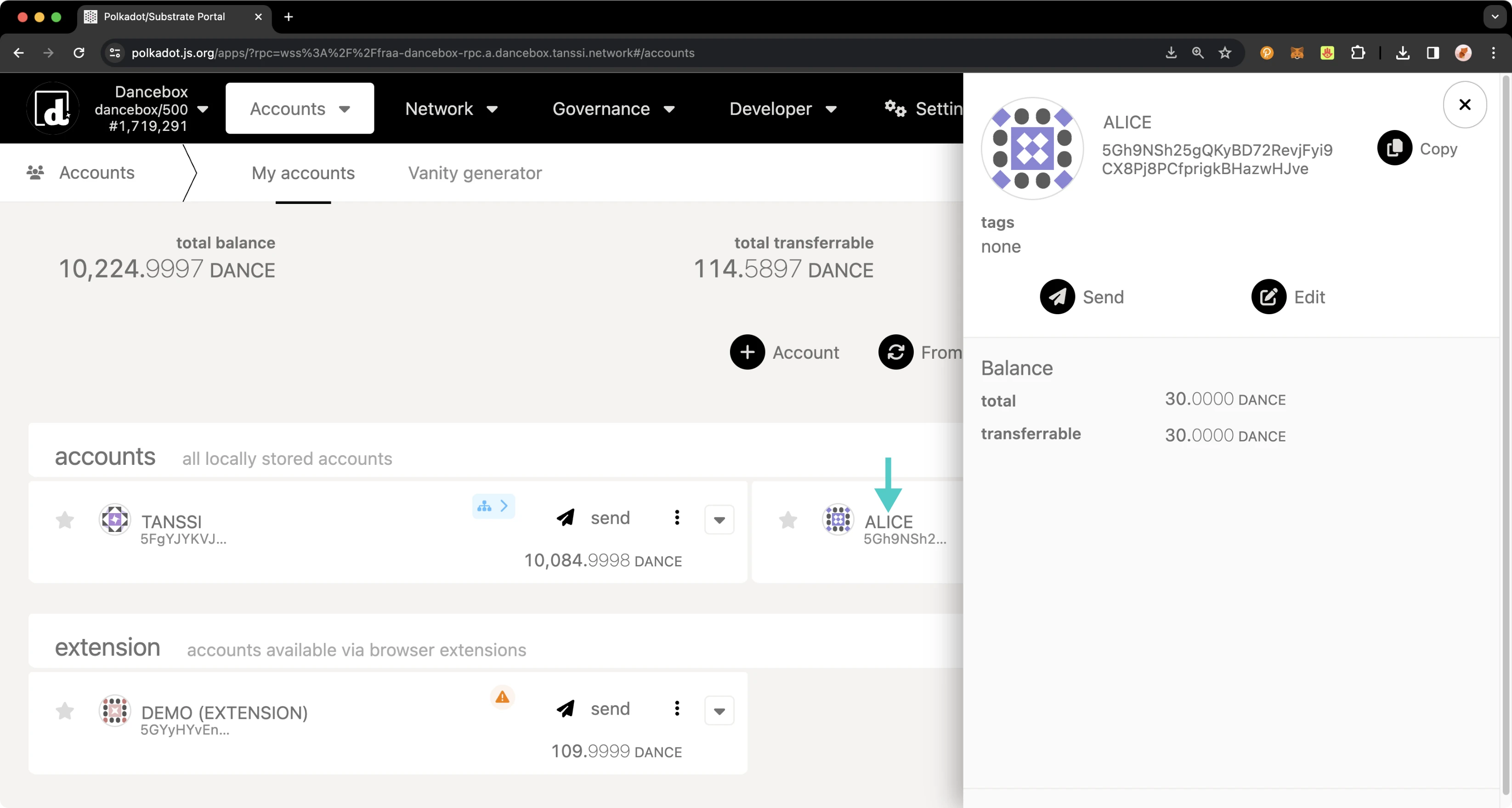
To set your identity, you'll need to:
1. Click on the three vertical dots next to the account you would like to set an identity for
2. A menu will pop up. Click **Set on-chain identity**
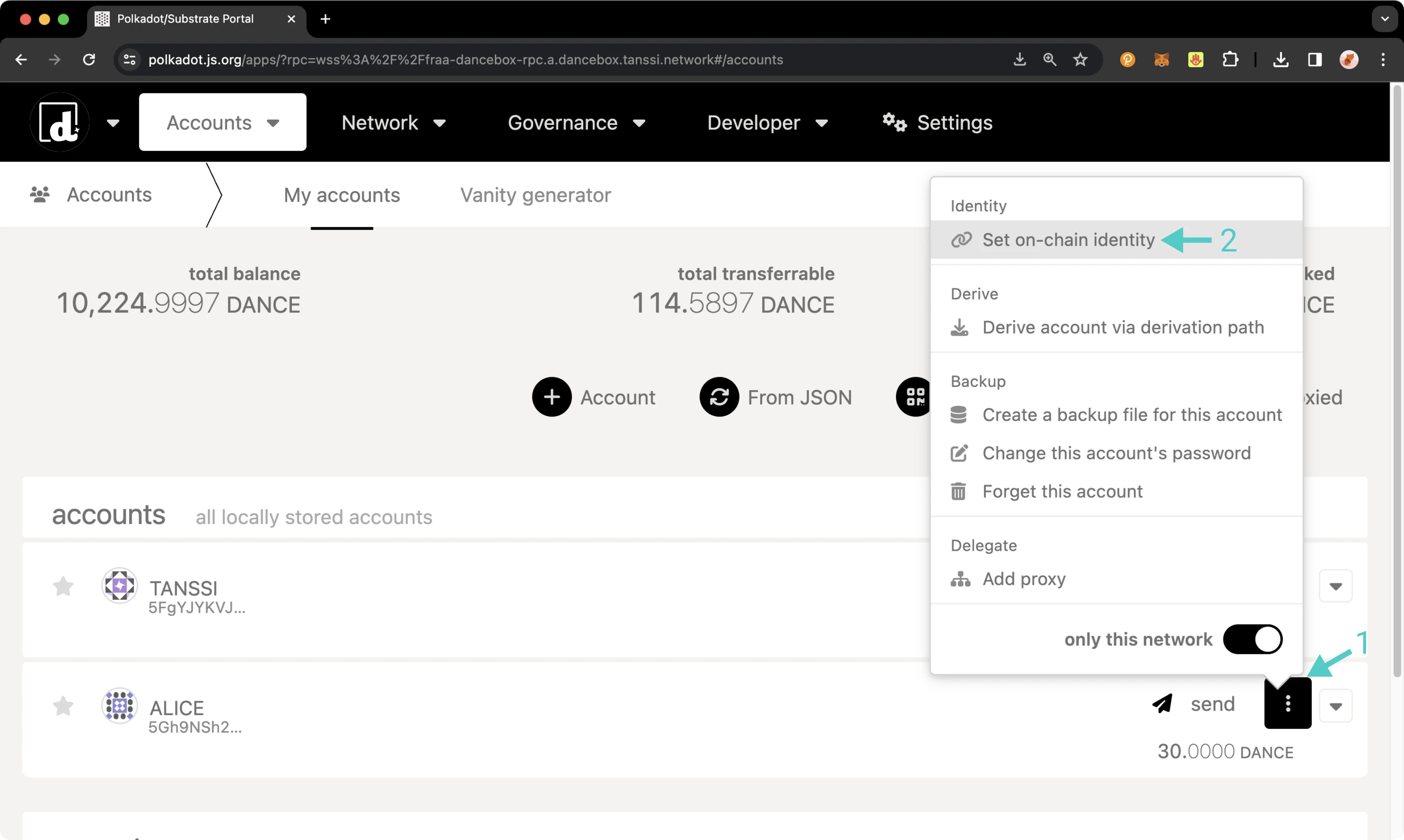
Next, the menu to register and set your identity will pop up, and you can start filling in your information. You are not required to enter information for every single field; you can choose to fill in just one field or all of them; it's up to you. For this example:
1. Set your display name
2. Click on the **include field** toggle for email and then enter in your email
3. Click on the **include field** toggle for web and then enter in your website URL
4. Click on the **include field** toggle for Twitter and then enter in your Twitter handle
5. Review the prior data fields and click **Set Identity**
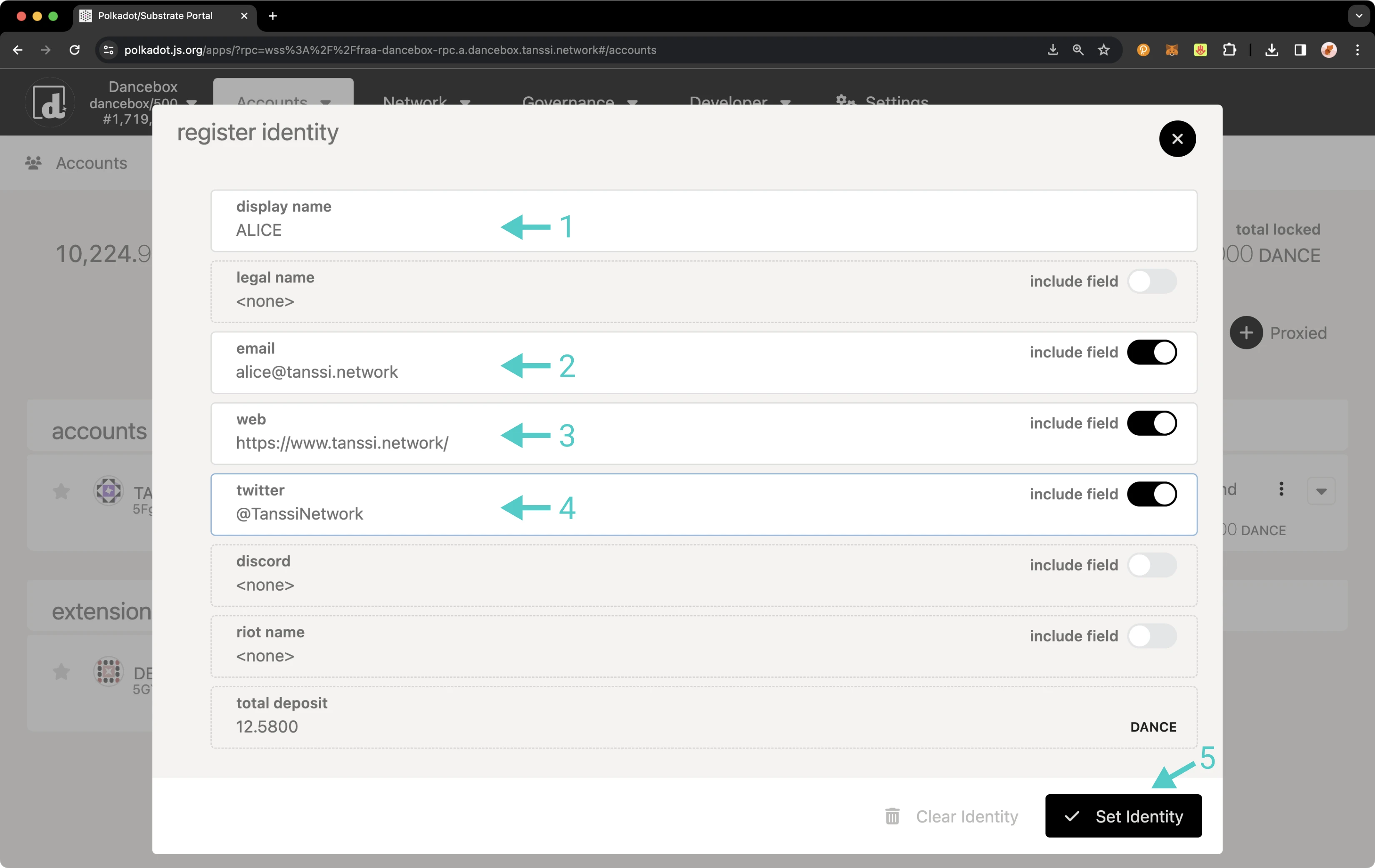
You will then be prompted to sign the transaction. If everything looks good, sign it.
You should see status notifications pop up in the top right-hand corner. Once the transaction has been confirmed, you can click on your account name again, and the panel will slide out on the right side of the page. Your balances will have changed, and you'll also see your new identity information.
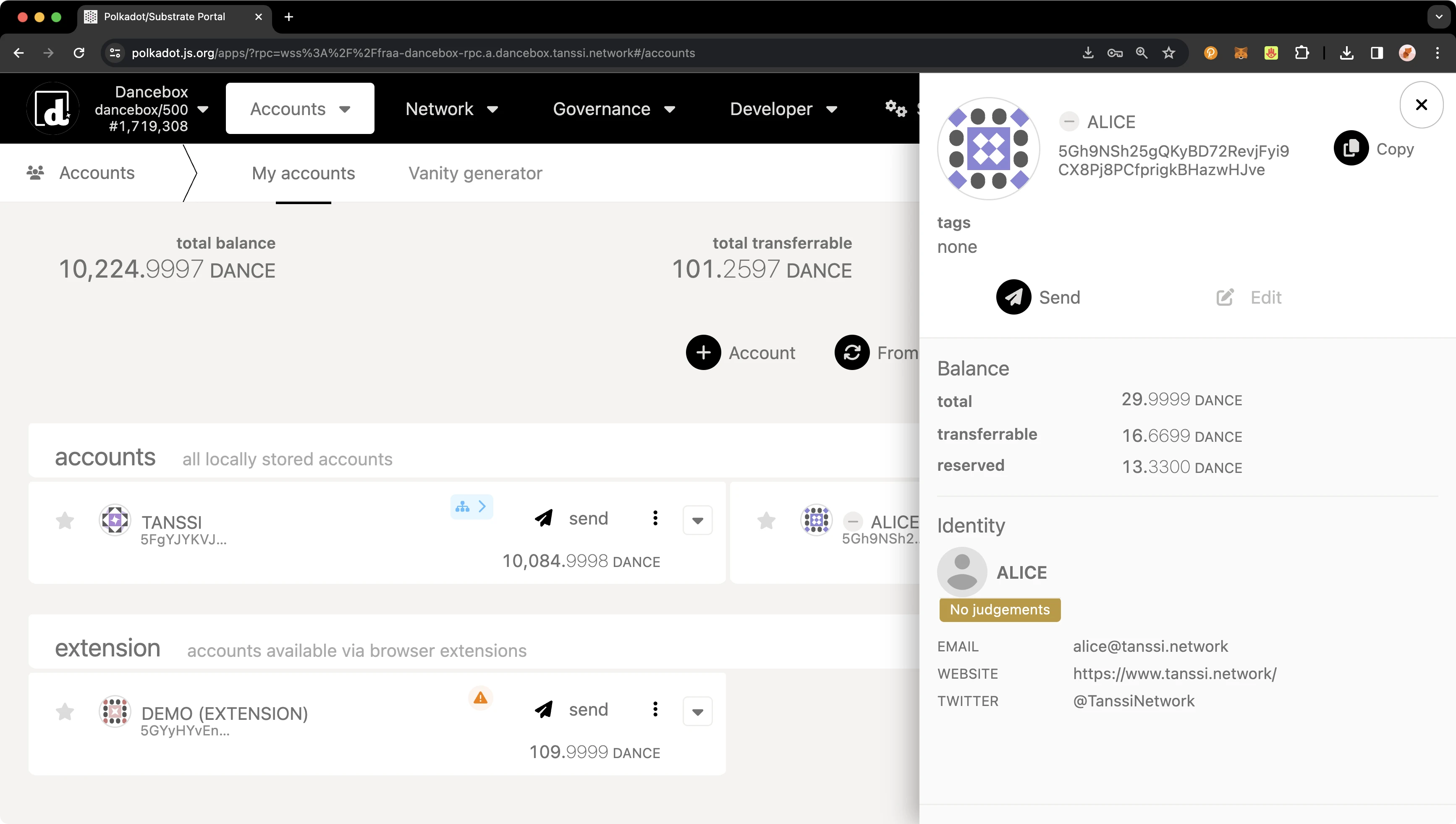
If the identity information matches what you entered, you've successfully set an identity!
Once you clear your identity, the deposit in your reserved balance will get transferred back to your transferable balance. If you need to change your identity, you can go through the process of setting your identity again. Please note that you must ensure all fields are re-entered, even if only one field needs to be changed, or they will be overwritten. You will not need to pay another deposit unless custom fields are used, but you will need to pay gas fees.
## Manage an Identity via Extrinsics {: #manage-via-extrinsics }
### Set an Identity {: #set-identity-extrinsics }
To register an identity using the extrinsics page, navigate to the [**Extrinsics** page](https://polkadot.js.org/apps/?rpc=wss://{{ networks.mainnet.dns_name }}#/extrinsics){target=\_blank} of the developer portal. Please ensure your input does not exceed 32 characters for each identity field. To complete your identity, take the following steps:
1. Select your account
2. Select identity from the **submit the following extrinsic** dropdown
3. Then select the **setIdentity(info)** function
4. Select **Raw** as the data format to enter your **Display Name**
5. Enter the data for **Display** in the selected format
6. Select **Raw** as the data format to enter your web address
7. Enter your website URL in the selected format
8. Select **Raw** as the data format to enter your email
9. Enter your email address in the selected format
10. Select **Raw** as the data format to enter your Twitter handle
11. Enter your Twitter in the selected format. Enter the username only, starting with the `@` symbol
12. Review the prepared fields and press **Submit Transaction**
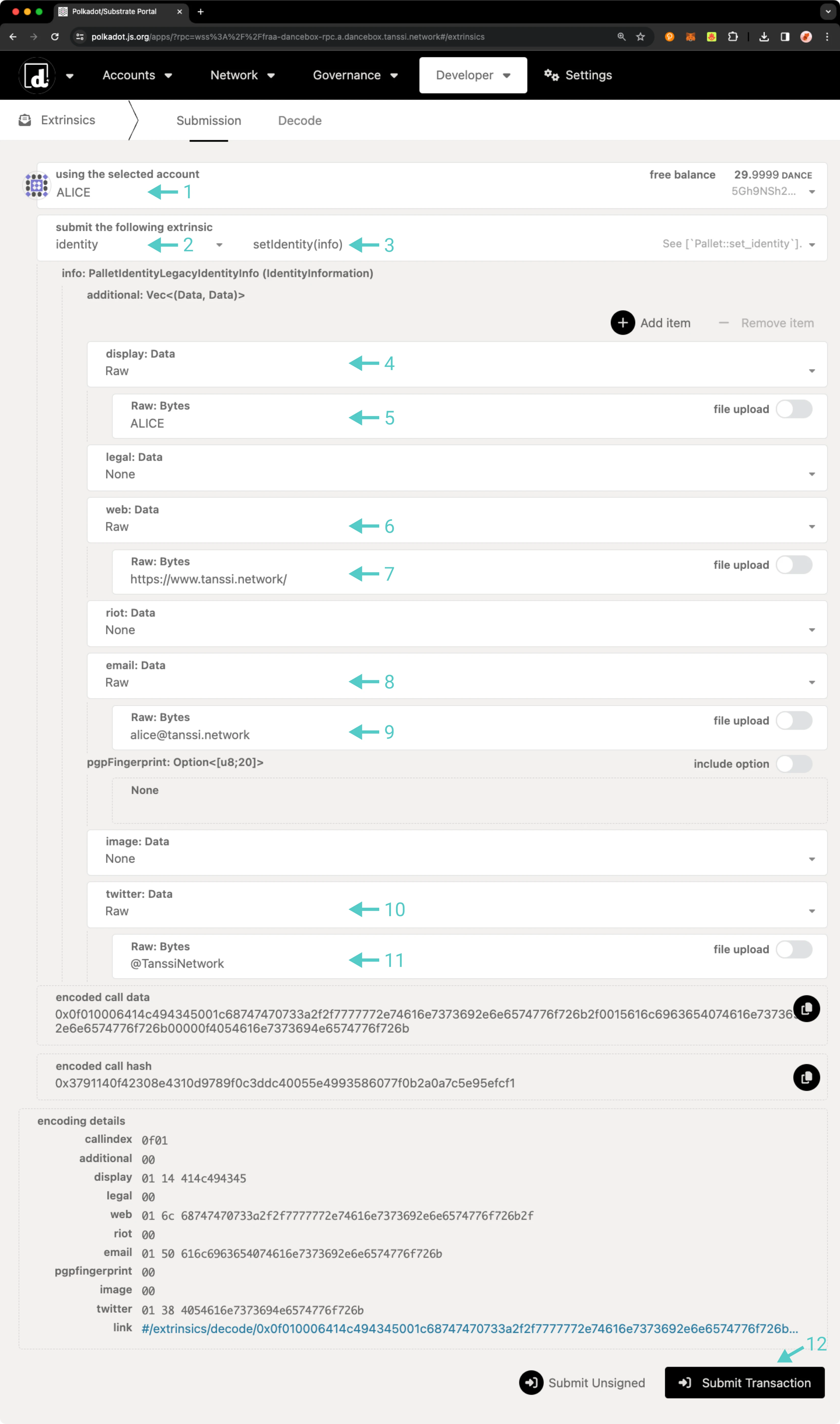
Optionally, if you would like to enter custom fields, take the following steps:
1. Scroll to the top and click on **Add item**
2. Two fields will appear: the first for the field name and the second for the value. Select **Raw** as the data format to enter the field name
3. Enter the field name in the specified format
4. Select **Raw** as the data format to enter the custom value
5. Enter the custom value in the specified format
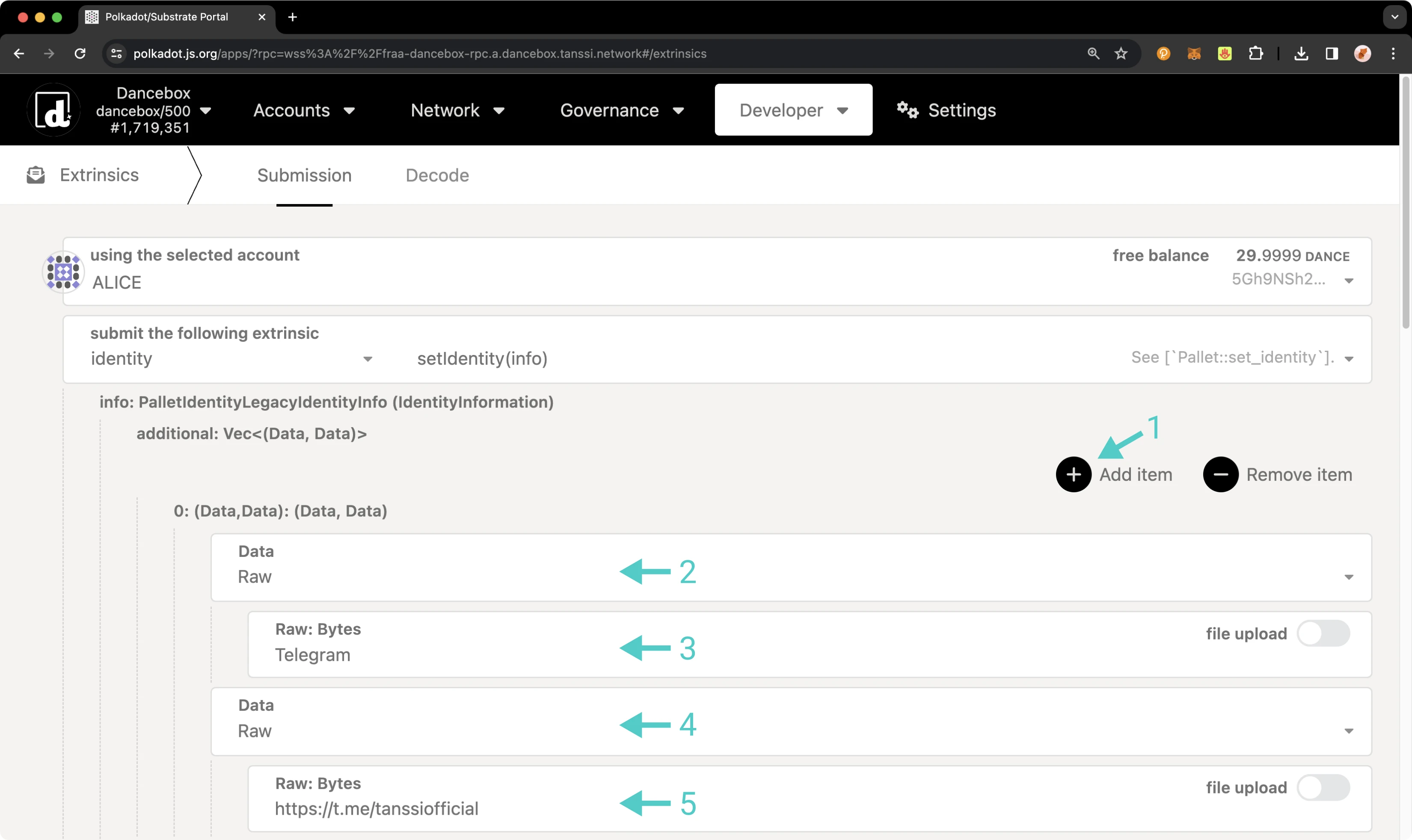
Finally, once all of your identity information has been added, you can scroll to the bottom of the page and click **Submit Transaction**.
You will then be prompted to sign the transaction. Remember, an additional deposit is required for each additional custom field. If everything looks good, sign the transaction.
You should see status notifications pop up in the top right-hand corner confirming the transaction. If successful, you've set an identity! Congratulations! To ensure everything went through and your identity information looks good, you can verify your identity.
### Confirm an Identity {: #confirm-identity-extrinsics }
To verify the addition of your identity information, you can click on the **Developer** tab and then navigate to [**Chain state**](https://polkadot.js.org/apps/?rpc=wss://{{ networks.mainnet.dns_name }}#/chainstate){target=\_blank}.
On the **Chain State** page, make sure **Storage** is selected. Then you can start to request your identity information:
1. Set **selected state query** to **identity**
2. Select the **identityOf(AccountId)** function
3. Select your account
4. Click the **+** button to get your identity information
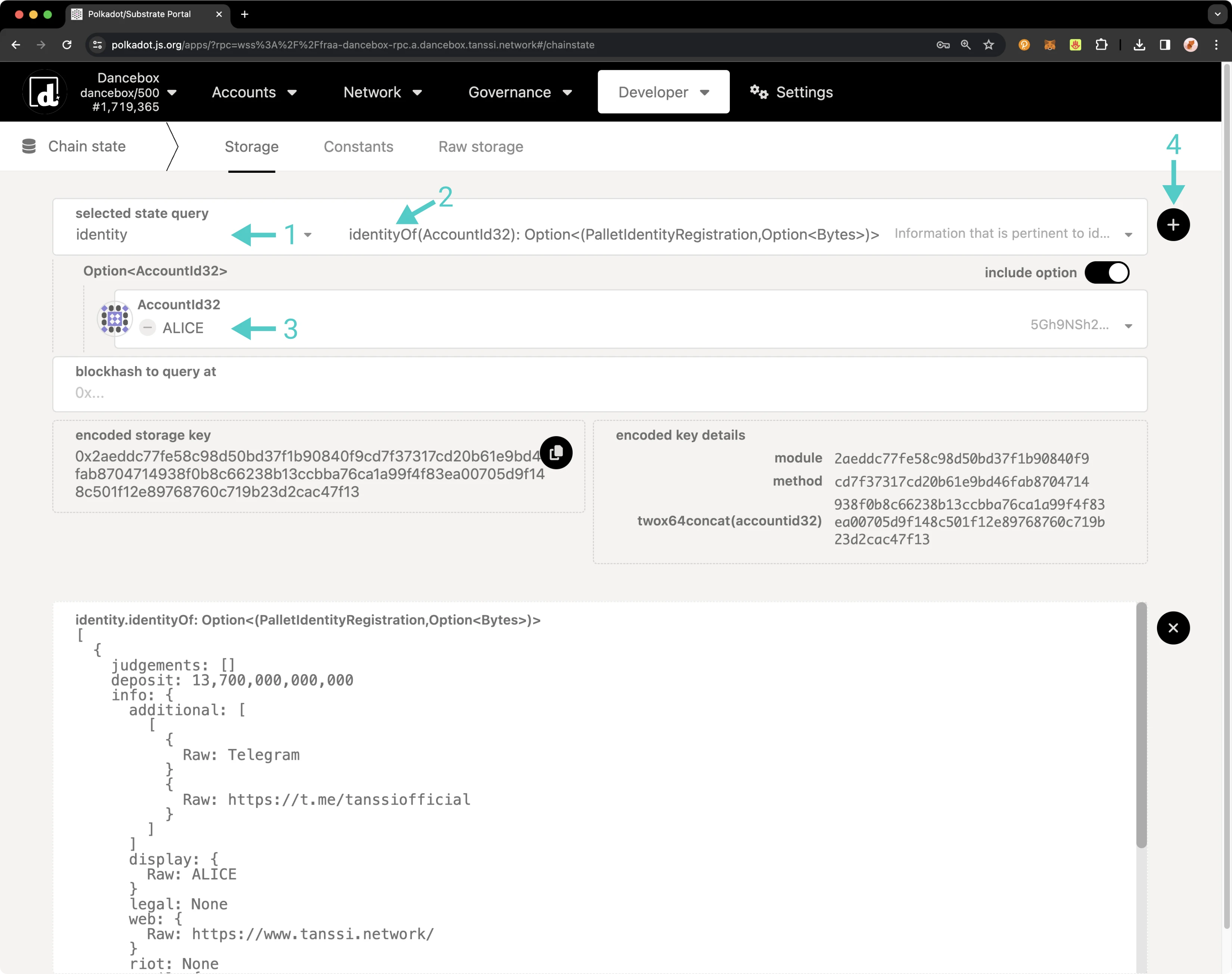
You can see now that you've successfully set an identity! Once you clear your identity, the deposit in your reserved balance will get transferred back to your transferable balance. If you need to change your identity, you can go through the process of setting your identity again. Please note that you must ensure all fields are re-entered, even if only one field needs to be changed, or they will be overwritten. You will not need to pay another deposit unless custom fields are used, but you will need to pay gas fees.
## Clear an Identity {: #confirm-identity-extrinsics }
To clear your identity, take the following steps from **Extrinsics** tab of the developer portal:
1. Select your account from the **using the selected account** dropdown
2. Select **identity** from the **submit the following extrinsic** dropdown
3. Then select the **clearIdentity()** function
4. Click **Submit Transaction**
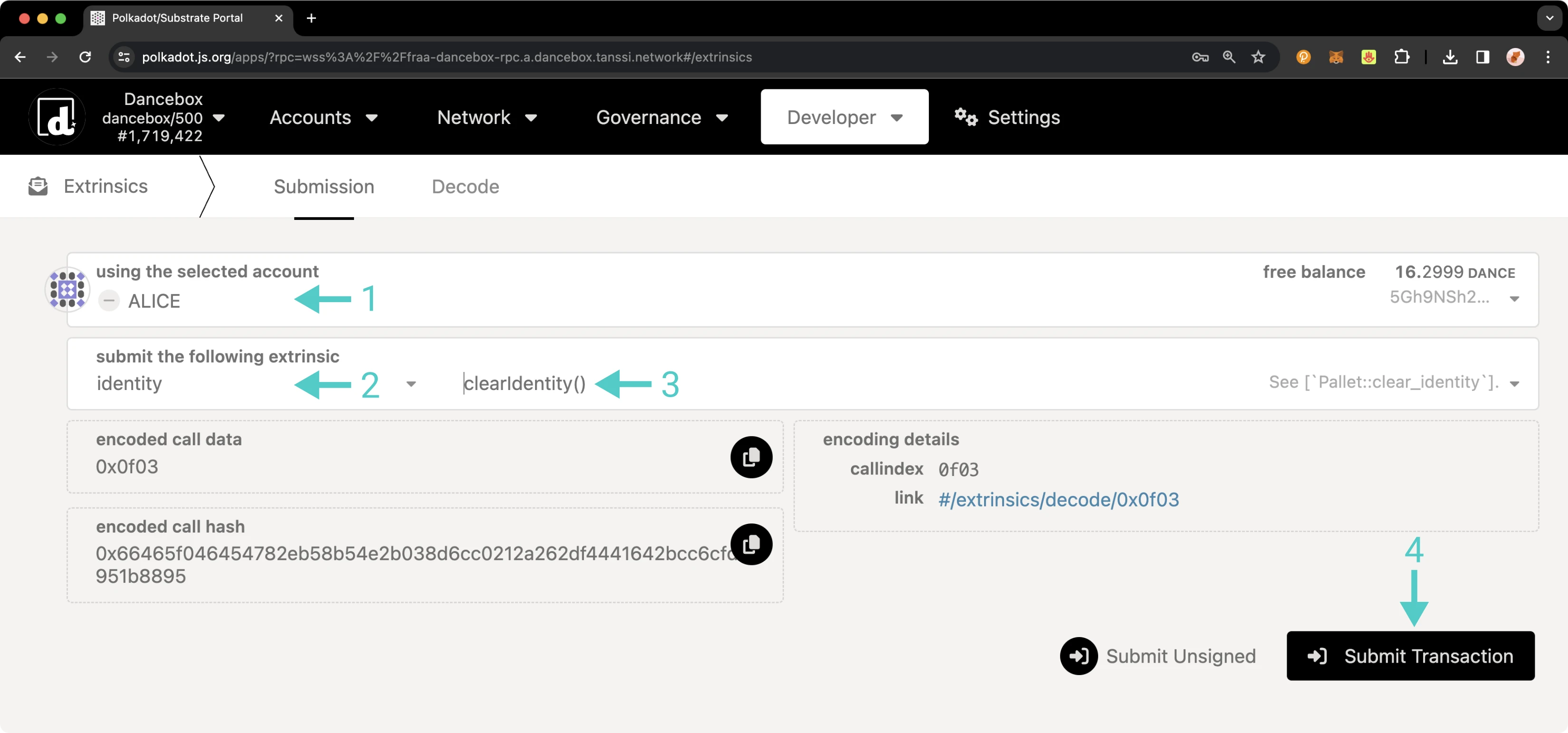
You will then be prompted to sign the transaction. If everything looks good, sign it. You should see status notifications in the top right-hand corner confirming the transaction.
To confirm that your identity information has been successfully removed, revisit the steps outlined in the [Confirm an Identity section](#confirm-identity-extrinsics). This time, instead of displaying your identity details, the response should indicate **none**, confirming that no identity information is currently linked to your account. Additionally, when you check your balances, you will find that the deposit initially made for setting your identity has been credited back to your transferable balance. This completes the process of clearing your identity.
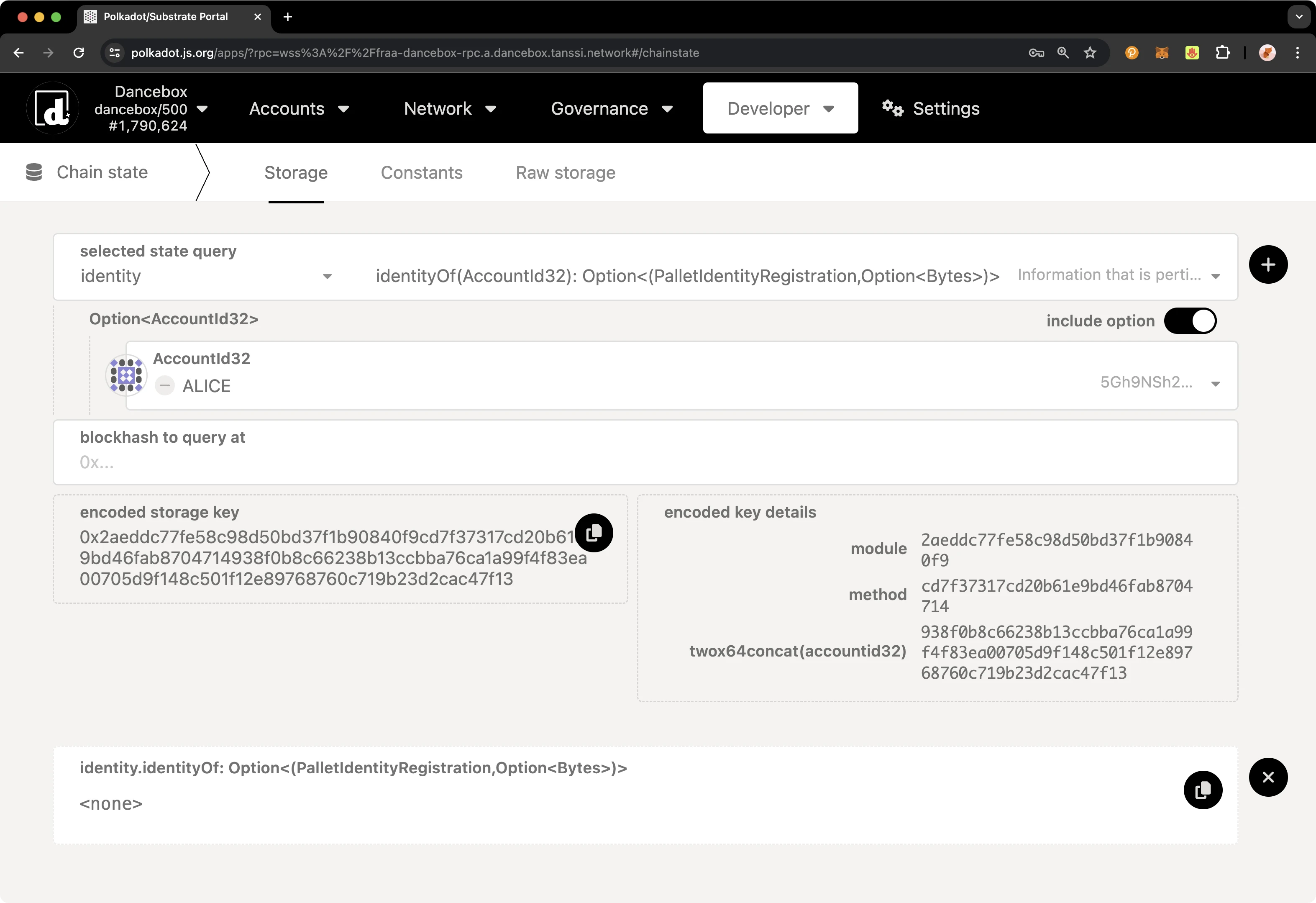
--- END CONTENT ---
Doc-Content: https://docs.tanssi.network/builders/account-management/proxy-accounts/
--- BEGIN CONTENT ---
---
title: Set Up and Manage Proxy Accounts
description: Follow these step-by-step instructions to learn how proxies work and how to create, view, update, and remove proxy accounts from primary (proxied) accounts.
icon: octicons-shield-lock-24
categories: Basics, Appchain
---
# Proxy Accounts
## Introduction {: #introduction }
Proxy accounts can be set up to perform a limited number of actions on behalf of primary accounts and are helpful for keeping the underlying accounts safe. Your proxy account can act as a "hot wallet" to interact with the network on behalf of your "cold wallet" account. For added safety, you can regularly rotate the proxy account.
Proxy accounts can also help you implement the principle of least privilege for access control. For example, if you have multiple team members, you can give them the minimum level of access required to carry out their duties via a specific type of proxy account.
This tutorial will walk you through configuring a proxy account on Dancelight, the Tanssi TestNet, specifically for balance transfers. Then, it will demonstrate performing a balance transfer using the newly created proxy.
## Checking Prerequisites {: #checking-prerequisites }
To follow along with this tutorial, you will need to have:
- [Polkadot.js Apps](https://polkadot.js.org/apps/?rpc=wss://{{ networks.dancelight.dns_name }}#/accounts){target=\_blank} open and connected to [Dancelight](/builders/tanssi-network/testnet/dancelight/){target=\_blank}.
- Create or have two accounts accessible on the developer portal.
- At least one of the accounts will need to be funded with `{{ networks.dancelight.token_symbol }}` tokens.
If you need help importing your accounts into Polkadot.js Apps, please check out the [Connecting to Polkadot.js](/builders/toolkit/substrate-api/wallets/talisman/#connecting-to-polkadotjs){target=\_blank} guide.
## General Definitions {: #general-definitions }
When setting up a proxy account, a bond for the proxy is taken out of your free balance and moved to your reserved balance. The bond is required as adding a proxy requires on-chain storage space, and it is recalculated for each proxy you add or remove. The bond is returned to your free balance after all proxies are removed from your account.
The deposit is calculated based on a deposit base and a deposit factor:
- **Deposit base** - the amount to be reserved for an account to have a proxy list.
- **Deposit factor** - the additional amount to be reserved for every proxy the primary account has.
The equation for calculating the deposit is:
```text
deposit base + deposit factor * number of proxies
```
You can find each of the relevant variables below.
=== "Tanssi MainNet"
| Variable | Value |
|:--------------:|:--------------------------------------------------------------------------------:|
| Deposit base | {{ networks.mainnet.proxy.deposit_base }} {{ networks.mainnet.token_symbol }} |
| Deposit factor | {{ networks.mainnet.proxy.deposit_factor }} {{ networks.mainnet.token_symbol }} |
| Max proxies | {{ networks.mainnet.proxy.max_proxies }} proxies |
=== "Dancelight TestNet"
| Variable | Value |
|:--------------:|:--------------------------------------------------------------------------------------:|
| Deposit base | {{ networks.dancelight.proxy.deposit_base }} {{ networks.dancelight.token_symbol }} |
| Deposit factor | {{ networks.dancelight.proxy.deposit_factor }} {{ networks.dancelight.token_symbol }} |
| Max proxies | {{ networks.dancelight.proxy.max_proxies }} proxies |
## Proxy Types {: #proxy-types }
When creating a proxy account, you must choose a type of proxy that will define how the proxy can be used. The available options are:
- **`Any`** - allows the proxy account to use any function supported by the proxy pallet. There is no filtering of calls.
- **`NonTransfer`** - this type of proxy account is allowed to submit any type of transaction with the exception of balance transfers.
- **`Balances`** - allows the proxy account to only make transactions related to sending funds.
- **`Governance`** - allows the proxy account to only make transactions related to the governance pallet, such as voting or creating democracy proposals. Note, governance is not yet enabled on Tanssi. You can create governance proxy accounts but they will not be able to take any actions until governance is enabled.
- **`Registrar`** - allows the proxy account to only make transactions related to the registrar pallet.
- **`SudoRegistrar`** - allows the proxy account to only make transactions related to the registrar pallet that need to be called by Sudo.
- **`CancelProxy`** - allows the proxy account to reject and remove any announced proxy calls.
- **`Staking`** - allows the proxy account to perform staking-related transactions, such as sequencer and `session()` functions.
- **`SessionKeyManagement`** - allows the proxy account to make key management related transactions included in the session pallet.
For this guide, you will be setting up a proxy account using the balances proxy type. Since this type enables the proxy to spend funds on behalf of the primary account, you should exercise caution and only provide access to accounts you trust. The proxy will have access to transfer all of the funds within the primary account, and if not trusted, the proxy could drain the primary account. Ensure that you maintain oversight of your proxy accounts and remove any proxies that are no longer needed.
## Creating a Proxy Account {: #creating-a-proxy-account }
There are a couple of ways you can create proxy accounts in [Polkadot.js Apps](https://polkadot.js.org/apps/?rpc=wss://{{ networks.dancelight.dns_name }}#/accounts){target=\_blank}, either from the **Extrinsics** page or the **Accounts** page. However, to create a time-delayed proxy, you will need to use the **Extrinsics** page. A time delay provides an additional layer of security to proxies by specifying a delay period based on the number of blocks. This will prevent the proxy account from executing a transaction until the delay period ends. The delay allows time for the primary account that controls the proxy to review pending transactions, potentially for malicious actions, and cancel if necessary before execution.
The following demo will showcase configuring a Balances proxy, which allows for transferring funds, making it perfect for demonstration purposes. After configuring your Balances proxy you can try transferring funds from the primary account via proxy.
To get started creating your proxy account, head to the **Developer** tab and select [**Extrinsics**](https://polkadot.js.org/apps/?rpc=wss://{{ networks.dancelight.dns_name }}#/extrinsics){target=\_blank} from the dropdown. Next, you will need to take the following steps:
1. Select the primary account.
2. From the **submit the following extrinsic** dropdown, select **proxy**.
3. Choose the **addProxy** extrinsic.
4. Choose **Id** from the **AccountIdLookupOf** dropdown.
5. Select the **delegate** account for the proxy.
6. From the **proxyType** dropdown, choose **Balances**.
7. Optionally, you can add a time delay using a specified number of blocks to add an additional layer of security for the primary account to review the pending transaction.
8. Click **Submit Transaction**.
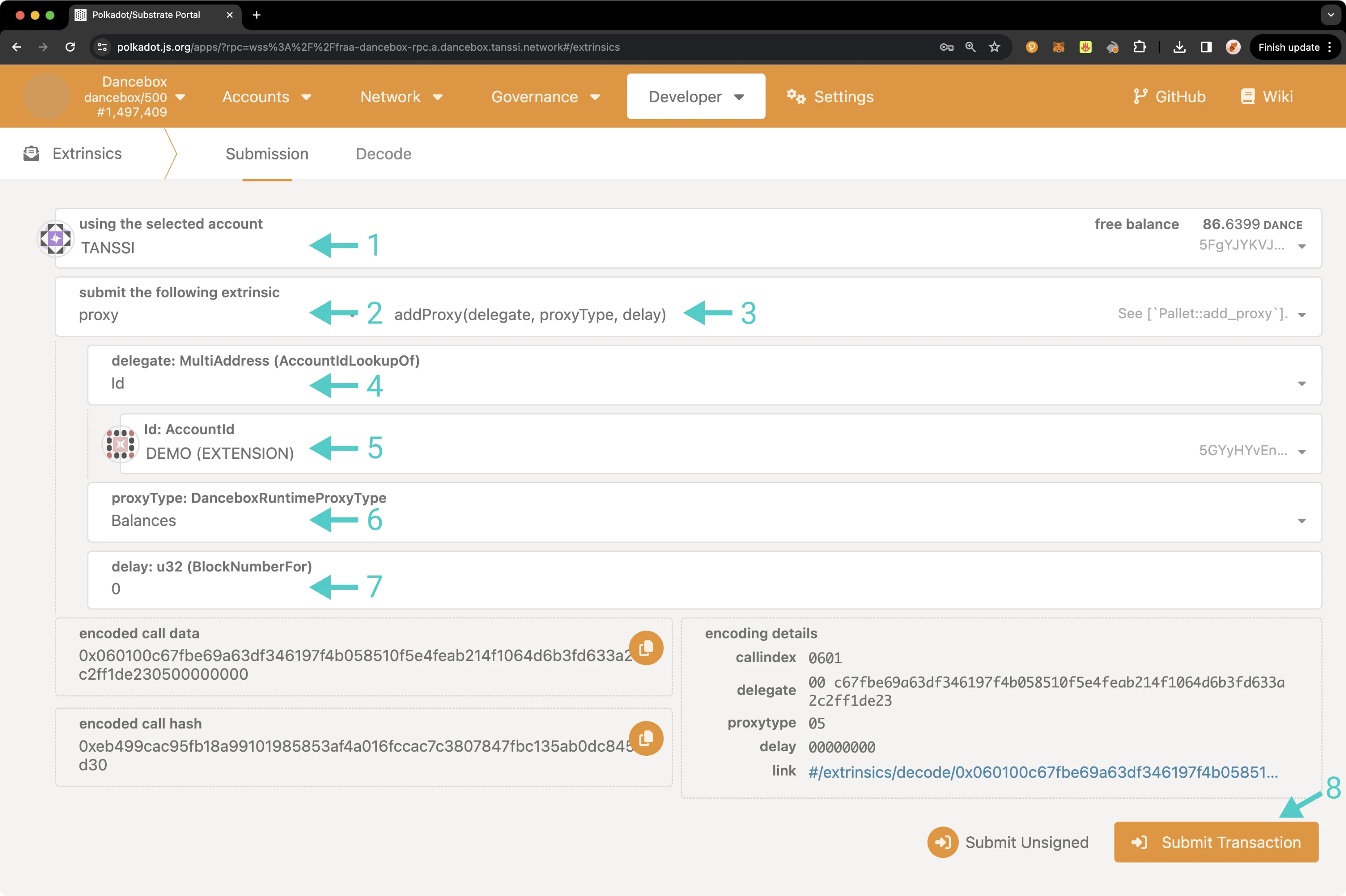
You will then be prompted to authorize and sign the transaction. Click **Sign and Submit** to create the proxy relationship. Once the transaction has been successfully submitted, you will receive some notifications confirming the transaction.
As previously mentioned, you can also create a proxy from the **Accounts** page. To do so, navigate to the **Accounts** page and take the following steps:
1. Select the three vertical dots next to the primary account.
2. Select **Add proxy**.
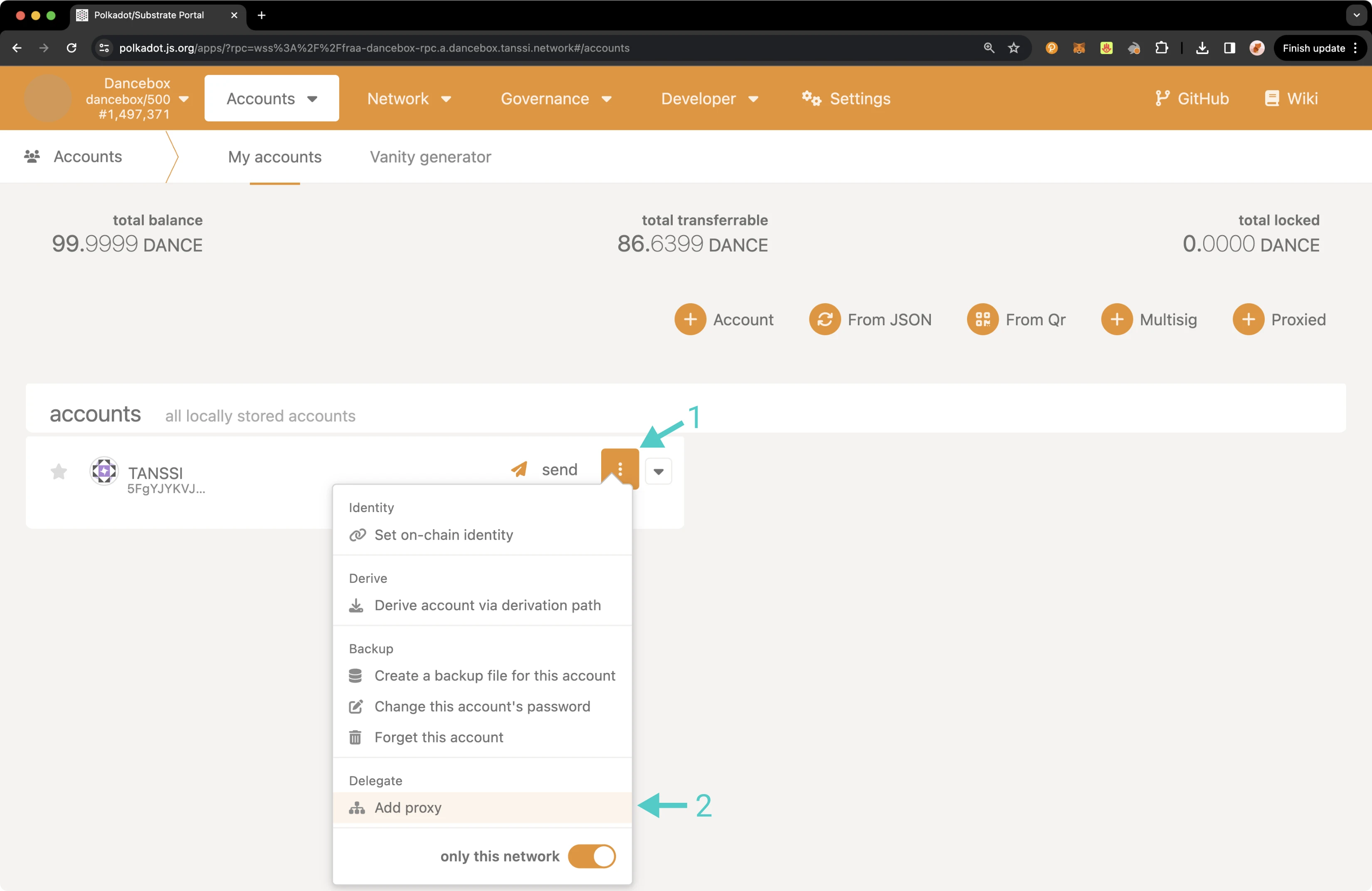
!!! note
If the account already has a proxy, **Manage proxies** will be displayed as an option instead of **Add proxy**.
A pop-up will appear and you can enter in the required information, such as the proxied/primary account, the proxy account, and type of proxy to create a proxy account. First click **Add Proxy**.
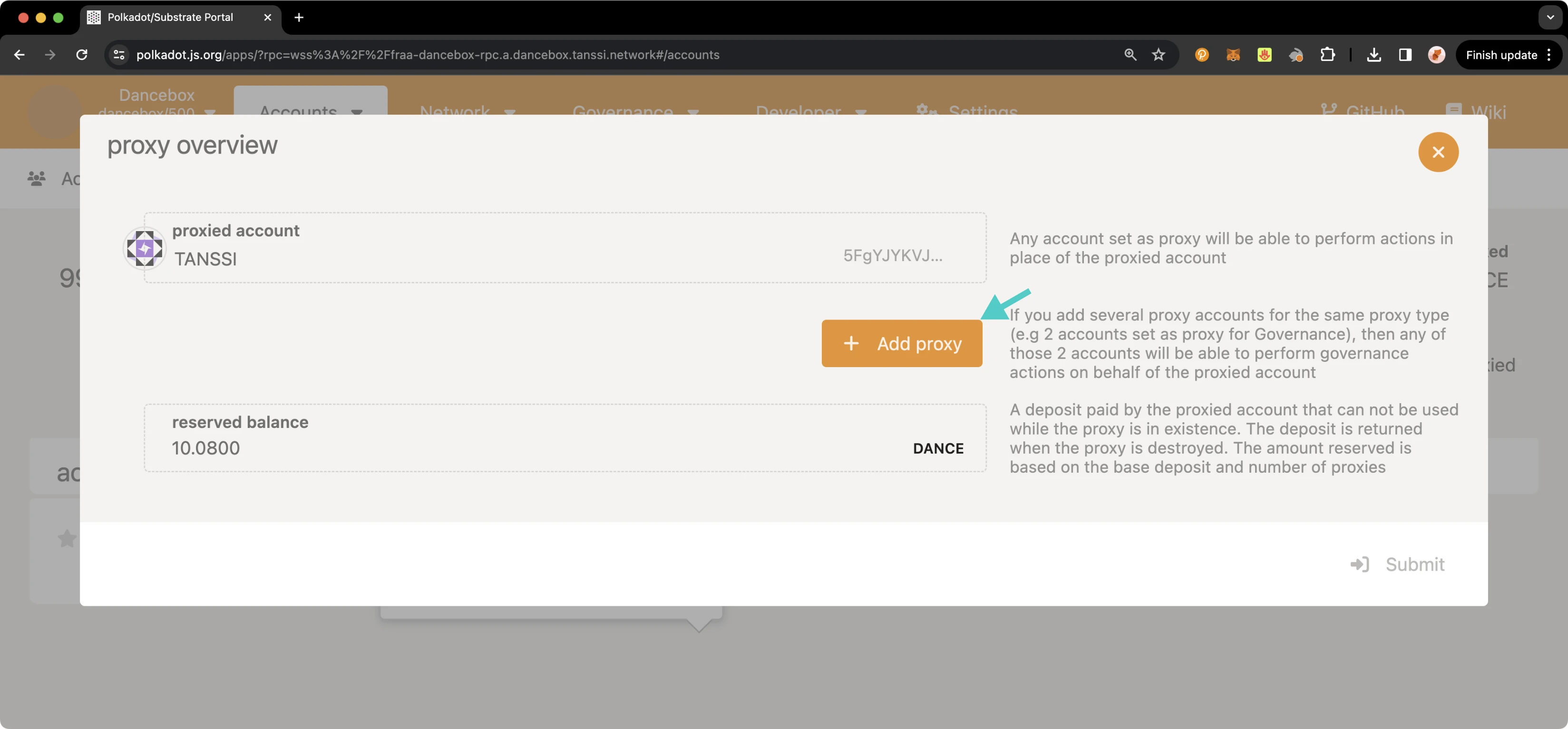
Then, take the following steps:
1. Select the account you would like to set as a proxy.
2. Select the proxy type.
3. Click **Submit** and sign the transaction.
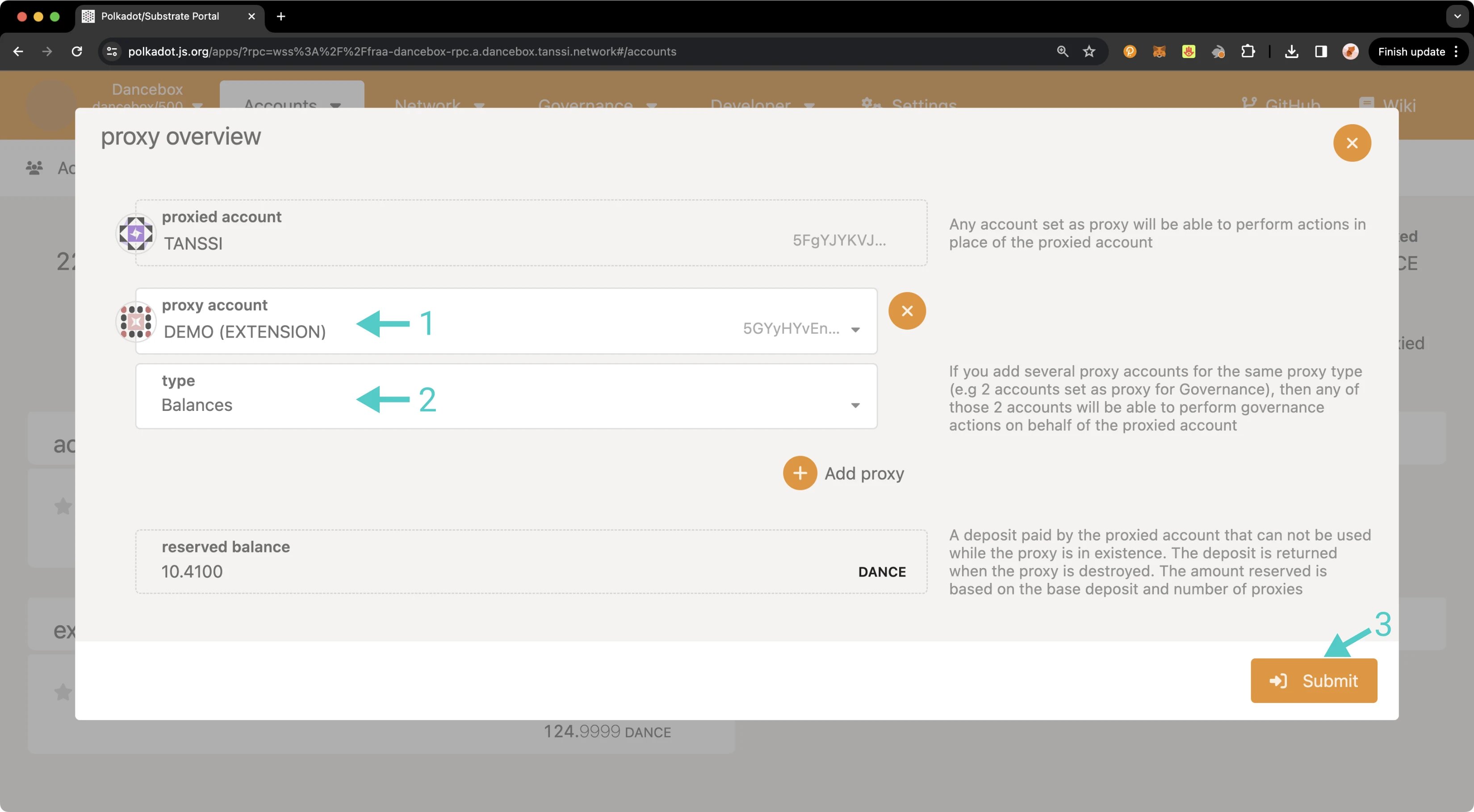
In the next section, you will learn how to verify that your proxy account was set up successfully.
## Verifying Your Proxy Account {: #verifying-your-proxy-account }
You can verify that your proxy account has been successfully set up in a couple of ways: either through the **Accounts** page or via the **Chain state** page.
To check your proxy accounts from the [**Chain state** page](https://polkadot.js.org/apps/?rpc=wss://{{ networks.dancelight.dns_name }}#/chainstate){target=\_blank}, you can take the following steps:
1. From the **selected state query** dropdown, select **proxy**.
2. Choose the **proxies** extrinsic.
3. Select your primary/proxied account.
4. Click on the **+** button to send the query.
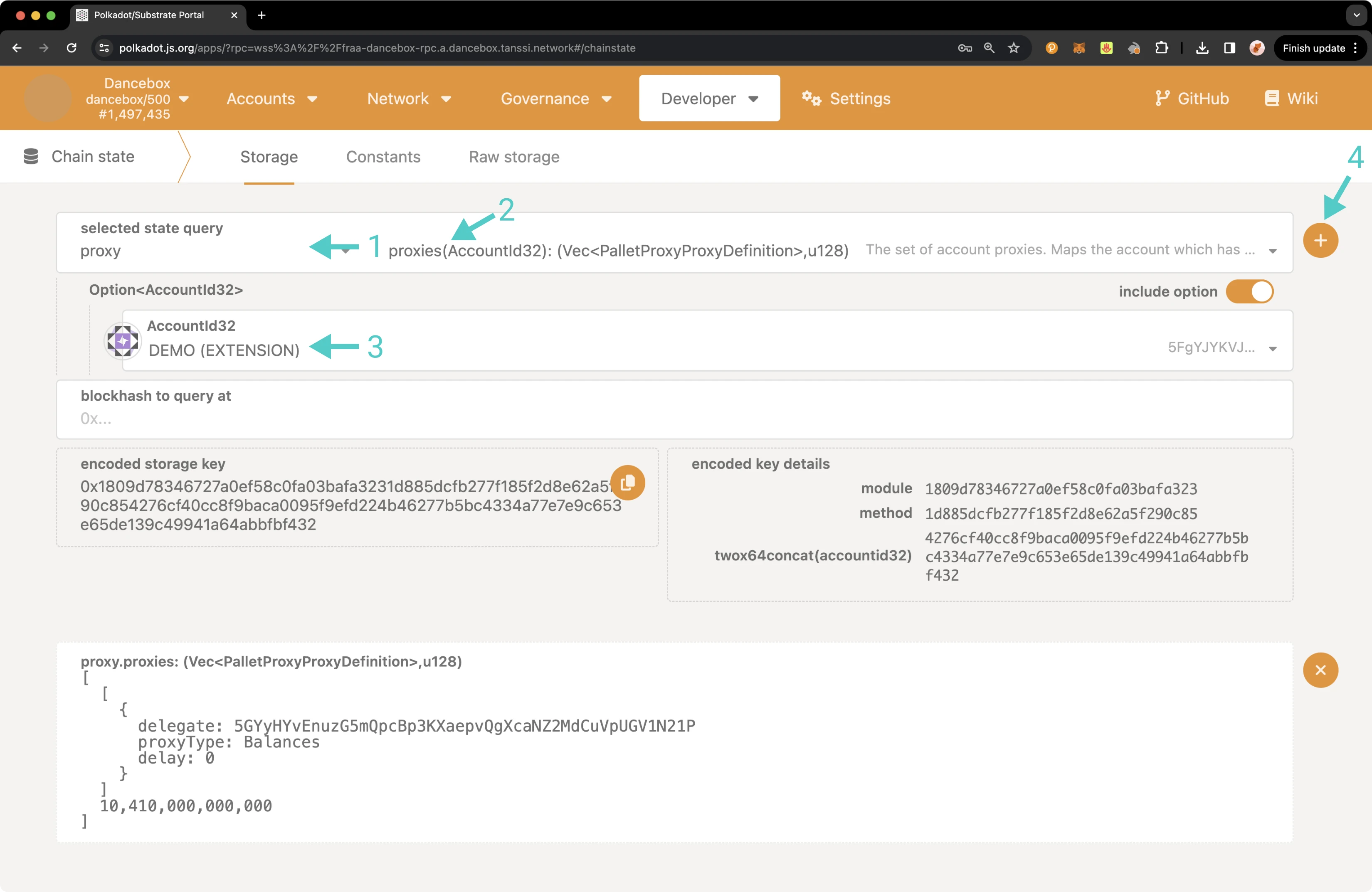
The result will appear on the page showing you information about all of your proxies, including the delegate/proxy account address, the proxy type, the delay period if one was specified, and the total bond amount for all of your proxies in Planck.
You can also check your proxy accounts from the **Accounts** page. To do so, navigate to the **Accounts** page, and there should be a Proxy symbol next to the primary account. Hover over the icon and click on **Manage proxies** to review your proxies.
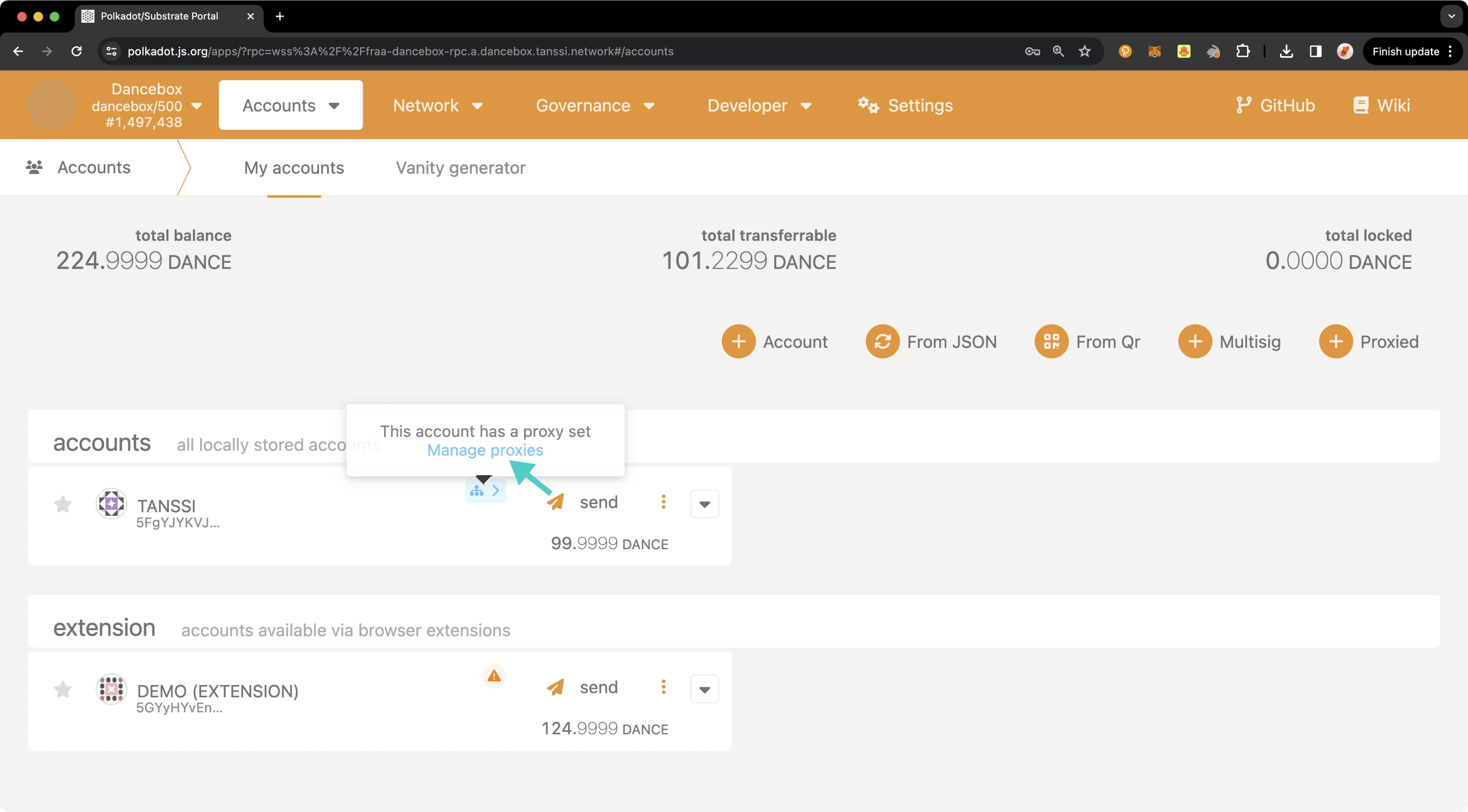
A pop-up will appear where you can see an overview of all of your proxy accounts.
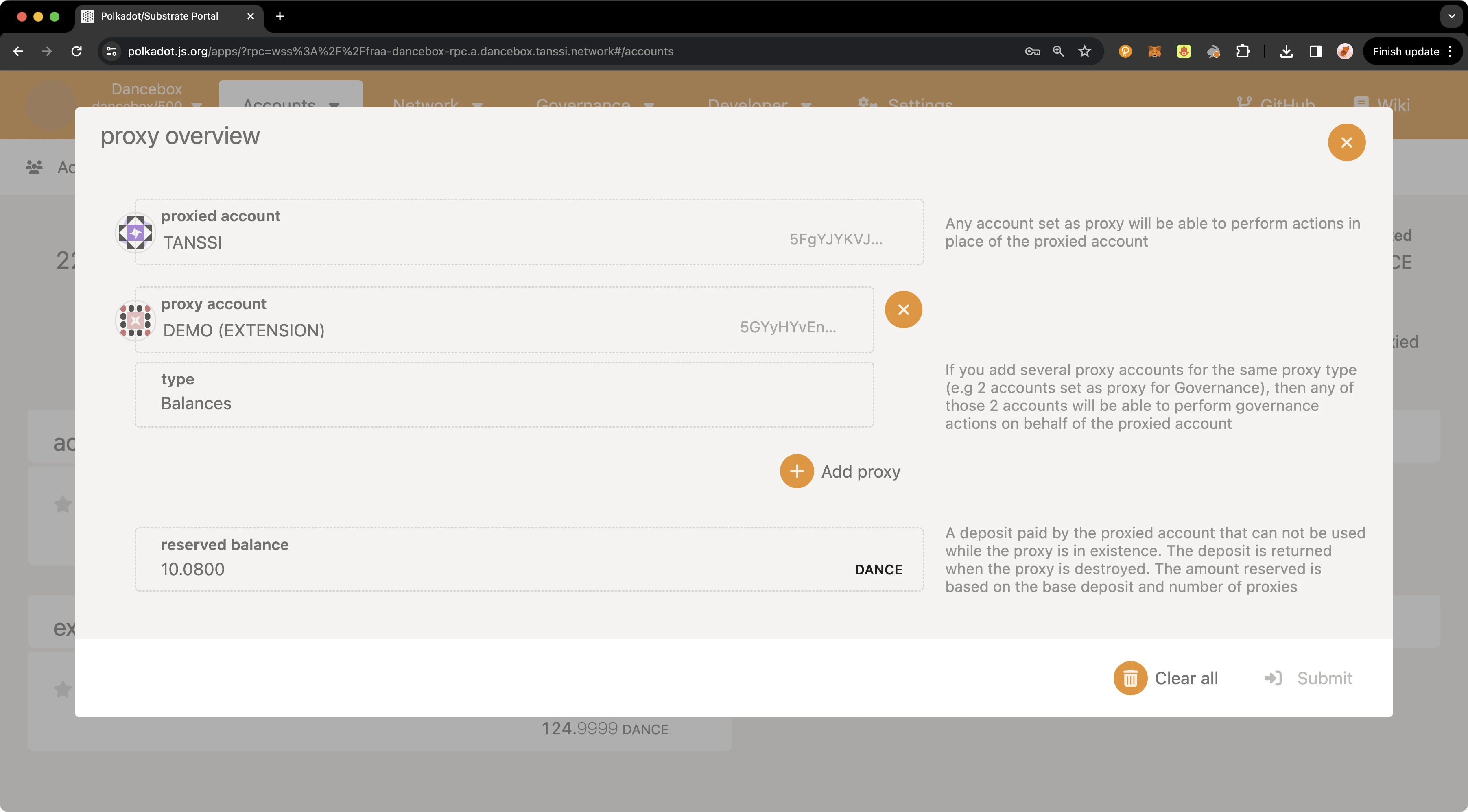
## Executing a Proxy Transaction {: #executing-a-proxy-transaction }
Now that you have created a proxy account and verified that it was successfully set up, you can execute a transaction using the proxy account on behalf of the primary account.
To execute a transaction, you can navigate back to the [**Extrinsics** page](https://polkadot.js.org/apps/?rpc=wss://{{ networks.dancelight.dns_name }}#/extrinsics){target=\_blank} and take the following steps:
1. Select the proxy account to submit the transaction from the **using the select account** dropdown.
2. From the **submit the following extrinsic** menu, select **proxy**.
3. Choose the **proxy** extrinsic.
4. Choose **Id** from the **AccountIdLookupOf** dropdown.
5. Select the primary account from the **real** dropdown.
6. Select the **balances** call.
7. Choose the **transferKeepAlive** extrinsic.
8. Choose **Id** from the **AccountIdLookupOf** dropdown.
9. In the **dest** field, enter the address you would like to send funds to.
10. In the **value** field, enter the amount of {{ networks.dancelight.token_symbol }} tokens to send. For this example, you can send `2` {{ networks.dancelight.token_symbol }} tokens.
11. Click **Submit Transaction**.
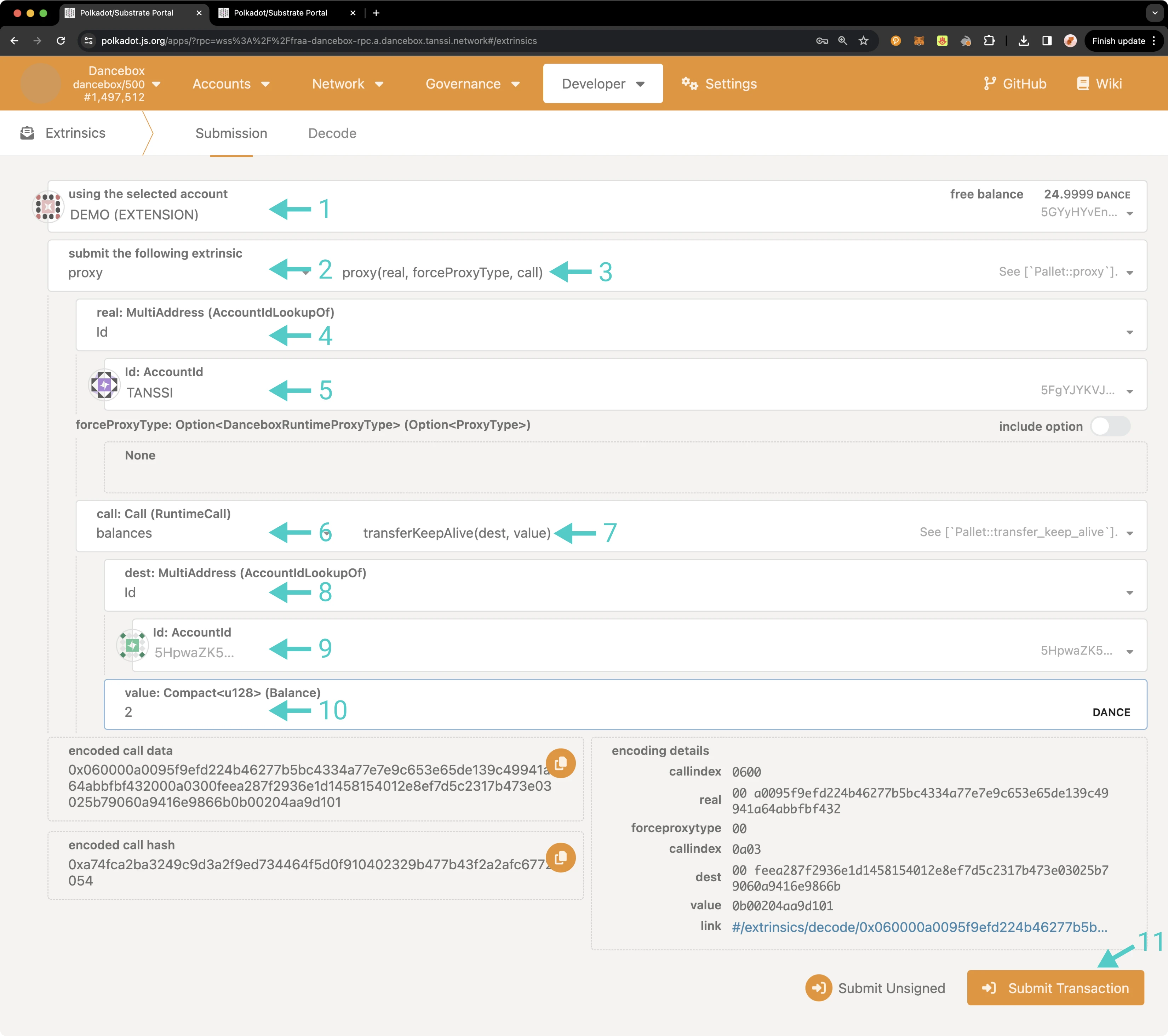
A pop-up will appear for you to authorize and sign the transaction. Enter your password for the proxy account and click **Sign and Submit**.
If the transaction successfully went through, you should see a couple of notification pop-ups. If you head over to the **Accounts** page, you'll see that your primary account balance has decreased. If you check the account balance where you sent the funds, you'll notice the balance there has increased.
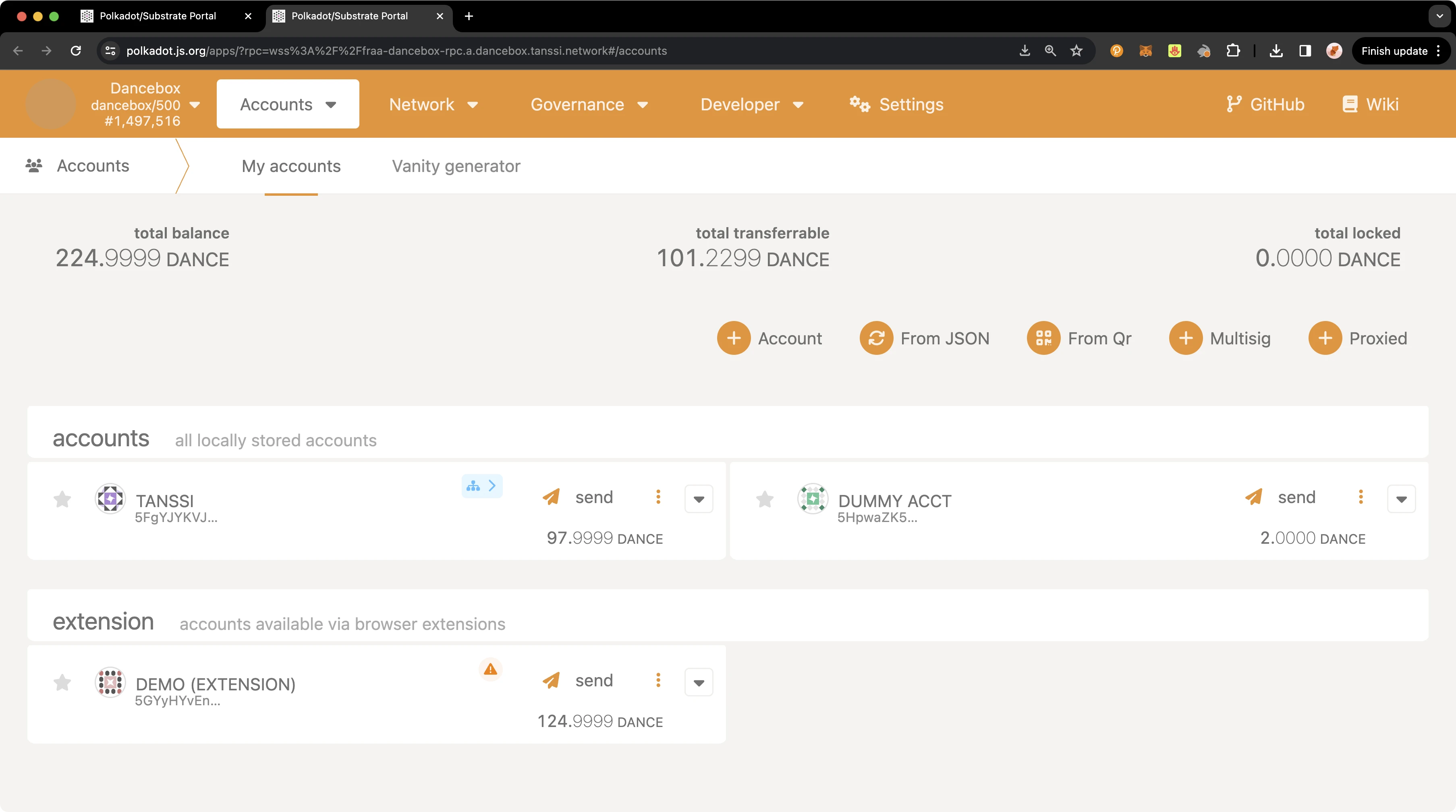
That's it! You've successfully executed a transaction using a proxy account on behalf of your primary account.
## Removing a Proxy Account {: #removing-a-proxy-account }
Similarly to adding a proxy account, there are a couple of ways that you can remove a proxy account, either from the **Extrinsics** page or the **Accounts** page. Regardless of which page you use, you can elect to remove a single proxy account or all proxies associated with your primary account.
To remove a proxy from the [**Extrinsics** page](https://polkadot.js.org/apps/?rpc=wss://{{ networks.dancelight.dns_name }}#/extrinsics){target=\_blank}, you can take the following steps:
1. From the **using the selected account** dropdown, select your primary account.
2. Then select **proxy**.
3. Choose **removeProxy** to remove a single proxy or **removeProxies** to remove all associated proxies.
4. Choose **Id** from the **AccountIdLookupOf** dropdown.
5. If removing a single proxy, enter the proxy account to remove in the **delegate** field.
6. Select the **proxyType** to remove, in this case choose **Balances**.
7. Optionally, select a delay period in block numbers.
8. Click **Submit Transaction**.
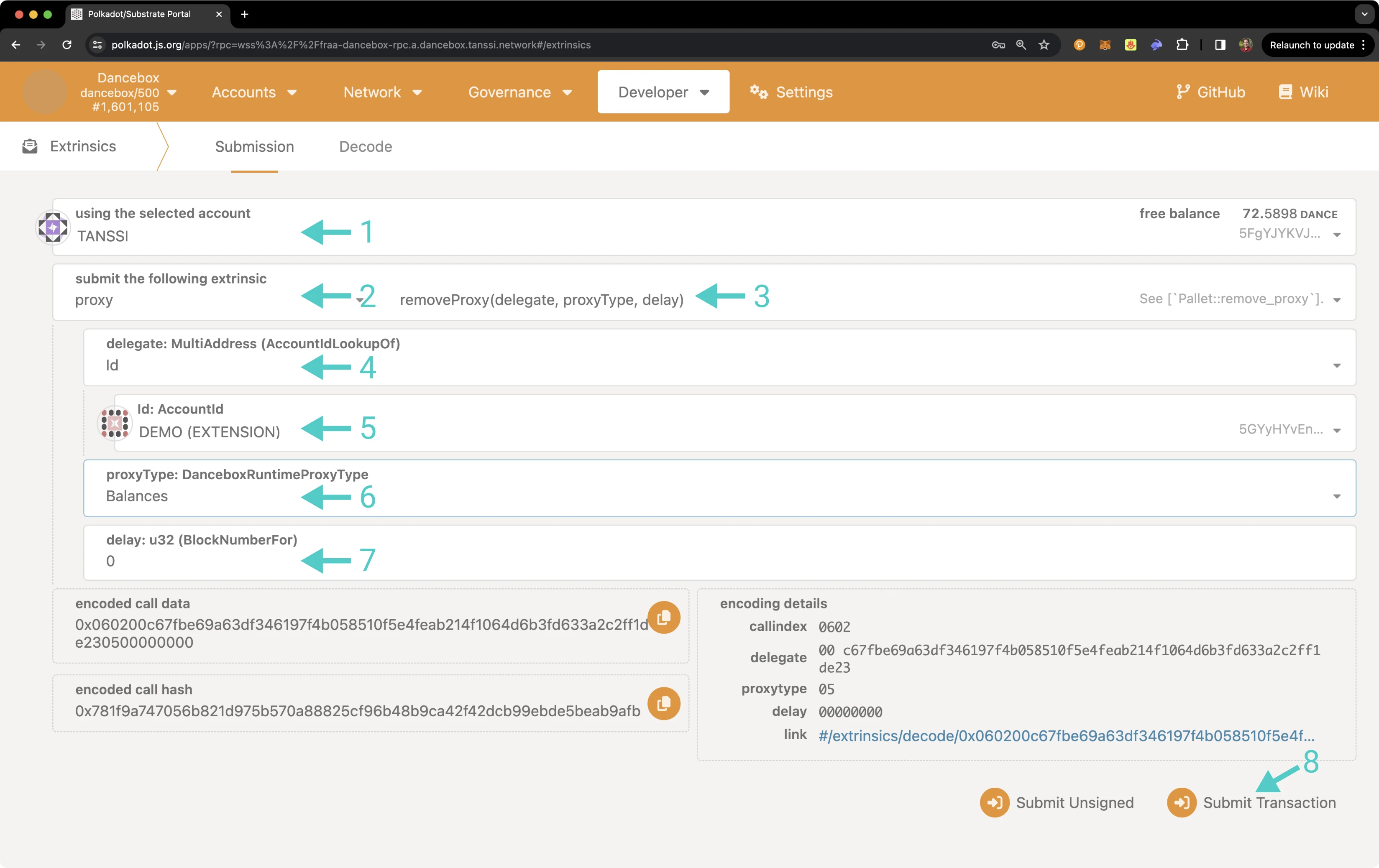
A pop-up will appear asking you to authorize and sign the transaction. You can sign and send the transaction from the primary or proxy account, but the call to remove the proxy must be sent from the primary account. Enter your password and click **Sign and Submit**.
To check that the proxy or proxy accounts have been removed, follow the steps in the [Verifying your Proxy Account](#verifying-your-proxy-account) section.
As previously mentioned, you can also remove a proxy from the **Accounts** page. To do so, on the **Accounts** page, select the three vertical dots next to the primary account and select **Manage Proxies**.
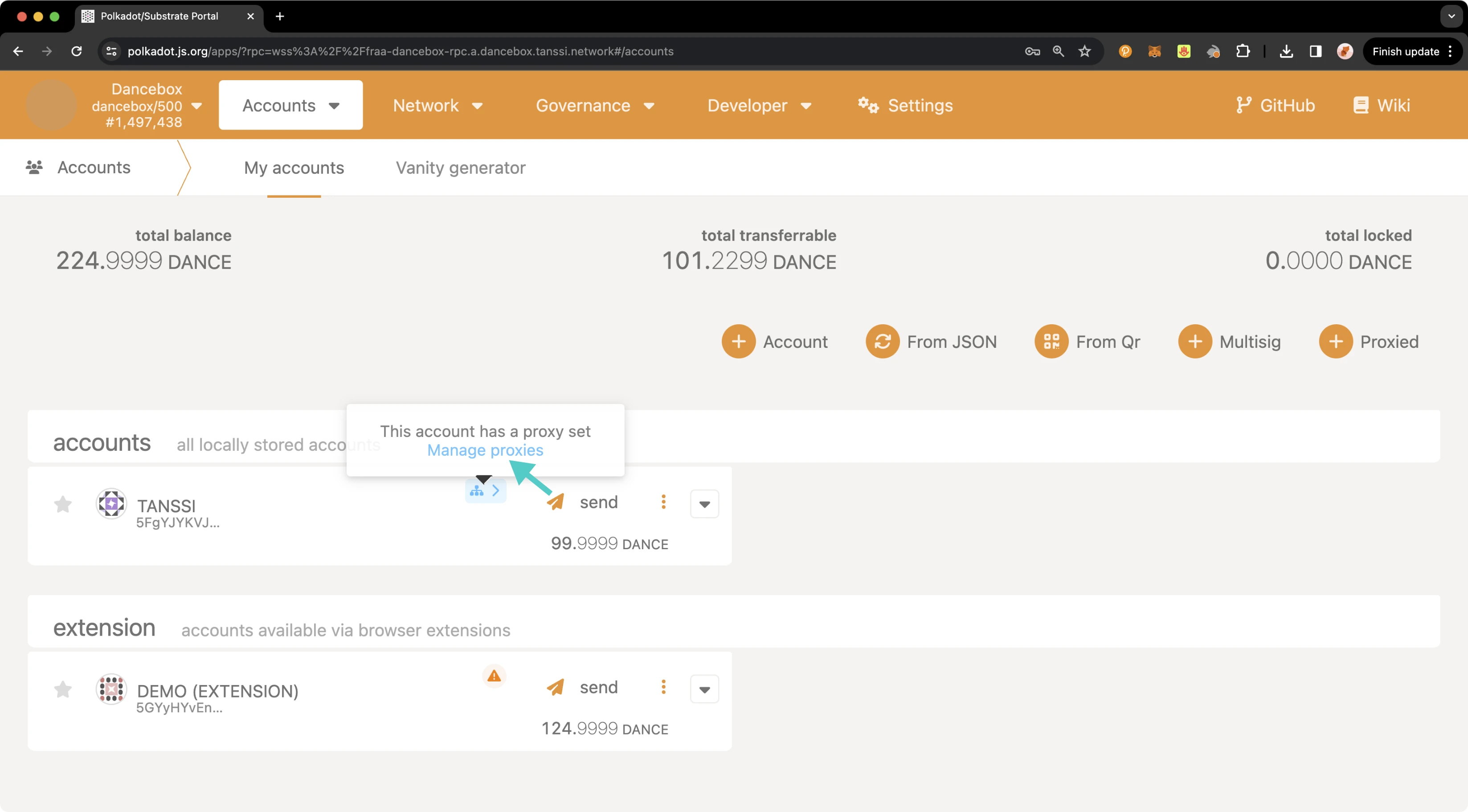
A pop-up will appear showing an overview of your proxy accounts. To remove all proxies, you can click on **Clear all**, then you will automatically be prompted to enter your password and submit the transaction. To remove a single proxy, take the following steps:
1. Click the **X** button next to the proxy to remove
2. Press **Submit**
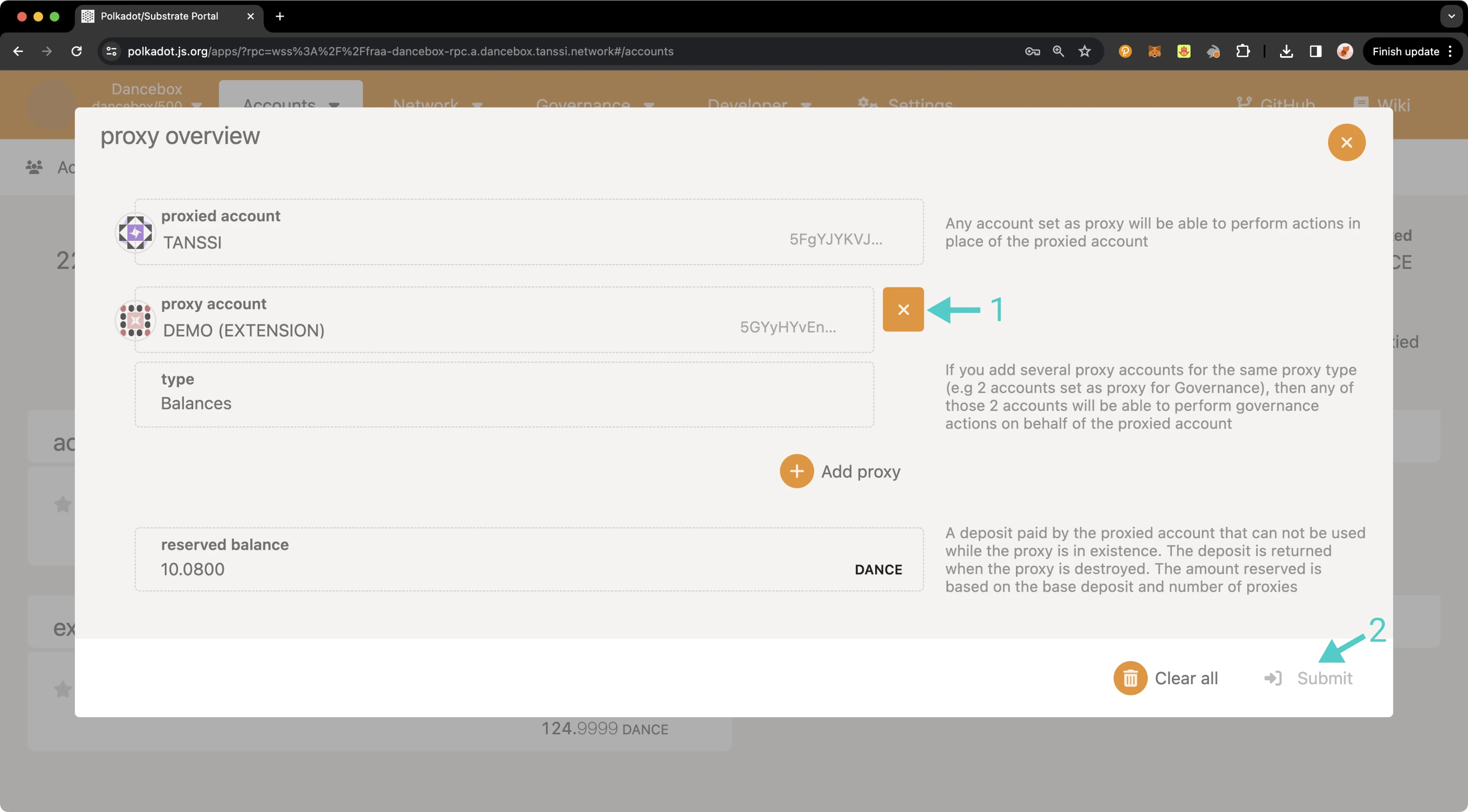
On the transaction confirmation screen, take the following steps:
1. Ensure that you do not use a proxy for this call (as this example is a balances proxy, the call to remove the proxy needs to come from the primary account rather than the proxy account).
2. Enter your password for the respective account.
3. Press **Sign and Submit**.
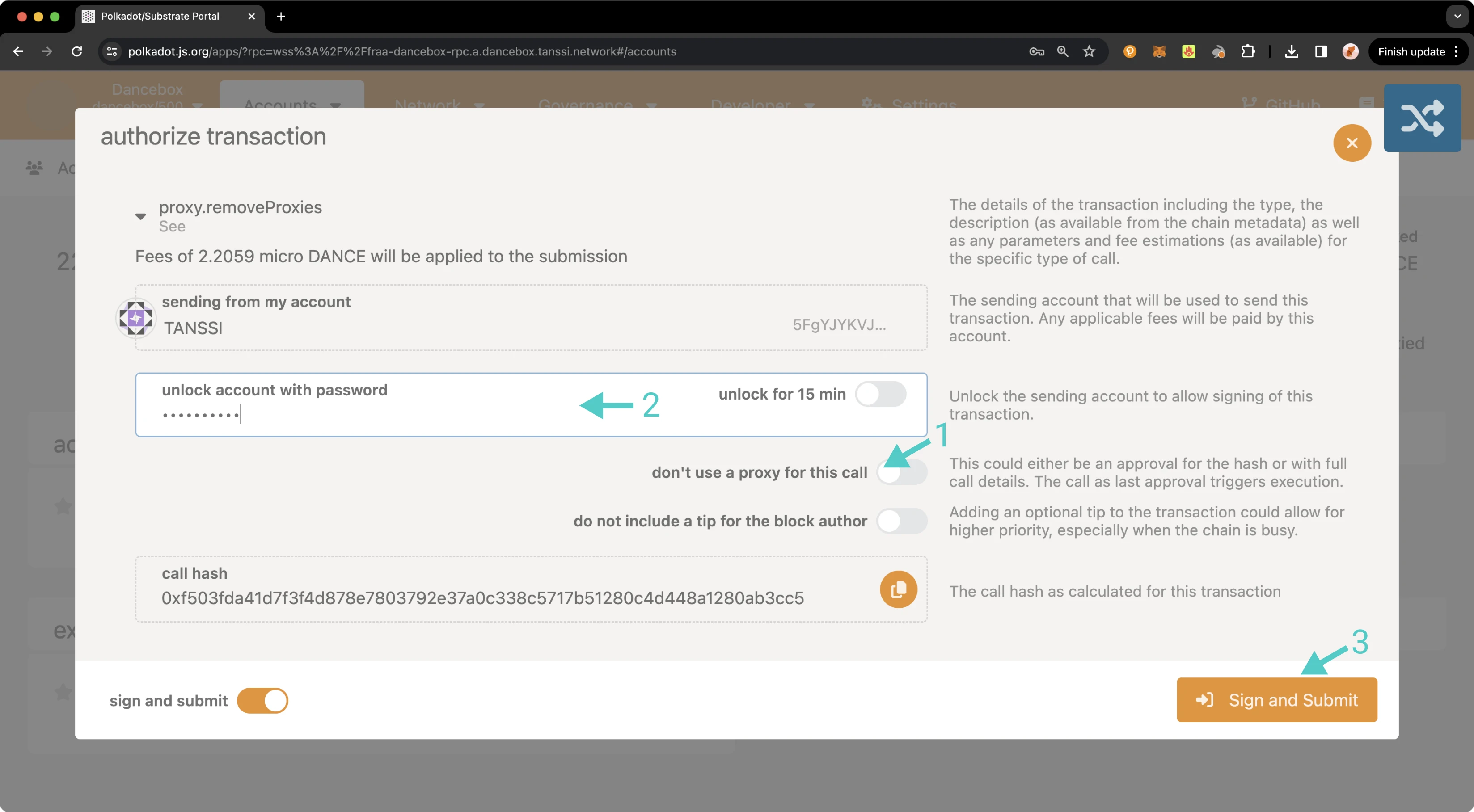
Once the transaction has successfully been submitted, you can review your current proxies, or if you removed all proxies, you will notice the proxy icon is no longer being displayed next to the primary account. And that's it! You've successfully created a proxy, reviewed all proxy accounts associated with your primary account, executed a proxy transaction, and removed a proxy account!
{{ trans("disclaimer.third_party") }}
--- END CONTENT ---
Doc-Content: https://docs.tanssi.network/builders/build/templates/overview/
--- BEGIN CONTENT ---
---
title: Requirements and Features of Templates
description: Explore the foundational setup and key features included in each Tanssi template, designed to streamline the building and deployment of Tanssi networks.
icon: octicons-home-24
categories: Basics, Appchain
---
# Templates Overview {: #templates-overview }
## Introduction {: #introduction }
Networks deployed through Tanssi are fully customizable blockchains benefiting from a shared set of sequencers and the security of a provider of their choice. The templates presented in this article implement the necessary functionalities and configurations to support the Tanssi protocol, making development easier.
## Base Setup to Support the Tanssi Protocol {: #base-setup-supporting-tanssi }
Tanssi networks must implement the following modules to support the protocol and benefit safely from Tanssi's block production as a service:
- **Author Noting** - registers the set of sequencers assigned to the network by Tanssi
- **Author Inherent** - allows the sequencer authoring the block to include its identity to get validated and rewarded
If you don't include these modules in the Tanssi network's runtime, there won't be a method to confirm that the blocks are being generated by trustworthy sequencers designated by the Tanssi orchestrator. This could create a vulnerability for malicious actors to exploit and compromise the network. For more information about Tanssi's block production as a service please refer to the [Block Production Services](/learn/tanssi/network-services/block-production/){target=\_blank} article.
Besides block production, there are other essential aspects for any network covered in the templates, such as:
- **Consensus** - networks have the necessary functionality to allow the sequencers to produce blocks, gossip and validate them, and coordinate with the security provider to get notified about the block's finality
- **Networks Interoperability** - handles the ingestion and dispatch of incoming downward and lateral messages, allowing a Tanssi network to communicate and interoperate with the other chains within the ecosystem
- **Runtime Upgrades** - a runtime upgrade in a Tanssi network must be informed to the security provider's operators to allow them to check on the blocks produced by the sequencers of the Tanssi networks
## Included Modules {: #included-modules }
Besides the necessary modules to support the operation of a Tanssi network, many other modules provide functional behavior that the users can interact with.
These are some of the functional modules exposing a behavior to the users that are included in the templates and ready to use:
- **[Balances](https://paritytech.github.io/substrate/master/pallet_balances/index.html){target=\_blank}** - the Balances module provides functions for handling accounts and balances for the Tanssi network native currency
- **[Utility](https://paritytech.github.io/polkadot-sdk/master/pallet_utility/index.html){target=\_blank}** - the Utility module provides functions to execute multiple calls in a single dispatch. Besides batching transactions, this module also allows the execution of a call from an alternative signed origin
- **[Proxy](https://paritytech.github.io/polkadot-sdk/master/pallet_proxy/index.html){target=\_blank}** - the Proxy module provides functions to delegate to other accounts (proxies) the permission to dispatch calls from a proxied origin
- **[Maintenance Mode](https://github.com/moondance-labs/moonkit/blob/tanssi-polkadot-v1.3.0/pallets/maintenance-mode/src/lib.rs){target=\_blank}** - the Maintenance Mode module allows the Tanssi network to be set to a mode where it doesn't execute balance/asset transfers or other transactions. This could be useful when upgrading the runtime in an emergency, when executing large storage migrations, or when a security vulnerability is discovered
- **[Tx Pause](https://github.com/paritytech/polkadot-sdk/blob/master/substrate/frame/tx-pause/src/lib.rs){target=\_blank}** - the Tx Pause module allows a valid origin (typically Root) to pause (and unpause) an entire module or a single transaction. A paused transaction (or all the transactions included in a paused module) will fail when called until it is unpaused. This module provides a higher degree of granularity compared to maintenance mode, making it particularly useful when a faulty or vulnerable transaction is identified in the runtime
- **[Multisig](https://github.com/paritytech/polkadot-sdk/blob/master/substrate/frame/multisig/src/lib.rs){target=\_blank}** - the Multisig module enables transaction dispatches that require -typically- more than one signature. A multisig transaction defines a set of authorized accounts and a threshold for its approval, requiring consensus among multiple parties
## Start Building {: #getting-started }
To start building on top of the provided templates, be it the [baseline Tanssi network template](/builders/build/templates/substrate/){target=\_blank} or the [baseline EVM (Ethereum Virtual Machine) template](/builders/build/templates/evm/){target=\_blank}, the recommended approach is to fork the [Tanssi repository](https://github.com/moondance-labs/tanssi){target=\_blank} and start adding [built-in modules](/builders/build/customize/adding-built-in-module/){target=\_blank} or [custom-made modules](/builders/build/customize/adding-custom-made-module/){target=\_blank} on top of the [latest release](https://github.com/moondance-labs/tanssi/releases/latest){target=\_blank} tag.
This approach comes with some advantages, such as:
- Building on top of the latest and stable release
- Get the Tanssi protocol already configured and included in the template runtime
- Keep your fork up-to-date by syncing with the Tanssi upstream repository
- Run the included tests, ensuring that block production on your Tanssi network works as intended
- Run a complete local environment with the included [Zombienet](https://paritytech.github.io/zombienet){target=\_blank} configuration
If the templates already cover your use case needs, or after building and testing your chain, you can continue with the [Deploy Your Network via the Tanssi DApp](/builders/deploy/dapp/){target=\_blank} article to know how to use the Tanssi dApp to register and get your chain up and running.
--- END CONTENT ---
Doc-Content: https://docs.tanssi.network/builders/interoperability/built-in-bridge/
--- BEGIN CONTENT ---
---
title: Using the Built-In Tanssi Bridge
description: Learn how to use the built-in Tanssi bridge that connects Tanssi and Ethereum to convert TANSSI tokens between their native form and ERC-20 and vice versa.
icon: octicons-arrow-switch-24
categories: Basics
---
# Using the Built-In Tanssi Bridge
## Introduction {: #introduction }
The Tanssi protocol orchestrates infrastructure components, allowing developers to launch their customized appchains in minutes and providing them with out-of-the-box Ethereum-grade economic security. To make the whole process easy for developers, a [top-of-class architecture](/learn/tanssi/overview/#tanssi-architecture){target=\_blank} was designed and implemented.
The [TANSSI token](/builders/tanssi-network/tanssi-token/){target=\_blank} is the engine that enables the integration of different infrastructural components with [external security providers](/learn/tanssi/external-security-providers/symbiotic/){target=\_blank} and aligns incentives across various actors, including token holders, node operators, and appchain builders. To serve different use cases, the token has two versions: the Tanssi network's native currency, TANSSI (Substrate), and its ERC-20 version, on Ethereum.
Users can convert from one version to the other of the token using a [Tanssi built-in trustless bridge](/learn/tanssi/tanssi-ethereum-bridge/){target=\_blank}.
In this guide, you'll learn how to move your assets from Tanssi to Ethereum and vice versa through a secure and user-friendly web interface available at the [Tanssi dApp](https://apps.tanssi.network/bridge){target=\_blank}, making cross-chain transfers accessible for everyone.
## Prerequisites {: #prerequisites }
Before using the Tanssi bridge, ensure you have:
For bridging from Tanssi to Ethereum:
- A [Substrate-compatible wallet](/builders/toolkit/substrate-api/wallets/){target=\_blank}, such as [Talisman](/builders/toolkit/substrate-api/wallets/talisman/){target=\_blank}.
- TANSSI (Substrate) balance to transfer and pay the bridging fees.
- The Ethereum-type destination account.
For bridging from Ethereum to Tanssi:
- An [Ethereum-compatible wallet](/builders/toolkit/ethereum-api/wallets/){target=\_blank}, such as [MetaMask](/builders/toolkit/ethereum-api/wallets/metamask/){target=\_blank}.
- TANSSI (ERC-20) balance to transfer.
- ETH balance to pay the bridging fees.
- The Substrate-type destination account.
## Bridging TANSSI Tokens to Ethereum {: #bridge-to-ethereum }
If you want to convert your TANSSI (Substrate) tokens to TANSSI (ERC-20) on Ethereum, head to the Tanssi dApp, open the [bridge section](https://apps.tanssi.network/bridge){target=\_blank}, and then follow these steps:
1. Select **Mainnet** from the **From** dropdown.
2. Click on **Connect Wallet**. A pop-up will appear, allowing you to select your preferred Substrate wallet and choose the corresponding account.
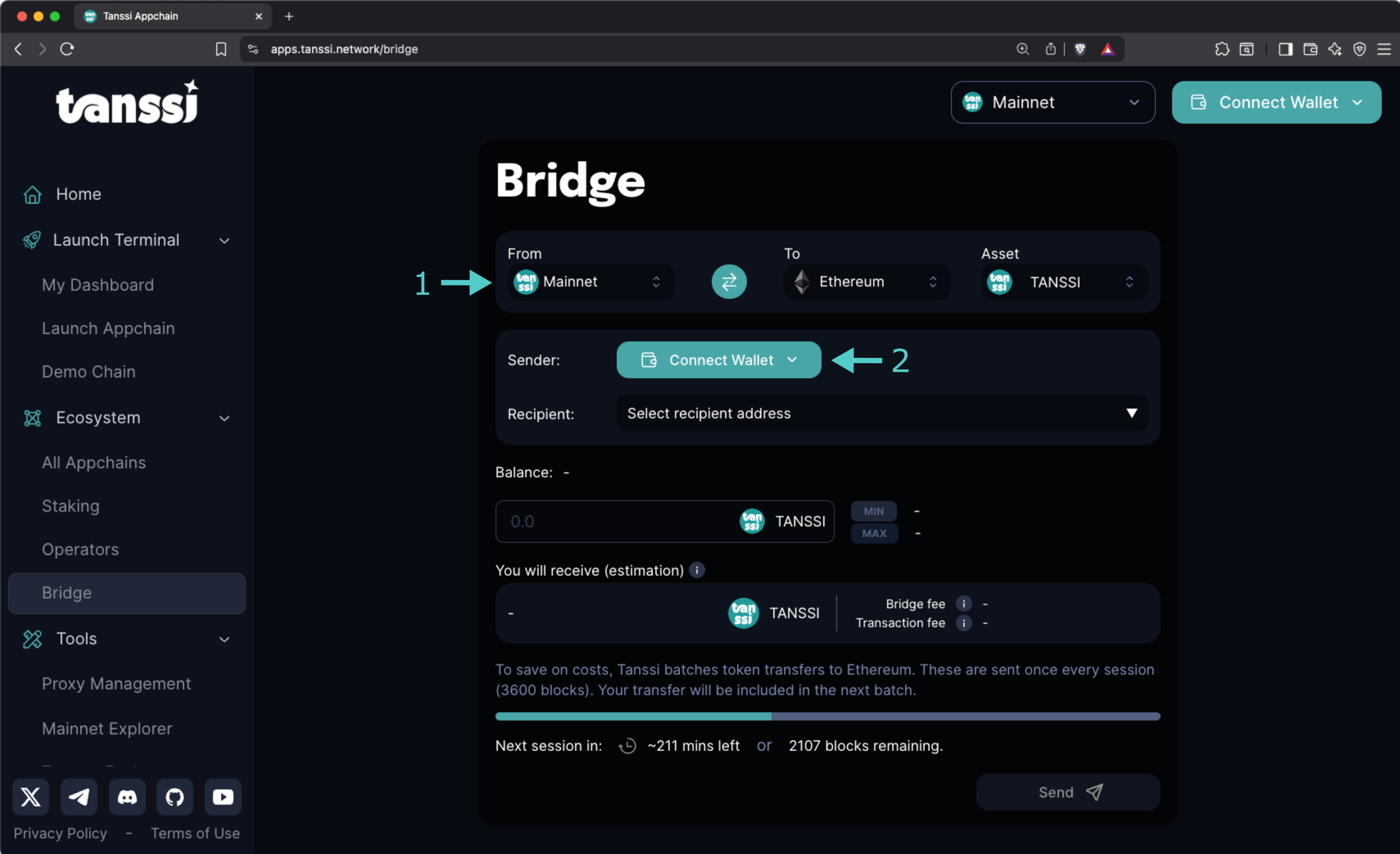
Now, with your wallet connected:
1. Select the destination account from the **Select recipient address** dropdown, or choose the **Enter a custom address** item and enter the account where you want to receive the ERC-20 tokens manually.
2. Enter the amount to bridge in the **Balance** field. The estimated bridge and transaction fees will be displayed along with the amount the destination account will receive.
3. Click on **Send** and sign the transaction.
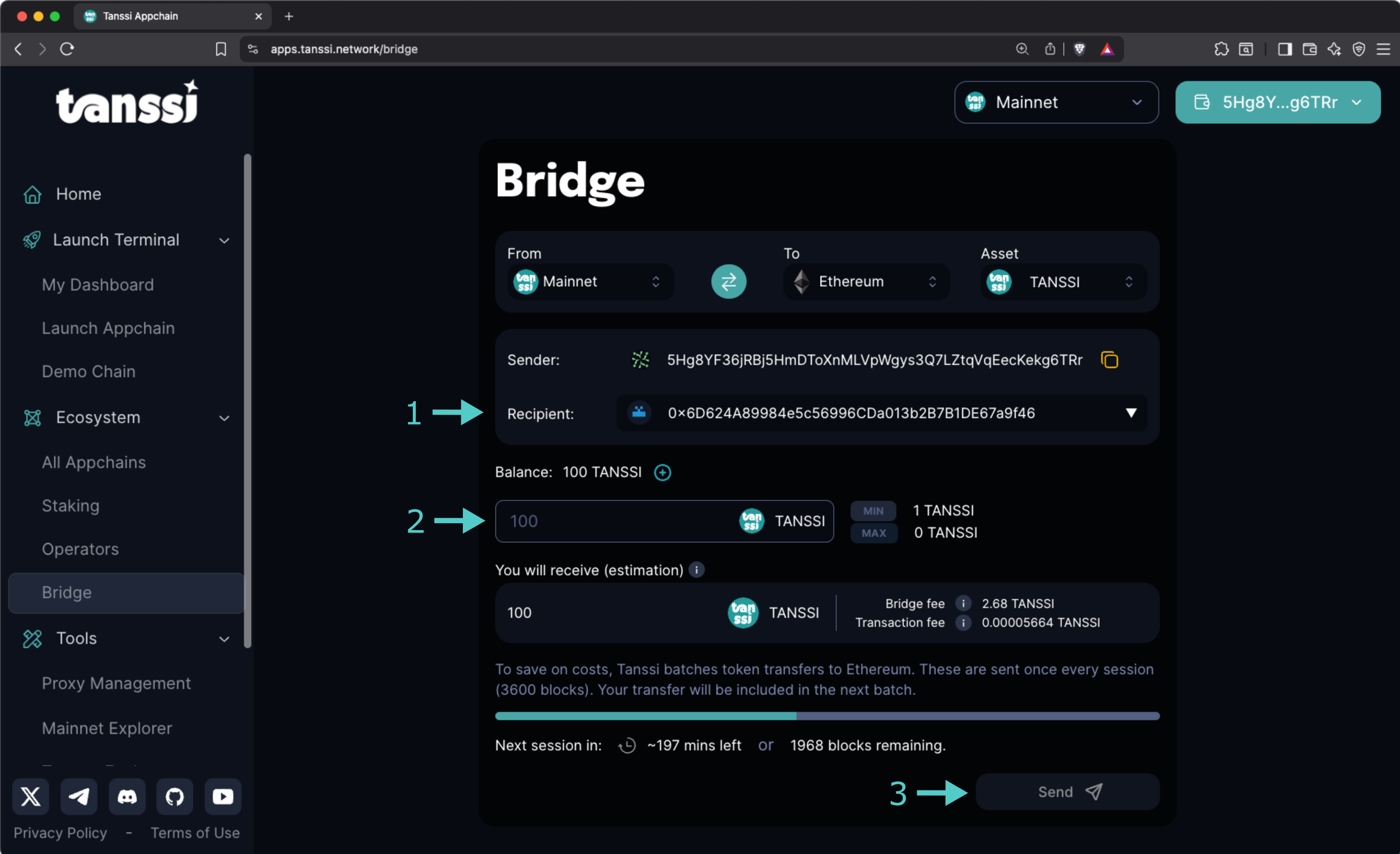
And that's it! Your tokens will be bridged when the next session starts. You can see how much time remains in the current session in the progress bar.
!!! note
- You can easily add the TANSSI ERC-20 contract address to your wallet by clicking the **+** icon shown next to your balance.
- Fees to convert your TANSSI (Substrate) tokens to TANSSI (ERC-20) might fluctuate over time and must be paid using TANSSI.
## Bridging ERC-20 TANSSI to Tanssi Network {: #bridge-to-tanssi }
If you want to convert your TANSSI (ERC-20) tokens to TANSSI (Substrate) native on the Tanssi network, head to the Tanssi dApp, open the [bridge section](https://apps.tanssi.network/bridge){target=\_blank}, and then follow these steps:
1. Select **Ethereum** from the **From** dropdown.
2. Click on **Connect Wallet**, select your preferred Ethereum wallet, and choose the account.
Now, with your wallet connected:
1. Enter the Substrate destination account in the **Recipient** field.
2. Enter the amount to bridge in the **Balance** field. The estimated bridge and transaction fees will be displayed along with the amount the destination account will receive.
3. Click on **Send** and sign the transaction.
And that's it! Your tokens will be bridged when the next session starts. You can see how much time remains in the current session in the progress bar.
!!! note
Fees to convert your TANSSI (ERC-20) tokens to TANSSI (Substrate) native on the Tanssi network might fluctuate over time and must be paid using ETH.
--- END CONTENT ---
Doc-Content: https://docs.tanssi.network/builders/tanssi-network/tanssi-token/
--- BEGIN CONTENT ---
---
title: TANSSI Token
description: Learn about the two versions of the Tanssi token - the native Substrate token and the ERC-20 representation on Ethereum, and their utilities and use cases.
icon: octicons-ruby-24
categories: Basics
---
# TANSSI Token {: #tanssi-token }
## Introduction {: #introduction }
The Tanssi network token is the utility token that powers the Tanssi protocol. Considering [Tanssi's architecture](/learn/tanssi/overview/#tanssi-architecture){target=\_blank}, the token exists in two distinct yet interconnected representations: native substrate and Ethereum ERC-20. The two versions can be bridged between each other through the [Tanssi-Ethereum bridge](/learn/tanssi/tanssi-ethereum-bridge/){target=\_blank}.
In this guide, the token's utility and the differences between its two representations are covered, which is crucial for network operators, stakers, appchain managers, and general users who want to participate in the Tanssi ecosystem.
## Token Utility {: #token-utility }
Tanssi is a decentralized infrastructure protocol that makes deploying appchains with custom logic easy. It allows developers to focus on the use case instead of diverting time and energy to manage the [numerous components required](/learn/tanssi/overview/#what-tanssi-provides){target=\_blank} for a network to run smoothly.
Running a healthy decentralized protocol not only requires a robust governance mechanism to ensure that decisions are made transparently but also aligning incentives and coordinating among several ecosystem actors, including appchain developers, node operators, sequencer operators, data availability and RPC providers, as well as general users. The Tanssi token serves as the backbone, providing the economic mechanisms necessary to coordinate, incentivize proper behavior, and secure the entire ecosystem. It enables a verifiable and code-enforced protocol evolution through a fully on-chain decision-making process.
The token has several utilities:
- **On-chain governance**: token holders can use the token to propose and vote in governance decisions, such as software upgrades, how to spend treasury funds, change protocol rules, and more.
- **Appchain deployment**: use the token to register and launch your appchain in minutes.
- **Sequencing as a service payment**: use the token to keep your appchain live.
- **Sequencing and operator services rewarding**: get tokens as rewards for your nodes' services.
- **Staking on sequencers**: token holders can stake on sequencers, getting rewards with no risk of slashing.
- **Staking on operators**: token holders can stake on operators, getting rewards for their validation services.
- **Fees payment**: use the token to pay the fees for interacting with the Tanssi network.
!!! note
All transaction fees on Tanssi are paid using the token, with the full amount going directly to fund the protocol's treasury account. These funds can only be spent via governance.
## Token Representations {: #token-representations }
The Tanssi network is built using the Substrate framework, leveraging its modular architecture and high performance. Therefore, the native token is of a Substrate type. The protocol's minting and burning mechanisms happen on the Tanssi network side, or, in other words, happen on the Substrate token representation.
Additionally, the Tanssi protocol relies on [external security providers](/learn/tanssi/external-security-providers/){target=\_blank}, such as [Symbiotic](/learn/tanssi/external-security-providers/symbiotic/){target=\_blank}, to secure the ecosystem through restaked assets. This restaking mechanism is implemented on Ethereum; therefore, an ERC-20 version of the token also exists to cover user cases on the Ethereum side.
Leveraging Tanssi's [built-in bridging capabilities](/learn/tanssi/tanssi-ethereum-bridge/){target=\_blank}, the token can be converted to (and from) the ERC-20 representation on Ethereum. When the token is bridged to Ethereum, the tokens are locked in the bridge's sovereign account, and a message is sent to the Ethereum contract to mint the equivalent amount in ERC-20. This lock-and-mint mechanism ensures the ERC-20 version is created through a trustless bridging mechanism, maintaining a 1:1 relationship with the native token.
```mermaid
flowchart LR
subgraph Tanssi_Network ["Tanssi Network"]
Tanssi_Substrate["$TANSSI (Substrate)"]
Tanssi_Substrate_Utility["✓ On-chain governance
✓ Appchain deployment
✓ Sequencers rewarding
✓ Staking on sequencers
✓ Fees payment
"]
Tanssi_Substrate --> Tanssi_Substrate_Utility
end
subgraph Ethereum_Network ["Ethereum"]
Tanssi_ERC20["$TANSSI (ERC-20)"]
Tanssi_ERC20_Utility["✓ Operator services rewarding
✓ Staking on operators
"]
Tanssi_ERC20 --> Tanssi_ERC20_Utility
end
Bridge["Trustless Bridge"]
Tanssi_Network <--> Bridge <--> Ethereum_Network
%% Apply custom style to utility nodes
classDef utility_style fill: transparent, stroke: transparent, text-align: start;
class Tanssi_Substrate_Utility,Tanssi_ERC20_Utility utility_style;
%% Make utility arrows transparent
linkStyle 0 stroke:transparent,fill:transparent;
linkStyle 1 stroke:transparent,fill:transparent;
```
### Tanssi (Substrate) - Native Token {: #tanssi-substrate }
The native Tanssi token exists on the Tanssi network as a Substrate-based asset and is the original form of the token that powers the core protocol operations.
This token uses as [Sr25519 subtrate-type account](/learn/tanssi/account-types/#key-types-in-tanssi-protocol){target=\_blank}, so it requires a wallet such as [Talisman](/builders/toolkit/substrate-api/wallets/talisman/){target=\_blank} or any other [substrate-compatible wallet](/builders/toolkit/substrate-api/wallets/){target=\_blank}.
!!! note
The Tanssi (Substrate) native token has twelve (12) decimal places.
### Tanssi (ERC-20) - Ethereum Representation {: #tanssi-erc-20 }
Tanssi's ERC-20 version is a standard Ethereum token that represents the native token on the Ethereum network. This version is created through the trustless bridging mechanism, utilizing a lock-and-mint strategy, thereby maintaining a 1:1 relationship with the native token.
This token, like any other Ethereum asset, uses an [ECDSA account](/learn/tanssi/account-types/#key-types-in-tanssi-protocol){target=\_blank}, so it requires a wallet such as [Metamask](/builders/toolkit/ethereum-api/wallets/metamask/){target=\_blank} or any other [Ethereum-compatible wallet](/builders/toolkit/ethereum-api/wallets/){target=\_blank}.
!!! note
The Tanssi (ERC-20) has twelve (12) decimal places.
### Tanssi (Substrate) and Tanssi (ERC-20) Comparison {: #substrate-erc-20-comparison }
To better understand the differences between the two token representations, the following table provides a summary of their main features:
| **Feature** | **Tanssi (Substrate)** | **Tanssi (ERC-20)** |
|------------------------|-------------------------------------------------------------------------------------------------------------------------------------------------------------------------------------------------------------------------|---------------------------------------------------------------------------------------------------------------------------------------------------------------------------------------------------|
| **Network** | Tanssi Network | Ethereum MainNet |
| **Token Standard** | Native Substrate asset | ERC-20 standard token |
| **Decimal Places** | Twelve (12) decimals | Twelve (12) decimals |
| **Account Type** | [Sr25519](https://wiki.polkadot.com/learn/learn-cryptography/#keypairs-and-signing){target=_blank} | [ECDSA](https://en.wikipedia.org/wiki/Elliptic_Curve_Digital_Signature_Algorithm){target=_blank} |
| **Compatible Wallets** | [Talisman](/builders/toolkit/substrate-api/wallets/talisman/){target=\_blank}, [SubWallet](/builders/toolkit/substrate-api/wallets/subwallet/){target=\_blank}, and others | [MetaMask](/builders/toolkit/ethereum-api/wallets/metamask/){target=\_blank}, [Talisman](/builders/toolkit/ethereum-api/wallets/talisman/){target=\_blank}, and other Ethereum-compatible wallets |
| **Primary Utilities** | - On-chain governance participation
- Appchain registration and deployment
- Sequencing services payment
- Transaction fees on Tanssi network
- Staking on sequencers
- Sequencer operation rewards | - Operator validation rewards
- Staking on operators |
| **Staking Options** | Sequencer staking (for keeping appchain liveness) | Operator staking (for validating/securing the entire Tanssi ecosystem) |
| **Bridge Conversion** | Can be bridged to ERC-20, paying fees in $TANSSI (Substrate) | Can be bridged to Substrate, paying fees in $ETH |
--- END CONTENT ---
Doc-Content: https://docs.tanssi.network/pt/builders/account-management/identity/
--- BEGIN CONTENT ---
---
title: Definir uma Identidade de Conta
description: Siga estas instruções para estabelecer uma identidade, incluindo um nome de exibição para que você possa ser mais facilmente reconhecido na cadeia do orquestrador Tanssi.
icon: octicons-person-24
categories: Basics, Appchain
---
# Configurar uma Identidade On-Chain
## Introdução {: #introduction }
O [Substrate](/pt/learn/framework/overview/#substrate-framework){target=\_blank} Identity [module](/pt/learn/framework/modules/){target=\_blank} é uma solução pronta para uso para adicionar informações pessoais à sua conta on-chain. O estabelecimento de uma identidade torna mais fácil para sua conta ser reconhecida por outros, pois seu nome de exibição preencherá automaticamente quando alguém colar seu endereço em um campo no [portal do desenvolvedor](https://polkadot.js.org/apps/?rpc=wss://{{ networks.mainnet.dns_name }}#/accounts){target=\_blank}.
A identidade que você configura vai além de um simples nome de exibição. As informações pessoais podem incluir campos padrão, como seu nome legal, nome de exibição, site, identificador do Twitter, Discord e nome do Riot (agora conhecido como Element). Você também pode usar campos personalizados para incluir quaisquer outras informações relevantes.
Este guia demonstrará como configurar uma identidade com um nome de exibição e parâmetros adicionais, aprimorando sua visibilidade e reconhecimento.
## Definições Gerais {: #general-definitions }
Para armazenar suas informações on-chain, você deve vincular alguns fundos, que, eventualmente, serão devolvidos assim que a identidade for limpa. Existem duas categorias de campos: padrão e personalizado. Uma quantia básica de depósito é reservada após a criação da identidade e um depósito de armazenamento é necessário para cada byte adicional de dados armazenados on-chain.
- **Campos padrão incluem** - seu nome legal, nome de exibição, site, identificador do Twitter, Discord, nome do Riot (agora conhecido como Element)
- **Campos personalizados incluem** - quaisquer outras informações relevantes
- **Subcontas** - Você pode vincular subcontas sob uma conta primária. Por exemplo, um serviço de Sequencer que está executando vários nós de Sequencer diferentes pode estabelecer subcontas para demonstrar um link oficial entre os nós
=== "Tanssi MainNet"
| Variável | Definição | Valor |
|:---------------------:|:--------------------------------------------------------------------------------:|:------------------------------------------------------------------------------------:|
| Depósito básico | O valor mantido em depósito para a definição de uma identidade | {{ networks.mainnet.identity.basic_deposit }} {{ networks.mainnet.token_symbol }} |
| Depósito por byte | O valor mantido em depósito por byte de armazenamento on-chain usado na definição de uma identidade | {{ networks.mainnet.identity.per_byte_deposit }} {{ networks.mainnet.token_symbol }} |
| Campos adicionais máx.| Número máximo de campos adicionais que podem ser armazenados em um ID | {{ networks.mainnet.identity.max_fields }} |
| Subcontas máx. | Número máximo de subcontas que podem ser definidas sob uma identidade de conta | {{ networks.mainnet.identity.max_subaccounts }} |
=== "Dancelight TestNet"
| Variável | Definição | Valor |
|:---------------------:|:--------------------------------------------------------------------------------:|:------------------------------------------------------------------------------------------:|
| Depósito básico | O valor mantido em depósito para a definição de uma identidade | {{ networks.dancelight.identity.basic_deposit }} {{ networks.dancelight.token_symbol }} |
| Depósito por byte | O valor mantido em depósito por byte de armazenamento on-chain usado na definição de uma identidade | {{ networks.dancelight.identity.per_byte_deposit }} {{ networks.dancelight.token_symbol }} |
| Campos adicionais máx.| Número máximo de campos adicionais que podem ser armazenados em um ID | {{ networks.dancelight.identity.max_fields }} |
| Subcontas máx. | Número máximo de subcontas que podem ser definidas sob uma identidade de conta | {{ networks.dancelight.identity.max_subaccounts }} |
## Verificando os Pré-requisitos {: #checking-prerequisites }
Para acompanhar este guia, você precisará do seguinte:
=== "Tanssi MainNet"
- O [portal do desenvolvedor](https://polkadot.js.org/apps/?rpc=wss://{{ networks.mainnet.dns_name }}#/accounts){target=\_blank} aberto e conectado à Tanssi MainNet.
- Pelo menos uma conta financiada com tokens `{{ networks.mainnet.token_symbol }}`.
=== "Dancelight TestNet"
- O [portal do desenvolvedor](https://polkadot.js.org/apps/?rpc=wss://{{ networks.dancelight.dns_name }}#/accounts){target=\_blank} aberto e conectado ao [Dancelight](/builders/tanssi-network/testnet/dancelight/){target=\_blank}.
- Pelo menos uma conta financiada com tokens `{{ networks.dancelight.token_symbol }}`.
Se precisar de ajuda para importar suas contas para o portal do desenvolvedor, consulte o guia [Conectando-se ao portal do desenvolvedor](/pt/builders/toolkit/substrate-api/wallets/talisman/#connecting-to-polkadotjs){target=\_blank}.
## Comece {: #get-started }
Dependendo das informações a serem incluídas, existem algumas maneiras diferentes de definir e limpar uma identidade usando o portal do desenvolvedor. Se você pretende registrar sua identidade usando apenas os campos padrão, pode seguir as instruções da página [Gerenciando uma Identidade via Contas](#manage-via-accounts). **Esta é a Maneira Recomendada de Definir e Gerenciar Sua Identidade**.
Se você deseja adicionar campos personalizados além dos campos padrão, siga as instruções para a página [Gerenciando uma Identidade via Extrinsics](#manage-via-extrinsics).
!!! note
Observe que o uso da página **Contas** no portal do desenvolvedor é recomendado para gerenciar sua identidade, pois ela fornece uma interface fácil de usar que impõe limites de caracteres. Se você usar a página **Extrinsics**, esteja ciente de que sua entrada para cada campo (ou seja, nome, e-mail, etc.) deve ter 32 caracteres ou menos; caso contrário, suas informações serão cortadas.
## Gerenciar uma Identidade via Contas {: #manage-via-accounts }
### Definir uma Identidade {: #set-identity-via-accounts }
Para começar a definir uma identidade usando a página Contas, vá para a guia [**Contas**](https://polkadot.js.org/apps/?rpc=wss://{{ networks.mainnet.dns_name }}#/accounts){target=\_blank} do portal do desenvolvedor.
Você já deve ter uma conta conectada, então você pode clicar no nome da sua conta para verificar e observar seus saldos. Depois de enviar a transação para definir uma identidade, os depósitos que você enviou serão movidos do seu saldo transferível para seu saldo reservado.

Para definir sua identidade, você precisará:
1. Clique nos três pontos verticais ao lado da conta para a qual deseja definir uma identidade
2. Um menu aparecerá. Clique em **Set on-chain identity**

Em seguida, o menu para registrar e definir sua identidade aparecerá e você poderá começar a preencher suas informações. Você não é obrigado a inserir informações para todos os campos; você pode escolher preencher apenas um campo ou todos eles; a escolha é sua. Para este exemplo:
1. Defina seu nome de exibição
2. Clique no botão **include field** para e-mail e depois insira seu e-mail
3. Clique no botão **include field** para web e depois insira a URL do seu site
4. Clique no botão **include field** para Twitter e depois insira seu identificador do Twitter
5. Reveja os campos de dados anteriores e clique em **Set Identity**

Você será solicitado a assinar a transação. Se tudo estiver correto, assine-a.
Você deve ver as notificações de status aparecerem no canto superior direito. Depois que a transação for confirmada, você pode clicar no nome da sua conta novamente, e o painel deslizará para fora no lado direito da página. Seus saldos terão sido alterados e você também verá suas novas informações de identidade.

Se as informações de identidade corresponderem ao que você inseriu, você definiu com sucesso uma identidade!
Depois de limpar sua identidade, o depósito em seu saldo reservado será transferido de volta para seu saldo transferível. Se você precisar alterar sua identidade, pode passar pelo processo de configuração da sua identidade novamente. Observe que você deve garantir que todos os campos sejam reinseridos, mesmo que apenas um campo precise ser alterado, ou eles serão substituídos. Você não precisará pagar outro depósito, a menos que campos personalizados sejam usados, mas precisará pagar taxas de gás.
## Gerenciar uma Identidade via Extrinsics {: #manage-via-extrinsics}
### Definir uma Identidade {:#set-identity-extrinsics }
Para registrar uma identidade usando a página de extrínsecos, navegue até a página [**Extrinsics**](https://polkadot.js.org/apps/?rpc=wss://{{ networks.mainnet.dns_name }}#/extrinsics){target=\_blank} do portal do desenvolvedor. Certifique-se de que sua entrada não exceda 32 caracteres para cada campo de identidade. Para concluir sua identidade, siga as etapas a seguir:
1. Selecione sua conta
2. Selecione identidade no menu suspenso **enviar o seguinte extrínseco**
3. Em seguida, selecione a função **setIdentity(info)**
4. Selecione **Raw** como o formato de dados para inserir seu **Nome de Exibição**
5. Insira os dados para **Exibição** no formato selecionado
6. Selecione **Raw** como o formato de dados para inserir seu endereço da web
7. Insira a URL do seu site no formato selecionado
8. Selecione **Raw** como o formato de dados para inserir seu e-mail
9. Insira seu endereço de e-mail no formato selecionado
10. Selecione **Raw** como o formato de dados para inserir seu identificador do Twitter
11. Insira seu Twitter no formato selecionado. Insira apenas o nome de usuário, começando com o símbolo `@`
12. Reveja os campos preparados e pressione **Enviar Transação**

Opcionalmente, se você quiser inserir campos personalizados, siga as seguintes etapas:
1. Role para o topo e clique em **Add item**
2. Dois campos aparecerão: o primeiro para o nome do campo e o segundo para o valor. Selecione **Raw** como o formato de dados para inserir o nome do campo
3. Insira o nome do campo no formato especificado
4. Selecione **Raw** como o formato de dados para inserir o valor personalizado
5. Insira o valor personalizado no formato especificado

Finalmente, depois que todas as informações de identidade forem adicionadas, você pode rolar para a parte inferior da página e clicar em **Submit Transaction**.
Você será solicitado a assinar a transação. Lembre-se, um depósito adicional é necessário para cada campo personalizado adicional. Se tudo estiver correto, assine a transação.
Você deve ver as notificações de status aparecerem no canto superior direito confirmando a transação. Se bem-sucedido, você definiu uma identidade! Parabéns! Para garantir que tudo tenha sido concluído e que suas informações de identidade tenham uma boa aparência, você pode verificar sua identidade.
### Confirmar uma Identidade {: #confirm-identity-extrinsics }
Para verificar a adição de suas informações de identidade, você pode clicar na guia **Developer** e, em seguida, navegar até o [**Chain state**](https://polkadot.js.org/apps/?rpc=wss://{{ networks.mainnet.dns_name }}#/chainstate){target=\_blank}.
Na página **Chain State**, certifique-se de que **Storage** esteja selecionado. Em seguida, você pode começar a solicitar suas informações de identidade:
1. Defina a **selected state query** como **identity**
2. Selecione a função **identityOf(AccountId)**
3. Selecione sua conta
4. Clique no botão **+** para obter suas informações de identidade

Você pode ver agora que você definiu com sucesso uma identidade! Depois de limpar sua identidade, o depósito em seu saldo reservado será transferido de volta para seu saldo transferível. Se você precisar alterar sua identidade, pode passar pelo processo de configuração da sua identidade novamente. Observe que você deve garantir que todos os campos sejam reinseridos, mesmo que apenas um campo precise ser alterado, ou eles serão substituídos. Você não precisará pagar outro depósito, a menos que campos personalizados sejam usados, mas precisará pagar taxas de gás.
## Limpar uma Identidade {: #clear-identity-extrinsics }
Para limpar sua identidade, siga as seguintes etapas na guia **Extrinsics** do portal do desenvolvedor:
1. Selecione sua conta no menu suspenso **usando a conta selecionada**
2. Selecione **identity** no menu suspenso **enviar o seguinte extrínseco**
3. Em seguida, selecione a função **clearIdentity()**
4. Clique em **Enviar Transação**

Você será solicitado a assinar a transação. Se tudo estiver correto, assine-a. Você deve ver as notificações de status no canto superior direito confirmando a transação.
Para confirmar se suas informações de identidade foram removidas com sucesso, revise as etapas descritas na seção [Confirmar uma Identidade](#confirm-identity-extrinsics). Desta vez, em vez de exibir seus detalhes de identidade, a resposta deve indicar **none**, confirmando que nenhuma informação de identidade está atualmente vinculada à sua conta. Além disso, ao verificar seus saldos, você descobrirá que o depósito inicialmente feito para definir sua identidade foi creditado de volta ao seu saldo transferível. Isso conclui o processo de limpeza da sua identidade.

--- END CONTENT ---
Doc-Content: https://docs.tanssi.network/pt/builders/account-management/proxy-accounts/
--- BEGIN CONTENT ---
---
title: Configurar e Gerenciar Contas de Proxy
description: Siga estas instruções passo a passo para entender como as proxies funcionam e como criar, visualizar, atualizar e remover contas de proxy a partir das contas primárias (proxiadas).
icon: octicons-shield-lock-24
categories: Basics, Appchain
---
# Contas Proxy
## Introdução {: #introduction }
As contas proxy podem ser configuradas para executar um número limitado de ações em nome das contas primárias e são úteis para manter as contas subjacentes seguras. Sua conta proxy pode atuar como uma "carteira quente" para interagir com a rede em nome de sua conta de "carteira fria". Para maior segurança, você pode rotacionar regularmente a conta proxy.
As contas proxy também podem ajudá-lo a implementar o princípio do privilégio mínimo para controle de acesso. Por exemplo, se você tiver vários membros da equipe, poderá fornecer a eles o nível mínimo de acesso necessário para realizar suas tarefas por meio de um tipo específico de conta proxy.
Este tutorial o guiará pela configuração de uma conta proxy na Dancelight, o Tanssi TestNet, especificamente para transferências de saldo. Em seguida, demonstrará como realizar uma transferência de saldo usando o proxy recém-criado.
## Verificando os Pré-requisitos {: #verifying-prerequisites }
Para acompanhar este tutorial, você precisará ter:
- [Polkadot.js Apps](https://polkadot.js.org/apps/?rpc=wss://{{ networks.dancelight.dns_name }}#/accounts){target=\_blank} aberto e conectado ao [Dancelight](/pt/builders/tanssi-network/testnet/dancelight/){target=\_blank}.
- Crie ou tenha duas contas acessíveis no portal do desenvolvedor.
- Pelo menos uma das contas precisará ser financiada com tokens `{{ networks.dancelight.token_symbol }}`.
Se precisar de ajuda para importar suas contas para o Polkadot.js Apps, consulte o guia [Conectando-se ao Polkadot.js](/pt/builders/toolkit/substrate-api/wallets/talisman/#connecting-to-polkadotjs){target=\_blank}.
## Definições Gerais {: #general-definitions }
Ao configurar uma conta proxy, uma garantia para o proxy é retirada de seu saldo livre e movida para seu saldo reservado. A garantia é necessária, pois a adição de um proxy requer espaço de armazenamento na cadeia e é recalculada para cada proxy que você adiciona ou remove. A garantia é devolvida ao seu saldo livre após a remoção de todos os proxies da sua conta.
O depósito é calculado com base em uma base de depósito e um fator de depósito:
- **Base do depósito** - o valor a ser reservado para uma conta ter uma lista de proxies.
- **Fator de depósito** - o valor adicional a ser reservado para cada proxy que a conta primária tiver.
A equação para calcular o depósito é:
```text
base do depósito + fator de depósito * número de proxies
```
Você pode encontrar cada uma das variáveis relevantes abaixo.
=== "Tanssi MainNet"
| Variável | Valor |
|:--------------:|:--------------------------------------------------------------------------------:|
| Base do depósito | {{ networks.mainnet.proxy.deposit_base }} {{ networks.mainnet.token_symbol }} |
| Fator de depósito | {{ networks.mainnet.proxy.deposit_factor }} {{ networks.mainnet.token_symbol }} |
| Máx. de proxies | {{ networks.mainnet.proxy.max_proxies }} proxies |
=== "Dancelight TestNet"
| Variável | Valor |
|:--------------:|:--------------------------------------------------------------------------------------:|
| Base do depósito | {{ networks.dancelight.proxy.deposit_base }} {{ networks.dancelight.token_symbol }} |
| Fator de depósito | {{ networks.dancelight.proxy.deposit_factor }} {{ networks.dancelight.token_symbol }} |
| Máx. de proxies | {{ networks.dancelight.proxy.max_proxies }} proxies |
## Tipos de Proxy {: #proxy-types }
Ao criar uma conta proxy, você deve escolher um tipo de proxy que definirá como o proxy pode ser usado. As opções disponíveis são:
- **`Any`** - permite que a conta proxy use qualquer função suportada pela palete proxy. Não há filtragem de chamadas.
- **`NonTransfer`** - este tipo de conta proxy é permitido para enviar qualquer tipo de transação, com exceção de transferências de saldo.
- **`Balances`** - permite que a conta proxy faça apenas transações relacionadas ao envio de fundos.
- **`Governance`** - permite que a conta proxy faça apenas transações relacionadas à palete de governança, como votação ou criação de propostas de democracia. Observe que a governança ainda não está habilitada na Tanssi. Você pode criar contas proxy de governança, mas elas não poderão tomar nenhuma ação até que a governança seja habilitada.
- **`Registrar`** - permite que a conta proxy faça apenas transações relacionadas à palete do registrador.
- **`SudoRegistrar`** - permite que a conta proxy faça apenas transações relacionadas à palete do registrador que precisam ser chamadas por Sudo.
- **`CancelProxy`** - permite que a conta proxy rejeite e remova quaisquer chamadas proxy anunciadas.
- **`Staking`** - permite que a conta proxy execute transações relacionadas a staking, como funções de Sequencer e `session()`.
- **`SessionKeyManagement`** - permite que a conta proxy faça transações relacionadas ao gerenciamento de chaves incluídas na palete de sessão.
Para este guia, você configurará uma conta proxy usando o tipo de proxy de saldos. Como este tipo permite que o proxy gaste fundos em nome da conta primária, você deve ter cuidado e fornecer acesso apenas a contas em que confia. O proxy terá acesso para transferir todos os fundos dentro da conta primária e, se não for confiável, o proxy poderá drenar a conta primária. Certifique-se de manter a supervisão de suas contas proxy e remover todos os proxies que não forem mais necessários.
## Criando uma Conta Proxy {: #creating-a-proxy-account }
Há algumas maneiras de criar contas proxy no [Polkadot.js Apps](https://polkadot.js.org/apps/?rpc=wss://{{ networks.dancelight.dns_name }}#/accounts){target=\_blank}, seja na página **Extrinsics** ou na página **Accounts**. No entanto, para criar um proxy com atraso de tempo, você precisará usar a página **Extrinsics**. Um atraso de tempo fornece uma camada adicional de segurança para proxies, especificando um período de atraso com base no número de blocos. Isso impedirá que a conta proxy execute uma transação até o final do período de atraso. O atraso permite tempo para a conta primária que controla o proxy revisar as transações pendentes, possivelmente para ações maliciosas, e cancelar, se necessário, antes da execução.
A seguinte demonstração mostrará como configurar um proxy Balances, que permite a transferência de fundos, tornando-o perfeito para fins de demonstração. Depois de configurar seu proxy de saldos, você pode tentar transferir fundos da conta primária via proxy.
Para começar a criar sua conta proxy, vá para a aba **Developer** e selecione [**Extrinsics**](https://polkadot.js.org/apps/?rpc=wss://{{ networks.dancelight.dns_name }}#/extrinsics){target=\_blank} no menu suspenso. Em seguida, você precisará seguir as seguintes etapas:
1. Selecione a conta primária.
2. No menu suspenso **submit the following extrinsic**, selecione **proxy**.
3. Escolha a extrínseca **addProxy**.
4. Escolha **Id** no menu suspenso **AccountIdLookupOf**.
5. Selecione a conta **delegate** para o proxy.
6. No menu suspenso **proxyType**, escolha **Balances**.
7. Opcionalmente, você pode adicionar um atraso de tempo usando um número especificado de blocos para adicionar uma camada adicional de segurança para que a conta primária revise a transação pendente.
8. Clique em **Submit Transaction**.

Você será solicitado a autorizar e assinar a transação. Clique em **Sign and Submit** para criar o relacionamento proxy. Depois que a transação for enviada com sucesso, você receberá algumas notificações confirmando a transação.
Como mencionado anteriormente, você também pode criar um proxy na página **Accounts**. Para fazer isso, navegue até a página **Accounts** e siga as seguintes etapas:
1. Selecione os três pontos verticais ao lado da conta primária.
2. Selecione **Add proxy**.

!!! note
Se a conta já tiver um proxy, **Manage proxies** será exibido como uma opção em vez de **Add proxy**.
Aparecerá um pop-up e você poderá inserir as informações necessárias, como a conta proxy/primária, a conta proxy e o tipo de proxy para criar uma conta proxy. Primeiro, clique em **Add Proxy**.

Em seguida, siga as seguintes etapas:
1. Selecione a conta que deseja definir como proxy.
2. Selecione o tipo de proxy.
3. Clique em **Submit** e assine a transação.

Na próxima seção, você aprenderá como verificar se sua conta proxy foi configurada com sucesso.
## Verificando sua Conta Proxy {: #verifying-your-proxy-account }
Você pode verificar se sua conta proxy foi configurada com sucesso de algumas maneiras: na página **Accounts** ou na página **Chain state**.
Para verificar suas contas proxy na página [**Chain state**](https://polkadot.js.org/apps/?rpc=wss://{{ networks.dancelight.dns_name }}#/chainstate){target=\_blank}, você pode seguir as seguintes etapas:
1. No menu suspenso **selected state query**, selecione **proxy**.
2. Escolha a extrínseca **proxies**.
3. Selecione sua conta primária/proxy.
4. Clique no botão **+** para enviar a consulta.

O resultado aparecerá na página, mostrando informações sobre todos os seus proxies, incluindo o endereço da conta delegate/proxy, o tipo de proxy, o período de atraso, se um foi especificado, e o valor total da garantia para todos os seus proxies em Planck.
Você também pode verificar suas contas proxy na página **Accounts**. Para fazer isso, navegue até a página **Accounts** e deverá haver um símbolo Proxy ao lado da conta primária. Passe o mouse sobre o ícone e clique em **Manage proxies** para revisar seus proxies.

Aparecerá um pop-up onde você poderá ver uma visão geral de todas as suas contas proxy.

## Executando uma Transação Proxy {: #executando-uma-transação-proxy }
Agora que você criou uma conta proxy e verificou se ela foi configurada com sucesso, você pode executar uma transação usando a conta proxy em nome da conta primária.
Para executar uma transação, você pode voltar para a página [**Extrinsics**](https://polkadot.js.org/apps/?rpc=wss://{{ networks.dancelight.dns_name }}#/extrinsics){target=\_blank} e seguir as seguintes etapas:
1. Selecione a conta proxy para enviar a transação pelo menu suspenso **using the select account**.
2. No menu **submit the following extrinsic**, selecione **proxy**.
3. Escolha a extrínseca **proxy**.
4. Escolha **Id** no menu suspenso **AccountIdLookupOf**.
5. Selecione a conta primária no menu suspenso **real**.
6. Selecione a chamada **balances**.
7. Escolha a extrínseca **transferKeepAlive**.
8. Escolha **Id** no menu suspenso **AccountIdLookupOf**.
9. No campo **dest**, insira o endereço para o qual você gostaria de enviar fundos.
10. No campo **value**, insira a quantidade de tokens `{{ networks.dancelight.token_symbol }}` para enviar. Para este exemplo, você pode enviar `2` tokens `{{ networks.dancelight.token_symbol }}`.
11. Clique em **Submit Transaction**.

Aparecerá um pop-up para você autorizar e assinar a transação. Insira sua senha para a conta proxy e clique em **Sign and Submit**.
Se a transação for bem-sucedida, você deverá ver alguns pop-ups de notificação. Se você for para a página **Accounts**, verá que o saldo de sua conta primária diminuiu. Se você verificar o saldo da conta para onde enviou os fundos, notará que o saldo aumentou.

É isso! Você executou com sucesso uma transação usando uma conta proxy em nome de sua conta primária.
## Removendo uma Conta Proxy {: #removing-a-proxy-account }
Semelhante à adição de uma conta proxy, há algumas maneiras de remover uma conta proxy, seja na página **Extrinsics** ou na página **Accounts**. Independentemente de qual página você usar, você pode optar por remover uma única conta proxy ou todos os proxies associados à sua conta primária.
Para remover um proxy da página [**Extrinsics**](https://polkadot.js.org/apps/?rpc=wss://{{ networks.dancelight.dns_name }}#/extrinsics){target=\_blank}, você pode seguir as seguintes etapas:
1. No menu suspenso **using the selected account**, selecione sua conta primária.
2. Em seguida, selecione **proxy**.
3. Escolha **removeProxy** para remover um único proxy ou **removeProxies** para remover todos os proxies associados.
4. Escolha **Id** no menu suspenso **AccountIdLookupOf**.
5. Se estiver removendo um único proxy, insira a conta proxy a ser removida no campo **delegate**.
6. Selecione o **proxyType** a ser removido, neste caso, escolha **Balances**.
7. Opcionalmente, selecione um período de atraso em número de blocos.
8. Clique em **Submit Transaction**.

Aparecerá um pop-up pedindo que você autorize e assine a transação. Você pode assinar e enviar a transação da conta primária ou proxy, mas a chamada para remover o proxy deve ser enviada da conta primária. Insira sua senha e clique em **Sign and Submit**.
Para verificar se o proxy ou as contas proxy foram removidos, siga as etapas na seção [Verificando sua Conta Proxy](#verifying-your-proxy-account).
Como mencionado anteriormente, você também pode remover um proxy da página **Accounts**. Para fazer isso, na página **Accounts**, selecione os três pontos verticais ao lado da conta primária e selecione **Manage Proxies**.

Aparecerá um pop-up mostrando uma visão geral de suas contas proxy. Para remover todos os proxies, você pode clicar em **Clear all**, e será automaticamente solicitado que você insira sua senha e envie a transação. Para remover um único proxy, siga as seguintes etapas:
1. Clique no botão **X** ao lado do proxy para remover
2. Pressione **Submit**

Na tela de confirmação da transação, siga as seguintes etapas:
1. Certifique-se de não usar um proxy para esta chamada (como este exemplo é um proxy de saldos, a chamada para remover o proxy precisa vir da conta primária, em vez da conta proxy).
2. Insira sua senha para a conta respectiva.
3. Pressione **Sign and Submit**.

Depois que a transação for enviada com sucesso, você pode revisar seus proxies atuais ou, se removeu todos os proxies, notará que o ícone do proxy não está mais sendo exibido ao lado da conta primária. E é isso! Você criou com sucesso um proxy, revisou todas as contas proxy associadas à sua conta primária, executou uma transação proxy e removeu uma conta proxy!
{{ trans("disclaimer.third_party") }}
--- END CONTENT ---
Doc-Content: https://docs.tanssi.network/pt/builders/interoperability/built-in-bridge/
--- BEGIN CONTENT ---
---
title: Usando a Bridge Tanssi Integrada
description: Saiba como usar a bridge Tanssi integrada que conecta Tanssi e Ethereum para converter tokens TANSSI entre sua forma nativa e ERC-20, e vice-versa.
icon: octicons-arrow-switch-24
categories: Basics
---
# Usando a Bridge Tanssi Integrada
## Introdução {: #introduction }
O protocolo Tanssi orquestra componentes de infraestrutura, permitindo que os desenvolvedores lancem seus appchains personalizados em minutos e fornecendo a eles segurança econômica de nível Ethereum pronta para uso. Para facilitar todo o processo para os desenvolvedores, uma [arquitetura de primeira classe](/pt/learn/tanssi/overview/#tanssi-architecture){target=\_blank} foi projetada e implementada.
O [token TANSSI](/pt/builders/tanssi-network/tanssi-token/){target=\_blank} é o motor que permite a integração de diferentes componentes de infraestrutura com [provedores de segurança externos](/pt/learn/tanssi/external-security-providers/symbiotic/){target=\_blank} e alinha incentivos entre vários atores, incluindo detentores de tokens, node operators e builders de appchain. Para atender a diferentes casos de uso, o token tem duas versões: a moeda nativa da rede Tanssi, TANSSI (Substrate), e sua versão ERC-20, no Ethereum.
Os usuários podem converter de uma versão para outra do token usando uma [bridge sem confiança integrada da Tanssi](/pt/learn/tanssi/tanssi-ethereum-bridge/){target=\_blank}.
Neste guia, você aprenderá como mover seus ativos de Tanssi para Ethereum e vice-versa por meio de uma interface web segura e fácil de usar disponível no [Tanssi dApp](https://apps.tanssi.network/bridge){target=\_blank}, tornando as transferências entre cadeias acessíveis a todos.
## Pré-requisitos {: #prerequisites }
Antes de usar a bridge Tanssi, certifique-se de ter:
Para fazer a bridge de Tanssi para Ethereum:
- Uma [carteira compatível com Substrate](/pt/builders/toolkit/substrate-api/wallets/){target=\_blank}, como [Talisman](/pt/builders/toolkit/substrate-api/wallets/talisman/){target=\_blank}.
- Saldo TANSSI (Substrate) para transferir e pagar as taxas de bridge.
- A conta de destino do tipo Ethereum.
Para fazer a bridge de Ethereum para Tanssi:
- Uma [carteira compatível com Ethereum](/pt/builders/toolkit/ethereum-api/wallets/){target=\_blank}, como [MetaMask](/pt/builders/toolkit/ethereum-api/wallets/metamask/){target=\_blank}.
- Saldo TANSSI (ERC-20) para transferir.
- Saldo ETH para pagar as taxas de bridge.
- A conta de destino do tipo Substrate.
## Fazendo a Bridge de Tokens TANSSI para Ethereum {: #bridge-to-ethereum}
Se você deseja converter seus tokens TANSSI (Substrate) para TANSSI (ERC-20) no Ethereum, acesse o Tanssi dApp, abra a [seção da bridge](https://apps.tanssi.network/bridge){target=\_blank} e siga estas etapas:
1. Selecione **Mainnet** no menu suspenso **From**.
2. Clique em **Connect Wallet**. Uma janela pop-up aparecerá, permitindo que você selecione sua carteira Substrate preferida e escolha a conta correspondente.

Agora, com sua carteira conectada:
1. Selecione a conta de destino no menu suspenso **Select recipient address** ou escolha o item **Enter a custom address** e insira manualmente a conta para onde deseja receber os tokens ERC-20.
2. Insira o valor a ser transferido no campo **Balance**. As taxas estimadas de bridge e transação serão exibidas junto com o valor que a conta de destino receberá.
3. Clique em **Send** e assine a transação.

E é isso! Seus tokens serão transferidos quando a próxima sessão começar. Você pode ver quanto tempo resta na sessão atual na barra de progresso.
!!! note
- Você pode adicionar facilmente o endereço do contrato TANSSI ERC-20 à sua carteira clicando no ícone **+** mostrado ao lado do seu saldo.
- As taxas para converter seus tokens TANSSI (Substrate) para TANSSI (ERC-20) podem flutuar ao longo do tempo e devem ser pagas usando TANSSI.
## Fazendo a Bridge de ERC-20 TANSSI para a Rede Tanssi {: #bridge-to-tanssi }
Se você deseja converter seus tokens TANSSI (ERC-20) para TANSSI (Substrate) nativo na rede Tanssi, acesse o Tanssi dApp, abra a [seção da bridge](https://apps.tanssi.network/bridge){target=\_blank} e siga estas etapas:
1. Selecione **Ethereum** no menu suspenso **From**.
2. Clique em **Connect Wallet**, selecione sua carteira Ethereum preferida e escolha a conta.

Agora, com sua carteira conectada:
1. Insira a conta de destino Substrate no campo **Recipient**.
2. Insira o valor a ser transferido no campo **Balance**. As taxas estimadas de bridge e transação serão exibidas junto com o valor que a conta de destino receberá.
3. Clique em **Send** e assine a transação.

E é isso! Seus tokens serão transferidos quando a próxima sessão começar. Você pode ver quanto tempo resta na sessão atual na barra de progresso.
!!! note
As taxas para converter seus tokens TANSSI (ERC-20) para TANSSI (Substrate) nativo na rede Tanssi podem flutuar ao longo do tempo e devem ser pagas usando ETH.
--- END CONTENT ---
Doc-Content: https://docs.tanssi.network/pt/builders/tanssi-network/tanssi-token/
--- BEGIN CONTENT ---
---
title: Token TANSSI
description: Conheça as duas versões do token Tanssi — o token nativo do Substrate e a representação ERC-20 no Ethereum — e suas utilidades e casos de uso.
icon: octicons-ruby-24
categories: Basics
---
# Token TANSSI {: #tanssi-token }
## Introdução {: #introduction }
O token da rede Tanssi é o token de utilidade que alimenta o protocolo Tanssi. Considerando a [arquitetura da Tanssi](/pt/learn/tanssi/overview/#tanssi-architecture){target=\_blank}, o token existe em duas representações distintas, mas interconectadas: Substrate nativo e ERC-20 Ethereum. As duas versões podem ser interligadas através da [bridge Tanssi-Ethereum](/pt/learn/tanssi/tanssi-ethereum-bridge/){target=\_blank}.
Neste guia, a utilidade do token e as diferenças entre suas duas representações são abordadas, o que é crucial para operators de rede, stakers, gerentes de appchain e usuários em geral que desejam participar do ecossistema Tanssi.
## Utilidade do Token {: #token-utility }
A Tanssi é um protocolo de infraestrutura descentralizado que facilita a implantação de appchains com lógica personalizada. Ele permite que os desenvolvedores se concentrem no caso de uso, em vez de desviar tempo e energia para gerenciar [os vários componentes necessários](/pt/learn/tanssi/overview/#what-tanssi-provides){target=\_blank} para que uma rede funcione sem problemas.
A execução de um protocolo descentralizado saudável não só requer um mecanismo de governança robusto para garantir que as decisões sejam tomadas de forma transparente, mas também o alinhamento de incentivos e coordenação entre vários atores do ecossistema, incluindo desenvolvedores de appchain, node operators, operators de Sequencers, disponibilidade de dados e provedores de RPC, bem como usuários em geral. O token Tanssi serve como a espinha dorsal, fornecendo os mecanismos econômicos necessários para coordenar, incentivar o comportamento adequado e proteger todo o ecossistema. Ele permite uma evolução de protocolo verificável e imposta por código por meio de um processo de tomada de decisão totalmente na cadeia.
O token tem várias utilidades:
- **Governança on-chain**: os detentores de tokens podem usar o token para propor e votar em decisões de governança, como atualizações de software, como gastar fundos do tesouro, alterar regras de protocolo e muito mais.
- **Implantação de Appchain**: use o token para registrar e lançar seu appchain em minutos.
- **Pagamento do serviço de sequenciamento**: use o token para manter seu appchain ativo.
- **Recompensa de serviços de sequenciamento e operator**: obtenha tokens como recompensas pelos serviços de seus nós.
- **Staking em Sequencers**: os detentores de tokens podem apostar em Sequencers, recebendo recompensas sem risco de corte.
- **Staking em operators**: os detentores de tokens podem apostar em operators, recebendo recompensas por seus serviços de validação.
- **Pagamento de taxas**: use o token para pagar as taxas de interação com a rede Tanssi.
!!! note
Todas as taxas de transação na Tanssi são pagas usando o token, com o valor total indo diretamente para financiar a conta do tesouro do protocolo. Esses fundos só podem ser gastos via governança.
## Representações de Token {: #token-representations }
A rede Tanssi é construída usando a estrutura Substrate, aproveitando sua arquitetura modular e alto desempenho. Portanto, o token nativo é do tipo Substrate. Os mecanismos de cunhagem e queima do protocolo acontecem na rede Tanssi, ou, em outras palavras, acontecem na representação do token Substrate.
Além disso, o protocolo Tanssi conta com [provedores de segurança externos](/pt/learn/tanssi/external-security-providers/){target=\_blank}, como o [Symbiotic](/pt/learn/tanssi/external-security-providers/symbiotic/){target=\_blank}, para proteger o ecossistema por meio de ativos reapostados. Esse mecanismo de reaposta é implementado no Ethereum; portanto, uma versão ERC-20 do token também existe para cobrir casos de uso no lado Ethereum.
Aproveitando os [recursos de bridging integrados à](/pt/learn/tanssi/tanssi-ethereum-bridge/){target=\_blank} Tanssi, o token pode ser convertido para (e de) a representação ERC-20 no Ethereum. Quando o token é ponteado para Ethereum, os tokens são travados na conta soberana da bridge, e uma mensagem é enviada ao contrato Ethereum para cunhar a quantia equivalente em ERC-20. Esse mecanismo de travamento e cunhagem garante que a versão ERC-20 seja criada por meio de um mecanismo de bridging sem confiança, mantendo um relacionamento 1:1 com o token nativo.
```mermaid
flowchart LR
subgraph Tanssi_Network ["Rede Tanssi"]
Tanssi_Substrate["$TANSSI (Substrate)"]
Tanssi_Substrate_Utility["✓ Governança on-chain
✓ Implantação de Appchain
✓ Recompensas de Sequencers
✓ Staking em Sequencers
✓ Pagamento de taxas
"]
Tanssi_Substrate --> Tanssi_Substrate_Utility
end
subgraph Ethereum_Network ["Ethereum"]
Tanssi_ERC20["$TANSSI (ERC-20)"]
Tanssi_ERC20_Utility["✓ Recompensa de serviços de operator
✓ Staking em operators
"]
Tanssi_ERC20 --> Tanssi_ERC20_Utility
end
Bridge["Trustless Bridge"]
Tanssi_Network <--> Bridge <--> Ethereum_Network
%% Apply custom style to utility nodes
classDef utility_style fill: transparent, stroke: transparent, text-align: start;
class Tanssi_Substrate_Utility,Tanssi_ERC20_Utility utility_style;
%% Make utility arrows transparent
linkStyle 0 stroke:transparent,fill:transparent;
linkStyle 1 stroke:transparent,fill:transparent;
```
### Tanssi (Substrate) - Token Nativo {: #tanssi-substrate }
O token Tanssi nativo existe na rede Tanssi como um ativo baseado em Substrate e é a forma original do token que alimenta as operações principais do protocolo.
Este token usa como [conta do tipo Substrate Sr25519](/pt/learn/tanssi/account-types/#key-types-in-tanssi-protocol){target=\_blank}, então requer uma carteira como a [Talisman](/pt/builders/toolkit/substrate-api/wallets/talisman/){target=\_blank} ou qualquer outra [carteira compatível com Substrate](/pt/builders/toolkit/substrate-api/wallets/){target=\_blank}.
!!! note
O token nativo Tanssi (Substrate) tem doze (12) casas decimais.
### Tanssi (ERC-20) - Representação Ethereum {: #tanssi-erc-20 }
A versão ERC-20 da Tanssi é um token Ethereum padrão que representa o token nativo na rede Ethereum. Essa versão é criada por meio do mecanismo de bridge sem confiança, utilizando uma estratégia de bloqueio e cunhagem, mantendo assim um relacionamento 1:1 com o token nativo.
Este token, como qualquer outro ativo Ethereum, usa uma [conta ECDSA](/pt/learn/tanssi/account-types/#key-types-in-tanssi-protocol){target=\_blank}, então requer uma carteira como [Metamask](/pt/builders/toolkit/ethereum-api/wallets/metamask/){target=\_blank} ou qualquer outra [carteira compatível com Ethereum](/pt/builders/toolkit/ethereum-api/wallets/){target=\_blank}.
!!! note
O Tanssi (ERC-20) tem doze (12) casas decimais.
### Comparação Tanssi (Substrate) e Tanssi (ERC-20) {: #substrate-erc-20-comparison }
Para entender melhor as diferenças entre as duas representações de token, a tabela a seguir fornece um resumo de seus principais recursos:
| **Recurso** | **Tanssi (Substrate)** | **Tanssi (ERC-20)** |
|------------------------|---------------------------------------------------------------------------------------------------------------------------------------------------------------------------------------------------------|---------------------------------------------------------------------------------------------------------------------------------------------------------------------------------------------------|
| **Rede** | Rede Tanssi | Ethereum MainNet |
| **Padrão de Token** | Ativo Substrate nativo | Token padrão ERC-20 |
| **Casas Decimais** | Doze (12) decimais | Doze (12) decimais |
| **Tipo de Conta** | [Sr25519](https://wiki.polkadot.com/learn/learn-cryptography/#keypairs-and-signing){target=\_blank} | [ECDSA](https://en.wikipedia.org/wiki/Elliptic_Curve_Digital_Signature_Algorithm){target=\_blank} |
| **Carteiras Compatíveis** | [Talisman](/pt/builders/toolkit/substrate-api/wallets/talisman/){target=\_blank}, [SubWallet](/pt/builders/toolkit/substrate-api/wallets/subwallet/){target=\_blank} e outros | [MetaMask](/pt/builders/toolkit/ethereum-api/wallets/metamask/){target=\_blank}, [Talisman](/pt/builders/toolkit/ethereum-api/wallets/talisman/){target=\_blank} e outras carteiras compatíveis com Ethereum |
| **Principais Utilidades** | - Participação na governança on-chain
- Registro e implantação de Appchain
- Pagamento de serviços de sequenciamento
- Taxas de transação na rede Tanssi
- Staking em Sequencers
- Recompensas de operação do Sequencer | - Recompensas de validação do operator
- Staking em operators |
| **Opções de Staking** | Staking de Sequencer (para manter a atividade da appchain) | Staking de operator (para validar/proteger todo o ecossistema Tanssi) |
| **Conversão de Bridge** | Pode ser ponteado para ERC-20, pagando taxas em $TANSSI (Substrate) | Pode ser ponteado para Substrate, pagando taxas em $ETH |
--- END CONTENT ---
## Reference Concepts [shared: true]
The following section contains reference material for Tanssi.
It includes network endpoints, JSON RPC methods, and contract or token addresses.
While it may not be required for all use cases, it offers a deeper technical layer for advanced development work.
---
## List of shared concept pages:
## Full content for shared concepts:
Doc-Content: https://docs.tanssi.network/builders/tanssi-network/endpoints/
--- BEGIN CONTENT ---
---
title: Network Endpoints
description: Tanssi networks have two endpoints available for users to connect to, one for HTTPS and one for WSS. This page has the RPC endpoints you need to get started.
icon: octicons-share-android-24
categories: Reference
---
## Network Endpoints
Tanssi networks have two endpoints available for users to connect to: one for HTTPS and one for WSS.
## Tanssi MainNet
The Tanssi Network MainNet HTTPS and WSS endpoints are as follows:
=== "HTTPS"
```text
https://{{ networks.mainnet.dns_name }}
```
=== "WSS"
```text
wss://{{ networks.mainnet.dns_name }}
```
## Dancelight
The Tanssi TestNet HTTPS and WSS endpoints are as follows:
=== "HTTPS"
```text
https://{{ networks.dancelight.dns_name }}
```
=== "WSS"
```text
wss://{{ networks.dancelight.dns_name }}
```
### Demo EVM Network
The demo EVM network HTTPS and WSS endpoints are as follows:
=== "HTTPS"
```text
{{ networks.dancelight.demo_evm_rpc_url }}
```
=== "WSS"
```text
{{ networks.dancelight.demo_evm_rpc_wss_url }}
```
--- END CONTENT ---
Doc-Content: https://docs.tanssi.network/builders/toolkit/ethereum-api/rpc/
--- BEGIN CONTENT ---
---
title: JSON-RPC API Methods
description: Learn about the supported JSON-RPC API methods for querying your Tanssi EVM network, including standard Ethereum methods and custom methods unique to Tanssi.
icon: material-code-json
categories: Reference
---
# JSON-RPC API Methods
## Standard Ethereum JSON-RPC Methods {: #standard-rpc-methods }
As Tanssi's EVM Compatibility is derived from [Frontier](https://github.com/polkadot-evm/frontier){target=\_blank} and closely modeled after Moonbeam's Ethereum compatibility, Tanssi nodes support a wide variety of standard supported Ethereum JSON-RPC methods.
Nevertheless, not all Ethereum JSON-RPC methods are supported; some of those supported return default values (those related to Ethereum's PoW consensus mechanism in particular). This guide provides a comprehensive list of supported Ethereum JSON-RPC methods on Tanssi. Developers can quickly reference this list to understand the available functionality for interfacing with Tanssi EVM networks.
The basic JSON-RPC methods from the Ethereum API supported by Tanssi are:
- **[eth_protocolVersion](https://ethereum.org/developers/docs/apis/json-rpc/#eth_protocolversion){target=\_blank}** — returns `1` by default
- **[eth_syncing](https://ethereum.org/developers/docs/apis/json-rpc/#eth_syncing){target=\_blank}** — returns an object with data about the sync status or `false`
- **[eth_hashrate](https://ethereum.org/developers/docs/apis/json-rpc/#eth_hashrate){target=\_blank}** — returns `"0x0"` by default
- **[eth_coinbase](https://ethereum.org/developers/docs/apis/json-rpc/#eth_coinbase){target=\_blank}** — returns the latest block author. Not necessarily a finalized block
- **[eth_mining](https://ethereum.org/developers/docs/apis/json-rpc/#eth_mining){target=\_blank}** — returns `false` by default
- **[eth_chainId](https://ethereum.org/developers/docs/apis/json-rpc/#eth_chainid){target=\_blank}** — returns the chain ID used for signing at the current block
- **[eth_gasPrice](https://ethereum.org/developers/docs/apis/json-rpc/#eth_gasprice){target=\_blank}** — returns the base fee per unit of gas used. This is currently the minimum gas price for each network
- **[eth_accounts](https://ethereum.org/developers/docs/apis/json-rpc/#eth_accounts){target=\_blank}** — returns a list of addresses owned by the client
- **[eth_blockNumber](https://ethereum.org/developers/docs/apis/json-rpc/#eth_blocknumber){target=\_blank}** — returns the highest available block number
- **[eth_getBalance](https://ethereum.org/developers/docs/apis/json-rpc/#eth_getbalance){target=\_blank}** — returns the balance of the given address
- **[eth_getStorageAt](https://ethereum.org/developers/docs/apis/json-rpc/#eth_getstorageat){target=\_blank}** — returns the content of the storage at a given address
- **[eth_getBlockByHash](https://ethereum.org/developers/docs/apis/json-rpc/#eth_getblockbyhash){target=\_blank}** — returns information about the block of the given hash, including `baseFeePerGas` on post-London blocks
- **[eth_getBlockByNumber](https://ethereum.org/developers/docs/apis/json-rpc/#eth_getblockbynumber){target=\_blank}** — returns information about the block specified by block number, including `baseFeePerGas` on post-London blocks
- **[eth_getBlockReceipts](https://www.alchemy.com/docs/chains/ethereum/ethereum-api-endpoints/eth-get-block-receipts){target=\_blank}** — returns all transaction receipts for a given block
- **[eth_getTransactionCount](https://ethereum.org/developers/docs/apis/json-rpc/#eth_gettransactioncount){target=\_blank}** — returns the number of transactions sent from the given address (nonce)
- **[eth_getBlockTransactionCountByHash](https://ethereum.org/developers/docs/apis/json-rpc/#eth_getblocktransactioncountbyhash){target=\_blank}** — returns the number of transactions in a block with a given block hash
- **[eth_getBlockTransactionCountByNumber](https://ethereum.org/developers/docs/apis/json-rpc/#eth_getblocktransactioncountbynumber){target=\_blank}** — returns the number of transactions in a block with a given block number
- **[eth_getUncleCountByBlockHash](https://ethereum.org/developers/docs/apis/json-rpc/#eth_getunclecountbyblockhash){target=\_blank}** — returns `"0x0"` by default
- **[eth_getUncleCountByBlockNumber](https://ethereum.org/developers/docs/apis/json-rpc/#eth_getunclecountbyblocknumber){target=\_blank}** — returns `"0x0"` by default
- **[eth_getCode](https://ethereum.org/developers/docs/apis/json-rpc/#eth_getcode){target=\_blank}** — returns the code at the given address at the given block number
- **[eth_sendTransaction](https://ethereum.org/developers/docs/apis/json-rpc/#eth_sendtransaction){target=\_blank}** — creates a new message call transaction or a contract creation, if the data field contains code. Returns the transaction hash or the zero hash if the transaction is not yet available
- **[eth_sendRawTransaction](https://ethereum.org/developers/docs/apis/json-rpc/#eth_sendrawtransaction){target=\_blank}** — creates a new message call transaction or a contract creation for signed transactions. Returns the transaction hash or the zero hash if the transaction is not yet available
- **[eth_call](https://ethereum.org/developers/docs/apis/json-rpc/#eth_call){target=\_blank}** — executes a new message call immediately without creating a transaction on the blockchain, returning the value of the executed call
- **[eth_estimateGas](https://ethereum.org/developers/docs/apis/json-rpc/#eth_estimategas){target=\_blank}** — returns an estimated amount of gas necessary for a given transaction to succeed. You can optionally specify a `gasPrice` or `maxFeePerGas` and `maxPriorityFeePerGas`
- **[eth_feeHistory](https://www.alchemy.com/docs/chains/ethereum/ethereum-api-endpoints/eth-fee-history){target=\_blank}** — returns `baseFeePerGas`, `gasUsedRatio`, `oldestBlock`, and `reward` for a specified range of up to 1024 blocks
- **[eth_getTransactionByHash](https://ethereum.org/developers/docs/apis/json-rpc/#eth_gettransactionbyhash){target=\_blank}** — returns the information about a transaction with a given hash. EIP-1559 transactions have `maxPriorityFeePerGas` and `maxFeePerGas` fields
- **[eth_getTransactionByBlockHashAndIndex](https://ethereum.org/developers/docs/apis/json-rpc/#eth_gettransactionbyblockhashandindex){target=\_blank}** — returns information about a transaction at a given block hash and a given index position. EIP-1559 transactions have `maxPriorityFeePerGas` and `maxFeePerGas` fields
- **[eth_getTransactionByBlockNumberAndIndex](https://ethereum.org/developers/docs/apis/json-rpc/#eth_gettransactionbyblocknumberandindex){target=\_blank}** — returns information about a transaction at a given block number and a given index position. EIP-1559 transactions have `maxPriorityFeePerGas` and `maxFeePerGas` fields
- **[eth_getTransactionReceipt](https://ethereum.org/developers/docs/apis/json-rpc/#eth_gettransactionreceipt){target=\_blank}** — returns the transaction receipt of a given transaction hash
- **[eth_getUncleByBlockHashAndIndex](https://ethereum.org/developers/docs/apis/json-rpc/#eth_getunclebyblockhashandindex){target=\_blank}** — returns `null` by default
- **[eth_getUncleByBlockNumberAndIndex](https://ethereum.org/developers/docs/apis/json-rpc/#eth_getunclebyblocknumberandindex){target=\_blank}** — returns `null` by default
- **[eth_getLogs](https://ethereum.org/developers/docs/apis/json-rpc/#eth_getlogs){target=\_blank}** — returns an array of all logs matching a given filter object
- **[eth_newFilter](https://ethereum.org/developers/docs/apis/json-rpc/#eth_newfilter){target=\_blank}** — creates a filter object based on the input provided. Returns a filter ID
- **[eth_newBlockFilter](https://ethereum.org/developers/docs/apis/json-rpc/#eth_newblockfilter){target=\_blank}** — creates a filter in the node to notify when a new block arrives. Returns a filter ID
- **[eth_getFilterChanges](https://ethereum.org/developers/docs/apis/json-rpc/#eth_getfilterchanges){target=\_blank}** — polling method for filters (see methods above). Returns an array of logs that occurred since the last poll
- **[eth_getFilterLogs](https://ethereum.org/developers/docs/apis/json-rpc/#eth_getfilterlogs){target=\_blank}** — returns an array of all the logs matching the filter with a given ID
- **[eth_uninstallFilter](https://ethereum.org/developers/docs/apis/json-rpc/#eth_uninstallfilter){target=\_blank}** — uninstall a filter with a given ID. It should be used when polling is no longer needed. Filters timeout when they are not requested using `eth_getFilterChanges` after some time
## Custom JSON-RPC Methods {: #custom-json-rpc-methods }
Tanssi nodes support two custom JSON-RPC endpoints: `frnt_isBlockFinalized` and `frnt_isTxFinalized`. Tanssi features deterministic finality (as opposed to probabilistic like Bitcoin's finality), which means that at any point of time, the answer to whether a block or transaction is finalized or not can be answered with a definitive yes or no. Tanssi has built these two custom endpoints to provide valuable functionality for checking the finality of on-chain events.
???+ function "frnt_isBlockFinalized - checks for the finality of the block given by its block hash"
=== "Parameters"
- `block_hash` ++"string"++ - the hash of the block, accepts either Substrate-style or Ethereum-style block hash as its input
=== "Returns"
++"boolean"++ - `true` if the block is finalized, `false` if the block is not finalized or not found
=== "Example"
```bash
curl -H "Content-Type: application/json" -X POST --data '{
"jsonrpc": "2.0",
"id": "1",
"method": "frnt_isBlockFinalized",
"params": ["INSERT_BLOCK_HASH"]
}' {{ networks.dancelight.demo_evm_rpc_url }}
```
???+ function "frnt_isTxFinalized - checks for the finality of a transaction given its EVM transaction hash"
=== "Parameters"
- `tx_hash` ++"string"++ - the EVM transaction hash of the transaction
=== "Returns"
++"boolean"++ - `true` if the transaction is finalized, `false` if the transaction is not finalized or not found
=== "Example"
```bash
curl -H "Content-Type: application/json" -X POST --data '{
"jsonrpc": "2.0",
"id": "1",
"method": "frnt_isTxFinalized",
"params": ["INSERT_TRANSACTION_HASH"]
}' {{ networks.dancelight.demo_evm_rpc_url }}
```
--- END CONTENT ---
Doc-Content: https://docs.tanssi.network/pt/builders/tanssi-network/endpoints/
--- BEGIN CONTENT ---
---
title: Endpoints da Rede
description: As redes Tanssi têm dois endpoints disponíveis para os usuários se conectarem, um para HTTPS e outro para WSS. Esta página traz os endpoints RPC de que você precisa para começar.
icon: octicons-share-android-24
categories: Reference
---
## Pontos Finais da Rede
As redes Tanssi têm dois pontos finais disponíveis para os utilizadores se conectarem: um para HTTPS e outro para WSS.
## MainNet Tanssi
Os pontos finais HTTPS e WSS da Tanssi Network MainNet são os seguintes:
=== "HTTPS"
```text
https://{{ networks.mainnet.dns_name }}
```
=== "WSS"
```text
wss://{{ networks.mainnet.dns_name }}
```
## Dancelight
Os pontos finais HTTPS e WSS da Tanssi TestNet são os seguintes:
=== "HTTPS"
```text
https://{{ networks.dancelight.dns_name }}
```
=== "WSS"
```text
wss://{{ networks.dancelight.dns_name }}
```
### Rede Demo EVM
Os pontos finais HTTPS e WSS da rede Demo EVM são os seguintes:
=== "HTTPS"
```text
{{ networks.dancelight.demo_evm_rpc_url }}
```
=== "WSS"
```text
{{ networks.dancelight.demo_evm_rpc_wss_url }}
```
--- END CONTENT ---
Doc-Content: https://docs.tanssi.network/pt/builders/toolkit/ethereum-api/rpc/
--- BEGIN CONTENT ---
---
title: Métodos da API JSON-RPC
description: Saiba quais métodos JSON-RPC são suportados para consultar sua rede EVM da Tanssi, incluindo métodos Ethereum padrão e métodos personalizados da Tanssi.
icon: material-code-json
categories: Reference
---
# Métodos da API JSON-RPC
## Métodos Ethereum Padrão {: #standard-rpc-methods }
A compatibilidade EVM da Tanssi é derivada do [Frontier](https://github.com/polkadot-evm/frontier){target=\_blank} e segue de perto a compatibilidade Ethereum do Moonbeam. Os nós da Tanssi suportam uma ampla variedade de métodos JSON-RPC padrão do Ethereum.
Nem todos os métodos são suportados; alguns retornam valores padrão (especialmente os ligados ao PoW). Abaixo está a lista dos métodos Ethereum JSON-RPC suportados na Tanssi para que os desenvolvedores saibam o que está disponível ao interagir com redes EVM da Tanssi.
Métodos básicos da API Ethereum suportados:
- **[eth_protocolVersion](https://ethereum.org/developers/docs/apis/json-rpc/#eth_protocolversion){target=\_blank}** — retorna `1` por padrão
- **[eth_syncing](https://ethereum.org/developers/docs/apis/json-rpc/#eth_syncing){target=\_blank}** — retorna um objeto com o status de sincronização ou `false`
- **[eth_hashrate](https://ethereum.org/developers/docs/apis/json-rpc/#eth_hashrate){target=\_blank}** — retorna `"0x0"` por padrão
- **[eth_coinbase](https://ethereum.org/developers/docs/apis/json-rpc/#eth_coinbase){target=\_blank}** — retorna o autor do último bloco (não necessariamente finalizado)
- **[eth_mining](https://ethereum.org/developers/docs/apis/json-rpc/#eth_mining){target=\_blank}** — retorna `false` por padrão
- **[eth_chainId](https://ethereum.org/developers/docs/apis/json-rpc/#eth_chainid){target=\_blank}** — retorna o chain ID usado para assinar no bloco atual
- **[eth_gasPrice](https://ethereum.org/developers/docs/apis/json-rpc/#eth_gasprice){target=\_blank}** — retorna a base fee por unidade de gas. Atualmente é o gas price mínimo da rede
- **[eth_accounts](https://ethereum.org/developers/docs/apis/json-rpc/#eth_accounts){target=\_blank}** — lista de endereços do cliente
- **[eth_blockNumber](https://ethereum.org/developers/docs/apis/json-rpc/#eth_blocknumber){target=\_blank}** — maior número de bloco disponível
- **[eth_getBalance](https://ethereum.org/developers/docs/apis/json-rpc/#eth_getbalance){target=\_blank}** — saldo do endereço fornecido
- **[eth_getStorageAt](https://ethereum.org/developers/docs/apis/json-rpc/#eth_getstorageat){target=\_blank}** — conteúdo do storage em um endereço
- **[eth_getBlockByHash](https://ethereum.org/developers/docs/apis/json-rpc/#eth_getblockbyhash){target=\_blank}** — informações do bloco por hash, incluindo `baseFeePerGas` em blocos pós-London
- **[eth_getBlockByNumber](https://ethereum.org/developers/docs/apis/json-rpc/#eth_getblockbynumber){target=\_blank}** — informações do bloco por número, incluindo `baseFeePerGas` em blocos pós-London
- **[eth_getBlockReceipts](https://www.alchemy.com/docs/chains/ethereum/ethereum-api-endpoints/eth-get-block-receipts){target=\_blank}** — todos os receipts de transações de um bloco.
- **[eth_getTransactionCount](https://ethereum.org/developers/docs/apis/json-rpc/#eth_gettransactioncount){target=\_blank}** — número de transações (nonce) enviadas pelo endereço
- **[eth_getBlockTransactionCountByHash](https://ethereum.org/developers/docs/apis/json-rpc/#eth_getblocktransactioncountbyhash){target=\_blank}** — número de transações em um bloco por hash
- **[eth_getBlockTransactionCountByNumber](https://ethereum.org/developers/docs/apis/json-rpc/#eth_getblocktransactioncountbynumber){target=\_blank}** — número de transações em um bloco por número
- **[eth_getUncleCountByBlockHash](https://ethereum.org/developers/docs/apis/json-rpc/#eth_getunclecountbyblockhash){target=\_blank}** — retorna `"0x0"` por padrão
- **[eth_getUncleCountByBlockNumber](https://ethereum.org/developers/docs/apis/json-rpc/#eth_getunclecountbyblocknumber){target=\_blank}** — retorna `"0x0"` por padrão
- **[eth_getCode](https://ethereum.org/developers/docs/apis/json-rpc/#eth_getcode){target=\_blank}** — código no endereço informado e bloco informado
- **[eth_sendTransaction](https://ethereum.org/developers/docs/apis/json-rpc/#eth_sendtransaction){target=\_blank}** — cria transação de chamada ou criação de contrato (se houver código em `data`). Retorna o hash da transação ou zero hash se ainda não disponível
- **[eth_sendRawTransaction](https://ethereum.org/developers/docs/apis/json-rpc/#eth_sendrawtransaction){target=\_blank}** — cria transação de chamada ou criação para transações assinadas. Retorna hash ou zero hash se ainda não disponível
- **[eth_call](https://ethereum.org/developers/docs/apis/json-rpc/#eth_call){target=\_blank}** — executa chamada sem criar transação, retornando o valor da execução
- **[eth_estimateGas](https://ethereum.org/developers/docs/apis/json-rpc/#eth_estimategas){target=\_blank}** — estima o gas necessário para uma transação. Pode receber `gasPrice` ou `maxFeePerGas` e `maxPriorityFeePerGas`
- **[eth_feeHistory](https://www.alchemy.com/docs/chains/ethereum/ethereum-api-endpoints/eth-fee-history){target=\_blank}** — retorna `baseFeePerGas`, `gasUsedRatio`, `oldestBlock` e `reward` para um intervalo de até 1024 blocos
- **[eth_getTransactionByHash](https://ethereum.org/developers/docs/apis/json-rpc/#eth_gettransactionbyhash){target=\_blank}** — informações de uma transação por hash; transações EIP-1559 incluem `maxPriorityFeePerGas` e `maxFeePerGas`
- **[eth_getTransactionByBlockHashAndIndex](https://ethereum.org/developers/docs/apis/json-rpc/#eth_gettransactionbyblockhashandindex){target=\_blank}** — informações de uma transação por hash do bloco e índice; inclui campos EIP-1559
- **[eth_getTransactionByBlockNumberAndIndex](https://ethereum.org/developers/docs/apis/json-rpc/#eth_gettransactionbyblocknumberandindex){target=\_blank}** — informações de uma transação por número do bloco e índice; inclui campos EIP-1559
- **[eth_getTransactionReceipt](https://ethereum.org/developers/docs/apis/json-rpc/#eth_gettransactionreceipt){target=\_blank}** — receipt de uma transação por hash
- **[eth_getUncleByBlockHashAndIndex](https://ethereum.org/developers/docs/apis/json-rpc/#eth_getunclebyblockhashandindex){target=\_blank}** — retorna `null` por padrão
- **[eth_getUncleByBlockNumberAndIndex](https://ethereum.org/developers/docs/apis/json-rpc/#eth_getunclebyblocknumberandindex){target=\_blank}** — retorna `null` por padrão
- **[eth_getLogs](https://ethereum.org/developers/docs/apis/json-rpc/#eth_getlogs){target=\_blank}** — array de logs que correspondem ao filtro
- **[eth_newFilter](https://ethereum.org/developers/docs/apis/json-rpc/#eth_newfilter){target=\_blank}** — cria filtro com base nos parâmetros fornecidos; retorna o ID do filtro
- **[eth_newBlockFilter](https://ethereum.org/developers/docs/apis/json-rpc/#eth_newblockfilter){target=\_blank}** — cria filtro para avisar quando chegar um novo bloco; retorna ID
- **[eth_getFilterChanges](https://ethereum.org/developers/docs/apis/json-rpc/#eth_getfilterchanges){target=\_blank}** — método de polling para filtros; retorna logs desde o último poll
- **[eth_getFilterLogs](https://ethereum.org/developers/docs/apis/json-rpc/#eth_getfilterlogs){target=\_blank}** — array de logs que correspondem ao filtro com ID fornecido
- **[eth_uninstallFilter](https://ethereum.org/developers/docs/apis/json-rpc/#eth_uninstallfilter){target=\_blank}** — remove um filtro pelo ID; use quando o polling não for mais necessário (filtros expiram se não forem consultados)
## Métodos JSON-RPC Personalizados {: #custom-json-rpc-methods }
Os nós da Tanssi expõem dois endpoints personalizados: `frnt_isBlockFinalized` e `frnt_isTxFinalized`. Como a Tanssi tem finalização determinística, é possível saber com certeza se um bloco ou transação está finalizado ou não. Esses endpoints ajudam a verificar a finalização de eventos on-chain.
???+ function "frnt_isBlockFinalized - verifica a finalização do bloco pelo hash"
=== "Parâmetros"
- `block_hash` ++"string"++ - hash do bloco (aceita hash estilo Substrate ou Ethereum)
=== "Retorno"
++"boolean"++ - `true` se o bloco estiver finalizado; `false` se não estiver finalizado ou não encontrado
=== "Exemplo"
```bash
curl -H "Content-Type: application/json" -X POST --data '{
"jsonrpc": "2.0",
"id": "1",
"method": "frnt_isBlockFinalized",
"params": ["INSERT_BLOCK_HASH"]
}' {{ networks.dancelight.demo_evm_rpc_url }}
```
???+ function "frnt_isTxFinalized - verifica a finalização de uma transação pelo hash EVM"
=== "Parâmetros"
- `tx_hash` ++"string"++ - hash EVM da transação
=== "Retorno"
++"boolean"++ - `true` se a transação estiver finalizada; `false` se não estiver finalizada ou não encontrada
=== "Exemplo"
```bash
curl -H "Content-Type: application/json" -X POST --data '{
"jsonrpc": "2.0",
"id": "1",
"method": "frnt_isTxFinalized",
"params": ["INSERT_TRANSACTION_HASH"]
}' {{ networks.dancelight.demo_evm_rpc_url }}
```
--- END CONTENT ---